
Self-host Pipes
Visual feed manipulation and data piping tool
- Stars
- 282
- Requires
- Memcached, Node.js/npm, Ruby, SQLite
What is Pipes?
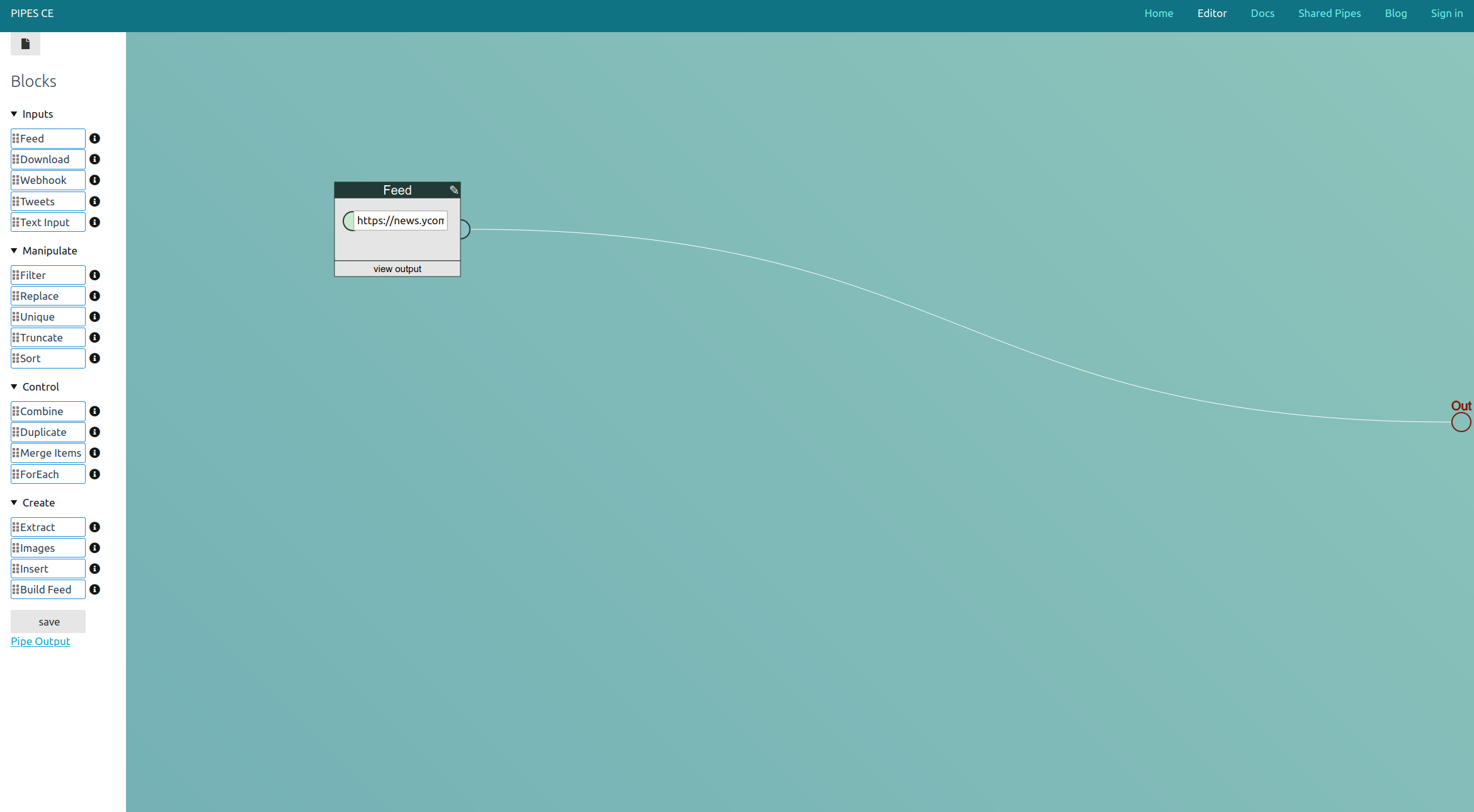
Pipes CE (Community Edition) is the free, open-source core of pipes.digital, a visual data manipulation tool inspired by Yahoo Pipes. It provides a web-based editor where users create "pipes" by connecting blocks on a canvas — each block fetches data (RSS, Atom, JSON feeds, HTML pages, webhooks) or transforms it (filter, combine, extract, replace, sort, truncate, build feed, etc.). Data flows item-by-item through the pipe as RSS or structured data. The software is written in Ruby using the Sinatra framework with a Raphaël-based SVG editor frontend. It uses SQLite for storage (pipes, users, sessions, cache) and memcached for caching. Authentication is passwordless via Portier (email-based login). The CE edition lacks the pricing page and user plans of the hosted pipes.digital service. Installation requires Ruby, bundler, memcached, and npm for frontend assets. Optional integrations with RSS-Box and RSS-Bridge can be enabled via environment variables. The project is dual-licensed AGPL-3.0 with an exception for the hosted pipes.digital service.
Should you self-host Pipes?
Pipes scores 44/100 on selfhost.directory (how scoring works) and ranks #52 of 85 in Feed Reader. It has 282 GitHub stars.
There was no stable release in the past 12 months, so check the repository's recent activity before you rely on it.
Setup is advanced: plan for several services and some ongoing maintenance. It is AGPL-3.0-licensed and written mostly in JavaScript.
Its closest alternative on selfhost.directory is RSSHub (85/100, 46 704 stars). It scores higher overall, so compare the two before you pick. See Pipes vs RSSHub side by side.
Features
- Data Extraction
- Feed building
- Feed combining
- Feed Filtering
- ForEach iteration
- HTML scraping
- Passwordless authentication
- Pipe composition
- Pipe sharing
- RSS/Atom/JSON Feed Support
- RSS/JSON output
- Service integrations
- Text input blocks
- Visual pipe editor
- Webhook input
Pipes README
More in Data Processing
 apache-nifiApache NiFi is an open-source, self-hosted data flow automation platform with browser-based UI, provenance tracking, and secure configuration.
 CyberChefBrowser-based cyber Swiss army knife with hundreds of operations for encoding, crypto, hashing and parsing, fully client-side and self-hostable via Docker or ZIP.
 docker-cyberchefDaily-built Docker image running GCHQ CyberChef, a browser tool for crypto, encoding, compression, and data inspection.
 GreenmaskAn open-source CLI utility that masks PostgreSQL database dumps and creates synthetic test data for CI/CD workflows.
 hadoopOpen-source, self-hosted framework for large-scale data work: HDFS storage, YARN scheduling and MapReduce jobs, scaling from one machine to thousands.
 JSON CrackSelf-hosted, open-source JSON, YAML, XML and CSV viewer that turns data into interactive graphs, converts formats, validates and exports images.
0 comments