
Self-host prefect
3.9.3Pythonic workflow orchestration for data pipelines
- Stars
- 24 159
- Port
- 4200 (Prefect server API and UI)
prefecthq/prefect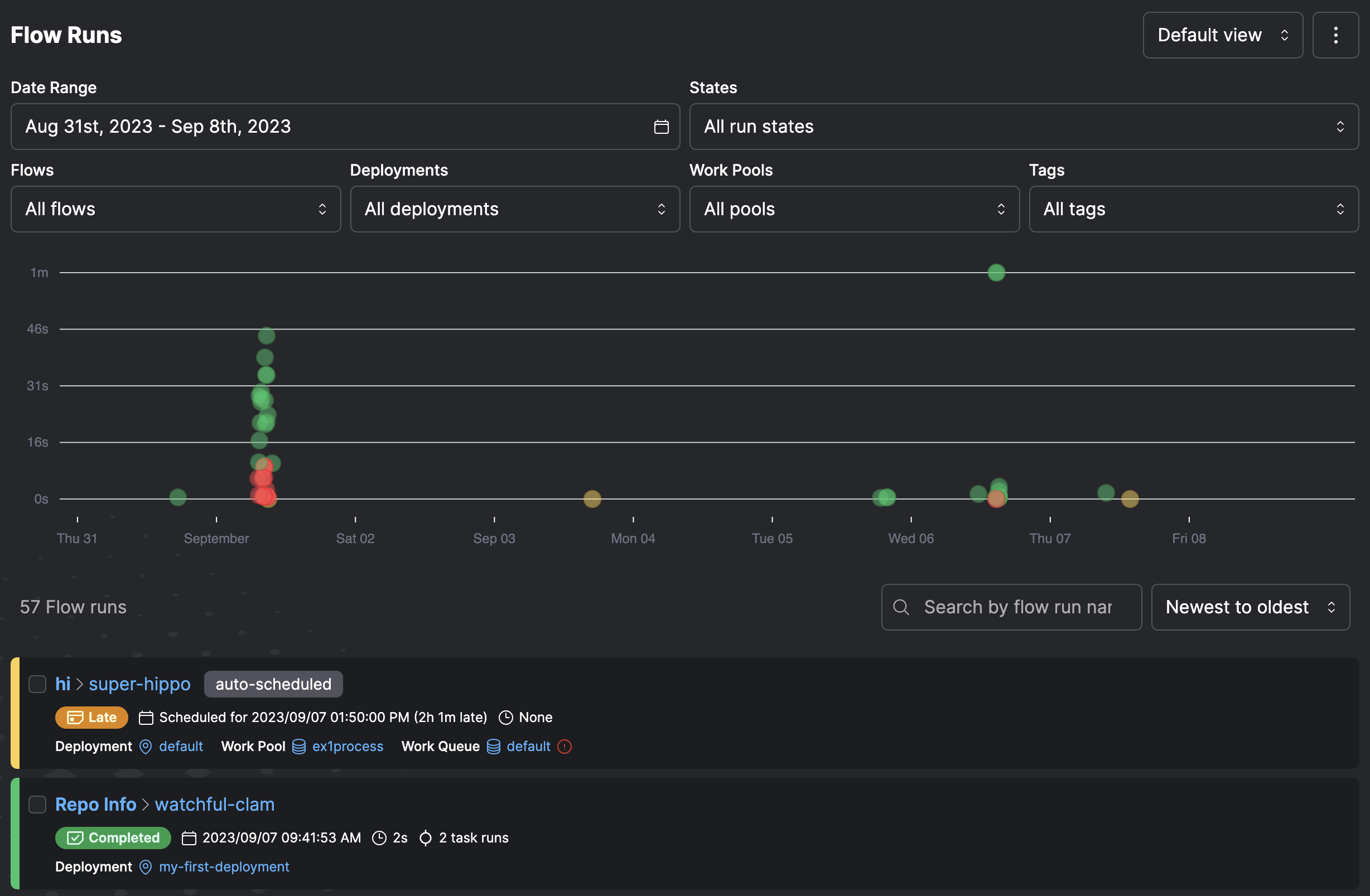
What is prefect?
This workflow orchestration framework lets you build resilient data pipelines in Python using native decorators (@flow, @task) instead of DSLs or YAML. The self-hosted server runs a web UI on port 4200 for monitoring runs, viewing dependency graphs, and managing deployments. It uses SQLite by default for simple setups and PostgreSQL for production, with optional Redis for event messaging. Core capabilities include automatic state tracking, failure handling with retries, result caching, event-driven triggers, dynamic task creation at runtime, and scheduling via cron or deployment APIs. You can run the server via CLI, Docker, or Docker Compose with PostgreSQL and Redis. The managed Prefect Cloud service adds enterprise features like RBAC, SSO, and audit logs on top of the same open-source engine.
Should you self-host prefect?
prefect scores 80/100 on selfhost.directory (how scoring works) and ranks #4 of 31 in Workflow Automation. It has 24 159 GitHub stars, +155 in the last 30 days.
It shipped 20 stable releases in the past year. The latest, 3.9.3, came out on 13 November 2026. New versions land roughly every 7 days.
Setup is moderate: expect some configuration beyond a single command. An official Docker image is available. It is Apache-2.0-licensed and written mostly in Python.
Its closest alternative on selfhost.directory is Kestra (80/100, 30 235 stars). prefect scores higher overall. See prefect vs Kestra side by side.
Features
- Basic Authentication
- Caching
- CI/CD Integration
- Dynamic task creation
- Event-driven automations
- Flexible execution environments
- Pythonic workflow definition
- Retries
- Scheduling
- State management and recovery
- Web UI for monitoring
prefect README

How to install prefect
Install prefect with Docker
PREFECT_API_URLdocker run -p 4200:4200 -d --rm prefecthq/prefect:3-latest -- prefect server start --host 0.0.0.0
Port forward the server to your local machine (e.g. -p 4200:4200). Set the --host flag on the prefect server start command to 0.0.0.0.
Install prefect with Docker Compose
PREFECT_SERVER_DATABASE_CONNECTION_URL, PREFECT_SERVER_API_HOST, PREFECT_SERVER_UI_API_URL, PREFECT_SERVER_EVENTS_MESSAGING_BROKER, PREFECT_SERVER_EVENTS_MESSAGING_CACHE, PREFECT_REDIS_MESSAGING_HOST, PREFECT_REDIS_MESSAGING_PORT, PREFECT_REDIS_MESSAGING_DB, PREFECT_API_URLservices: postgres: image: postgres:14 environment: POSTGRES_USER: prefect POSTGRES_PASSWORD: prefect POSTGRES_DB: prefect volumes: - postgres_data:/var/lib/postgresql/data healthcheck: test: ["CMD-SHELL", "pg_isready -U prefect"] interval: 5s timeout: 5s retries: 5
redis: image: redis:7 volumes: - redis_data:/data healthcheck: test: ["CMD-SHELL", "redis-cli ping"] interval: 5s timeout: 5s retries: 5
prefect-server: image: prefecthq/prefect:3-latest depends_on: postgres: condition: service_healthy redis: condition: service_healthy environment: PREFECT_SERVER_DATABASE_CONNECTION_URL: postgresql+asyncpg://prefect:prefect@postgres:5432/prefect PREFECT_SERVER_API_HOST: 0.0.0.0 PREFECT_SERVER_UI_API_URL: http://localhost:4200/api PREFECT_SERVER_EVENTS_MESSAGING_BROKER: prefect_redis.messaging PREFECT_SERVER_EVENTS_MESSAGING_CACHE: prefect_redis.messaging PREFECT_REDIS_MESSAGING_HOST: redis PREFECT_REDIS_MESSAGING_PORT: 6379 PREFECT_REDIS_MESSAGING_DB: 0 command: prefect server start --no-services ports: - "4200:4200" healthcheck: test: ["CMD", "python", "-c", "import urllib.request as u; u.urlopen('http://localhost:4200/api/health', timeout=1)"] interval: 30s timeout: 10s retries: 3 start_period: 60s
prefect-services: image: prefecthq/prefect:3-latest depends_on: prefect-server: condition: service_healthy environment: PREFECT_SERVER_DATABASE_CONNECTION_URL: postgresql+asyncpg://prefect:prefect@postgres:5432/prefect PREFECT_SERVER_EVENTS_MESSAGING_BROKER: prefect_redis.messaging PREFECT_SERVER_EVENTS_MESSAGING_CACHE: prefect_redis.messaging PREFECT_REDIS_MESSAGING_HOST: redis PREFECT_REDIS_MESSAGING_PORT: 6379 PREFECT_REDIS_MESSAGING_DB: 0 command: prefect server services start
prefect-worker: image: prefecthq/prefect:3-latest depends_on: prefect-server: condition: service_healthy environment: PREFECT_API_URL: http://prefect-server:4200/api command: prefect worker start --pool local-pool restart: on-failure
volumes: postgres_data: redis_data:
Includes PostgreSQL, Redis, server, background services, and worker. Run with: docker compose up -d
Install prefect with Python
PREFECT_API_URLpip install -U prefect
prefect server start
Requires Python 3.11+. Uses SQLite by default.
How to configure prefect
PREFECT_SERVER_API_HOST=0.0.0.0Host address for the server APIPREFECT_SERVER_UI_API_URL=http://localhost:4200/apiExternal API URL for the UIPREFECT_REDIS_MESSAGING_HOST=redisRedis host for messagingPREFECT_REDIS_MESSAGING_PORT=6379Redis port for messagingPREFECT_REDIS_MESSAGING_DB=0Redis database number for messaging
prefect releases & version history
Enhancements ➕➕
- Add search and ordering to the automations page by @uinstinct in #23048
- Align flow runs timeline ticks to local time boundaries by @theluckystrike in #23272
Bug Fixes 🐞
- Fix early closure of async generator flows by @desertaxle in #23886
- Fix retry restart of async generator tasks closed during finalizer failure by @dfbustosus in #23739
- Fix parallel tasks failing when using kwargs by @uinstinct in #23820
- Fix parent transactions committing after child commit failure by @uinstinct in #23790
- Separate
visit_collectioncache entries by annotation type by @HarshithJeevan-pixel in #23851 - Preserve tuple and non-string key types in
hash_objectsby @devin-ai-integration[bot] in #23818 - Fix SQLAlchemy cursor reuse for parameterized fetches by @shion233 in #23847
- Replace null bytes in events before writing them to the database by @dayan02dev in #23853
- Don't count resuming a blocking pause as a new flow run attempt by @mansur-akhmadi in #23839
- Keep workers alive when reading the deployment fails before submission by @mansur-akhmadi in #23836
- Skip fetching a pinned commit that the clone already contains by @devin-ai-integration[bot] in #23814
- Keep
Annotated[T, Field(description=...)]descriptions in flow parameter schemas by @CassianoE in #23809 - Show the script error from
prefect deployandprefect flow servefor flows that fail to load by @CassianoE in #23807 - Generate automatic Dockerfile in
DockerImagebuild context by @devin-ai-integration[bot] in #23747 - Raise when
RemoteFileSystem.put_directory(overwrite=False)hits an existing file by @devin-ai-integration[bot] in #23816 - Reject invalid timezones in server-side
RRuleScheduleby @udsy19 in #23688 - Keep
RDATE/EXDATEinstants inRRuleSchedule.from_rrule()by @arieleven in #23436 - Preserve IANA timezone when
dateutilresolves viatzdataon Windows by @dltsum in #23295 - Hydrate schedule parameter overrides on every schedule write path by @dayan02dev in #23856
- Read
.envonce per process when loading settings by @devin-ai-integration[bot] in #23533
Integrations & Dependencies 🤝
- Bump
soupsievefrom 2.9 to 4.0 by @dependabot[bot] in #23872
Development & Tidiness 🧹
- Run duration-balanced Postgres test groups on every Python version by @devin-ai-integration[bot] in #23863
- Run duration-balanced SQLite test groups by @devin-ai-integration[bot] in #23865
- Fix flaky UI E2E tests reading stale default task run names by @devin-ai-integration[bot] in #23829
- Reserve hosted test API server port before starting uvicorn by @devin-ai-integration[bot] in #23799
- Fix flaky
artifact lstests that assert a sub-second "updated" time by @devin-ai-integration[bot] in #23866 - Use canonical IANA zone in interval schedule DST test by @devin-ai-integration[bot] in #23855
- Make the delete-block message assertions actually run by @dylanpulver in #23767
- Direct agents to re-request review after addressing requested changes by @devin-ai-integration[bot] in #23828
Documentation 📓
- Document flow archival and restoration policies by @nathandpeterson in #23546
- Rename managed automation to workspace policy by @nathandpeterson in #23800
- Fix broken examples in the store-flow-code guide by @ZainnQureshii in #23801
- Set
PREFECT_API_URLin the open source quickstart by @masonmenges in #23842 - Document OIDC identity tokens for Modal push work pools by @devin-ai-integration[bot] in #23545
- Document that the automatic Dockerfile uses the
DockerImagebuild context by @devin-ai-integration[bot] in #23868 - Document
ClassVarannotations for custom block metadata by @ashutosh8021 in #23827
Full Changelog: 3.9.2...3.9.3
3.9.2 - It’s okay to let go of a lock that already let go of you
Released on November 06, 2026
Enhancements ➕➕
Bug Fixes 🐞
- Render list-of-lists table artifacts in
ArtifactDataViewby @devin-ai-integration[bot] in #23359 - Preserve datetime instants when changing timezone by @ashutosh8021 in #23682
- Show an invalid name error from
prefect deploymentcommands for malformed names by @LuisFigueroaG in #23680 - Fix
[object Object]displayed in parameters fields by @uinstinct in #23723 - Align positional-only argument defaults in source-parsed signatures by @udsy19 in #23428
- Preserve
init=Falsedataclass fields invisit_collectionby @Kayvan-Zahiri in #23270 - Release async-acquired locks in
RedisLockManager.release_lockby @devin-ai-integration[bot] in #23654 - Keep recent runs visible in V2 deployment activity charts by @devin-ai-integration[bot] in #23640
- Drop task run events for missing flow runs instead of failing the batch by @devin-ai-integration[bot] in #23664
- Don't crash completed runs when lease renewal gets 410 after terminal state by @devin-ai-integration[bot] in #23659
- Replace stuck readiness tasks when a poll would mark something ready by @devin-ai-integration[bot] in #23644
- Return 422 instead of 503/500 for invalid values in request bodies by @devin-ai-integration[bot] in #23619
- Preserve literal artifact content in CLI JSON output by @RoryGlenn in #23692
- Preserve literal markup and emoji aliases in all CLI JSON/YAML output by @devin-ai-integration[bot] in #23695
- Fix v1 UI ignoring
PREFECT_SERVER_UI_SHOW_PROMOTIONAL_CONTENTby @devin-ai-integration[bot] in #23710 - Accept the same flow state hook signatures in the engine and the runner by @CassianoE in #23715
- Keep deployment schedule parameter overrides on partial schedule updates by @devin-ai-integration[bot] in #23719
- Tolerate release of expired locks in
MemoryLockManagerandFileSystemLockManagerby @Wilson0511 in #23725 - Keep inherited sync client open for tasks submitted via
ThreadPoolTaskRunnerby @devin-ai-integration[bot] in #23749 - Fall back to UTC when the browser reports no time zone in ui-v2 by @devin-ai-integration[bot] in #23738
- Fix
GitRepository.pull_code()ignoringdirectorieschanges on an existing sparse checkout by @CassianoE in #23712 - Preserve JSON Schema references in flow parameters by @ska2704 in #23432
- Disable Rich markup by default in
exit_with_errorby @devin-ai-integration[bot] in #23763 - Fix IndexError in
prefect block type inspect/lson empty description by @devin-ai-integration[bot] in #23762 - Fix 500 from flow run resume when run input has an integer beyond 64 bits by @devin-ai-integration[bot] in #23617
- Treat database and connection pool timeouts as client retryable exceptions by @Tyagiquamar in #23741
- Stop flow run heartbeats before proposing a terminal state by @chrisguidry in #23784
- Fix automation trigger "Format" button submitting the wizard form by @devin-ai-integration[bot] in #23776
- Return False from
still_connectedafter a websocket disconnect message by @chuqCTC in #23781 - Fix
RemoteFileSystemuploading all files when ignore file excludes everything by @devin-ai-integration[bot] in #23786 - Log pull step failures to the API in the workspace resolver by @devin-ai-integration[bot] in #23783
- Remove a failed script from
sys.modulesinload_script_as_moduleby @devin-ai-integration[bot] in #23772 - Surface import errors when the placeholder flow fallback cannot find a non-
defentrypoint by @devin-ai-integration[bot] in #23773 - Fix
visit_collectionfordefaultdict,Counter,deque, andfrozensetby @devin-ai-integration[bot] in #23794 - Keep automations loaded while the triggers service reloads them by @devin-ai-integration[bot] in #23778
- Let
*match an empty string inprefect deploy --namepatterns by @devin-ai-integration[bot] in #23771 - Skip locked rows when sweeping held events by @chuqCTC in #23757
Integrations & Dependencies 🤝
- Bump
pyasn1from 0.6.4 to 0.6.5 by @dependabot[bot] in #23708 - Bump
follow-redirectsfrom 1.16.1 to 1.16.2 in /ui by @dependabot[bot] in #23707 - Bump
@vitest/mockerandvitestin /ui by @dependabot[bot] in #23717 - Bump
pydocketto >=0.27.2 by @chrisguidry in #23729 - Bump
oauthlibfrom 4.0.0 to 4.0.1 by @dependabot[bot] in #23787
Development & Tidiness 🧹
- Fix flaky
test_results_with_timeoutracing a 10ms SIGALRM by @devin-ai-integration[bot] in #23423 - Fix flaky server signal forwarding tests by using OS-assigned ports by @devin-ai-integration[bot] in #23716
- Fix flaky
FlowRunCardtest by trimming generated flow run names in ui-v2 mocks by @devin-ai-integration[bot] in #23713 - Stop credential-obfuscation git clone tests from hitting GitHub by @devin-ai-integration[bot] in #23660
- Add coverage and protocol docs for releasing expired locks by @devin-ai-integration[bot] in #23726
- Drop two asserts that cannot run inside
pytest.raisesblocks by @dylanpulver in #23760 - Tidy up GitHub Actions workflows by @gaker in #23761
Documentation 📓
- Send referrers on outbound links and add missing page descriptions by @madureira-gabriel in #23728
- Note
init=Falsedataclass fields keep resolved values in tasks by @devin-ai-integration[bot] in #23764 - Document reserved event name prefixes by @bunchesofdonald in #23795
Full Changelog: 3.9.1...3.9.2
3.9.1 - This hour is a rerun
Released on October 30, 2026
Enhancements ➕➕
- Add custom state discovery and filters by @desertaxle in #23490
- Add Run action to the React flows list menu and flow page by @devin-ai-integration[bot] in #23354
- Allow sorting task runs by duration by @nolantonio in #23275
- Allow dismissing the V1 UI sidebar shortcut by @zzstoatzz in #23626
- Enforce duration input minimum by @uinstinct in #23122
- Cache
get_timezones()by @tylerjthomas9 in #23531 - Share orchestration clients across automation actions by @fatih-acar in #23255
- Restore advisory Cloud API compatibility checks by @desertaxle in #23624
- Show plain IDs instead of
UUID(...)reprs in CLI messages by @LuisFigueroaG in #23650 - Align date picker popover to the start instead of center by @uinstinct in #23655
Bug Fixes 🐞
- Prevent state persistence error from failing success flow by @uinstinct in #22745
- Skip unset Pydantic private attributes when rebuilding models in
visit_collectionby @devin-ai-integration[bot] in #23515 - Retry flows that return a failed state when
retriesis configured by @devin-ai-integration[bot] in #23535 - Preserve literal markup and emoji aliases in variable CLI JSON output by @devin-ai-integration[bot] in #23530
- Resolve numeric string dict keys in
get_from_dictby @devin-ai-integration[bot] in #23454 - Begin SQLite write transaction before reading automation buckets by @devin-ai-integration[bot] in #23471
- Fix forked child processes exiting with code 1 because of QueueService at-exit drain by @devin-ai-integration[bot] in #23464
- Serialize context on every
ProcessPoolTaskRunner.submit()by @devin-ai-integration[bot] in #23376 - Schedule
astopon SIGTERM instead of dropping the coroutine by @devin-ai-integration[bot] in #23346 - Keep flows search input focused while filtering by @devin-ai-integration[bot] in #23338
- Keep daily
IntervalSchedulewall-clock time across DST when start is after the change by @devin-ai-integration[bot] in #23205 - Allow the provisioned ECS execution role to create CloudWatch log groups by @Sagargupta16 in #23557
- Fix
GitRepository.pull_code()re-cloning a shallow clone on every new commit by @CassianoE in #23351 - Substitute
apply_valuesplaceholders in a single pass by @devin-ai-integration[bot] in #23494 - Percent-encode path values in
url_forby @devin-ai-integration[bot] in #23493 - Read automation buckets in a single query to avoid refresh race by @devin-ai-integration[bot] in #23604
- Delete every automation with
prefect automation delete --allby @cf3901646 in #23521 - Apply both
any_andnot_any_in flow run state filters by @spicysharkco in #23459 - Fix JSON flow results with
dataorresultkeys reading back wrong by @devin-ai-integration[bot] in #23377 - Preserve deployment concurrency lease ID on forced flow run state changes by @darshjoshi in #23304
- Fix
filter_filesaborting on a directory symlink cycle by @aayushbaluni in #23307 - Preserve cron start bounds in repeated DST hours by @zzstoatzz in #23634
- Recover cron occurrences shifted through DST gaps by @zzstoatzz in #23636
- Exit non-zero from
flow-run executewhen a crash cannot be reported by @devin-ai-integration[bot] in #23393 - Skip repeated cron occurrences during scheduler refills by @zzstoatzz in #23652
- Stop extra cron runs during DST refills on Python 3.11 and 3.12 by @desertaxle in #23672
- Fall back to placeholder for any
jsonable_encodererror inFlow.serialize_parametersby @devin-ai-integration[bot] in #23630 - Fix 500 from flow run list endpoints when a parameter exceeds 64 bits by @DEVJHAWAR11 in #23429
- Reset pause keys when a blocking pause is rescheduled by @devin-ai-integration[bot] in #23399
- Read until final state after terminal event in
wait_for_flow_runby @devin-ai-integration[bot] in #23669 - Display zero and false enum selections in the UI by @ashutosh8021 in #23656
- Publish duration lower bounds only where validation enforces them by @gaker in #23507
- Read metric triggers on metrics this version doesn't know by @nathandpeterson in #23513
- Fix duplicate retries label in deployments custom run by @uinstinct in #23343
- Show a not-found error from
prefect flow-run inspectfor missing runs by @LuisFigueroaG in #23329 - Show a not-found error from
prefect deployment run --idfor missing deployments by @LuisFigueroaG in #23586 - Show an invalid ID error from
prefect deployment run --idfor malformed IDs by @LuisFigueroaG in #23621 - Show an invalid slug error from
prefect block inspectandblock deletefor extra slashes by @LuisFigueroaG in #23670 - Read every global concurrency limit in
prefect transferby @spicysharkco in #23456 - Add
urlproperty to client-sideReceivedEventby @ethanstoner in #23181 - Prevent incorrect cached task results by preserving DataFrame column order by @uinstinct in #23303
- Raise
ObjectUnsupportedfrom the asynccreate_work_poolwhen the plan doesn't allow the pool by @LuisFigueroaG in #23610 - Fix task returning another task's cached results by @uinstinct in #23468
- Make date range span relative instead of absolute by @uinstinct in #23086
- Fix returned failed states being cached as successful task results by @uinstinct in #23523
- Fix date changing when clicking pm in date selector by @uinstinct in #23622
- Fix "use default value" doing nothing in parameter inputs by @uinstinct in #23657
Integrations & Dependencies 🤝
- Make the server compatible with SQLAlchemy 2.1 by @devin-ai-integration[bot] in #23201
- Lock current
prefect-redisandprefect-kubernetesfor the Docker image by @devin-ai-integration[bot] in #23537 - Bump stale integration pins in
uv.lockand keep them current on release by @devin-ai-integration[bot] in #23527 - Upgrade cyclopts to 5.3.2 and keep CLI exit codes and command names by @gaker in #23646
- Refresh the Python and UI dependency lockfiles by @gaker in #23666
- Move the remaining Node 20 pins to Node 22 by @znicholasbrown in #23509
- Update Node to the October 2026 security releases by @znicholasbrown in #23508
- Bump vite from 8.2.2 to 8.3.4 in /ui-v2 by @dependabot[bot] in #23488
- Bump opentelemetry-api from 1.44.0 to 1.45.1 by @dependabot[bot] in #23539
- Bump zod from 4.5.4 to 4.6.7 in /ui-v2 by @dependabot[bot] in #23547
- Bump graphql-core from 3.2.7 to 3.2.12 by @dependabot[bot] in #23542
- Bump pillow from 12.3.0 to 13.0.0 by @dependabot[bot] in #23541
- Bump virtualenv from 21.7.13 to 21.14.9 by @dependabot[bot] in #23540
- Bump virtualenv from 21.14.9 to 21.14.13 by @dependabot[bot] in #23584
- Bump storybook from 10.6.0 to 10.6.3 in /ui-v2 by @dependabot[bot] in #23549
- Bump lodash-es and mermaid in /ui-v2 by @dependabot[bot] in #23551
- Bump dompurify from 3.4.16 to 3.4.17 in /ui-v2 by @dependabot[bot] in #23548
- Bump undici from 8.11.2 to 8.12.3 in /ui-v2 by @dependabot[bot] in #23581
- Bump fast-uri from 3.1.7 to 3.1.9 in /ui-v2 by @dependabot[bot] in #23582
- Bump msgpack from 1.2.1 to 1.2.3 by @dependabot[bot] in #23633
- Bump qs from 6.16.0 to 6.17.0 in /ui by @dependabot[bot] in #23632
Development & Tidiness 🧹
- Fix flaky
TestRemoteFileSystemtree-project tests by @devin-ai-integration[bot] in #23554 - Fix flaky worker channel tests racing a 1s wall-clock deadline by @devin-ai-integration[bot] in #23450
- Fix flaky
TestWorkerLoggingtest caused by logging leak fromprefect configCLI tests by @devin-ai-integration[bot] in #23297 - Fix flaky
StateFilterdiscovery cap search test by @devin-ai-integration[bot] in #23556 - Fix flaky
date_diff_secondsfrom-now tests by @devin-ai-integration[bot] in #23451 - Fix background worker shutdown hang when worker cancellation is lost by @devin-ai-integration[bot] in #23511
- Ignore Python 3.15 multi-threaded fork warning in forked child service test by @devin-ai-integration[bot] in #23562
- Fix flaky events E2E tests by filtering by exact resource IDs by @devin-ai-integration[bot] in #23579
- Fix flaky
TestProcessPoolTaskRunner::test_submit_remains_non_blockingby @devin-ai-integration[bot] in #23605 - Fix flaky
TestFlowRunLogstests by filtering logs by flow run by @devin-ai-integration[bot] in #23611 - Refresh and verify Docker image CA trust stores by @zzstoatzz in #23517
- Document SQLite
BEGIN IMMEDIATEcontract in server AGENTS.md by @devin-ai-integration[bot] in #23560 - Document
_pendulum_callcontract insrc/prefectAGENTS.md by @devin-ai-integration[bot] in #23499
Documentation 📓
- Document Python 3.15 support and ISO duration inputs for
withinby @devin-ai-integration[bot] in #23498 - Document flow retries for returned Failed states by @devin-ai-integration[bot] in #23543
- Document microbatch task runs and partial success in
PrefectDbtRunnerby @devin-ai-integration[bot] in #23361 - Correct the reverse-proxy UI settings table by @himanshuchawla0807-gif in #23479
- Document
event.urlin automation templates by @devin-ai-integration[bot] in #23607 - Set canonical URLs to www.prefect.io by @maximearmstrong in #23641
- Link to the docs at www.prefect.io/docs by @maximearmstrong in #23642
- Fix broken docs links and stop redirecting missing pages to the homepage by @maximearmstrong in #23651
Full Changelog: 3.9.0...3.9.1
What's Changed
Bug Fixes 🐞
- Allow patched AnyIO releases on 2.x by @desertaxle in #23350
Integrations & Dependencies 🤝
- Refresh pip and Conda CA trust in Prefect 2 images by @zzstoatzz in #23518
Development & Tidiness 🧹
- Add 2.x Docker release recovery path by @desertaxle in #23019
Uncategorized
- Add Osano and GTM to Prefect 2.x docs by @desertaxle in #23135
- Fix 2.x CI: replace dead Sanity logo URLs and repoint bullseye apt sources to archive.debian.org by @devin-ai-integration[bot] in #23353
- Drop the eMudhra-compromised CA roots from 2.x images by @bunchesofdonald in #23512
Full Changelog: 2.20.26...2.20.27
AI summary Dropped Python 3.10 and removed deprecated Runner paths
3.9.0 - Pendulum's last swing
Released on October 21, 2026
Breaking Changes ⚠️
- Drop Python 3.10 support by @devin-ai-integration[bot] in #23324
- Remove deprecated Runner execution paths by @desertaxle in #23496
- Deprecate Pendulum datetime behavior on Python 3.11–3.12 by @devin-ai-integration[bot] in #23328
New Features 🎉
- Add Python 3.15 support by @devin-ai-integration[bot] in #23400
Enhancements ➕➕
- Add opt-in clearing for empty deployment schedules by @mifuha in #23412
- Cut CPU spent delivering events and API logs by @desertaxle in #23473
- Open a run's artifacts directly from the Artifacts tab and run graph in ui-v2 by @JonasFockstedt in #23339
- Read automations with action types this version doesn't know by @nathandpeterson in #23426
- Recover cancellation and suspension observers from websocket outages by @devin-ai-integration[bot] in #23421
Bug Fixes 🐞
- Keep the runner healthcheck healthy while the API is in maintenance by @jimid27 in #23325
- Skip duplicate worker submissions of runs that already hold a limit slot by @devin-ai-integration[bot] in #23341
- Fix prefect.yaml creation when optional contents is omitted by @MuhammadWaleed12 in #23334
- Check out pinned
commit_shawhen a git checkout already exists by @devin-ai-integration[bot] in #23374 - Preserve pytz timezone names in
RRuleSchedule.from_rrule()by @devin-ai-integration[bot] in #23396 - Fix
visit_collectionreturning another object's cached result after id reuse by @novain-shibu in #23404 - Make
*args/**kwargsoptional collections in flow parameter schemas by @devin-ai-integration[bot] in #23418 - Return run input from async
pause_flow_runwhen pause is rejected by @devin-ai-integration[bot] in #23435 - Allow
Task.with_options(tags=[])to clear existing tags by @devin-ai-integration[bot] in #23444 - Delete every deployment with
prefect deployment delete --allby @devin-ai-integration[bot] in #23440 - Unwrap
FieldInfodefaults for unmapped parameters intask.map()by @devin-ai-integration[bot] in #23369 - Count expect events that race or precede a proactive trigger's window by @chrisguidry in #23445
- Respect
--hoursinwork-pool previewandwork-queue preview --poolby @LuisFigueroaG in #23300 - Raise
ValueErrorfor negative timeout inpause_flow_runby @kingsley-123 in #22761 - Fix
prefect deploydropping list items templated from step outputs by @MohammadHijjawi97 in #23381 - Copy hook lists in
with_optionsfor tasks and flows by @spicysharkco in #23442 - Return empty list from
extract_instanceswhen there is no match by @udsy19 in #23427 - Fix
timeout=0raising aTimeoutErrorinPrefectFutureList.resultby @uinstinct in #23408 - Fix silently skipped task retries in
retry_condition_fnby @uinstinct in #23397 - Fix overlapping action branches in the automation JSON schema by @devin-ai-integration[bot] in #23448
- Use
min_lengthandmax_lengthon request bodies so the server imports on FastAPI 0.155 by @bunchesofdonald in #23476 - Make flow run activity cells navigable by @VivekVRobo in #23352
- Render run graph artifact icons instead of black boxes in ui-v2 by @JonasFockstedt in #23348
Integrations & Dependencies 🤝
- Bump
source-map-jsfrom 1.2.1 to 1.2.2 in /ui by @dependabot[bot] in #23315 - Bump
postcss-selector-parserfrom 6.1.2 to 6.1.4 in /ui by @dependabot[bot] in #23288 - Bump
serovalfrom 1.6.2 to 1.6.8 in /ui-v2 by @dependabot[bot] in #23314 - Bump
snowflake-connector-pythonfrom 4.7.1 to 4.7.3 by @dependabot[bot] in #23316 - Bump
werkzeugfrom 3.1.6 to 3.1.9 by @dependabot[bot] in #23317 - Bump
makofrom 1.3.12 to 1.4.2 by @dependabot[bot] in #23318 - Bump
multidictfrom 6.7.0 to 6.9.1 by @dependabot[bot] in #23319 - Bump
uvfrom 0.12.10 to 0.12.18 in /scripts/proxy-test by @dependabot[bot] in #23365 - Bump
cairosvgfrom 2.9.0 to 2.9.1 by @dependabot[bot] in #23363 - Bump
source-map-jsfrom 1.2.1 to 1.2.2 in /ui-v2 by @dependabot[bot] in #23364 - Bump
dompurifyfrom 3.4.12 to 3.4.16 in /ui-v2 by @dependabot[bot] in #23362 - Bump
aiohttpfrom 3.14.3 to 3.14.4 by @dependabot[bot] in #23462 - Bump
follow-redirectsfrom 1.16.0 to 1.16.1 in /ui by @dependabot[bot] in #23480 - Bump
vitefrom 8.2.2 to 8.3.4 in /ui by @dependabot[bot] in #23485 - Cap
fastapibelow 0.151 by @bunchesofdonald in #23478 - Update
certifianduvfor the eMudhra CA compromise by @desertaxle in #23483
Development & Tidiness 🧹
- Keep the patched test clock timezone-aware on Python 3.12 by @chrisguidry in #23465
- Wait for the events client to confirm events before asserting in checkpoint tests by @bunchesofdonald in #23477
- Guard internal call sites against Pendulum deprecation warnings by @devin-ai-integration[bot] in #23497
- Replace dead Sanity logo URLs in bundled collection metadata by @mattiamatrix in #23409
Documentation 📓
- Fix broken in-page anchors in the events reference by @wznhf78gyf-bot in #23331
- Fix
itemstype in the base job template customization docs by @rjafarau in #23388 - Document
UnknownActionfor automations and transfer skips by @devin-ai-integration[bot] in #23446 - Document held expect events for proactive triggers with
afterby @devin-ai-integration[bot] in #23467
Full Changelog: 3.8.8...3.9.0
@ Every self-hosted release, weekly
One Monday email with the week's stable releases across the directory.
More in Workflow Automation
 PydioPydio Cells is a self-hosted file sharing platform with document management, 5TB transfers, WebDAV, sync, and no-code automation. Runs on your infra with MySQL/MariaDB.
 PyRunnerSelf-hosted Python script automation platform to upload, schedule, and monitor scripts from a browser with isolated environments, secrets, AI integration, and webhooks.
 RapidForgeRapidForge is an open-source, self-hosted automation platform turning Bash, Lua, or mRuby scripts into webhooks, APIs, scheduled jobs, and dynamic pages. Single binary.
 reflyThe first open-source agent skills builder. Define skills by vibe workflow, run on Claude Code, Cursor, Codex & more. Build Clawdbot 🦞· APIs for Lovable · Bots for Slack & Lark/Feishu · Skills are infrastructure, not prompts.
 REI3REI3 is a self-hosted, open-source low-code platform for building multi-user business apps with full data ownership, replacing spreadsheets and SaaS tools.
 RomeSelf-hosted, open-source agent OS for persistent human-AI collaboration. Builds reusable apps and memory that compound. Runs via Docker with Discord, Telegram, WhatsApp.
 runeRune is a self-hosted, open-source workflow automation platform with a visual drag-and-drop interface, AI assistants, secure credentials, and team collaboration.
 self-hostedSelf-hosted low-code platform for internal tools with 45+ connectors, drag-and-drop builder, AI assistance, RBAC, audit logs, and SSO. Free tier available.
 SimOpen-source, self-hosted AI workspace for teams designing, launching and observing agent workflows, with 1,000+ app connectors, tables, knowledge bases and run logs.
 SixbSelf-hosted TypeScript framework for building ontology-powered applications and AI agents with shared domain models, data connectors, workflows, and React apps.
 SoulFlow-OrchestratorSelf-hosted AI agent runtime with 9 LLM backends, 141-node workflow engine, HITL gates, AES-256-GCM vault, Slack/Telegram/Discord/web chat. All data on your server.
 StackStormSelf-hosted, open-source event-driven automation platform with rules engine, workflows, 160+ integration packs, and ChatOps for DevOps and SRE teams.
0 comments