
Self-host OpenAgentd
v3.34.0Local coding agent that shows every tool call and diff
- Stars
- 213
- Port
- 4082 (Desktop app backend for network access (mobile devices))



What is OpenAgentd?
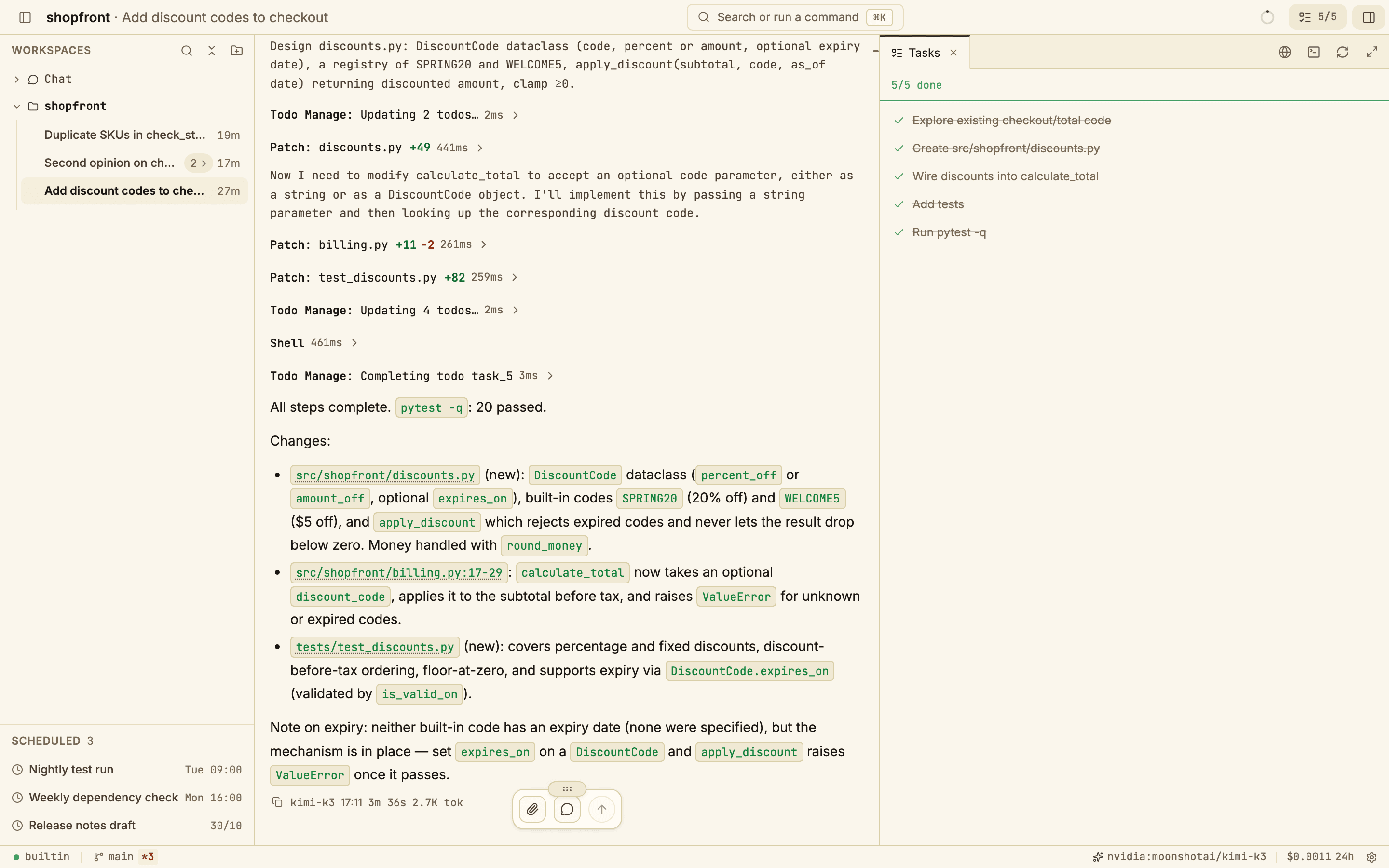
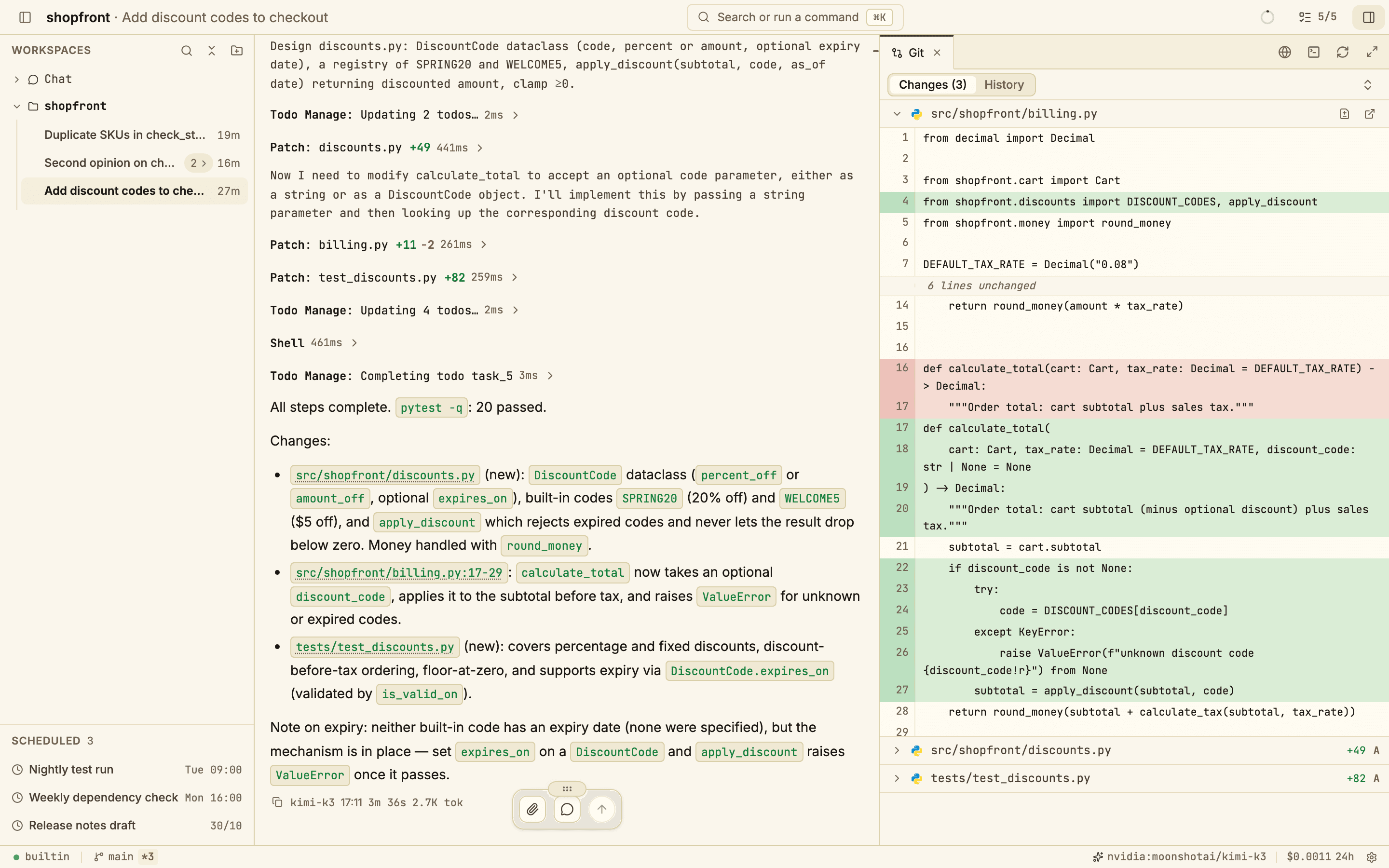
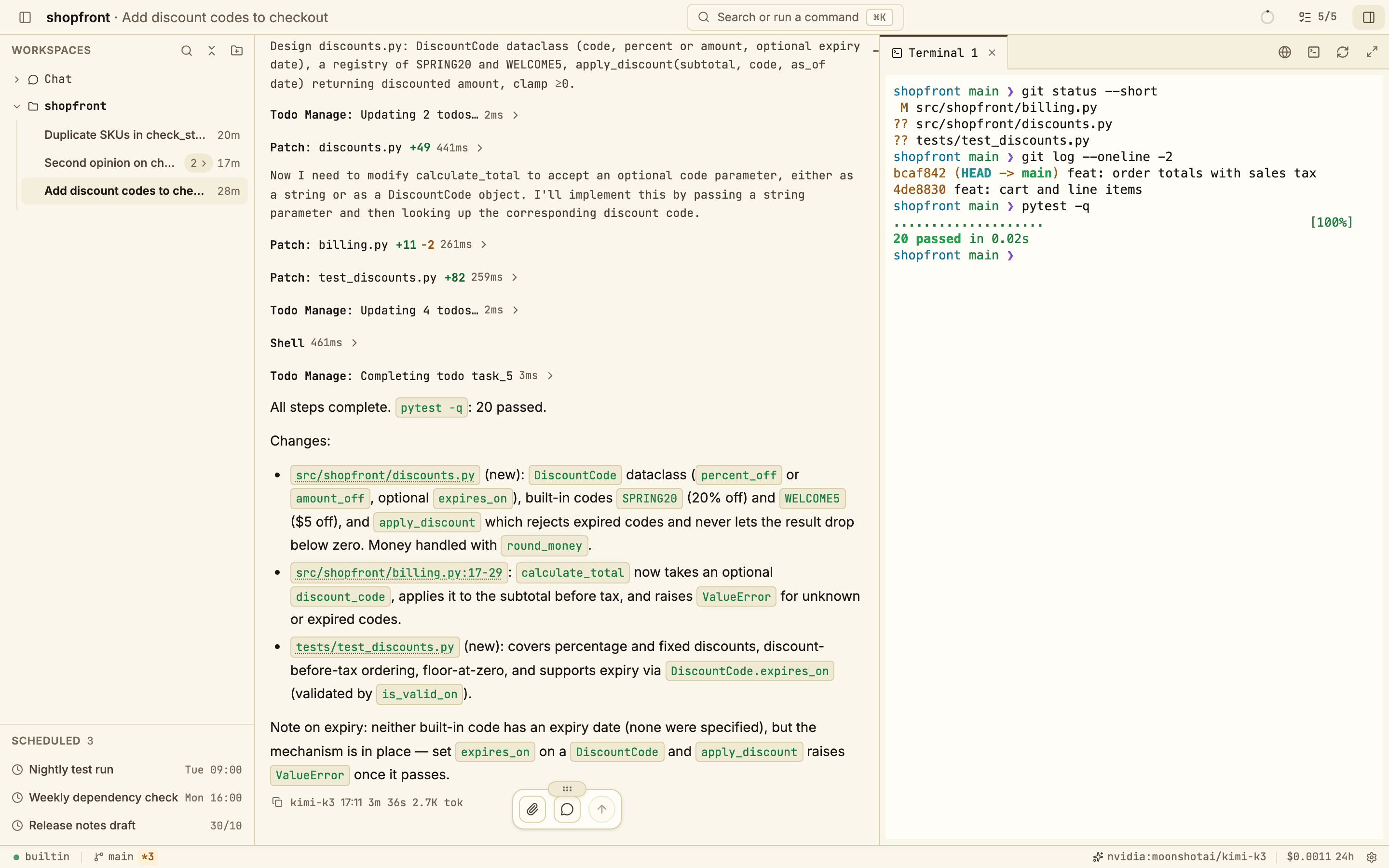
OpenAgentd is a desktop program that runs a coding agent locally on your computer. You point it at a project folder and describe a task; the agent then plans, reads files, makes edits, executes tests, and streams every action — tool invocations with their arguments and timing, file diffs, and token usage — into a single transcript. You can intervene during a turn, review changes before they are committed, and choose from over 19 model providers including major cloud services, GitHub Copilot, OpenAI Codex, or local models via Ollama. All sessions, telemetry, and configuration remain on your device unless you enable network access for mobile clients. The backend is a single Rust binary (roughly 43 MB, about 20 MB idle) wrapped in a Tauri interface. Installers exist for macOS, Windows, and Linux, plus a Homebrew cask. Mobile apps for iOS and Android link to the desktop backend over the local network, and a headless CLI server mode is available for browser or remote access. Capabilities include a read-only planning mode with approval workflow, multi-agent teams, live web preview, scheduled prompts, a plugin system, Model Context Protocol integration, path denylists for secrets, cross-workspace messaging, persistent memory, cost and latency tracking, and Git worktree support. The codebase is licensed under Apache 2.0.
Should you self-host OpenAgentd?
OpenAgentd scores 51/100 on selfhost.directory (how scoring works) and ranks #33 of 120 in AI Assistant. It has 213 GitHub stars.
It shipped 64 stable releases in the past year. The latest, v3.34.0, came out on 27 October 2026.
Setup is easy: most people get it running in one sitting. It is Apache-2.0-licensed and written mostly in Python.
Its closest alternative on selfhost.directory is hermes-agent (89/100, 257 957 stars). It scores higher overall, so compare the two before you pick. See OpenAgentd vs hermes-agent side by side.
Features
- Agent Teams
- Cross-workspace messages
- Denied paths
- Git worktrees
- Local-first
- MCP servers and skills
- Memory and context
- Mid-turn steering
- Multi-Provider Support
- Plan mode with approval
- Plugins
- Real-time tool call transcript
- Scheduler
- Telemetry and cost tracking
- Web preview
OpenAgentd README
FAQ
Can I keep secrets away from the agent?
Yes. A path denylist blocks files such as .env from the agent's file tools with glob patterns, and shell commands start without the API keys and other secrets OpenAgentd holds.
Can I use it from my phone?
Yes. The iOS and Android apps connect to OpenAgentd on your computer. Turn on Network access in Settings and enter the address and access key, or run the CLI server with an access key.
What happens when I hit a usage limit or lose the network?
When a provider runs out of quota, the agent shows a countdown, waits, and carries on. If the network drops, it retries every few seconds until the connection is back.
What tools does the agent have?
It reads, searches, and edits files, runs shell commands, navigates code and reads diagnostics through language servers. It can also search and fetch web pages, generate images and videos, keep a task list, schedule prompts, start helper agents, and message agents in other workspaces.
Is there a CLI?
Yes. Install the CLI server to run agentd server start and connect a browser or another device. agentd run runs an agent turn in the current project.
What does it cost?
OpenAgentd is free and open source under Apache 2.0. You pay your model provider for what you use, or nothing with local models.
Which models can I use?
Any of 19+ providers including Anthropic, OpenAI, Gemini, OpenRouter, AWS Bedrock, GitHub Copilot, and Ollama. Use your own keys or sign in with GitHub Copilot or OpenAI Codex subscription.
Does my code leave my machine?
Your prompts and the files the agent reads go to the model provider you choose. Sessions, telemetry, and settings stay on your computer. With a local model through Ollama, nothing leaves it.
More in AI Chat
 openclaw-voiceSelf-hosted browser voice interface for AI assistants. Runs Whisper locally, uses ElevenLabs or local TTS, connects to OpenAI, Claude, or custom agents.
 OpenCode Chat BridgeSelf-hosted open-source bot connecting ACP agents like OpenCode and Ferrum to Matrix, Slack, WhatsApp, Discord, Telegram, and a web widget with permission-based security.
 OpenDocumentsOpen-source RAG system you run on your own hardware that indexes files from GitHub, Notion, Drive, Confluence, S3, and local folders, answering questions with citations.
 Open GENAIOpen GENAI is a self-hosted, open-source fork of Japan's Digital Agency GenAI replacing cloud services with local alternatives for air-gapped operation.
 OpeniLink HubSelf-hosted WeChat Bot platform (iLink) with 20+ app integrations. Multi-bot management, WebSocket/Webhook/AI routing, message tracing, Passkey auth.
 Open-Poe-AIOpen AI Agents Hub is a self-hosted, open-source platform for building and chatting with AI agents — LLM chat and media generation from one web interface.
 OpenWorkSelf-hosted and open-source, this Electron workspace puts AI agents to work on local files; over 50 providers, Ollama support, and a self-hosted Den control plane.
 OpikOpik is an open-source, self-hostable LLM observability platform with tracing, evaluation, and production monitoring.
 Oriveo Community EditionA self-hosted, open-source AI chat app for mobile and web that lets you use fifteen-plus model providers with your own API keys — no account required.
 os1OS1 is a self-hosted, open-source AI platform with autonomous agents, deep research, real-time collaborative chats, and a PWA workspace. Full data control, extensible.
 OuroborosA locally-run AI agent that preserves its identity across sessions, spawns specialist sub-agents, and rewrites its own codebase.
 OvertChatSelf-hosted AI chat with local models, bundled voice/search, multi-user accounts, native mobile/desktop apps, and portable SQLite database.
0 comments