
Self-host nanote
1.0.0Lightweight self-hosted note app with filesystem storage
- Stars
- 157
- Port
- 3000 (HTTP web server)
omarmir/nanote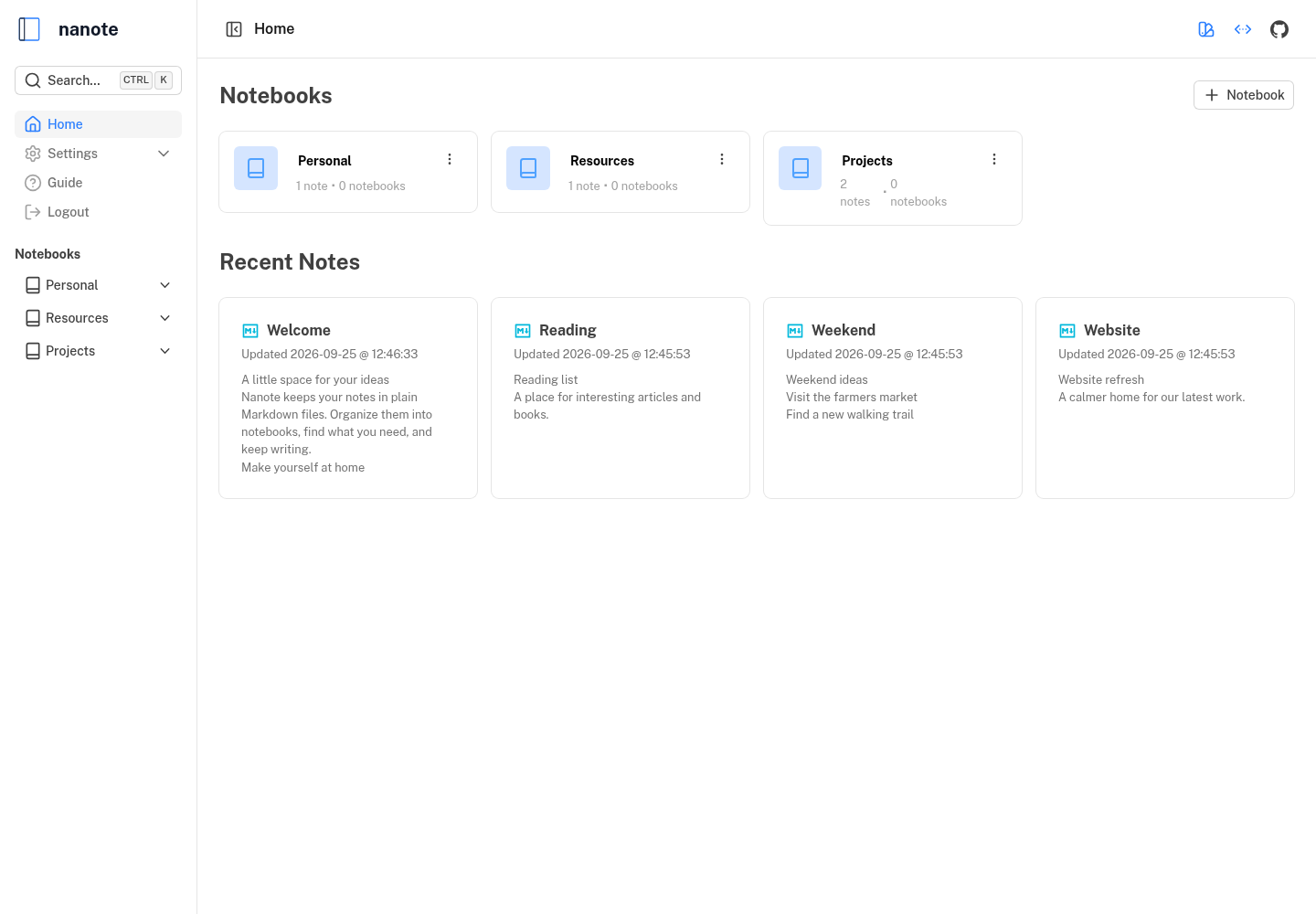
What is nanote?
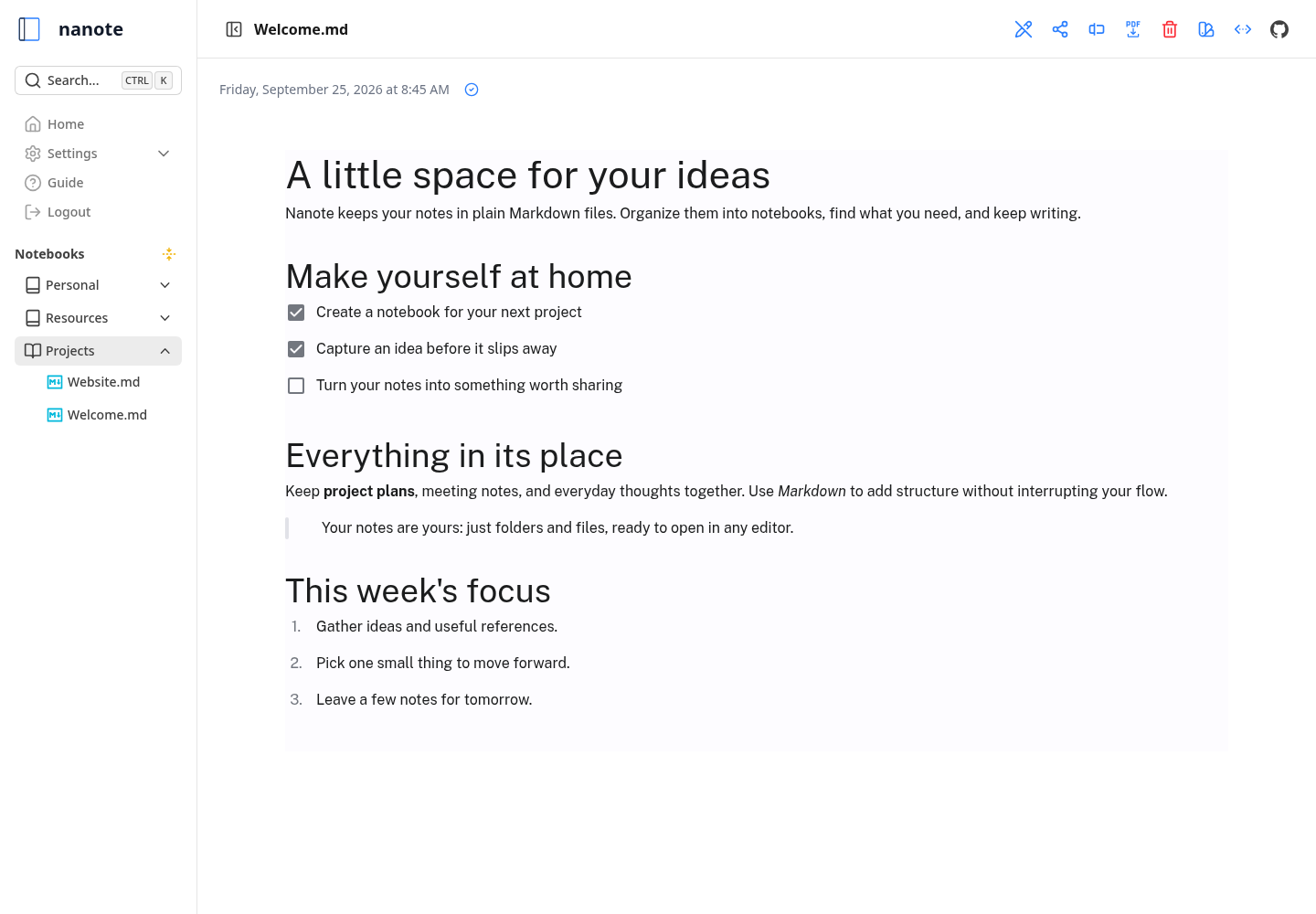
Nanote is a lightweight, self-hosted note-taking application built with Nuxt 4 and TypeScript. It uses filesystem-based storage — folders as notebooks and markdown files as notes — so users maintain 100% portability and can manage notes with any text editor. The app provides a web UI with universal search across all notes, Markdown support with custom directives for file uploads and date insertion, and a mobile-friendly layout. It runs via Docker (image omarmir/nanote) or locally with Node.js 18+ and PNPM. No database is required; notes and uploads are stored in configurable filesystem paths. The project is licensed under AGPL-3.0 and has reached version 1.0.0.
Should you self-host nanote?
nanote scores 42/100 on selfhost.directory (how scoring works) and ranks #62 of 81 in Notes & Editors. It has 157 GitHub stars.
It shipped 1 stable release in the past year. The latest, 1.0.0, came out on 25 September 2026.
Setup is easy: most people get it running in one sitting. An official Docker image is available. It is AGPL-3.0-licensed and written mostly in Typescript.
Its closest alternative on selfhost.directory is Memos (86/100, 64 136 stars). It scores higher overall, so compare the two before you pick. See nanote vs Memos side by side.
Features
- Custom Remark Directives
- File UploadFile upload for non-image files noted as pending
- Local Filesystem Storage
- Markdown Support
- Multi-language Support
- Notebook-based Organization
- TypeSafe REST API
- Universal Search
nanote README
More in Notes & Editors
 NarraLumeNarraLume is a self-hosted, open-source writing studio for novels with a story bible, versioned Markdown editing, optional AI drafting, and export.
 Nextcloud Notes✎ Distraction-free notes and writing
 NoteDiscoverySelf-hosted, open-source Markdown knowledge base: wikilinks, backlinks, graph view, tags, templates, LaTeX, Mermaid, drawing editor, MCP AI access. One Docker container.
 Note MarkNote Mark is a self-hosted, open-source Markdown notes app with responsive UI, GFM support, dark/light themes, note sharing, asset attachments, and OIDC SSO.
 notesnookAn open-source, end-to-end encrypted note-taking app with web, desktop and mobile apps; run the self-hosted sync server with Docker Compose, import Evernote.
 Notesnook Sync ServerNotesnook Sync Server is the open-source, self-hostable backend for end-to-end encrypted note sync. Runs via Docker Compose with MongoDB and S3 storage.
 Nowen NoteNowen Note is an open-source, self-hosted personal knowledge base with Markdown/rich-text editing, AI writing, mind maps, tasks, offline sync, and multi-device clients.
 Obsidian-Gitsync-PerliteSelf-hosted read-only Obsidian markdown viewer that continuously syncs notes from a GitHub repository using git-sync and serves them via Perlite with nginx.
 obsidian-tunnelSelf-hosted web interface to browse, edit, and manage your Obsidian vault from any browser with Cloudflare Tunnel support and basic authentication.
 OmnivoreSelf-hosted, open-source read-it-later app with highlights, notes, labels, RSS feeds, newsletter email import, PDF support and native iOS and Android apps.
 OpenBriefFree open-source desktop app for macOS, Windows, Linux that imports video/audio, extracts transcripts locally, generates grounded summaries, and lets you chat.
 OpenHabitTrackerA free, open-source habit tracker that runs everywhere and lets you sync data to your own Docker server.
0 comments