
Self-host mos-releases
0.6.1-stableDevuan-based server OS with a web admin for homelabs
- Stars
- 657
- CPU
- x86_64 compatible processor
- RAM
- 8 GB RAM recommended (minimum 4 GB)
- Storage
- A USB Flash device or HDD/SSD/NVME to install the OS; minimum recommended USB stick size: 8 GB (16 GB recommended)

What is mos-releases?
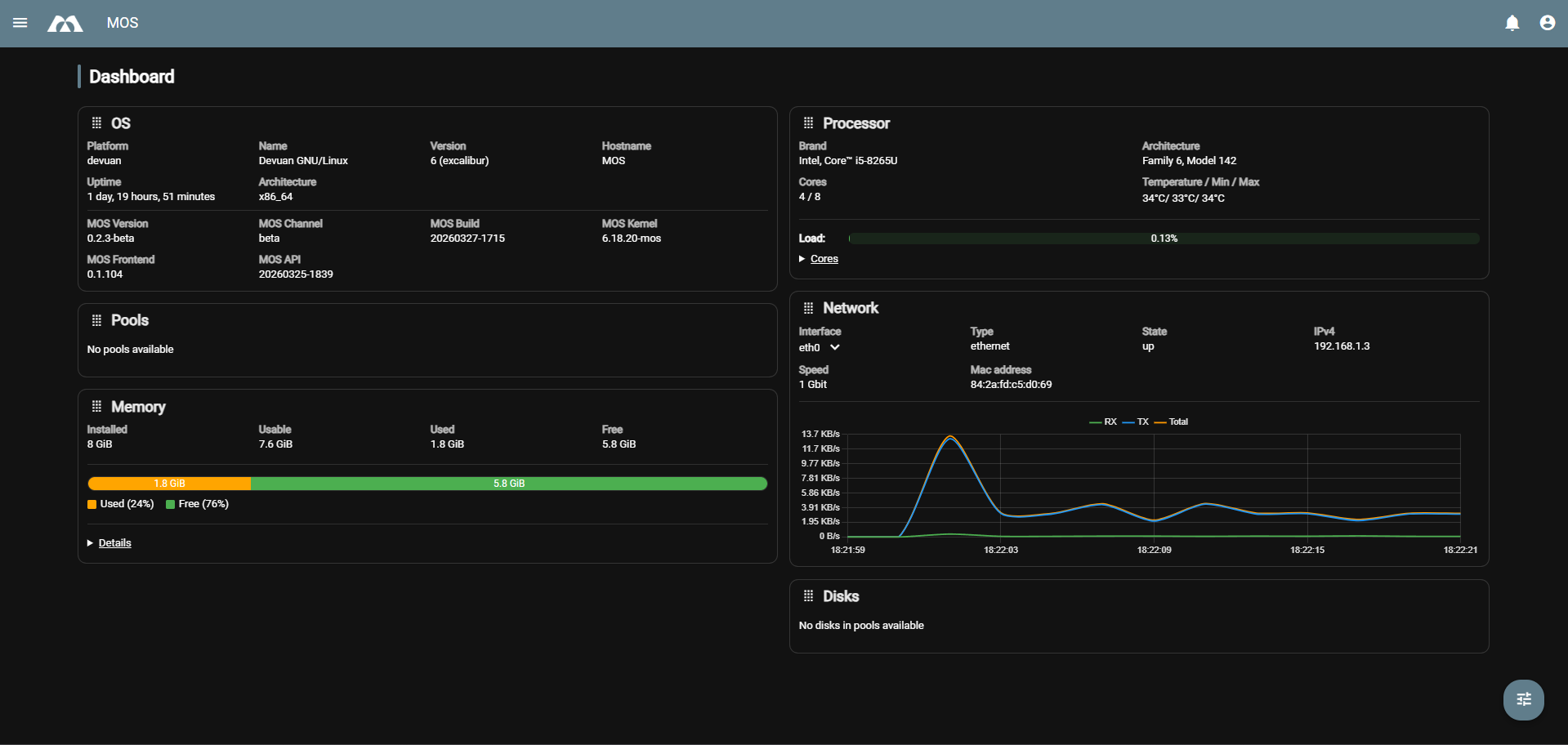
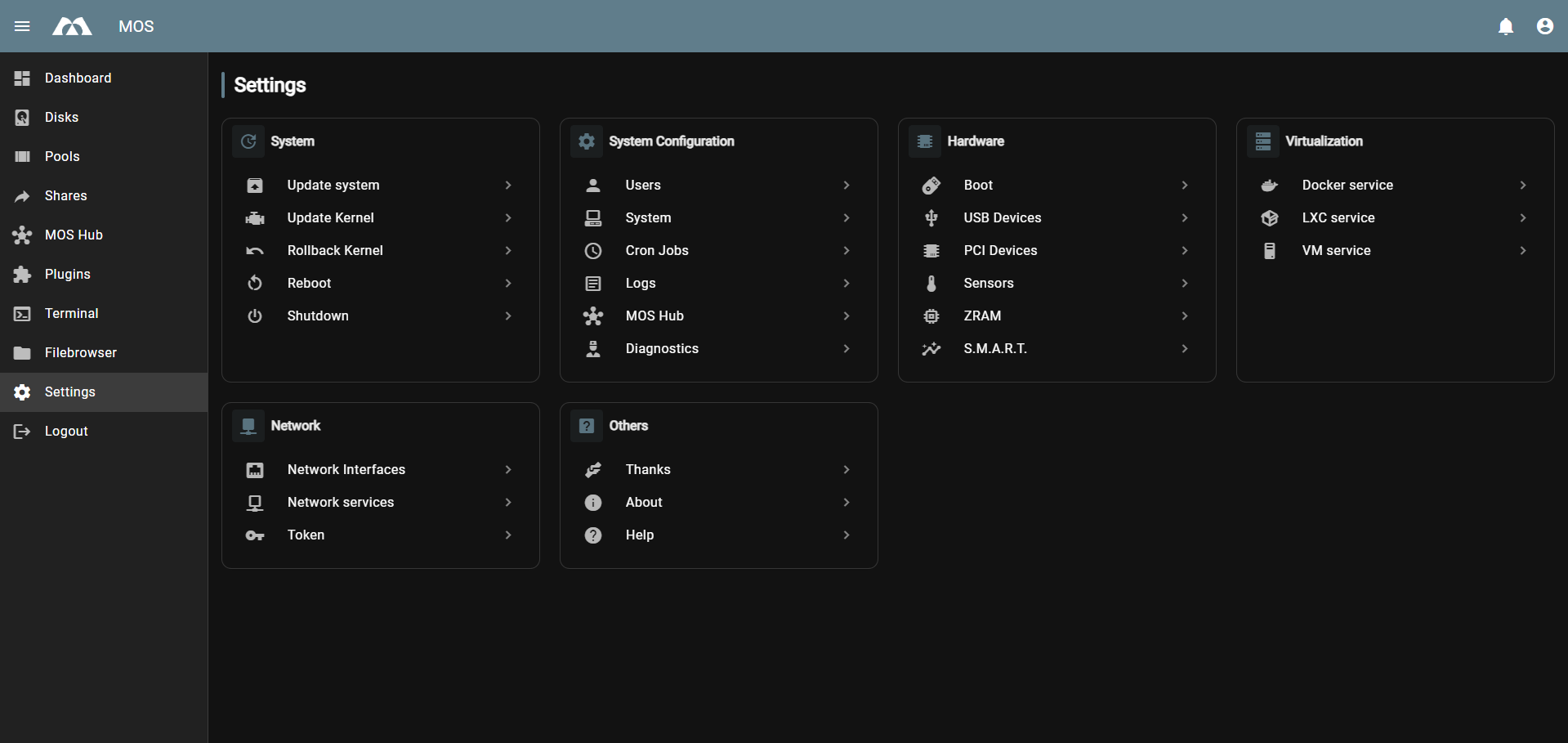
MOS is a lightweight, Devuan-based operating system aimed at small, energy-efficient home servers, homelab users and selfhosters. It ships a web UI that covers monitoring (CPU, RAM, disks, temperatures, network), storage pools and SMB/NFS shares, user and permission management, Docker, LXC and QEMU virtual machines, a built-in web terminal and file browser, plus notifications. Storage is handled by mergerfs pooling combined with SnapRAID parity, and hardware drivers or extra filesystems arrive as optional plugins through the MOS Hub, which also offers one-click Docker and Compose templates. Everything is driven by a documented REST API with Swagger docs at /api-docs and realtime WebSocket events, so the UI is just a client of that API. You self-host it by downloading a release ZIP, extracting it to a FAT32-formatted USB stick and booting an UEFI machine; the browser interface is then reached at http://MOS-IP/. The project is still young (0.x stable releases), is provided as-is with no telemetry, and the maintainers advise keeping backups.
Should you self-host mos-releases?
mos-releases scores 41/100 on selfhost.directory (how scoring works) and ranks #7 of 8 in Operating System. It has 657 GitHub stars.
It shipped 6 stable releases in the past year. The latest, 0.6.1-stable, came out on 23 October 2026. New versions land roughly every 4 weeks.
Setup is easy: most people get it running in one sitting. It is GPL-3.0-licensed and written mostly in Shell.
Its closest alternative on selfhost.directory is OpenWrt (83/100, 28 967 stars). It scores higher overall, so compare the two before you pick. See mos-releases vs OpenWrt side by side.
Features
- Built-in web terminal and file browser
- Hardware monitoring dashboard
- LXC Containers
- MOS Hub app and template store
- Notifications with priorities
- Plugin and driver system
- Realtime WebSocket events
- REST API with Swagger docs
- SMB / NFS share management
- Storage pools with mergerfs and SnapRAID
- User and permission management
- Virtual machines (QEMU)
- Web management UI
mos-releases README
FAQ
Wo finde ich Hilfe oder möchte beitragen?
Issues, pull requests and discussions go through the project repository; readme/docs and the community channels are the first stop for installation questions.
Ist MOS Open Source?
Yes, MOS is and remains open source under the GNU AGPLv3 (see LICENSE in the repo).
Wie bekomme ich Updates und pflege MOS?
Backend and UI are updated separately; follow the project repository for releases.
Wie funktionieren Plugins und Erweiterungen?
Functionality stays modular: plugins extend views and API features, and the UI only shows registered/activated plugins and modules.
Wie wird Zugriff und Sicherheit gehandhabt?
Authentication is token-based, and running the system behind TLS with a reverse proxy is recommended, along with least privilege, regular updates and log monitoring.
Wie installiere und betreibe ich MOS?
Typical deployments run the (static) web UI behind HTTPS and a reverse proxy; the UI talks to a MOS backend API such as /api/v1 plus a notification WebSocket.
Welche Dienste und Plattformen werden unterstützt?
MOS is service-oriented: dashboard, disks/pools/shares, users, Docker, LXC, VMs, web terminal and optional modules such as the Hub or remote mounting; visibility depends on the active services.
Gibt es einen ARM64 Build?
Yes, ARM64 builds are available and by now also considered stable.
Was ist MOS?
MOS is a web-based admin interface for servers and systems — monitoring, storage, user management, services, containers/VMs, notifications and tools — acting as a client of the MOS API.
More in Operating System
 nestOSNestOS is a self-hosted, open-source home server OS on Debian with a web UI for Docker, KVM VMs, storage, and network. In active development, not production-ready.
 OlaresOpen-source, self-hosted personal cloud OS: run local LLMs and AI agents on your own Linux box, add apps from Olares Market, and manage files, GPUs and backups.
 OpenWrtOpenWrt is a self-hosted, open-source Linux OS you flash onto your own router: read-write root filesystem, opkg package feeds and a full firmware build system.
 os-modaA self-hosted NixOS operating system where an AI agent manages your server through structured tools, with tamper-proof audit logs and instant rollback.
 router7Open-source, self-hosted home internet router written in pure Go: DHCPv4/DHCPv6, DNS, port forwarding and auto-rolling-back updates as a gokrazy appliance.
 StartOSOpen-source, self-hosted Linux server OS: run services in isolated containers from a web UI with a marketplace, local HTTPS, Tor and encrypted backups.
 UrbitUrbit is a self-hosted, open-source personal server stack with decentralized identity (Azimuth), VM (Vere), and OS (Arvo) for P2P computing and self-sovereign identity.
 Windows ARMSelf-hosted Windows ARM64 VM in Docker with KVM acceleration, automatic install, and web console for ARM devices like Raspberry Pi 5.
 anuraOSAnuraOS is a self-hosted, open-source web OS with Linux emulation via v86, virtual filesystem, code editor, and modular app system with PWA offline support.
 DietPiLightweight justice for your single-board computer!
 HomeDockOSA self-hosted cloud operating system that gives you a full desktop in the browser, hundreds of one-click apps, and automatic HTTPS certificates.
0 comments