
Self-host lazywarden
1.1.0Automated Bitwarden vault backups with multi-cloud storage
- Stars
- 832
querylab/lazywarden
What is lazywarden?
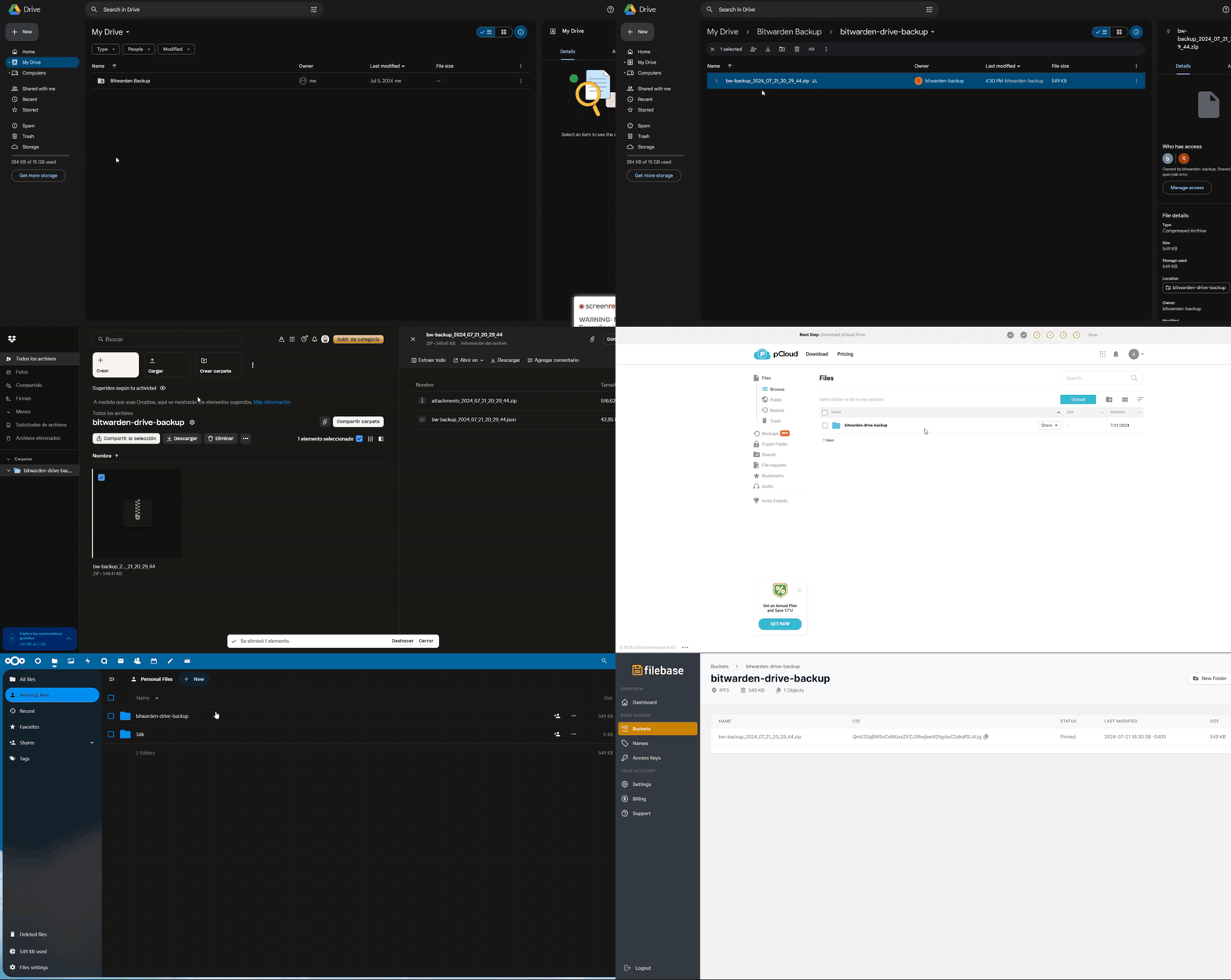
This tool automates Bitwarden vault backups using Python. It handles encrypted exports of vault data including attachments, uploading them to multiple cloud services simultaneously. The backup process uses AES-256 encryption with Argon2 key derivation. Alerts can be sent through various messaging platforms when backups complete. Users can schedule automatic backups daily, weekly, or monthly through cron or calendar integration.
Should you self-host lazywarden?
lazywarden scores 50/100 on selfhost.directory (how scoring works) and ranks #34 of 46 in Backup. It has 832 GitHub stars.
There was no stable release in the past 12 months, so check the repository's recent activity before you rely on it.
Setup is moderate: expect some configuration beyond a single command. An official Docker image is available. It is MIT-licensed and written mostly in Python.
Its closest alternative on selfhost.directory is Restic (82/100, 36 859 stars). It scores higher overall, so compare the two before you pick. See lazywarden vs Restic side by side.
Features
- Data integrity verification
- Encrypted backups
- Flexible scheduling
- KeePass Export
- Multi-cloud storage
lazywarden README
More in Password Managers
 onetimesecretSelf-hosted, open-source secret sharing service creating one-time links for passwords and API keys, forked from onetimesecret.com with no accounts or paid features.
 PadlocOpen-source, end-to-end encrypted password manager with shared vaults, MFA, a built-in authenticator and encrypted file storage; self-hosted via Docker Compose or Node.
 PassboltPassbolt Community Edition (CE) API. The JSON API for the open source password manager for teams!
 Passky-ServerPassky Server is a self-hosted, open-source password manager backend with zero-knowledge encryption using XChaCha20 and Argon2id, free tier up to 100 passwords.
 passwd-pageSelf-hosted, open-source zero-knowledge secret sharing tool with burn-after-read, file sharing, CLI, and MCP server for AI agents.
 passwordcockpitSelf-hosted open-source password manager for teams with folder permissions, LDAP, PIN encryption. Runs via Docker Compose with MariaDB.
 privateglue-publicPrivateGlue is a self-hosted, open-source web app linking devices, Markdown notes, and encrypted credentials for freelancers and homelabbers.
 pwmPWM is a self-hosted, open-source password self-service app for LDAP directories. Users reset passwords, unlock accounts, and manage credentials via web UI.
 quickblaze-encryptQuickBlaze Encrypt is a self-hosted, open-source PHP app for sending secrets via one-time view links that self-destruct after being read once.
 scrt.linkscrt.link is a self-hosted, open-source service for sharing passwords and files via end-to-end encrypted, ephemeral links that self-destruct after viewing.
 shaarkShaark is a self-hosted, open-source platform for web links, markdown posts, passwords, and photos with tagging, search, RSS, dark mode, and PWA.
 shareA self-hosted, open-source tool for sending passwords, notes, code, and big files through one-time encrypted links that vanish after use — no accounts needed.
0 comments