
Self-host Langfuse
v4.79.0Open-source LLM observability and evaluation platform
- Stars
- 37 350
- CPU
- 4 cores
- RAM
- 16 GiB
- Storage
- 100 GiB
- Ports
- 3000 (Langfuse web UI), 3030 (Langfuse worker (internal))
docker.langfuse.com/langfuse/langfuse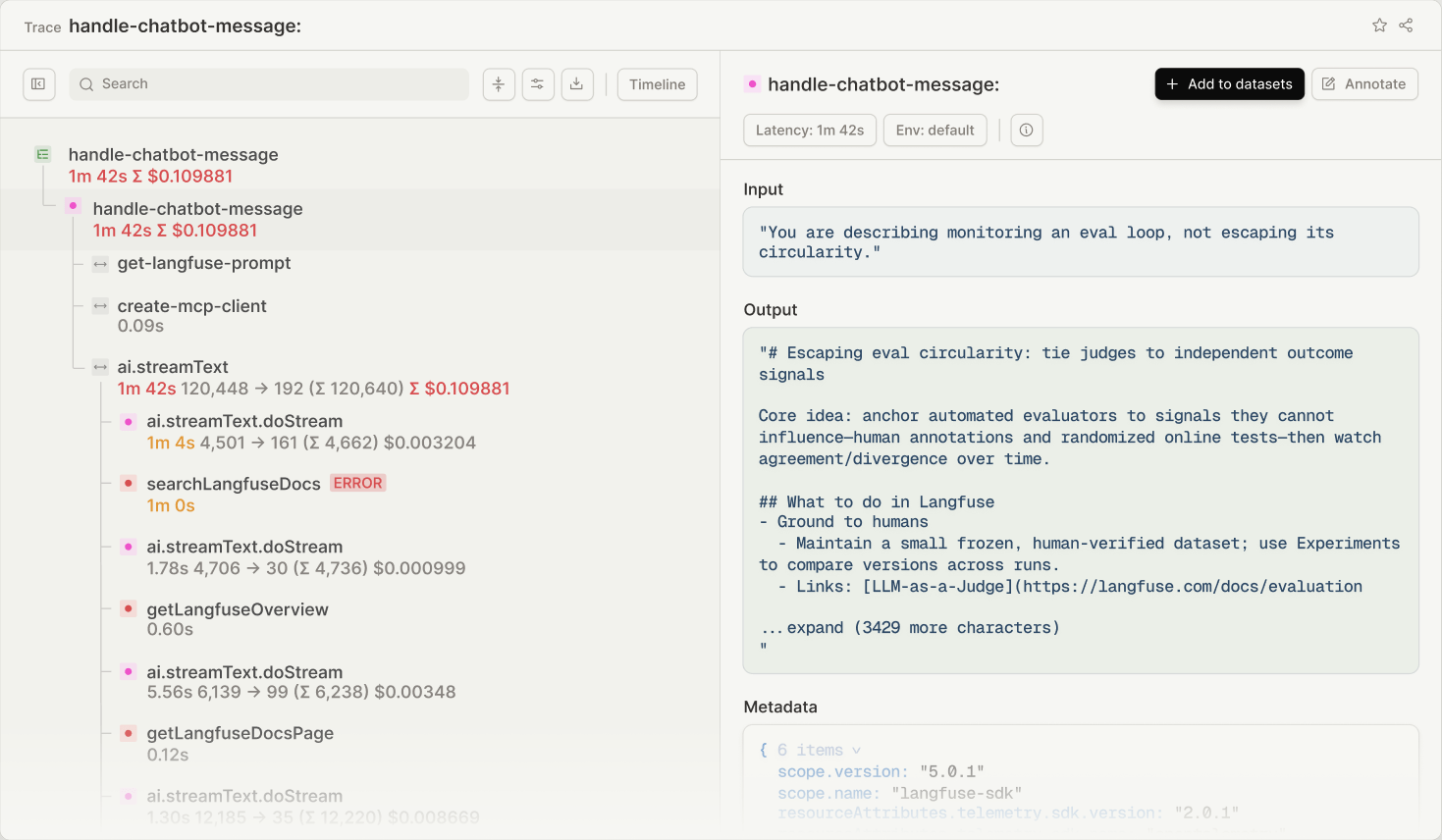
What is Langfuse?
Langfuse is an open-source platform for LLM engineering that assists teams in building, monitoring, evaluating, and debugging AI applications. It offers hierarchical tracing of LLM calls, tool invocations, and retrieval steps; prompt management with version control and caching; evaluations using LLM-as-a-judge, code evaluators, and human feedback; datasets for test sets and benchmarks; an LLM playground for prompt iteration; and cost/latency dashboards. It can be self-hosted via Docker Compose (for local/VM), Kubernetes (Helm) for production, or Terraform on AWS/Azure/GCP. The stack uses ClickHouse for analytics, PostgreSQL for metadata, Redis for queuing, and MinIO/S3 for blob storage. Licensed MIT (core) with some enterprise features in ee/ folders. Integrates with 100+ frameworks and model providers including LangChain, LlamaIndex, OpenAI, Anthropic, and OpenTelemetry.
Should you self-host Langfuse?
Langfuse scores 85/100 on selfhost.directory (how scoring works) and ranks #9 of 123 in AI. It has 37 350 GitHub stars, +1 811 in the last 30 days.
It shipped 172 stable releases in the past year. The latest, v4.79.0, came out on 12 November 2026. New versions land roughly every 1 days.
Setup is advanced: plan for several services and some ongoing maintenance. An official Docker image is available. It is MIT-licensed and written mostly in Typescript.
Its closest alternative on selfhost.directory is netdata (86/100, 81 380 stars). It scores higher overall, so compare the two before you pick. See Langfuse vs netdata side by side.
Features
- Comprehensive API
- Cost & Latency Monitoring
- Datasets
- Evaluations
- Experiments
- Human Annotation
- Langfuse AssistantAvailable from v4.28.0, requires LANGFUSE_IN_APP_AGENT_ENABLED=true
- Langfuse CLI
- LLM Application Observability
- LLM Playground
- OpenTelemetry Native
- Platform MCP Server
- Prompt Management
- Self-hosted deployment
- SKILL.md for coding agents
Langfuse README

Langfuse is an open source AI engineering platform for agent evals and observability. It is one open platform for every AI call your company makes and every agent your teams build: track usage and costs, trace and evaluate agents, and use production data to ship better AI. Use Langfuse Cloud or self-host in minutes; Langfuse is battle-tested at scale.
Watch a quick demo of the project here:
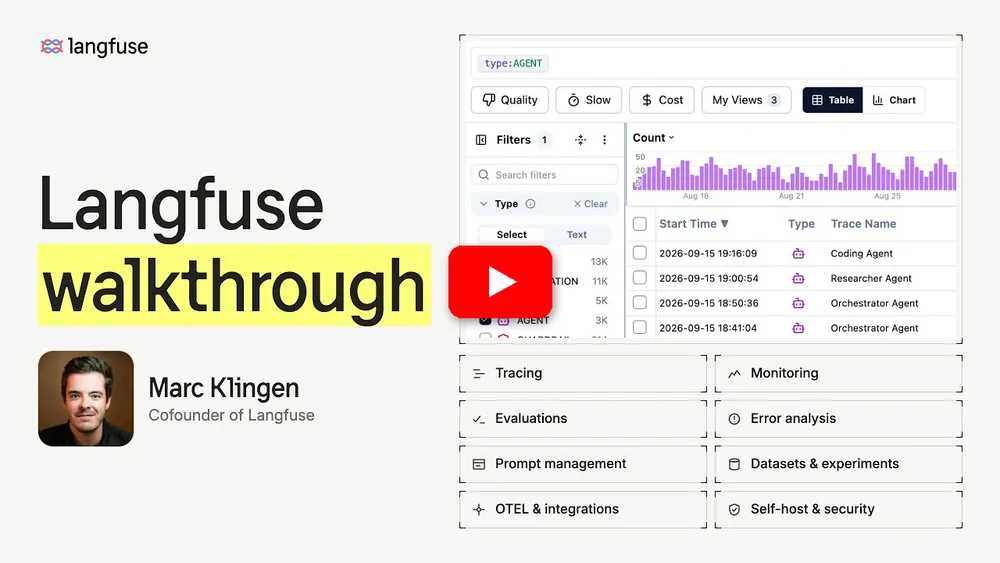
Interested in contributing to Langfuse full-time? Langfuse is growing fast (we doubled the team in the last 6 months). Since January 2026 we're part of ClickHouse. We hire remotely, with offices in Berlin, San Francisco, Amsterdam, and New York. See open roles →

-
AI Observability: Instrument your app and start ingesting traces to Langfuse, thereby tracking LLM calls and other relevant logic in your app such as retrieval, embedding, or agent actions. Inspect and debug complex logs and user sessions. Built on OpenTelemetry. Try the interactive demo to see this in action.
-
Prompt Management helps you centrally manage, version control, and collaboratively iterate on your prompts. Thanks to strong caching on server and client side, you can iterate on prompts without adding latency to your application. The LLM Playground lets you test prompts and model configurations; when you see a bad result in tracing, you can jump straight to the playground to iterate on it.
-
Skill Management (beta) brings versioning and labels to agent skills: a
SKILL.mdwith task instructions plus optional supporting files. Promote or roll back versions without changing application code, and link skill versions to the traces they produced. -
Evaluations are key to the AI agent development workflow, and Langfuse adapts to your needs. It supports LLM-as-a-judge, code evaluators, user feedback collection, manual labeling, and custom evaluation pipelines via APIs/SDKs. Use Datasets and Experiments to build test sets and benchmarks for pre-deployment testing and continuous improvement.
-
AI Gateway (beta) gives your organization one endpoint for calls to your model providers. Keep provider credentials in one place, hand out per-user or service account gateway keys, approve models centrally, track AI spend per user, key, and model, and record every call as a Langfuse trace.
-
Metrics and Dashboards: Track latency, cost, and quality across any dimension with custom dashboards, the metrics API, and alerts.
-
Comprehensive API: Langfuse is frequently used to power bespoke AI engineering workflows while using the building blocks provided by Langfuse via the API. An OpenAPI spec, typed SDKs for Python and JS/TS, the Langfuse CLI, and the Langfuse Agent Skill for coding agents are available.

Managed deployment by the Langfuse team, generous free tier, no credit card required.
Run Langfuse on your own infrastructure:
-
Docker Compose: Run Langfuse on your own machine or a single virtual machine in 5 minutes. The guide also covers configuring Docker log rotation so container logs don't fill up the disk.
# Get a copy of the latest Langfuse repository
git clone --depth=1 https://github.com/langfuse/langfuse.git
cd langfuse

# Run the langfuse docker compose
docker compose up
-
Kubernetes (Helm): Run Langfuse on a Kubernetes cluster using Helm. This is the preferred production deployment.
See self-hosting documentation to learn more about architecture and configuration options.
Tip
Self-hosting Langfuse? Subscribe to the self-hosting update list to get an email about important features and new releases for open source Langfuse — self-hosting updates only, no marketing.

Langfuse is built on OpenTelemetry, so any OpenTelemetry-instrumented application, framework, or collector can send traces to Langfuse.
| Integration | Supports | Description |
|---|---|---|
| OpenTelemetry | Any language | Send OTLP traces from your application or OpenTelemetry Collector to Langfuse's OpenTelemetry endpoint. |
| Langfuse AI Gateway (beta) | Any OpenAI or Anthropic client | Route model calls through one endpoint to trace every call, keep provider keys in one place, and track cost without SDK or code changes. |
| SDK | Python, JS/TS | Manual instrumentation using the SDKs for full flexibility. |
| OpenAI | Python, JS/TS | Automated instrumentation using drop-in replacement of OpenAI SDK. |
| LangChain & LangGraph | Python, JS/TS | Automated instrumentation by passing callback handler to LangChain or LangGraph application. |
| LlamaIndex | Python | Automated instrumentation via LlamaIndex callback system. |
| Haystack | Python | Automated instrumentation via Haystack content tracing system. |
| LiteLLM | Python, JS/TS (proxy only) | Use any LLM as a drop-in replacement for GPT. Use Azure, OpenAI, Cohere, Anthropic, Ollama, VLLM, Sagemaker, HuggingFace, Replicate (100+ LLMs). |
| Vercel AI SDK | JS/TS | TypeScript toolkit designed to help developers build AI-powered applications with React, Next.js, Vue, Svelte, Node.js. |
| Mastra | JS/TS | Open source framework for building AI agents and multi-agent systems. |
| API | Directly call the public API. OpenAPI spec available. |
| Name | Type | Description |
|---|---|---|
| OpenAI Agents SDK | Agent Framework | Lightweight framework from OpenAI for building multi-agent workflows. |
| Claude Agent SDK | Agent Framework | Anthropic's open source framework for building tool-using agents with native MCP support. |
| Pydantic AI | Agent Framework | Python agent framework for building production-grade applications with type safety. |
| Google ADK | Agent Framework | Google's open source Agent Development Kit for building agents. |
| Strands Agents | Agent Framework | Open source SDK by AWS for building and running AI agents. |
| Spring AI | Agent Framework | Java framework for building AI applications in the Spring ecosystem. |
| CrewAI | Agent Framework | Multi agent framework for agent collaboration and tool use. |
| AutoGen | Agent Framework | Open source LLM platform for building distributed agents. |
| smolagents | Agent Framework | Open source AI agents framework. |
| Instructor | Library | Library to get structured LLM outputs (JSON, Pydantic). |
| DSPy | Library | Framework that systematically optimizes language model prompts and weights. |
| Mirascope | Library | Python toolkit for building LLM applications. |
| Ollama | Model (local) | Easily run open source LLMs on your own machine. |
| Amazon Bedrock | Model | Run foundation and fine-tuned models on AWS. |
| Flowise | Chat/Agent UI | JS/TS no-code builder for customized LLM flows. |
| Langflow | Chat/Agent UI | Python-based UI for LangChain, designed with react-flow to provide an effortless way to experiment and prototype flows. |
| Dify | Chat/Agent UI | Open source LLM app development platform with no-code builder. |
| OpenWebUI | Chat/Agent UI | Self-hosted LLM Chat web ui supporting various LLM runners including self-hosted and local models. |
| LobeChat | Chat/Agent UI | Open source chatbot platform. |
| Gradio | Chat/Agent UI | Open source Python library to build web interfaces like Chat UI. |
| Promptfoo | Tool | Open source LLM testing platform. |
| Vapi | Platform | Open source voice AI platform. |
| Inferable | Agent Framework | Open source LLM platform for building distributed agents. |
| Goose | Agent | Open source AI agent by Block that automates engineering tasks. |
See the integrations overview for the full list of 100+ integrations.
Instrument your app and start ingesting traces to Langfuse, thereby tracking LLM calls and other relevant logic in your app such as retrieval, embedding, or agent actions. Inspect and debug complex logs and user sessions.
Install the Langfuse Agent Skill to let your coding agent access all Langfuse features, then ask it to add tracing to your application:
Install the Langfuse Agent Skill from github.com/langfuse/skills
and use it to add tracing to this application with Langfuse
following best practices.
You can also install the skill with the skills CLI (npx skills add langfuse/skills --skill "langfuse") or the Langfuse Cursor plugin. If your agent supports MCP, add the Langfuse Docs MCP server (https://langfuse.com/api/mcp, no authentication) so it can look up current documentation while it works. See the get started guide for details.
- Create Langfuse account or self-host
- Create a new project
- Create new API credentials in the project settings
The @observe() decorator makes it easy to trace any Python LLM application. In this quickstart we also use the Langfuse OpenAI integration to automatically capture all model parameters.
Tip
Not using OpenAI? Visit our documentation to learn how to log other models and frameworks.
pip install langfuse openai
LANGFUSE_SECRET_KEY="sk-lf-..."
LANGFUSE_PUBLIC_KEY="pk-lf-..."
LANGFUSE_BASE_URL="https://cloud.langfuse.com" # 🇪🇺 EU region
# LANGFUSE_BASE_URL="https://us.cloud.langfuse.com" # 🇺🇸 US region
# LANGFUSE_BASE_URL="https://jp.cloud.langfuse.com" # 🇯🇵 Japan region
# LANGFUSE_BASE_URL="https://hipaa.cloud.langfuse.com" # ⚕️ HIPAA region
from langfuse import observe
from langfuse.openai import openai # OpenAI integration

@observe()
def story():
    return openai.chat.completions.create(
        model="gpt-4o",
        messages=[{"role": "user", "content": "What is Langfuse?"}],
    ).choices[0].message.content

@observe()
def main():
    return story()

main()
See your language model calls and other application logic in Langfuse.

Public example trace in Langfuse
Finding an answer to your question:
- Our documentation is the best place to start looking for answers. It is comprehensive, and we invest significant time into maintaining it. You can also suggest edits to the docs via GitHub.
- Langfuse FAQs where the most common questions are answered.
- Use "Ask AI" to get instant answers to your questions.
Support Channels:
- Ask any question in our public Q&A on GitHub Discussions. Please include as much detail as possible (e.g. code snippets, screenshots, background information) to help us understand your question.
- Request a feature on GitHub Discussions.
- Report a Bug on GitHub Issues.
- For time-sensitive queries, ping us via the in-app chat widget.
Your contributions are welcome!
- Vote on Ideas in GitHub Discussions.
- Raise and comment on Issues.
- Open a PR - see CONTRIBUTING.md for details on how to setup a development environment.
This repository is MIT licensed, except for the ee folders. See LICENSE and docs for more details.
We deploy this code base in Docker containers. See web/Dockerfile and worker/Dockerfile for how the images are built, including the base images they use.
FAQ
Can I use Langfuse with coding agents like Cursor or Claude Code?
Yes, Langfuse provides a SKILL.md for coding agents, a CLI for terminal access, and an MCP server for IDE agents to manage prompts, query traces, and use Langfuse data.
Does Langfuse collect telemetry from self-hosted instances?
Yes, by default Langfuse automatically reports basic usage statistics to a centralized server (PostHog). This can be disabled by setting TELEMETRY_ENABLED=false.
How do I upgrade a self-hosted Langfuse instance?
Stop the containers and run 'docker compose up --pull always' to pull the latest images and restart. See the upgrade guide for more details.
Can I disable email/password authentication and use only SSO?
Yes, set AUTH_DISABLE_USERNAME_PASSWORD=true to disable email/password authentication and require SSO instead.
More in AI
 learnhouseLearnHouse is a self-hosted, open-source LMS with AI-powered courses, real-time collaboration, code execution, and enterprise SSO.
 LibreDB StudioSelf-hosted, open-source SQL IDE covering 41 database engines in one browser tab, with OIDC SSO, RBAC, query auditing and an AI query agent — MIT licensed.
 Libre TranslateFree and Open Source Machine Translation API. Self-hosted, offline capable and easy to setup.
 Limelit OpenOpen-source, self-hosted AI visibility tracker for seven answer engines with built-in MCP server for AI assistants.
 litellmSelf-hosted gateway unifying 100+ LLM providers under one OpenAI-compatible API with usage tracking, safety controls, and admin console.
 Live Helper ChatLive Helper Chat - live support for your website. Featuring web and mobile apps, Voice & Video & ScreenShare. Supports Telegram, Twilio (whatsapp), Facebook messenger including building a bot.
 llama.cppllama.cpp is an open-source, self-hosted LLM inference engine written in C/C++ that runs quantized models locally on CPU and GPU with minimal dependencies.
 llamactlSelf-hosted control plane that manages llama.cpp, MLX, and vLLM inference servers through a web dashboard with a unified OpenAI-compatible API.
 llmakerllmaker is a self-hosted, open-source CLI that provisions and manages complete LLM stacks on your own hardware with a single command.
 llm-gatewaySelf-hosted open-source API gateway routing 250+ LLM models from 40+ providers via unified OpenAI-compatible API with cost tracking, caching, and failover.
 llm-gatewaySelf-hosted OpenAI-compatible API gateway routing to OpenAI, Anthropic, and local backends with semantic routing, load balancing, and zero-trust networking via zrok.
 LLMII (ImageIndexer)Self-hosted desktop app using a local vision LLM to caption and keyword images, embedding results in standard metadata fields for any photo manager.
0 comments