
Self-host iso
v1.3.0Plug-and-play dashboard for self-hosted services
- Stars
- 162
- Port
- 3000 (HTTP dashboard)
coyann/iso

What is iso?
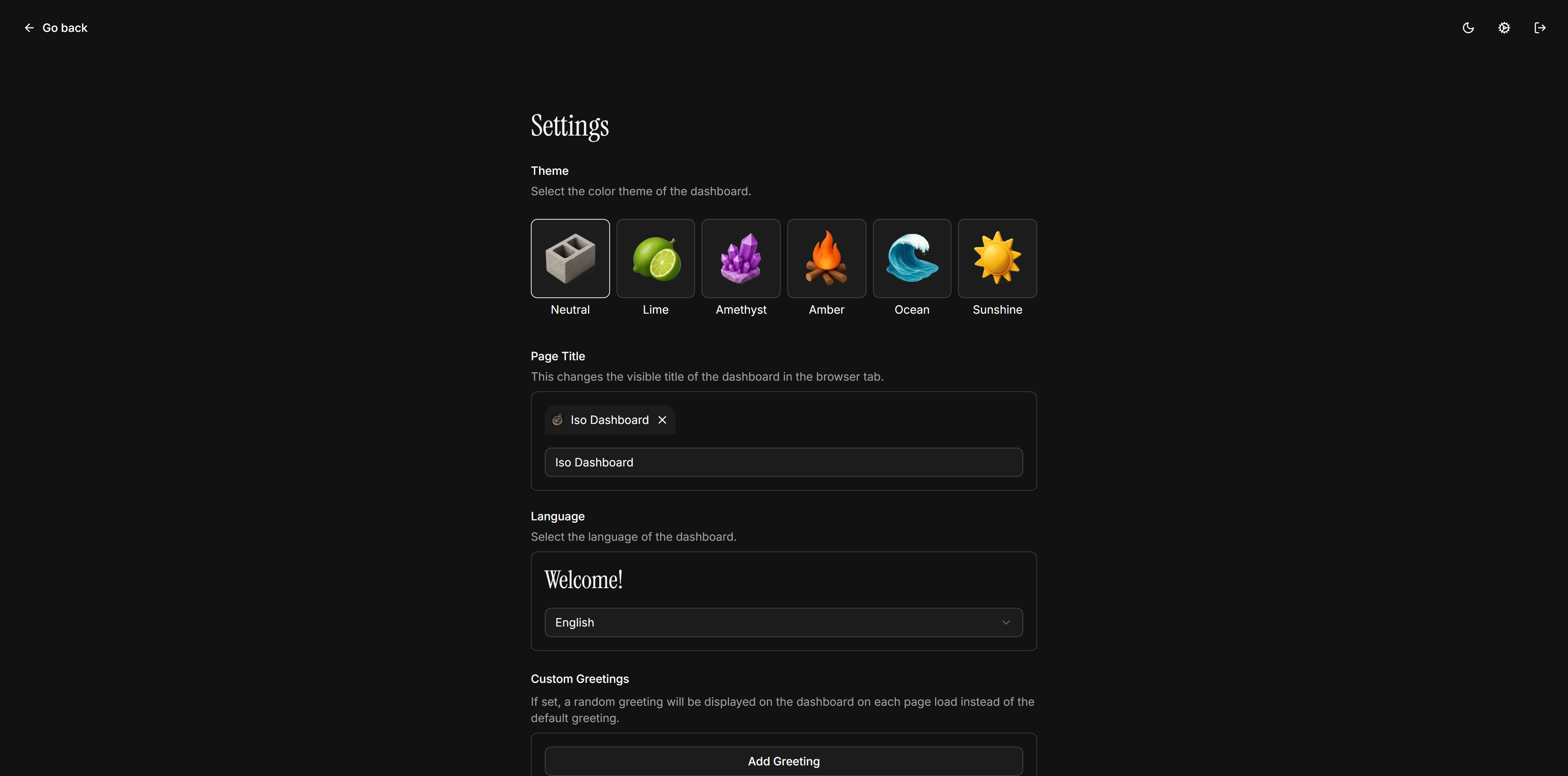
Iso is a dashboard application designed for personal homelabs that lets you organize and access all your self-hosted services from one place. It uses a single JSON configuration file to define services, each with a label, URL, icon, and display order. The interface supports four languages and offers several color themes. A search bar can be enabled with a choice of built-in search engines or a custom one. Optional password protection secures the dashboard, and page animations can be toggled. The project is distributed as a Docker image and runs on port 3000. It is open-source under the MIT license.
Should you self-host iso?
iso scores 44/100 on selfhost.directory (how scoring works) and ranks #35 of 44 in Dashboard. It has 162 GitHub stars.
There was no stable release in the past 12 months, so check the repository's recent activity before you rely on it.
Setup is easy: most people get it running in one sitting. An official Docker image is available. It is MIT-licensed and written mostly in Typescript.
Its closest alternative on selfhost.directory is Homepage by gethomepage (84/100, 33 416 stars). It scores higher overall, so compare the two before you pick. See iso vs Homepage by gethomepage side by side.
Features
- Built-in icons
- Customizable Themes
- JSON Configuration
- Multi-language Support
- Page load animations
- Password Protection
- Search with multiple engines
iso README
More in Self-hosting
 KoitoSelf-hosted, open-source ListenBrainz scrobbler with imports from Spotify, LastFM, Maloja, and relay support.
 LanQin EmailLanQin Email is an open-source self-hosted webmail with multi-domain support, DKIM, anti-spam, and single-container Docker deployment.
 lebkuchen-fmSelf-hosted multiplayer radio station streaming YouTube music with Discord control, synchronized playback, soundboard, and stats.
 Lighttpdlighttpd is a secure, fast, and flexible open-source web server optimized for high-performance environments, with low memory and CPU usage.
 llotSelf-hosted, open-source translation service using local LLMs via Ollama with 38 languages, real-time translation, dark mode, and Wyoming TTS support.
 LobsterBoardSelf-hosted dashboard builder with drag-and-drop editing, 60+ widgets, templates, and custom pages on a single Node.js server.
 mailspring-apiSelf-hosted API server replacing Mailspring's official sync backend, enabling metadata sync, read receipts, link tracking, and scheduled sending for the email client.
 MastodonOpen-source self-hosted microblogging server that federates over ActivityPub, with chronological timelines, media posts, moderation tools and an OAuth2 REST API.
 matrix-docker-ansible-deployOpen-source Ansible playbook automating a Matrix homeserver and services like Element Web, bridges, and admin tools via Docker on your Linux server.
 mem0-aiomem0-aio packages OpenMemory's web UI, API server, and Qdrant vector database into one Docker container for easy self-hosted deployment on Unraid and other platforms.
 MINDMIND is a self-hosted, open-source reminder app sending push notifications via 100+ Apprise platforms with mobile-friendly UI and REST API.
 Mobazha UnifiedSelf-hosted, open-source commerce frontend for storefronts, marketplace discovery, checkout, and seller management, connecting to a self-hosted Node for crypto payments.
0 comments