
Self-host GeoMetrikks
v0.22.1Real-time access log geo-location and analytics dashboard
- Stars
- 149
- Port
- 8000 (HTTP API and web UI)
- Requires
- MaxMind GeoLite2 City database, PostGIS extension, TimescaleDB (PostgreSQL with TimescaleDB extension)
ghcr.io/gilbn/geometrikks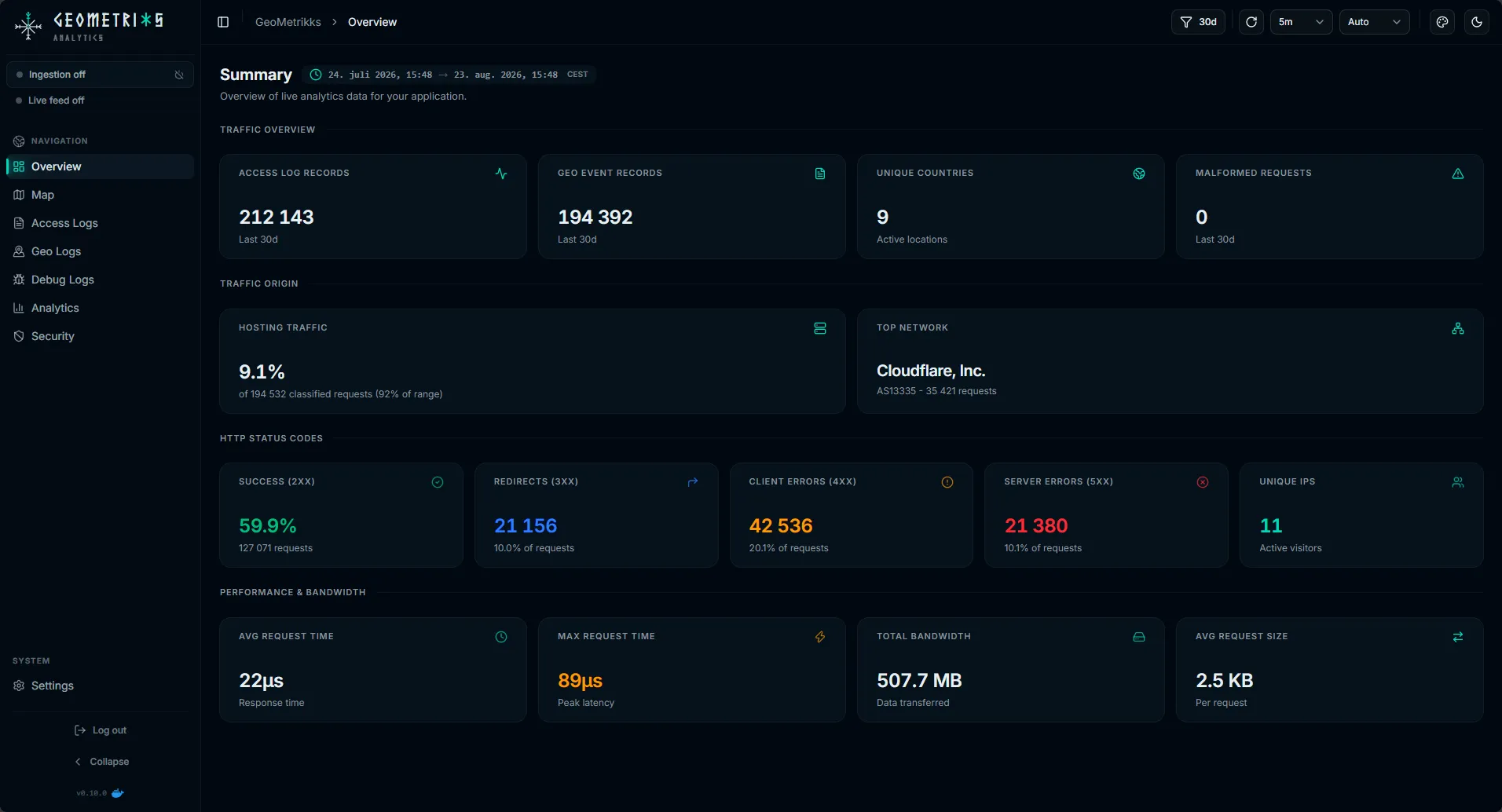
What is GeoMetrikks?
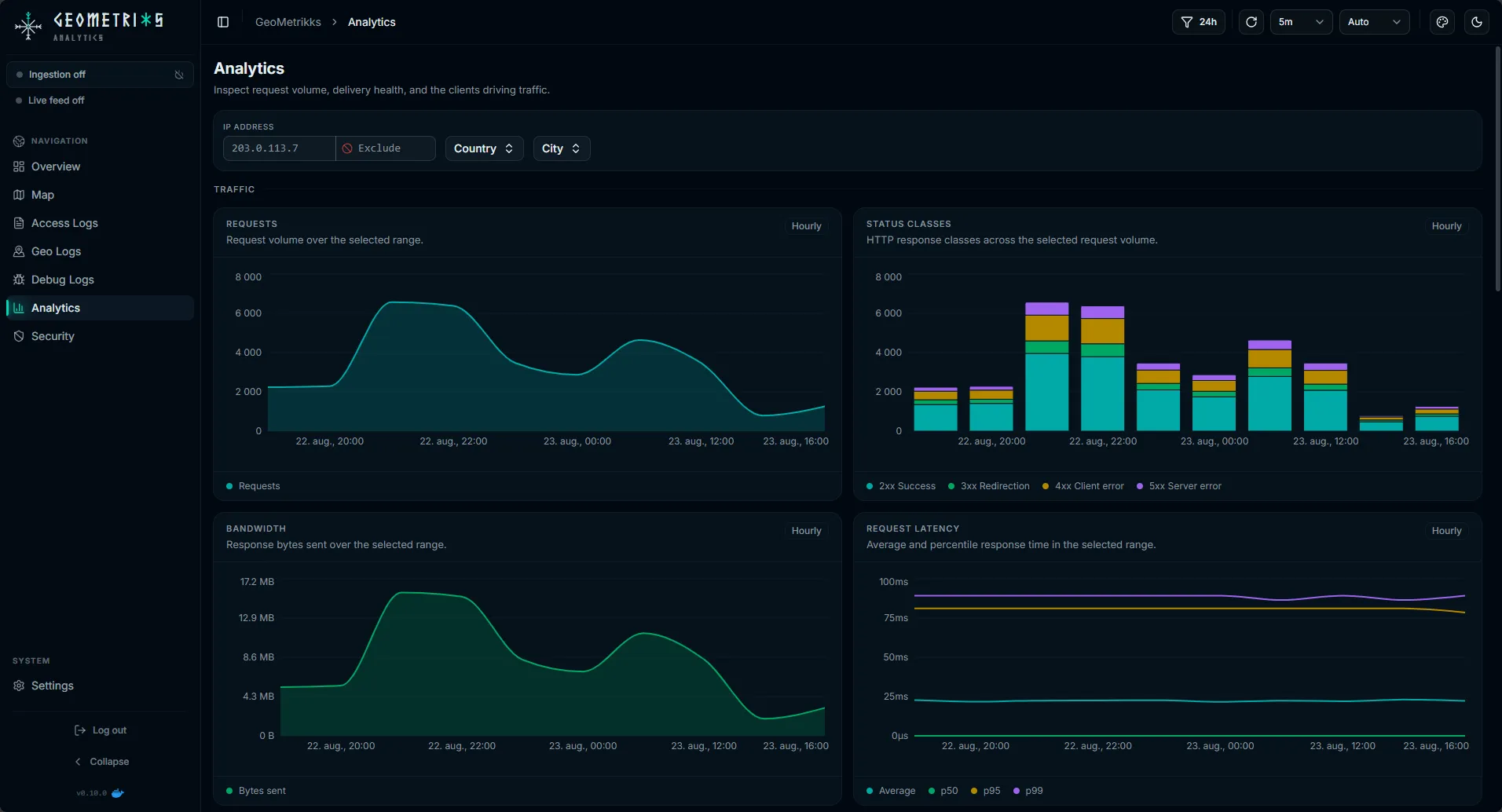
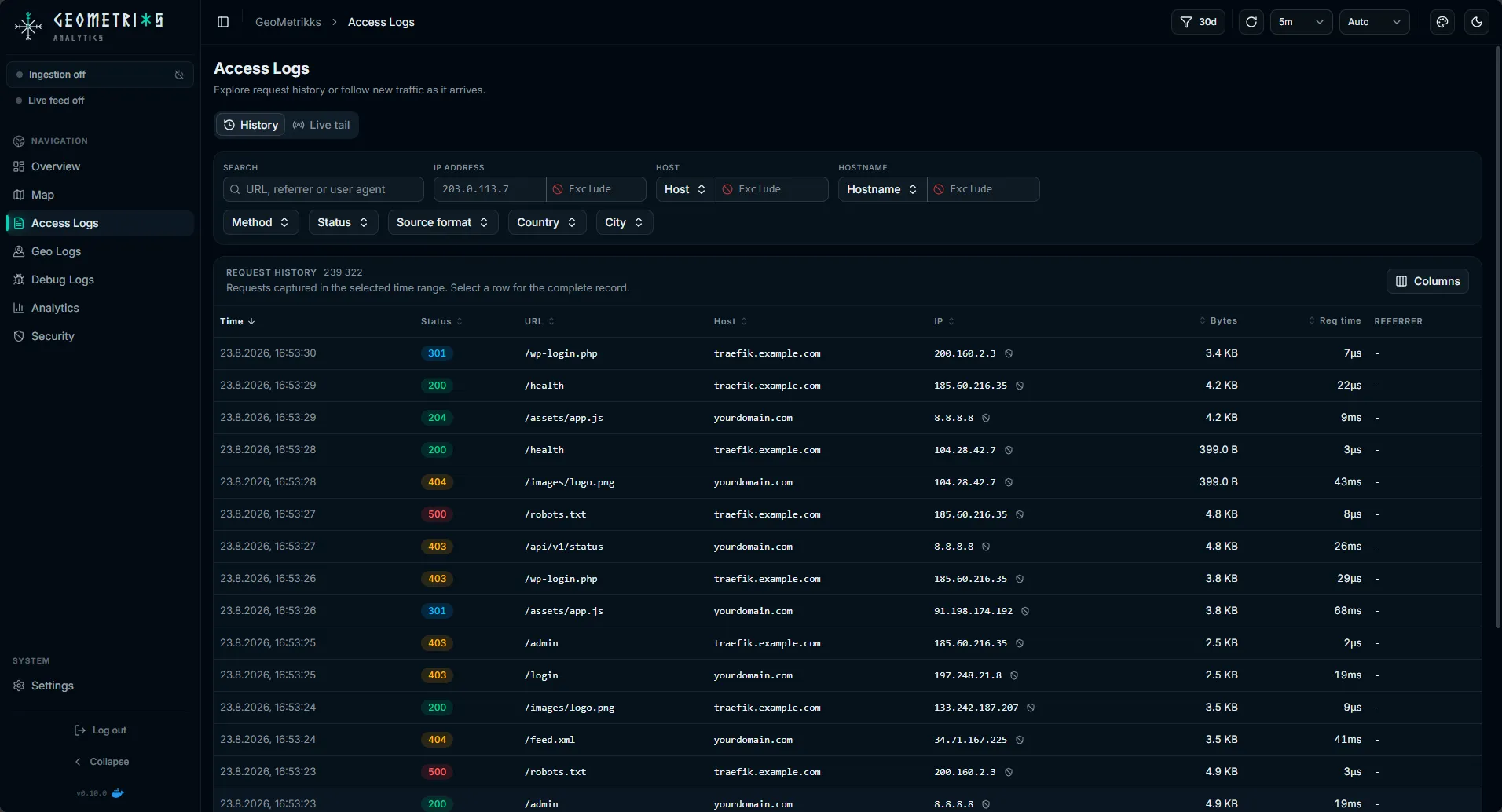
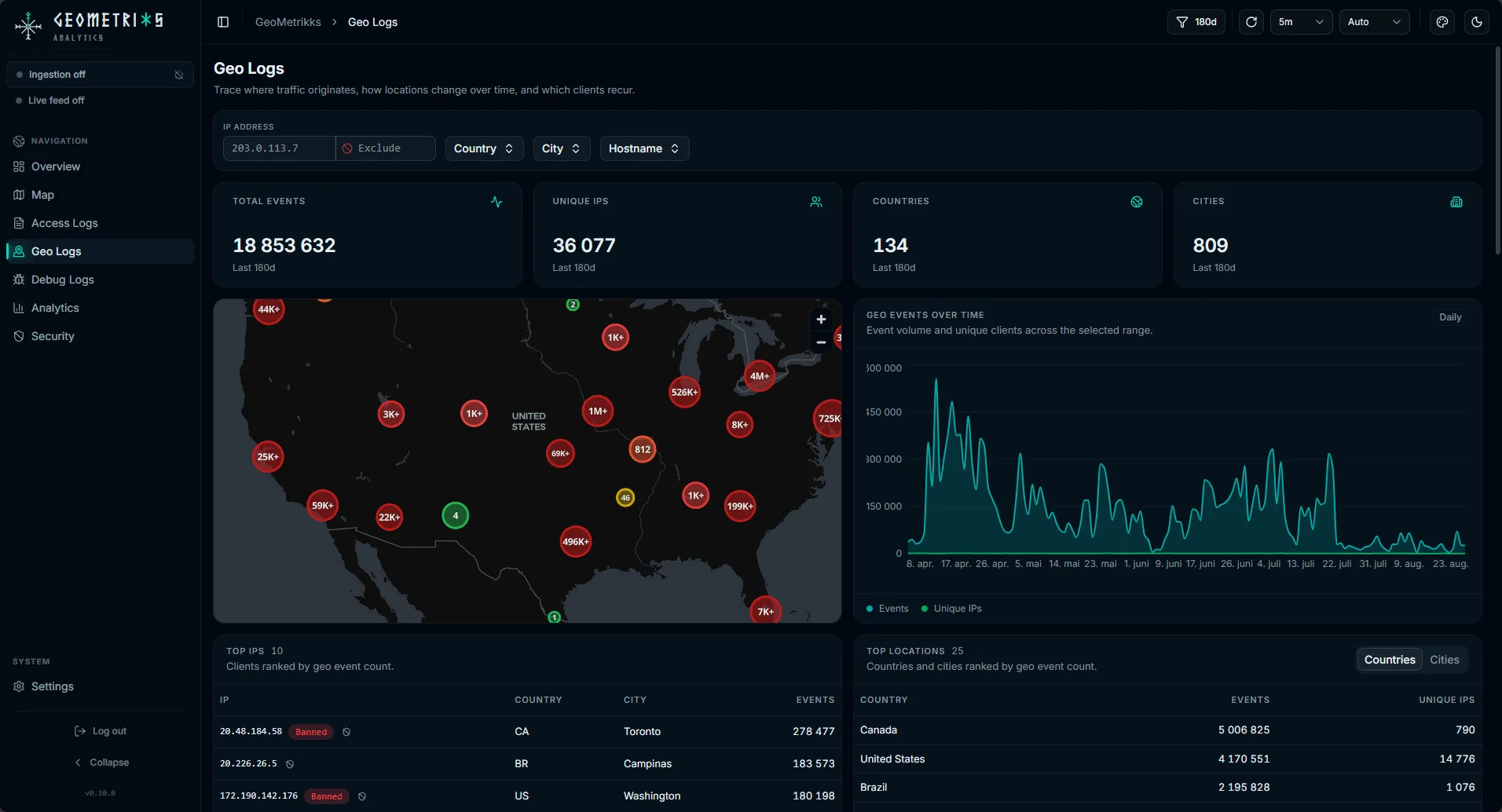
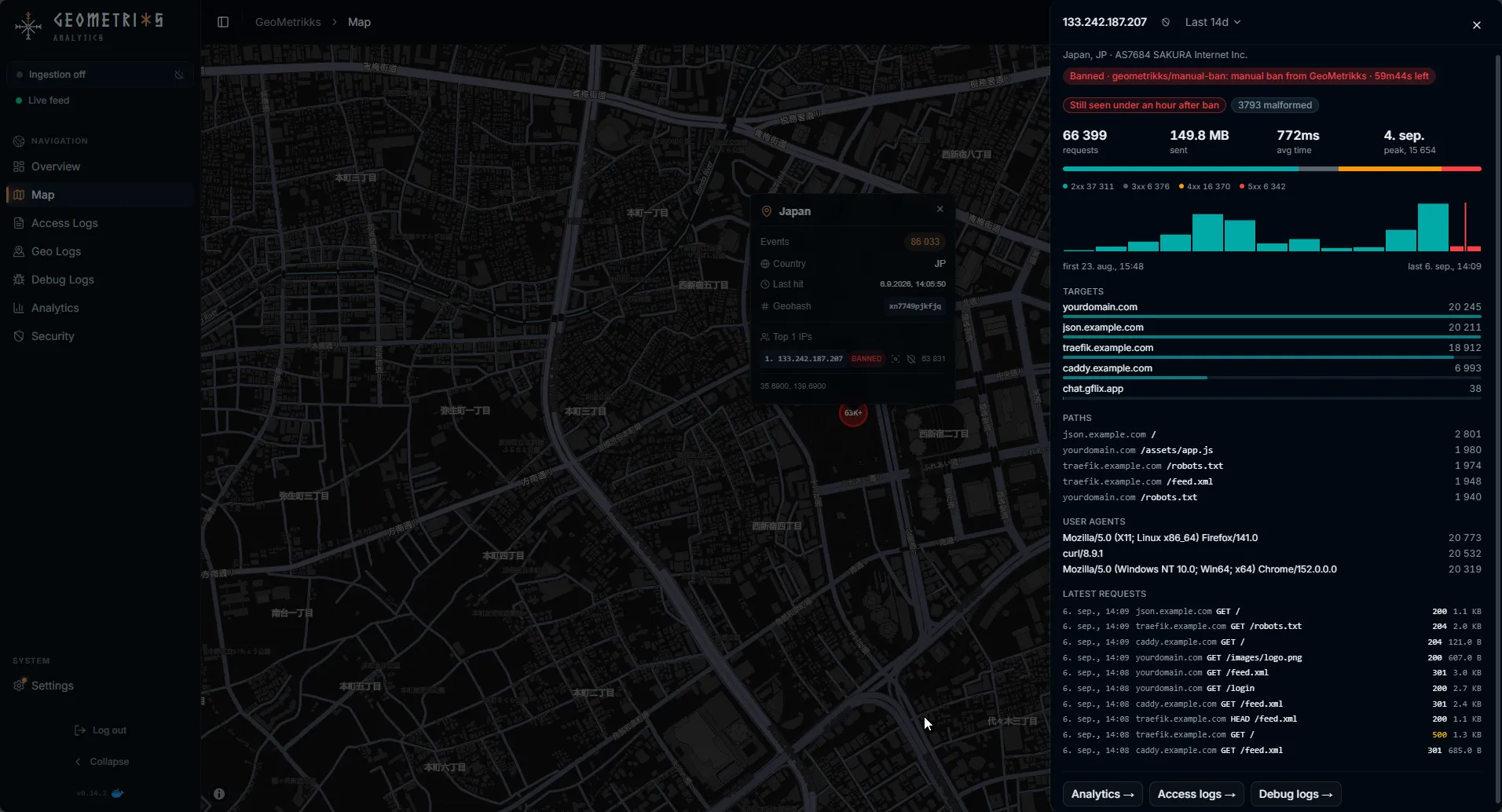
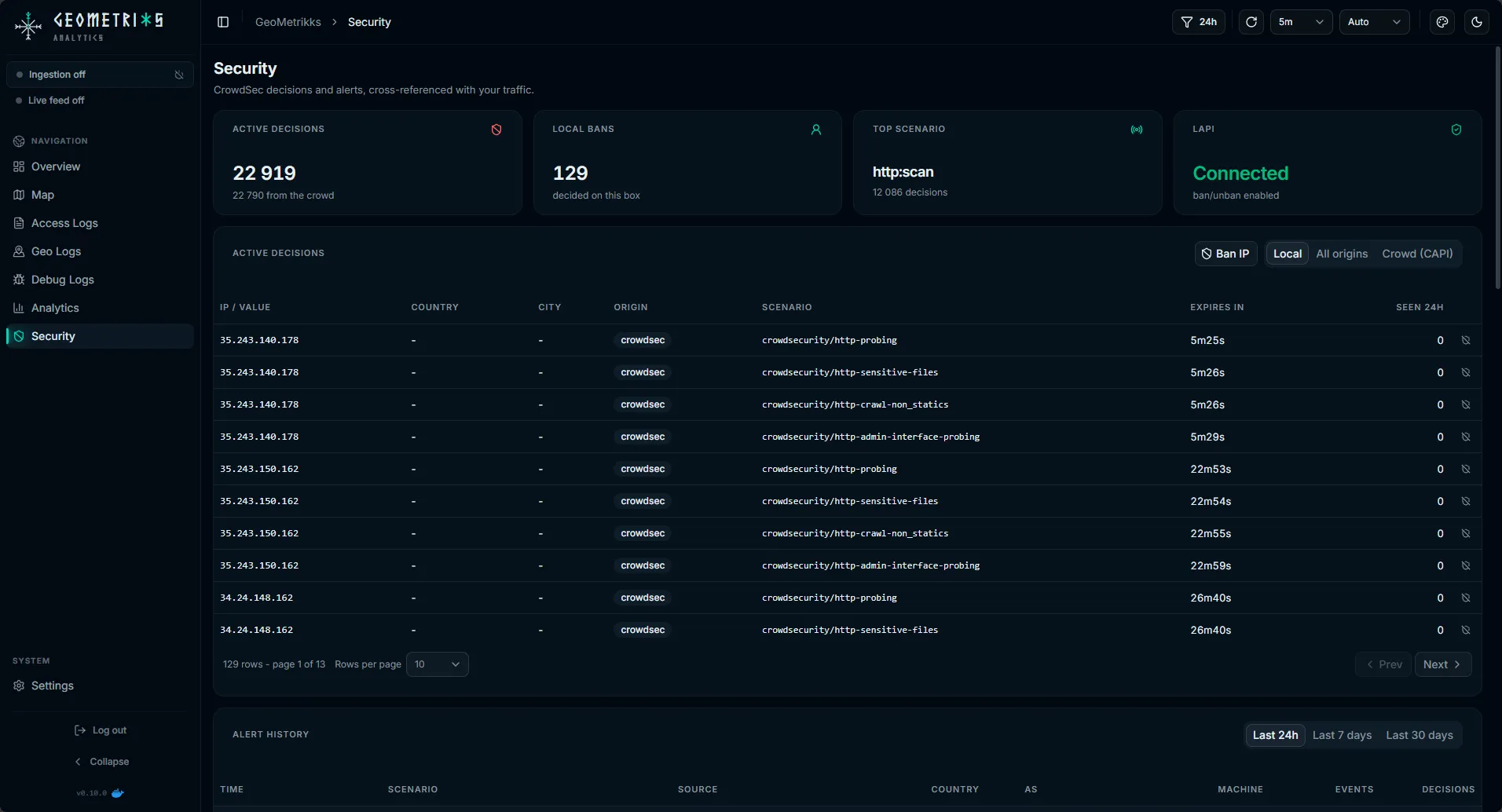
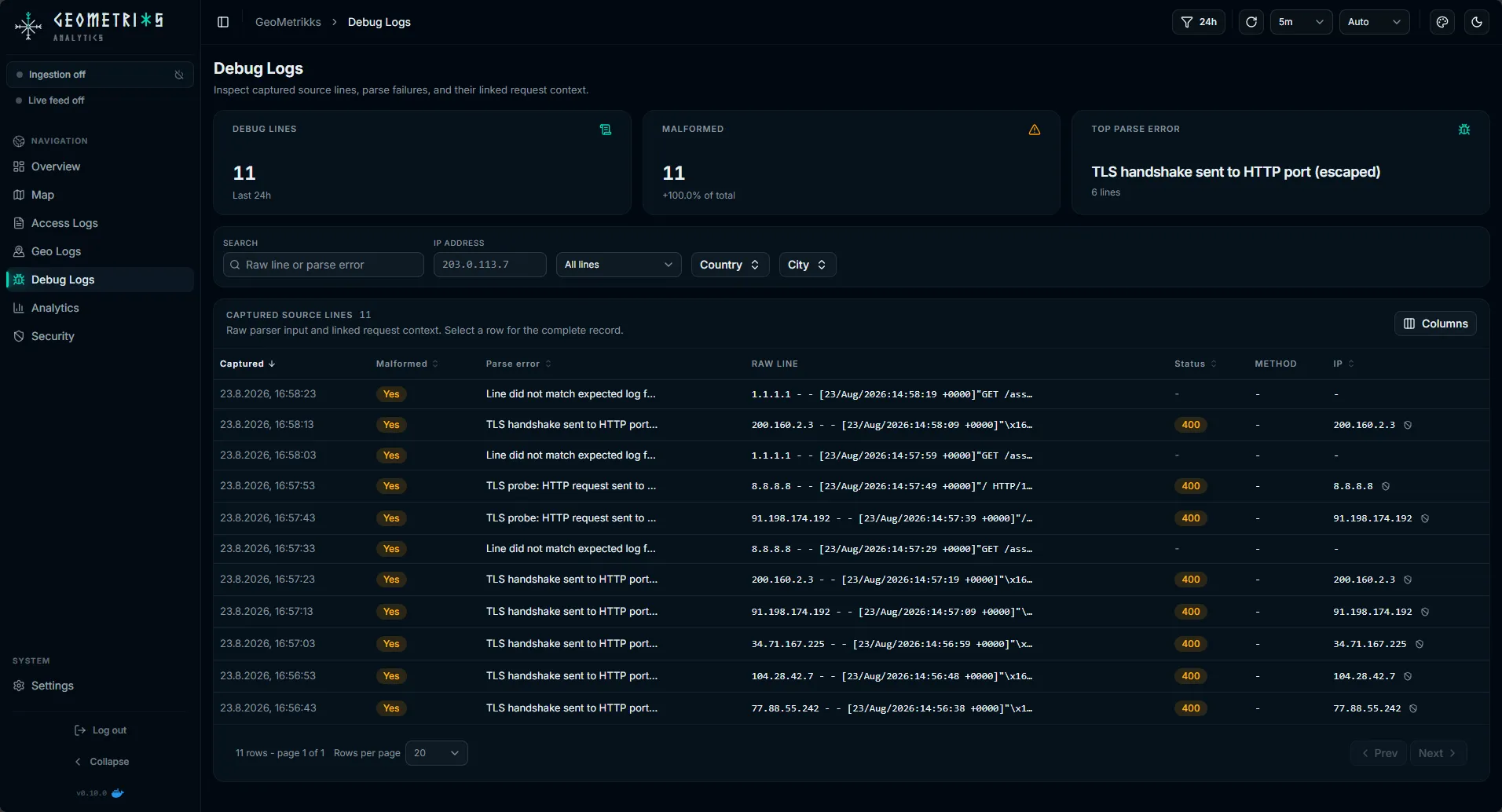
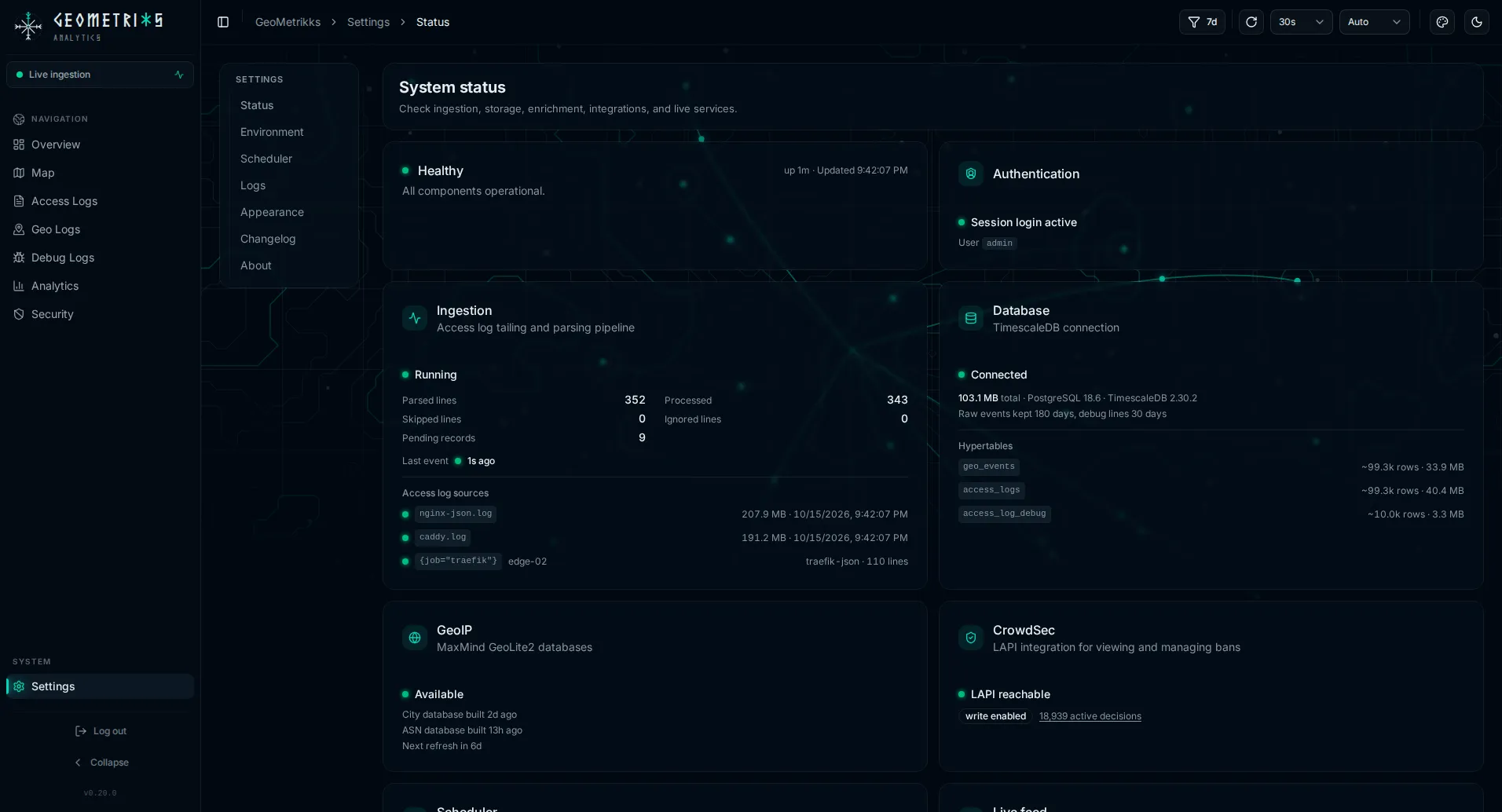
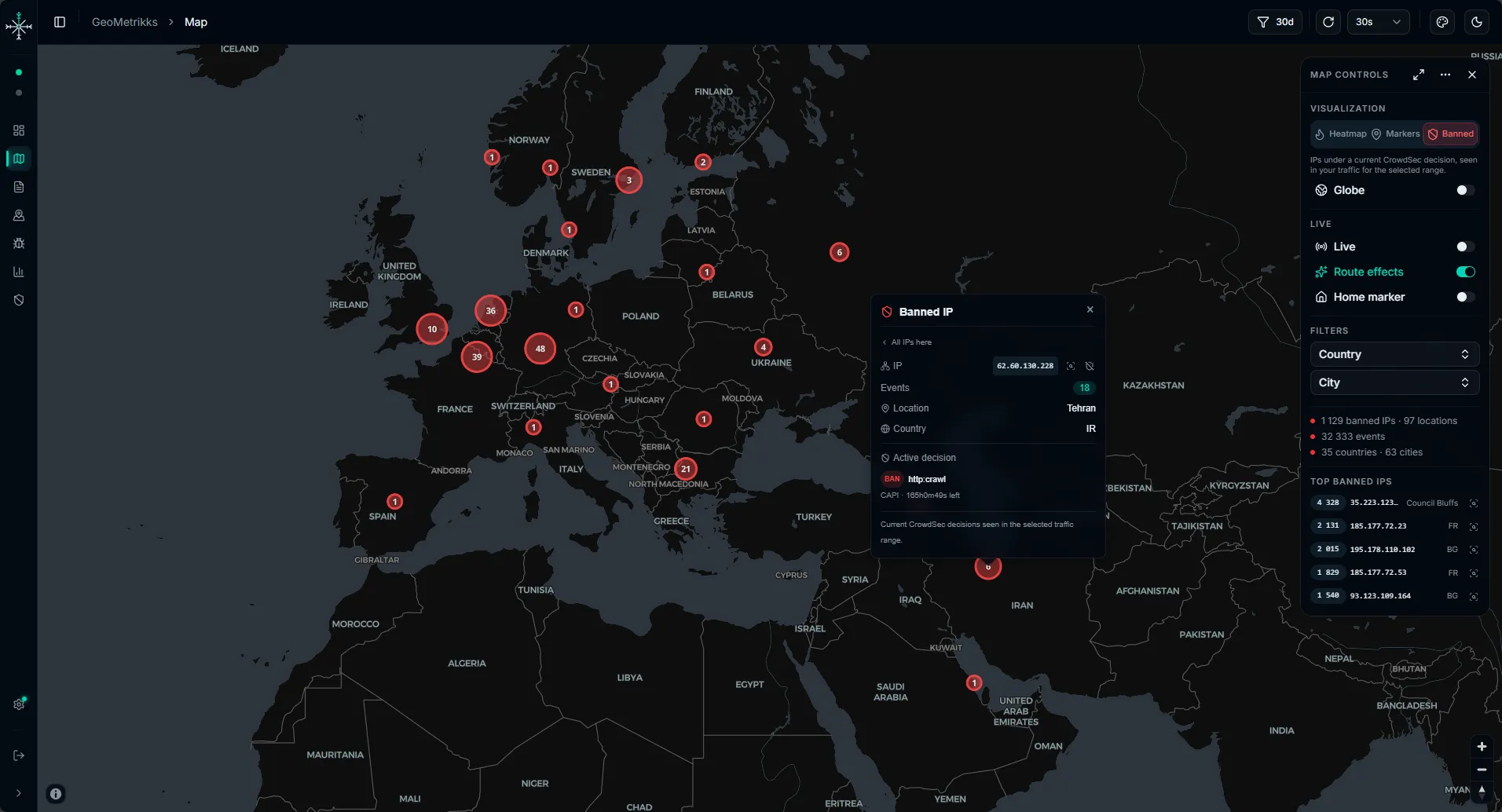
GeoMetrikks ingests access logs from nginx, Nginx Proxy Manager, Traefik, Caddy, or Grafana Loki, enriches each request with MaxMind GeoLite2 City and ASN data, and presents the results on a real-time map and analytics dashboard. The UI includes a live map with heatmap, marker, and banned-IP views; overview and analytics dashboards with request volume, latency, bandwidth, top URLs, user agents, and ASNs; a searchable, paginated access log history with filters; geo logs grouped by location; an IP inspector with CrowdSec ban status; debug logs showing raw lines and parse failures; and a multi-source mode where lightweight agents tail logs on multiple hosts and write to a shared TimescaleDB. It integrates with CrowdSec for live ban/unban management and ban visualization. Authentication is via a single admin password or OpenID Connect (Authelia, Authentik, Keycloak, Pocket ID, Google). The app runs as a Docker image (ghcr.io/gilbn/geometrikks) for amd64 and arm64, with a docker-compose file that includes TimescaleDB. It requires a free MaxMind account for GeoLite2 downloads and optionally a free CARTO API key for map tiles. No telemetry; outbound traffic is only GeoLite2 downloads and an optional public-IP lookup for the server location.
Should you self-host GeoMetrikks?
GeoMetrikks scores 45/100 on selfhost.directory (how scoring works) and ranks #10 of 13 in Log Management. It has 149 GitHub stars.
It shipped 2 stable releases in the past year. The latest, v0.22.1, came out on 25 October 2026.
Setup is moderate: expect some configuration beyond a single command. An official Docker image is available. It is MIT-licensed and written mostly in Python.
Its closest alternative on selfhost.directory is Dozzle (77/100, 14 752 stars). It scores higher overall, so compare the two before you pick. See GeoMetrikks vs Dozzle side by side.
Features
- Batch log import
- CrowdSec Integration
- Debug logs with parse failures
- Geo logs grouped by location
- IP inspector with CrowdSec status
- Live map with real-time request markers
- Live tail of access logs
- Loki log ingestion
- Multi-source / agent mode
- OpenID Connect Authentication
- Searchable access log history
- Status page with health advisories
- Traffic analytics dashboard
GeoMetrikks README
FAQ
What does the "geo-degraded" banner mean?
The app started without a usable GeoLite2 database: either MAXMINDDB_USER_ID/MAXMINDDB_LICENSE_KEY are not set, or the download has not completed yet. The API and UI stay up, but log ingestion does not start until a database is available. Add credentials and restart the app container to clear it.
The map says my browser could not start WebGL2.
The map draws with WebGL2. The usual cause is graphics acceleration being off or blocked: turn hardware acceleration back on in the browser settings, or try another browser or device. The rest of the app works without WebGL2.
The map is empty. What should I check?
Check four things: (1) the geo-degraded banner for missing MaxMind credentials or GeoLite2 database; (2) that a source is receiving traffic in a supported format (nginx JSON, legacy nginx, Traefik JSON, or Caddy JSON); (3) that some time has passed since restart since the map only shows events ingested after startup unless you ran a batch import; (4) that your proxy logs the visitor's address, not an upstream proxy or tunnel.
Does this run on arm64?
Yes. The GHCR image is a multi-arch manifest for linux/amd64 and linux/arm64.
Permission denied reading my log files?
The app container runs as PUID:PGID (default 1000:1000), and log mounts are read-only. Make the log files and their parent directory readable by that uid/gid on the host with chmod, chown or an ACL entry.
Can I read logs from Loki instead of mounting files?
Yes, if Loki holds the raw access-log lines. Set LOKI_URL and LOKI_QUERIES and remove LOGPARSER_LOG_PATHS from .env. See Loki setup in the docs.
I'm using Nginx Proxy Manager (or another proxy-manager container). What log path do I use?
Point ACCESS_LOG_DIR at the host directory where the proxy container writes its access logs (for Nginx Proxy Manager this is usually its data/logs volume), and set LOGPARSER_LOG_PATHS to the specific access-log file(s) inside it using the container path (/var/log/access/...). GeoMetrikks doesn't tail NPM's own per-host logs; set up the extra JSON log described in the Nginx Proxy Manager setup docs and point at that. import-logs can backfill the old per-host logs.
More in Log Management
 gigapipeSelf-hosted open-source observability backend merging four telemetry types into ClickHouse with Loki, Prometheus, Tempo and Pyroscope protocol support.
 grafanaGrafana is a self-hosted, open-source observability platform for querying, visualizing, and alerting on telemetry data from many sources.
 graylogSelf-hosted open-source log management and SIEM server: aggregate and search logs, transform them in pipelines, alert and build dashboards.
 hertzbeatApache HertzBeat is a self-hosted, open-source observability system unifying agentless metrics and logs collection, alerting, and notification dispatch.
 highlightSelf-hosted open-source monitoring platform combining session replay, error monitoring, logging and distributed tracing, with Docker deployment and dozens of client SDKs.
 howlerHowler is a self-hosted log monitor that watches files and sends alerts to Discord, Gotify, or Slack. Runs via Docker or Java JAR with a web UI.
 hyperdxSelf-hosted, open-source observability platform unifying logs, metrics, traces and session replays on any ClickHouse cluster, with ingestion through OpenTelemetry.
 logarrLogarr is a self-hosted, open-source PHP web app that consolidates and displays log files in a single-page interface for easy monitoring.
 LogchefLightweight, single-binary log analytics interface for ClickHouse, focused on high-performance querying and visualization
 LogDeckSelf-hosted log viewer for Docker/Podman that stores history, sends alerts, edits container resources live — one Go binary with CLI and MCP server.
 logforgeSelf-hosted open-source Docker dashboard unifying logs, metrics, alerts, notifications, file access, and safe automated remediation for local and remote hosts.
 logstashAn open-source server-side data pipeline that ingests, transforms and routes events with 200+ plugins; self-hosted via Docker, deb/rpm packages or tar/zip downloads.
0 comments