
Self-host graylog
7.2.2Open log management and SIEM platform with web search UI
docker compose up- Stars
- 8 177
- Port
- 9000 (HTTP interface: Graylog web interface and REST API for clients)
- Requires
- MongoDB, OpenSearch
graylog/graylog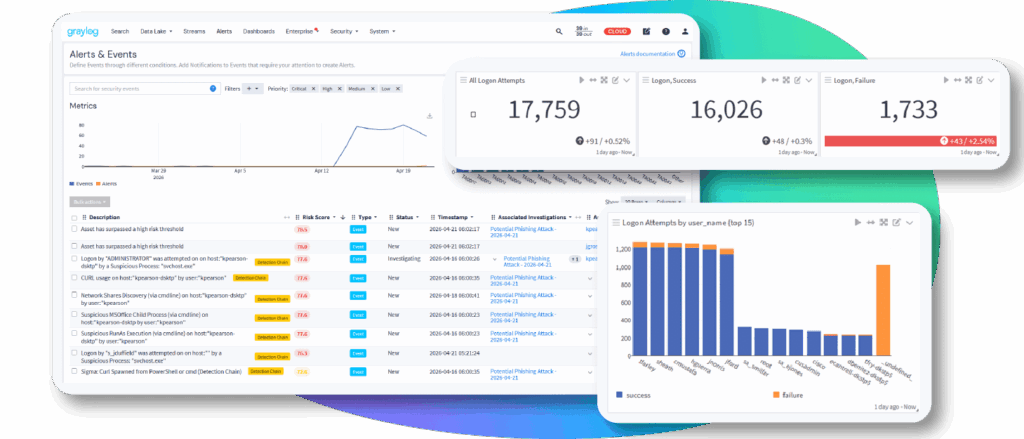
What is graylog?
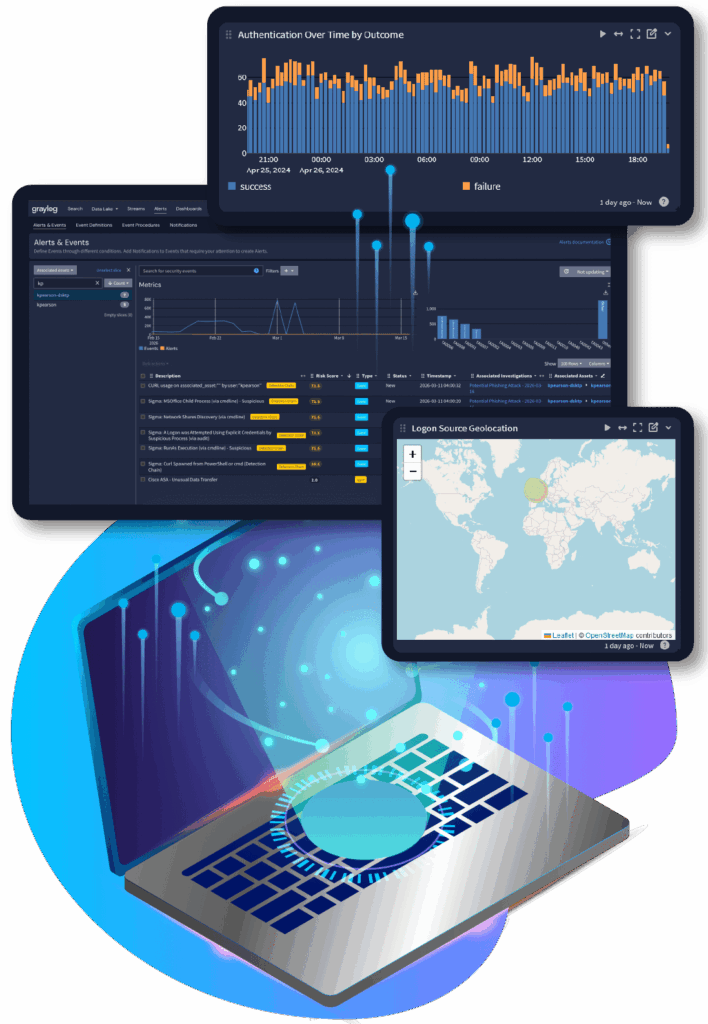
Graylog is a free, open platform for managing logs centrally: operators point their applications, servers and network gear at it and then search, correlate and alert over everything it has ingested. It ingests through configurable inputs (the project lists syslog, GELF, Kafka and AMQP among its topics), buffers traffic in an on-disk journal, routes messages into streams by rule, and exposes a query language, dashboards and alerting in a browser-based web interface. Extensions ship as plugins, content packs and add-ons from the Graylog Marketplace, and everything the UI does is also available over a fully documented REST API. Self-hosting means a Docker Compose stack from Graylog's own example repository: MongoDB for configuration data, a Data Node or an external OpenSearch/Elasticsearch for the log data, and either the graylog/graylog (Graylog Open) or graylog/graylog-enterprise image; you set a password secret and a hashed root password as environment variables, then finish first-time setup in the web UI on port 9000. The open server carries MongoDB's SSPL v1 terms, with Enterprise as the commercial variant.
graylog alternatives
 logtideOpen-source, self-hosted log management and SIEM unifying logs, traces and metrics on TimescaleDB, ClickHouse or MongoDB, an alternative to Datadog, Splunk and ELK.Comparelogtide with graylog
 Syslog-ngsyslog-ng is a self-hosted, open-source log daemon that collects, parses, and forwards logs to files, databases, and big data platforms.CompareSyslog-ng with graylog
 rsyslogRsyslog is an open-source, high-performance syslog server that collects, transforms, and routes event data at scale with 100+ modules and 1M+ msgs/sec.Comparersyslog with graylog
 logstashAn open-source server-side data pipeline that ingests, transforms and routes events with 200+ plugins; self-hosted via Docker, deb/rpm packages or tar/zip downloads.Comparelogstash with graylog
 grafanaGrafana is a self-hosted, open-source observability platform for querying, visualizing, and alerting on telemetry data from many sources.Comparegrafana with graylog
 Grafana LokiGrafana Loki is a self-hosted, open-source log aggregation system that indexes metadata instead of full log text for cost-effective operation.CompareGrafana Loki with graylog
 corootSelf-hosted, open-source APM and observability platform where eBPF agents capture every telemetry signal without code changes, with service maps and SLO alerting.Comparecoroot with graylog
 TelegrafOpen-source, self-hosted telemetry agent that collects, processes and writes metrics and logs via 300+ plugins, shipped as a single static binary configured in TOML.CompareTelegraf with graylog
Should you self-host graylog?
graylog scores 67/100 on selfhost.directory (how scoring works) and ranks #3 of 13 in Log Management. It has 8 177 GitHub stars, +26 in the last 30 days.
There was no stable release in the past 12 months, so check the repository's recent activity before you rely on it.
Setup is advanced: plan for several services and some ongoing maintenance. An official Docker image is available. It is SSPL-1.0-licensed and written mostly in Java.
Its closest alternative on selfhost.directory is Dozzle (77/100, 14 929 stars). It scores higher overall, so compare the two before you pick. See graylog vs Dozzle side by side.
Features
- Alerting
- Central log collection
- Cluster mode
- Content packs
- Dashboards
- Log search with query language
- Message inputs
- Message journal
- Plugin System
- Processing pipelines
- REST API
- SIEM capabilities
- Streams
- Web Interface
graylog README
Welcome! Graylog is a free and open log management platform.
You can read more about the project on our website and check out the documentation on the documentation site.
More in Log Management
 hertzbeatApache HertzBeat is a self-hosted, open-source observability system unifying agentless metrics and logs collection, alerting, and notification dispatch.
 highlightSelf-hosted open-source monitoring platform combining session replay, error monitoring, logging and distributed tracing, with Docker deployment and dozens of client SDKs.
 howlerHowler is a self-hosted log monitor that watches files and sends alerts to Discord, Gotify, or Slack. Runs via Docker or Java JAR with a web UI.
 hyperdxSelf-hosted, open-source observability platform unifying logs, metrics, traces and session replays on any ClickHouse cluster, with ingestion through OpenTelemetry.
 logarrLogarr is a self-hosted, open-source PHP web app that consolidates and displays log files in a single-page interface for easy monitoring.
 LogchefLightweight, single-binary log analytics interface for ClickHouse, focused on high-performance querying and visualization
 LogDeckSelf-hosted log viewer for Docker/Podman that stores history, sends alerts, edits container resources live — one Go binary with CLI and MCP server.
 logforgeSelf-hosted open-source Docker dashboard unifying logs, metrics, alerts, notifications, file access, and safe automated remediation for local and remote hosts.
- logstashAn open-source server-side data pipeline that ingests, transforms and routes events with 200+ plugins; self-hosted via Docker, deb/rpm packages or tar/zip downloads.
- logtideOpen-source, self-hosted log management and SIEM unifying logs, traces and metrics on TimescaleDB, ClickHouse or MongoDB, an alternative to Datadog, Splunk and ELK.
 Manticore SearchSelf-hosted, open-source search database that speaks SQL and HTTP JSON, with full-text, vector, hybrid and conversational search pitched as an Elasticsearch alternative.
 MapleMaple is a self-hosted observability platform on OpenTelemetry and ClickHouse unifying traces, logs, metrics, session replay with an MCP server for AI agents.
0 comments