
Self-host hertzbeat
v1.9.1Agentless metrics, logs, and alerting monitoring platform
- Stars
- 7 469
- CPU
- 2 CPU cores
- RAM
- 4GB RAM
- Storage
- 10GB disk space
- Ports
- 1157 (Web UI and API), 1158 (Manager/collector transport (cluster mode)), 14317 (OTLP/gRPC log ingestion)
apache/hertzbeat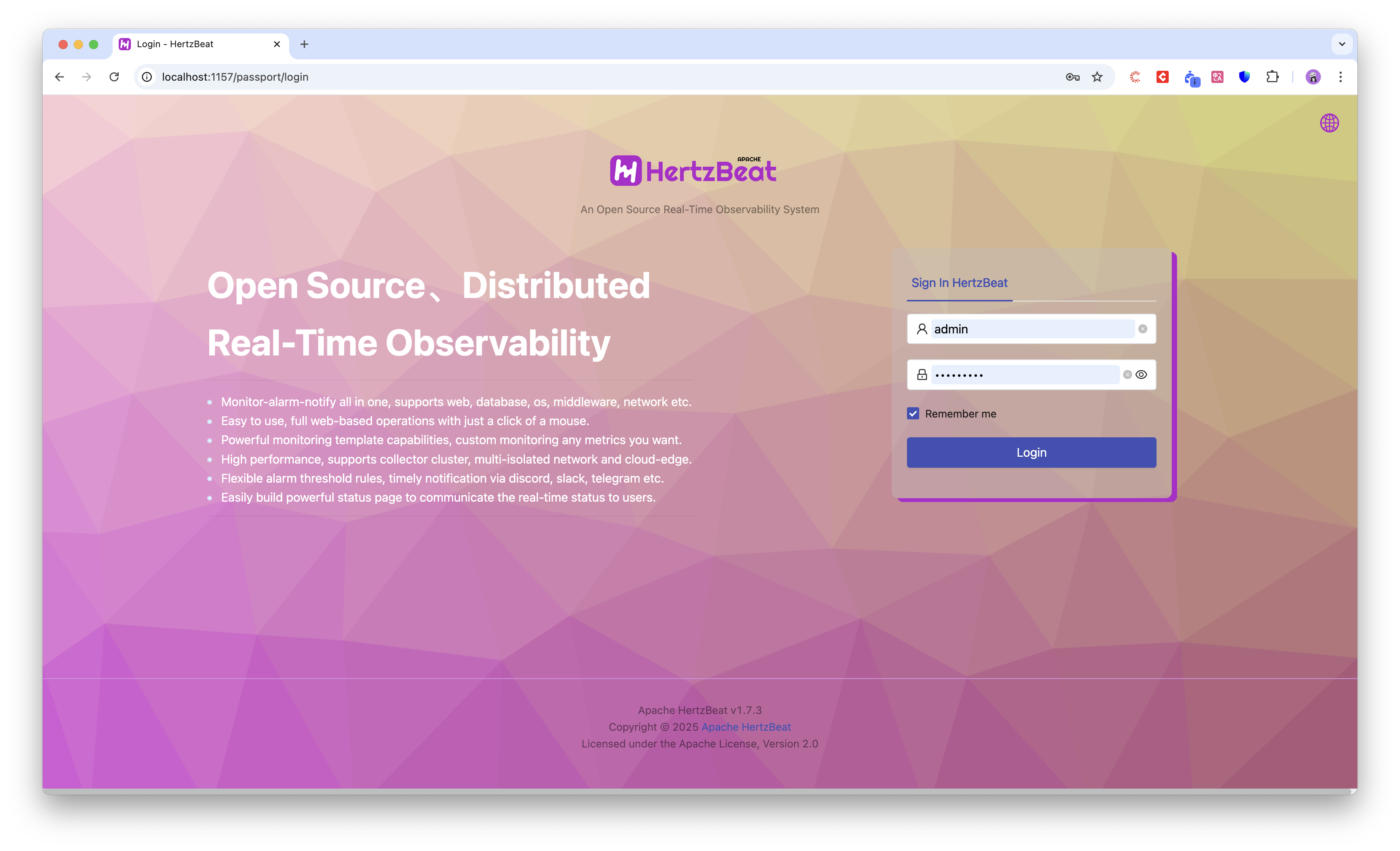
What is hertzbeat?
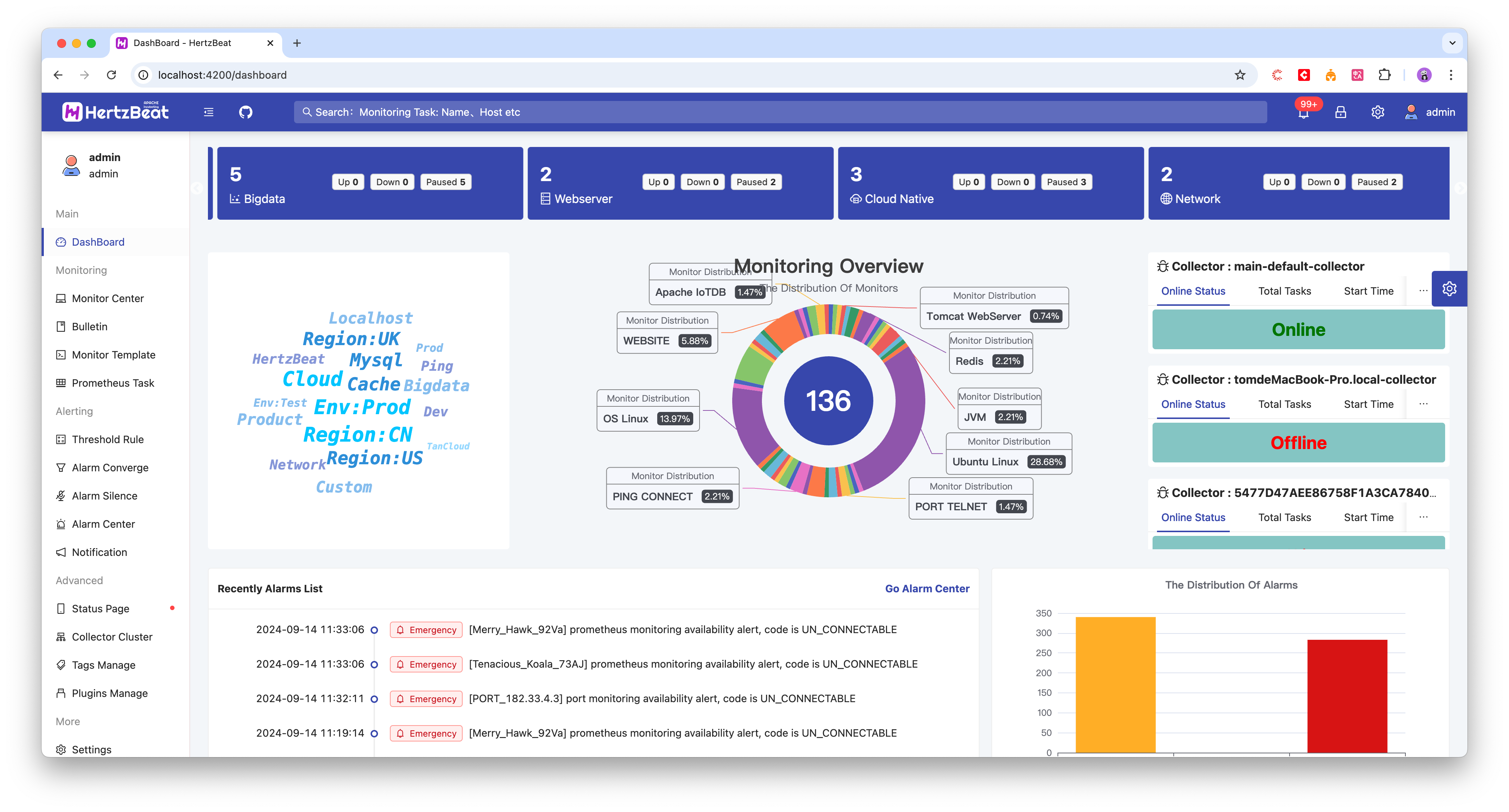
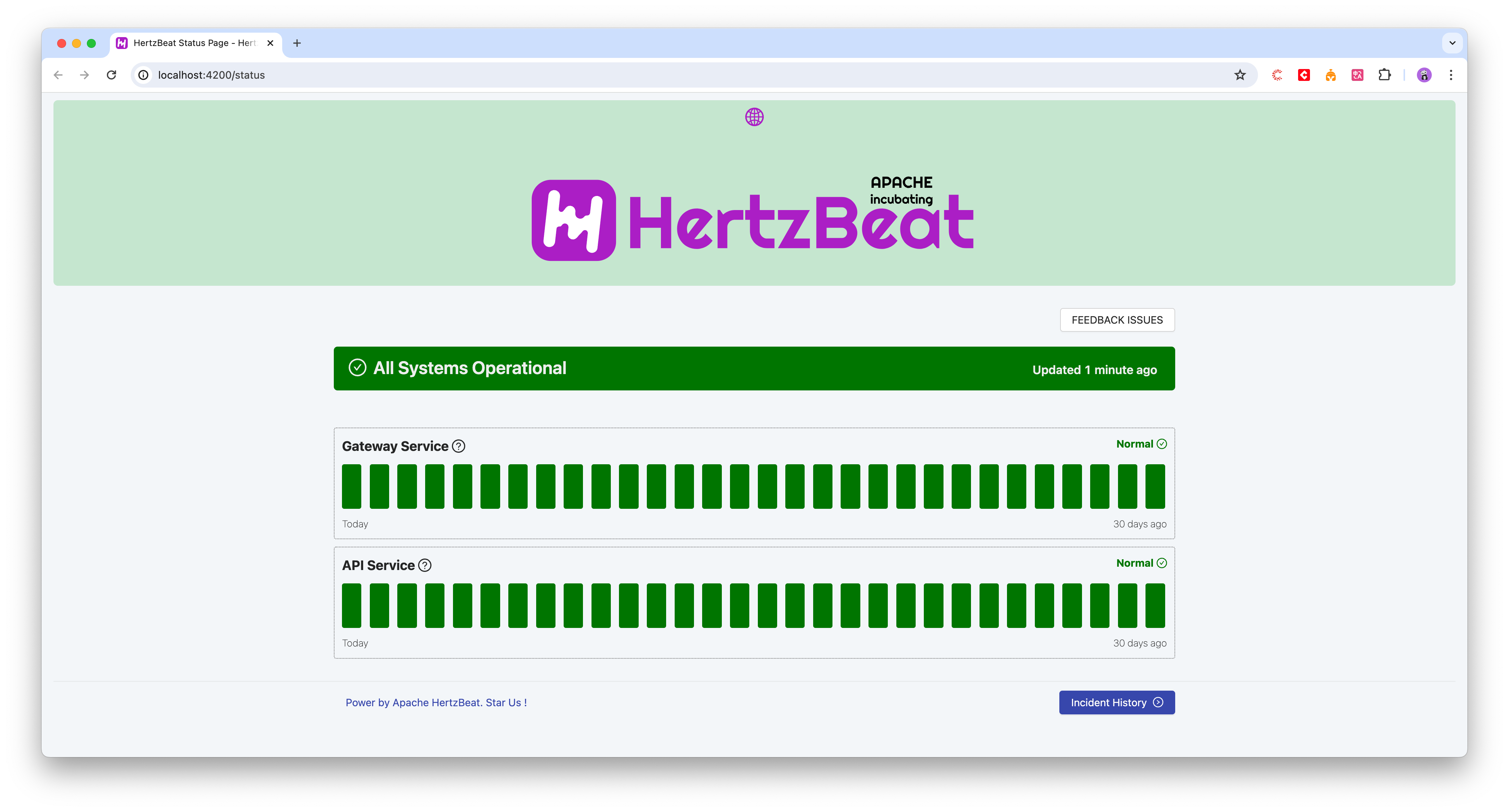
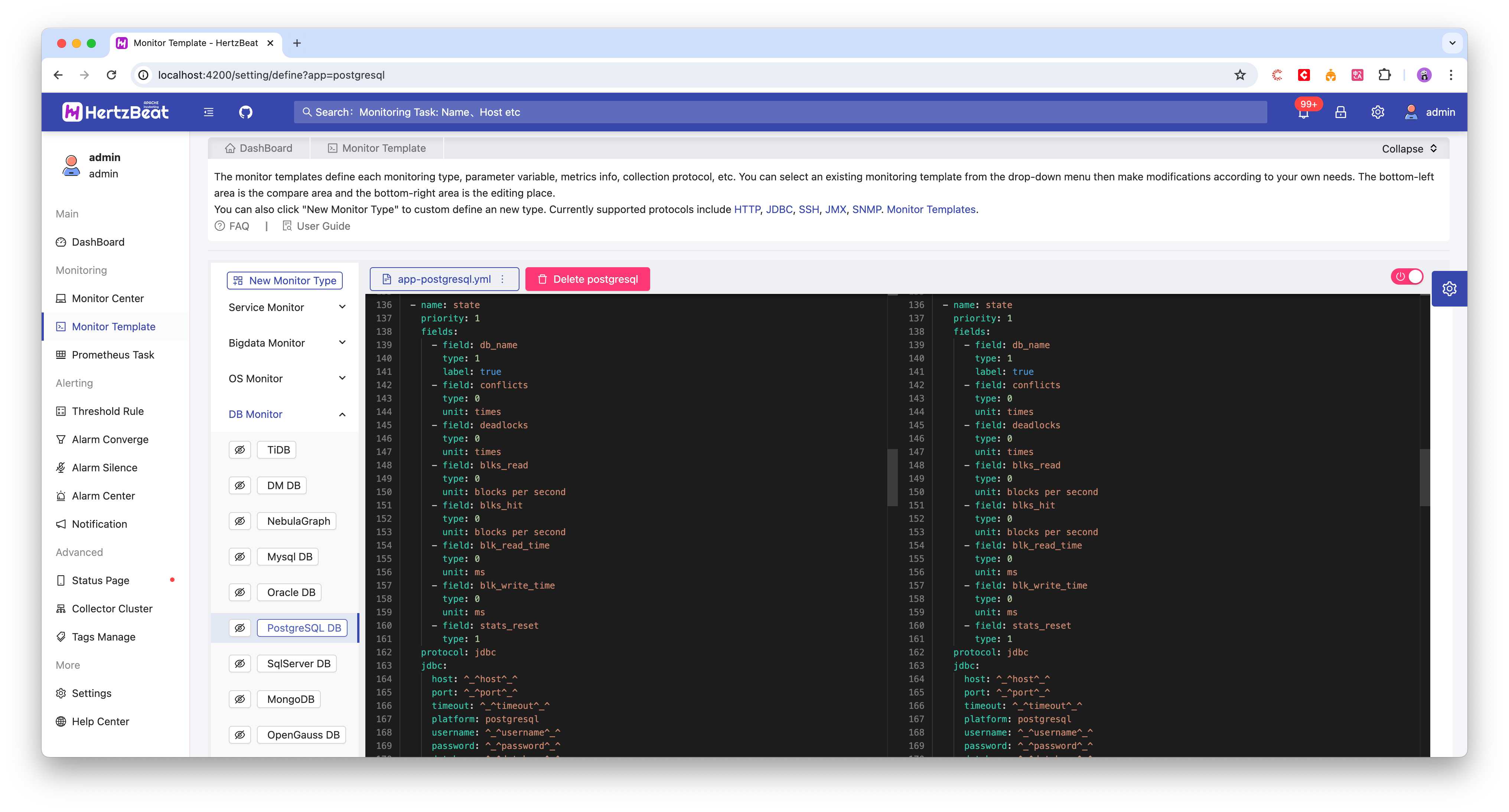
Apache HertzBeat is an open-source, AI-powered real-time observability platform that pulls metrics and log collection, centralized alert handling, and notification delivery into a single product. It watches targets without installing agents — services, databases, caches, operating systems, middleware, big-data components, web servers, cloud-native stacks, and network gear — and the protocols behind those checks (HTTP, JMX, SSH, SNMP, JDBC, even Prometheus scrape endpoints) can all be shaped through YAML templates edited in the browser, including entirely new monitor types. Logs are ingested over OTLP, while the alerting layer merges internal findings with outside alert sources and applies threshold rules, grouping, silence, and suppression before results fan out to chat apps such as Slack, Discord and Telegram, messaging platforms like DingTalk, WeChat and FeiShu, plus email, SMS, webhooks and ServerChan. Teams can also publish public status pages and scale collection across multi-collector clusters spanning isolated networks or cloud-edge sites; a built-in MCP Server exposes the system to AI tooling. Running it yourself is one docker command with a bundled H2 store (no external services), or a production-grade Docker Compose stack pairing it with PostgreSQL/MySQL plus a metrics database, a downloadable tar.gz package, or a Helm chart on Kubernetes. The compose quick starts bind to loopback by default, and the docs recommend Compose, package, or Kubernetes over plain docker run for production use.
hertzbeat alternatives
 MapleMaple is a self-hosted observability platform on OpenTelemetry and ClickHouse unifying traces, logs, metrics, session replay with an MCP server for AI agents.CompareMaple with hertzbeat
 checkmateSelf-hosted, open-source uptime and infrastructure monitor: HTTP, ping, DNS, Docker and gRPC checks with incidents, status pages and Slack or email alerts.Comparecheckmate with hertzbeat
 oneuptimeSelf-hosted open-source observability platform combining uptime monitoring, incident management, on-call alerting, status pages, logs, traces, metrics, error tracking.Compareoneuptime with hertzbeat
 UptimeKitUptimeKit is a self-hosted, open-source monitoring solution that checks HTTP/TCP services and publishes status pages with incident management and analytics.CompareUptimeKit with hertzbeat
 Apache SkyWalkingOpen-source, self-hosted APM platform for cloud-native systems: tracing, metrics, logs, profiling and alerting on pluggable storage such as BanyanDB.CompareApache SkyWalking with hertzbeat
 heliconeHelicone is a self-hosted, open-source LLM observability platform and AI gateway for 100+ models with cost tracking, agent tracing, prompt management, and a playground.Comparehelicone with hertzbeat
 PulseOpen-source, self-hosted ops dashboard for Proxmox, Docker, Kubernetes, vSphere and TrueNAS, with buffered alerts, metric history and scheduled AI patrols.ComparePulse with hertzbeat
 ServerBeeSelf-hosted VPS monitoring with real-time agent dashboard, alerts, network quality probes, IP reputation, and native iOS app.CompareServerBee with hertzbeat
Should you self-host hertzbeat?
hertzbeat scores 68/100 on selfhost.directory (how scoring works) and ranks #23 of 105 in Monitoring & observability. It has 7 469 GitHub stars, +43 in the last 30 days.
It shipped 3 stable releases in the past year. The latest, v1.9.1, came out on 17 November 2026. New versions land roughly every 5 months.
Setup is easy: most people get it running in one sitting. An official Docker image is available. It is Apache-2.0-licensed and written mostly in Java.
Its closest alternative on selfhost.directory is prometheus (92/100, 67 665 stars). It scores higher overall, so compare the two before you pick. See hertzbeat vs prometheus side by side.
Features
- Agentless monitoring
- AI-Powered Analysis
- Built-In MCP Server
- Centralized alerting
- Custom monitoring templates
- End-to-end encryption of sensitive data
- External alert source integration
- Horizontal scaling with collector clusters
- Log collection via OTLP
- Multi-channel alert notifications
- Pluggable time-series storageBundled H2 by default; a TSDB is needed for history charts.
- Prometheus compatibility
- Status Page
- Unified metrics collection
hertzbeat README

Home: hertzbeat.apache.org
Email: Mail to dev-subscribe@hertzbeat.apache.org to subscribe mailing lists
How to install hertzbeat
Install hertzbeat with Docker
HERTZBEAT_COLLECTOR_MYSQL_QUERY_ENGINEdocker run -d -p 1157:1157 -p 1158:1158 --name hertzbeat apache/hertzbeat
Access http://localhost:1157 to start, default account: admin/hertzbeat
Minimum environment with no external service dependencies; docs recommend Docker Compose, package, or Kubernetes for production.
Install hertzbeat with Docker Compose
HERTZBEAT_BIND_ADDRESS, HERTZBEAT_OTLP_BIND_ADDRESS, POSTGRES_PASSWORDtar zxvf apache-hertzbeat-${version}-docker-compose.tar.gz cd apache-hertzbeat-${version}-docker-compose cd hertzbeat-postgresql-victoria-metrics cp .env.example .env docker-compose up -d
Install script package contains multiple deployment solutions pairing HertzBeat with PostgreSQL/MySQL and VictoriaMetrics/GreptimeDB/IoTDB/TDengine.
Install hertzbeat with Linux
IDENTITY, MODE, MANAGER_HOST, MANAGER_PORT- Download the release package
hertzbeat-xx.tar.gzDownload - Configure the HertzBeat configuration yml file
hertzbeat/config/application.yml(optional) - Run command
$ ./bin/startup.shorbin/startup.bat
Optional standalone hertzbeat-collector package (JVM or native builds for Linux/macOS/Windows) for remote collector clusters.
How to configure hertzbeat
HERTZBEAT_COLLECTOR_MYSQL_QUERY_ENGINEOverride the MySQL-compatible monitoring query path used by the built-in collector.values: auto, jdbc, r2dbc
HERTZBEAT_BIND_ADDRESS=127.0.0.1Bind the web/API listener (1157) and manager/collector transport (1158) to loopback for a local quick start. Set this to a reachable manager address only when remote access is required and network controls are ready.HERTZBEAT_OTLP_BIND_ADDRESSBind OTLP/gRPC ingestion (14317) separately so enabling a remote Collector does not also expose telemetry ingestion. Change this only for trusted OTLP senders.IDENTITYUnique identity name for a HertzBeat collector in a cluster.MODE=publicCollector running mode: public cluster or private cloud-edge.values: public, private
hertzbeat releases & version history
Note
Apache HertzBeat 1.9.1 is a maintenance release with collection, monitor management, credential and status-history fixes.
Management UI and API access now requires the exact admin role. Existing non-admin accounts are not automatically promoted. Review accounts and automation credentials before upgrading. Back up the database and deployment configuration, preserve common.secret, and use matching 1.9.1 manager and collector artifacts. Digest authentication is disabled in the shipped configuration; check your active configuration when upgrading.
Read the 1.9.1 upgrade guide and release announcement before updating.
Official source and binary distributions, signatures and checksums: Apache HertzBeat 1.9.1 downloads.
What's Changed
- [bugfix] handle empty metric rows on the monitor detail page by @P-Peaceful in #4464
- [bugfix] Fix bulk pause for large monitor selections (#4447) by @nihalritgithub in #4458
- [1.9.1] Synchronize validated maintenance fixes into release branch by @zqr10159 in #4497
- [1.9.1] Synchronize validated maintenance follow-up by @zqr10159 in #4501
- [1.9.1] Synchronize official maintenance branch into release by @zqr10159 in #4502
- [1.9.1] Sync ASF-allowed native GraalVM action by @zqr10159 in #4505
- [1.9.1] Sync isolated HTTP E2E fixture by @zqr10159 in #4507
- fix: complete Apache LICENSE text for 1.9.1 packages by @zqr10159 in #4509
- fix: sync selected license choices to 1.9.1 by @zqr10159 in #4511
- fix: sync credential and HTTP test fixes to 1.9.1 by @zqr10159 in #4513
- fix: backport #4516 credential and Linux CPU fixes to 1.9.1 by @zqr10159 in #4517
New Contributors
- @nihalritgithub made their first contribution in #4458
Full Changelog: v1.9.0...v1.9.1
AI summary Breaking changes in runtime, config, and alerting
Note
This release contains breaking changes 1.9.0 is not a drop-in replacement for the 1.8.x jar or image. The runtime, the configuration file, the authorization rules, the collector credential format, the GreptimeDB table schema and several alerting semantics all changed incompatibly. Read this guide in full before you start: how to update to 1.9.0
What's Changed
- [fix] Fixed Prometheus task history charts not working in the Favorites tab by @Duansg in #4014
- [improve] improved version validation documentation content by @Duansg in #4013
- docs: update download page to v1.8.0 by @TJxiaobao in #4015
- [Docs] Release version 1.8.0 documentation by @zqr10159 in #4017
- docs: fix the sidebars i18n and version display, add auto deploy action by @tomsun28 in #4018
- [fix] Fixed template name mismatch issue by @Duansg in #4021
- [Task] Add user account monitoring metrics for MongoDB by @turanalmammadov in #4033
- docs: add H2 database security warning page by @turanalmammadov in #4036
- Revert "[Task] Add user account monitoring metrics for MongoDB" by @Duansg in #4038
- Split hertzbeat-common into core and spring modules by @zqr10159 in #4035
- fix: Add i18n support for setting-drawer component by @miantalha45 in #4006
- [improve] Improve the login page style by @Duansg in #4044
- [fix] fix alertmanager integration issue by @Duansg in #4022
- feat: SOP-driven AI workflows with skills, scheduling, and i18n support by @TJxiaobao in #4016
- docs: update security model desc by @tomsun28 in #4047
- fix: fix home doc deploy action by @tomsun28 in #4029
- Fix typo: occured to occurred by @04cb in #4049
- [feat] Support Apache Doris as time-series storage for both metrics and logs by @Saramanda9988 in #4031
- fix[protocol-sd]: add register center params check by @yuluo-yx in #4048
- [improve] add group convergence strategy name validation by @Duansg in #4050
- [improve] improved interaction styling for the template editor by @Duansg in #4051
- style: apply primary button style to monitor manage action by @Darshan-paul in #4045
- feat[common]: add hertzbeat common protocol entitiy check by @yuluo-yx in #4052
- docs: improve website geo by @tomsun28 in #4053
- [bugfix] correct typo in sureness monitor delete verb definition by @brettgervasoni in #4054
- feat[common]: add protocl entity check by @yuluo-yx in #4055
- chore: remove the sharp package by @tomsun28 in #4056
- [chore]: Update to Springboot4 and Hibernate 7 by @zqr10159 in #4057
- feat: update nacos client to 3.1.1 by @yuluo-yx in #4061
- [feat]: migrate blocking executors to virtual threads by @zqr10159 in #4062
- feat[common]: add protocol entity check by @yuluo-yx in #4060
- [feat]Add monitoring support for Ollama LLM runtime by @Duansg in #4064
- [improve] improve plugin upload validation by @Duansg in #4067
- [feat]: Native collector by @zqr10159 in #4066
- feat[common]: add core protoctl entity check by @yuluo-yx in #4065
- [improve] improve the hierarchical alignment of token issuance by @Duansg in #4076
- [fix] fix zookeeper configuration not taking effect by @Duansg in #4077
- [docs]doc: unify naming HertzBeat and agentless across docs and assets by @zhehenlu in #4075
- [build]fix: remove duplicate version properties in root pom by @zhehenlu in #4073
- [docs]doc: fix typos and grammar in docs and AccountController by @zhehenlu in #4072
- [feat]: add MySQL R2DBC query engine support by @zqr10159 in #4074
- [feat] add API token management functionality by @Duansg in #4080
- [fix] fixed issue with the token management style by @Duansg in #4083
- [feat] add monitoring template for the LM Studio platform by @Duansg in #4082
- [fix] fix cyclic silence time matching and cross-midnight handling by @yuluo-yx in #4081
- [CI] update Docker build-push-action version by @P-Peaceful in #4088
- [improve] fix e2e test failure caused by api-testing reverse test behavior by @P-Peaceful in #4091
- docs: remove reddit and qq links from readmes by @zqr10159 in #4092
- [ci]: update the dependency versions of GitHub Actions workflows by @P-Peaceful in #4089
- [doc] improve e2e local run guide by @P-Peaceful in #4095
- [improve] optimize the function of creating monitoring using AI by @LiuTianyou in #3922
- [Improve] Add common protoctl entity check by @yuluo-yx in #4084
- feat(nacos-sd): add auth and filtering parameters for Nacos service d… by @pentium100 in #4099
- [feature]: support victoria metrics cluster query executor by @P-Peaceful in #4103
- feat: add common protocol entity check by @yuluo-yx in #4097
- [doc] update markdownlint config to ignore MD060 by @P-Peaceful in #4105
- [doc]: fix MD001 heading increment issues in home docs by @P-Peaceful in #4106
- [doc] rename WeChat Public to WeChat Official Account by @P-Peaceful in #4109
- [fix] support realtime metric and log edit tooltip by @P-Peaceful in #4110
- [doc] add questdb init doc to sidebar and unify label by @P-Peaceful in #4113
- ci: reduce repeated setup and nightly rebuild work by @Aias00 in #4119
- [improve] Improvements to NVIDIA's monitoring history charts are not displayed by @Duansg in #4123
- [fix] Fix some issues related to ci by @Duansg in #4135
- [improve] Improve LogRealTimeAlertE2eTest group alert flakiness by @Duansg in #4137
- bugfix Update delete dashboard response message to success by @zhusaidong in #4133
- [doc] update metrics storage docs to use duckdb instead of jpa by @P-Peaceful in #4112
- [improve] Improve the styling of the monitoring list page by @Duansg in #4138
- [improve] Improve status page settings UI for better UX by @Duansg in #4139
- [fix] fix Dockerfile directory creation error by @Duansg in #4143
- [monitoring-template] feat(sqlserver): add database account expiry metrics (#3737) by @neon-hippo in #4141
- [fix] fixed the JMX service URL validation issue by @Duansg in #4146
- [fix] fix the dead link issue in ci by @Duansg in #4148
- fix(monitor): fix Redis Sentinel helpLink, sentinel metric types, add sentinel_timedout_scripts field by @abhyudayareddy in #4122
- [bugfix] Fix imported monitor instance being empty due to host/instan… by @starryCoder in #4142
- [feat] support editing definitions and simplify metric selection by @Duansg in #4158
- [fix] fixed an issue where cron jobs were not rescheduled by @Duansg in #4159
- [fix] fix monitor list showing previous page as unavailable when paging by @Duansg in #4161
- fix: avoid blocking modify monitor by redundant detect call by @wilmerdooley in #4154
- [doc] update bulletin help docs for editing and metric-tree selection by @Duansg in #4177
- [fix] keep monitor selection across pages in monitor list by @Duansg in #4170
- [fix] fix monitor import/export losing annotations and cron schedule … by @Duansg in #4166
- [fix] pre-validate monitor import batch to avoid orphan tasks and empty list by @Duansg in #4180
- [fix] fixed the issue of plugin upload failure. by @LiuTianyou in #4179
- [feat]:add db account monitoring metrics for postgresql. by @wy471x in #4131
- [feat] add ntfy as a new alert notification channel by @Zmjjeff7 in #4132
- [fix] persist custom monitor labels when writing to GreptimeDB by @wilmerdooley in #4151
- [collector]bugfix: honor XML response charset by @hutiefang76 in #4167
- [bugfix] Fix duplicate collector job timeouts by @hutiefang76 in #4169
- [fix] upgrade the version of spring-ai. by @LiuTianyou in #4176
- [monitoring-template] fix: correct malformed html tags in help text by @orangeCatDeveloper in #4185
- [doc] fix typos and stale setup instructions across docs by @orangeCatDeveloper in #4186
- docs: fix 13 typos in documentation and comments by @ZhouYinLong-lab in #4187
- [collector]bugfix: close jdbc connection on statement creation failure by @hutiefang76 in #4184
- [fix] Fix startup_failure: pin third-party actions to ASF-allowlisted SHAs by @Duansg in #4193
- feat: fix ssh connection bug by @yuluo-yx in #4198
- [fix] Prevent NPE when VictoriaMetrics compression is unset by @yuluo-yx in #4199
- fix: avoid LLM generates sql has sql injection error by @yuluo-yx in #4200
- [fix] cancel the overwritten timeout in cyclicJob to fix HashedWheelTimeout memory leak by @Duansg in #4201
- [fix] Fix notice rule label matching against grouped alerts by @Duansg in #4191
- docs: fix dead taosKeeper doc links by @orangeCatDeveloper in #4202
- [fix] expose prestodb auth parameters and wire authorization into all metrics by @orangeCatDeveloper in #4188
- [fix] carry job labels/annotations/metadata in timeout metrics data by @Duansg in #4205
- [fix] Fixed matching issues caused by date components and outdated time zone offsets by @Duansg in #4192
- feat: replace deprecated Spring AI Tool API by @yuluo-yx in #4206
- fix: pin collector docker image root path across versions by @orangeCatDeveloper in #4189
- fix: collector boot fails when jar manifest lacks Class-Path by @orangeCatDeveloper in #4190
- refactor: remove obsolete template marketplace by @zqr10159 in #4207
- fix(ai): correct conversation message handling by @yuluo-yx in #4208
- feat(observability): add Angular three-signal transition by @zqr10159 in #4195
- fix: remove duplicated ASF license headers left by license-eye auto-fix by @Duansg in #4210
- [improve] bump grpc-java from 1.56.1 to 1.76.3 by @Duansg in #4211
- [feature] Add Korean i18n by @moduvoice in #4197
- chore(ci): Add workflow_dispatch trigger to nightly build by @yuluo-yx in #4213
- fix(log): send initial SSE event and periodic heartbeat by @yuluo-yx in #4221
- [improve] mask secret fields of notice receiver in rest api response by @Duansg in #4220
- [improve] form-urlencode SQL request body in GreptimeSqlQueryExecutor by @Duansg in #4223
- fix(ai): improve SOP execution and provider config handling by @yuluo-yx in #4224
- fix:prometheus timeout monitor key mismatch by @hengyuss in #4215
- [improve] reject masked receiver edit when the stored receiver does not exist by @Duansg in #4225
- [improve] remove unused log management translations by @Duansg in #4229
- fix(ai): propagate security context to tool callbacks by @yuluo-yx in #4230
- feat(status-page): add configurable time range for component history by @wy471x in #4222
- [improve] pre-create hertzbeat_logs table during greptime signal initialization by @Duansg in #4231
- feat: use spring ai MethodToolCallbackProvider replace custom reflect… by @yuluo-yx in #4234
- [improve] degrade observability consoles gracefully when storage lacks log/trace/metric support by @Duansg in #4233
- [fix] fix horizontal scroll not working in periodic threshold preview table by @Duansg in #4238
- refactor: evolve common-core payload compatibility by @zqr10159 in #4237
- fix: add SSE authentication and correct GreptimeDB SQL by @bigcyy in #4243
- fix: update GreptimeDB Docker Compose to v1.1.3 by @bigcyy in #4244
- fix(web-app): add missing Korean observability menu translations by @orangeCatDeveloper in #4240
- fix(web-app): point threshold user guide link to correct docs by @orangeCatDeveloper in #4239
- fix(web-app): replace removed stylelint --syntax flag by @orangeCatDeveloper in #4241
- docs: add new contributors and update notice year by @tomsun28 in #4245
- ci(doc-deploy): fix pnpm cache setup and upgrade Node to 22 by @tomsun28 in #4248
- fix(ai): remove SOP schedules when deleting conversations by @yuluo-yx in #4247
- [docs] refactor blog list UI to card grid by @orangeCatDeveloper in #4219
- fix(alerter): keep webhook query params intact by @orangeCatDeveloper in #4249
- test: fix two flaky tests by @orangeCatDeveloper in #4250
- improve(dashboard): hide empty category cards, add empty state by @orangeCatDeveloper in #4242
- fix(ai): improve alert rule validation and parsing by @yuluo-yx in #4251
- [fix] skip SQL Server integration test on arm64 by @Duansg in #4253
- fix(ai): improve SOP schedule error handling by @yuluo-yx in #4254
- [chore] upgrade hertzbeat version by @Duansg in #4255
- [fix] prevent masked notice secret replay to attacker URLs by @yuluo-yx in #4262
- [fix] bind greptime compose data-store ports to localhost by @Aias00 in #4258
- fix(ai): handle invalid skill params and failed reports by @yuluo-yx in #4297
- [fix] stop jdbc connection properties injected through the database name by @Duansg in #4299
- [fix] restrict /api/ai SOP endpoints to admin role by @Duansg in #4261
- [fix] stop exposing the jwt and aes master keys over the config api by @Duansg in #4270
- maintenance: scope Grafana request authentication by @zqr10159 in #4288
- maintenance: bound alert persistence locks by @zqr10159 in #4285
- maintenance: normalize Zabbix alert identity by @zqr10159 in #4284
- maintenance: canonicalize alert label fingerprints by @zqr10159 in #4283
- Generate metric scheduling intervals lazily by @zqr10159 in #4290
- maintenance: derive rule-scoped notice groups by @zqr10159 in #4291
- maintenance: bound SMS client failure details by @zqr10159 in #4282
- Define bulletin write fields explicitly by @zqr10159 in #4292
- maintenance: preserve metric string values by @zqr10159 in #4287
- fix(ai): improve SOP schedule error handling by @yuluo-yx in #4301
- [fix] restore dropped rbac rule for single monitor deletion by @Duansg in #4269
- docs(help): add alert notification overview page by @paultanay in #4300
- [fix] stop silent SSL-to-plaintext downgrade in R2DBC MySQL route by @Aias00 in #4260
- [fix] restrict monitoring template writes to admin by @Duansg in #4278
- [fix] restrict the actuator endpoints to admin by @Duansg in #4277
- [fix] validate the metric history query inputs by @Duansg in #4274
- [fix] add missing alert.setting.window i18n keys for non-zh-CN locales by @fas89 in #4298
- [fix] keep zero-row metrics data in redis queue codec by @orangeCatDeveloper in #4305
- [feat] Support etcd monitoring by @orangeCatDeveloper in #4306
- feat(alerter): support Alibaba Cloud Monitor webhook by @lynx009 in #4296
- fix(alert): keep datasource in alert rule export/import by @orangeCatDeveloper in #4264
- [fix] fix align cors configuration with header based authentication by @Duansg in #4267
- [fix] add missing rbac rules for the remaining unruled routes by @Duansg in #4271
- [feat] paginate the monitoring metrics data table by @orangeCatDeveloper in #4309
- test(web): make web-app unit tests runnable by @orangeCatDeveloper in #4314
- fix(ai): create conversation when conversation ID is missing by @yuluo-yx in #4315
- fix(ai): persist parameters for scheduled skills by @yuluo-yx in #4317
- [fix] bound what one anonymous push request can consume by @Duansg in #4273
- [fix] stop serving the openapi document to anonymous callers by @Duansg in #4276
- [security] Restrict plugin upload endpoint to admin role (#4149) by @Bhavya-Sonigra in #4257
- fix(collector): correct jsonpath alias parsing for rows missing path by @orangeCatDeveloper in #4265
- [fix] keep one-row metric data when command output is short by @orangeCatDeveloper in #4308
- [fix] evaluate threshold rules with empty field values by @orangeCatDeveloper in #4307
- fix(collector): keep partial telnet metrics, surface raw reply by @orangeCatDeveloper in #4311
- fix(deps): replace bouncycastle jdk15on with jdk18on 1.85 by @orangeCatDeveloper in #4312
- [fix] strip NUL bytes before tdengine history insert by @orangeCatDeveloper in #4310
- [fix] prevent SQL injection in QuestDB history queries by @Aias00 in #4259
- [fix] require an account to subscribe to the alert and manager streams by @Duansg in #4272
- fix(web-app): clear dependent param value when condition not met (#2298) by @DSingh0304 in #4304
- docs(help): add push style monitor help documentation (#1795) by @paultanay in #4321
- [bugfix] Alarm group convergence must not resolve while members are still firing by @nikhiln64 in #4316
- [fix] keep monitor instance identity stable across edits by @orangeCatDeveloper in #4329
- [fix] jitter first cyclic schedule to avoid restart thundering herd by @orangeCatDeveloper in #4328
- [fix] ssl_cert monitor: skip hostname check when verify is off by @orangeCatDeveloper in #4324
- [fix] make V181 migration idempotent and self-repair flyway history by @orangeCatDeveloper in #4326
- [improve] sync material/licenses with the actually bundled dependencies by @Duansg in #4336
- Consolidate entity-free observability for 1.9 by @zqr10159 in #4302
- [feature][alerter] Support notification template preview by @Prabal864 in #4338
- feat(collector): resolve time expressions in http url and headers by @orangeCatDeveloper in #4334
- feat: extend status page history up to 365 days by @orangeCatDeveloper in #4333
- [feature] support exporting alerts to Excel by @orangeCatDeveloper in #4332
- [fix] prevent duplicate dispatch when collector task times out by @paultanay in #4342
- [chore] update pnpm action setup to specific commit hash by @delei in #4341
- [fix] never send null template variables to Aliyun SMS by @orangeCatDeveloper in #4331
- [bugfix] Remove broken Push Style Monitor (app-push) support by @Prabal864 in #4339
- [fix] align integration page gRPC endpoint and hint with the actual listener port by @Duansg in #4343
- [fix] validate sql reaching the alert query executor by @Duansg in #4275
- maintenance: scope AI conversations by creator by @zqr10159 in #4280
- maintenance: validate MCP OAuth exchanges by @zqr10159 in #4279
- maintenance: define VictoriaMetrics label collisions by @zqr10159 in #4286
- maintenance: make VictoriaMetrics flush recovery durable by @zqr10159 in #4289
- [feature] add SSL certificate verification toggle for email server by @orangeCatDeveloper in #4327
- [fix] allow long threshold expr when binding many monitors by @orangeCatDeveloper in #4330
- maintenance: extend SFTP connection options by @zqr10159 in #4293
- maintenance: classify service credentials as passwords by @zqr10159 in #4281
- maintenance: scope quick-start listeners by @zqr10159 in #4295
- fix(ci): use ASF-allowlisted Docker setup actions by @yuluo-yx in #4356
- [fix] add missing ntfy default notice template by @Duansg in #4364
- [doc] align Docker Compose quick-start docs with required .env and loopback binding by @Duansg in #4359
- [fix] sync sureness.yml in release artifacts with the packaged rules by @Duansg in #4367
- [fix] consolidate unreleased 1.9.0 migrations into V190 and fix PG/MySQL startup by @Duansg in #4368
- [fix] correct inverted RegistryProtocol param validation by @Duansg in #4366
- [doc] replace all-contributors table with contrib.rocks image in READMEs by @Duansg in #4373
- [doc] add the 1.9.0 upgrade guide and correct the 1.9.0 breaking changes by @Duansg in #4369
- [fix] drop macOS from native collector matrix and unstick upgrade doc assertion by @Duansg in #4374
- [fix] make the native collector start: wire up native hints and fix MXBean introspection by @Duansg in #4375
- [fix] register JMX value types via metadata instead of enable-monitoring by @Duansg in #4377
- [doc] update the architecture diagram in READMEs and CONTRIBUTING by @Duansg in #4378
- [fix] make the Windows native collector start, and smoke test the packages in CI by @Duansg in #4379
New Contributors
- @turanalmammadov made their first contribution in #4033
- @miantalha45 made their first contribution in #4006
- @04cb made their first contribution in #4049
- @Darshan-paul made their first contribution in #4045
- @brettgervasoni made their first contribution in #4054
- @zhehenlu made their first contribution in #4075
- @zhusaidong made their first contribution in #4133
- @neon-hippo made their first contribution in #4141
- @abhyudayareddy made their first contribution in #4122
- @wilmerdooley made their first contribution in #4154
- @wy471x made their first contribution in #4131
- @Zmjjeff7 made their first contribution in #4132
- @hutiefang76 made their first contribution in #4167
- @orangeCatDeveloper made their first contribution in #4185
- @ZhouYinLong-lab made their first contribution in #4187
- @moduvoice made their first contribution in #4197
- @hengyuss made their first contribution in #4215
- @paultanay made their first contribution in #4300
- @fas89 made their first contribution in #4298
- @Bhavya-Sonigra made their first contribution in #4257
- @DSingh0304 made their first contribution in #4304
- @nikhiln64 made their first contribution in #4316
- @Prabal864 made their first contribution in #4338
Hi guys! Apache HertzBeat 1.8.0 version has published!
What's Changed
- [improve] Improve styling issues by @Duansg in #3734
- Integration QuestDB as Time Series Database Storage by @TJxiaobao in #3731
- [fix] Fixed issue where default path did not match whitelist by @Duansg in #3740
- [improve] Prometheus streaming parsing supports CRLF by @Duansg in #3745
- [doc] update new version download link by @LiuTianyou in #3747
- fix: update CNCF link by @cxhello in #3746
- chore: optimize pom content by @yuluo-yx in #3732
- [doc] update doc for how to release and add release note for 1.7.3 by @LiuTianyou in #3749
- [GSOC] Chat UI, Conversation Management, OpenAI Chat Client Support, More monitoring tools. by @sarthakeash in #3679
- [bugfix] synchronise AI-related configuration for Docker Compose by @delei in #3751
- [OSPP] Add RISC-V related help document. by @lynx009 in #3712
- [Improve] optimize the dashboard page and adapt to the new theme by @delei in #3730
- [improve] Prometheus streaming parsing optimization by @Duansg in #3752
- [docs] Update contributors by @Calvin979 in #3759
- [GSOC] Added all the necessary tools across services by @sarthakeash in #3722
- [feat] Add configuration file for Dell iDRAC monitoring type by @tuzuy in #3763
- [feat] Support apollo configuration center monitoring by @Duansg in #3768
- [doc] replace with the new ASF logo by @delei in #3770
- [improve] SSE exception handling improvements by @Duansg in #3775
- [feat] Support monitoring center indicator favorites feature by @Duansg in #3735
- [fix]bugfix:Prevent Long.parseLong() error when search param is a float by @starryCoder in #3483
- [doc] add japanese i18n in app-idrac.yml by @Calvin979 in #3766
- [improve] Improving the operation of threshold rules and the output of expression logs by @Duansg in #3780
- [Improve] Optimise and use the label-selector component for label selection within pages by @delei in #3762
- [feat] Support jenkins monitoring by @Duansg in #3774
- [improve] Prometheus streaming parsing optimization enhancements by @Duansg in #3761
- [OSPP] Implement a mcp server to run any scripts or commands securely by @yexuanyang in #3547
- [bugfix] webhook url query parameters missing by @mengnankkkk in #3779
- [bugfix] fix service discovery host field NullPointerException by @pwallk in #3767
- [docs] update doc and add new contributors by @tomsun28 in #3783
- [OSPP] Apache HertzBeat Log Monitoring Capability by @bigcyy in #3673
- [improve] Optimize Gretimedb time-series statistics. by @jl15988 in #3776
- [OSPP] Modify Dockerfile to support RISC-V. by @lynx009 in #3713
- [fix] remove v174 and add v180 flway script by @bigcyy in #3787
- [improve] nitpicking "Dispatch ALl" on en-US.json by @dedyks in #3800
- Feature dns add record type by @pentium100 in #3799
- fix: use UTF-8 to solve Chineses bug by @mengnankkkk in #3792
- chore: use pnpm instead of yarn by @tomsun28 in #3802
- fix some bug in service discovery: by @pentium100 in #3804
- improvement: improve log severity text input by @bigcyy in #3805
- [refactor]Refactoring prometheus label value utf8 support by @Duansg in #3810
- modify apt sources from http to https. by @pentium100 in #3808
- [feat] Monitoring Center - Added cron expression support for scheduling type by @AlbertYang0801 in #3777
- [fix]: fix bugs in frontend for monitoring by @mengnankkkk in #3806
- [fix] Only POST and PUT methods carry payload by @Duansg in #3814
- [docs] fix the issue of avatar reference on the team page by @delei in #3820
- [improve] Jexl validation rule enhancements by @Duansg in #3821
- [fix]Fixed issue where refresh did not take effect by @Duansg in #3825
- refactor: refactor ai feature by @tomsun28 in #3823
- docs: update contributors page by @tomsun28 in #3827
- refactor: split manager to startup module by @tomsun28 in #3830
- [fix] Optimize the issue where missing tags cause alert statuses to become disordered by @Duansg in #3829
- [ci] fix markdown lint ci by @Cyanty in #3833
- [ci] replace outdated link addresses in dead link check by @Cyanty in #3834
- [improve] SLS integrated access supports merged alarm resolution by @Duansg in #3835
- [doc] add pmc blog of Calvin, add Duansg as committer and Calvin as PMC by @Calvin979 in #3838
- refactor ai agent and fix bug, update doc by @tomsun28 in #3836
- docs: update readme and doc by @tomsun28 in #3840
- fix the labels limit error by @tomsun28 in #3842
- [feature] support the security settings for robot signatures in DingTalk by @delei in #3841
- Modify the issue of incorrect signature in Alibaba's SMS sending by @warrobe in #3788
- [doc] Add new committer blog by @Duansg in #3847
- [docs] update doc fix wrong manager by @tomsun28 in #3850
- [bugfix]manager: Avoid NPE when metrics data queue is empty by @starryCoder in #3848
- [feat] Add webhook authentication support for alert notifications by @Jetiaime in #3797
- [Improve]Unify UI border-radius to 6px for a more professional look by @zqr10159 in #3853
- fix: allow access to /log/** path to resolve unauthorized error on refresh by @bigcyy in #3858
- feat: add new docker-compose deployment solution by @bigcyy in #3859
- [feature] Support FeiShu/Lark App Alert Notification by @P-Peaceful in #3856
- [feat] Add DB2 database monitoring support by @starryCoder in #3857
- [bugfix] align tooltip position for mute icon with other icons by @P-Peaceful in #3862
- [improve] Added simple exponential backoff strategy by @Duansg in #3860
- fix: Remove redundant metrics data send in KafkaCommonDataQueue by @starryCoder in #3854
- [docs] fix the missing documents references in the sidebar by @delei in #3867
- chore: update sureness yml by @tomsun28 in #3870
- [fix] adding trusted domain verification by @Duansg in #3866
- [bugfix] redis cluster monitor master-slave relationship is inconsistent by @P-Peaceful in #3874
- [refactor] Refactor Monitor host field to instance and update related logic by @Saramanda9988 in #3863
- improvement: optimize log stream for high TPS scenarios by @bigcyy in #3876
- [refractor] Using Spring jdbc to query Greptime log by @zqr10159 in #3880
- Revert "[refractor] Using Spring jdbc to query Greptime log" by @bigcyy in #3885
- [fix]Fix some systemic issues by @Duansg in #3884
- [improve]Improve performance issues caused by too many metrics by @Duansg in #3879
- [bugfix] notice policy lost Gotify receiver type by @P-Peaceful in #3886
- [feature] Using duckdb instead of jpa to store history data by @zqr10159 in #3883
- feat: update add monitors pop selected menus modal by @tomsun28 in #3878
- [improve]Improve issues related to tag conflicts by @Duansg in #3889
- [add] Add parameter validators and their corresponding tests by @Aias00 in #3888
- chore: add .editorconfig for consistent coding style by @yuluo-yx in #3875
- feat: support mcp streamable http protocol and upgrade spring ai version by @tomsun28 in #3890
- feat: optimize hertzbeat ai module by @yuluo-yx in #3891
- [docs] Add new committer blog by @delei in #3894
- [Feature]: enhance logging configuration with asynchronous console appender by @zqr10159 in #3895
- [fix]Fixed position offset issue during deserialization of ArrowUtil by @Duansg in #3897
- [Fix]: Use a connection pool to avoid concurrent access to duckdb files. by @zqr10159 in #3898
- feat(db): Added support for monitoring the Xugu database by @zhaoyangplus in #3899
- [feat] Add an SQL editor and prevent SQL injection by @bigcyy in #3900
- [bugfix] Modify the search predicate from 'host' to 'instance' field by @delei in #3910
- [fix]Fixed private collector tasks not taking effect by @Duansg in #3914
- [improve]Improve UI handling for label overflow by @KOYR in #3913
- [bugfix] AI prompt classpath error by @P-Peaceful in #3912
- [bugfix]: AI conversation message loading issue by @P-Peaceful in #3911
- [Feature] Enhance draggable UI elements in alert settings (#3915) by @KOYR in #3917
- [improve] xugu.md and app-xugu.yml by @zqr10159 in #3918
- chore: update docker compose hertzbeat version by @tomsun28 in #3916
- [feat] Add Grafana to follow the system theme by @Duansg in #3920
- [bugfix] Enhance expiration time parsing to support strict day format by @zqr10159 in #3924
- [docs] improve English translation and technical terms for MySQL by @Lathika226 in #3928
- [bugfix]: fix for the collector tab click effect error by @Sahil-Shadwal in #3932
- [fix] fixed CSP blocking algolia from loading on the page by @Duansg in #3935
- [feature] add Kapa widget script to docusaurus configuration by @zqr10159 in #3938
- [feature] Update UI text and styles for website by @zqr10159 in #3934
- [improve]: Optimize yAxis scale to better reflect data fluctuations by @KOYR in #3939
- chore: optimzie docker compose docs hertzbeat version by @yuluo-yx in #3929
- [improve] Optimize Tooltip display logic and support scrollable content by @KOYR in #3941
- [bugfix&improve] Fix alert label persistence and improve custom label input by @P-Peaceful in #3933
- fix: refactor system built-in labels validation logic by @bigcyy in #3946
- [fix] Update overflow properties and enhance swiper container styles by @zqr10159 in #3947
- style: adjust grid layout width of form labels by @KOYR in #3950
- [feature] Update CSP permissions to include Kapa.ai services by @zqr10159 in #3948
- style: widen table column to prevent label truncation by @KOYR in #3957
- [Fix] Fixed alignment of header social links on mobile by @Prakash1185 in #3959
- docs: update docs link by @tomsun28 in #3958
- [Fix]: fix TAG type mismatch by introducing schema version for TDengine by @Saramanda9988 in #3963
- fix: add GreptimeDB docker-compose assembly configuration by @bigcyy in #3960
- [doc]: add monitoring documentation for various service discovery methods by @zqr10159 in #3965
- docs: update invitation email template by @tomsun28 in #3975
- [fix] fixed cache parsing issues by @Duansg in #3977
- [fix]: update Content Security Policy in .htaccess to include new domains by @zqr10159 in #3979
- Fix htaccess by @zqr10159 in #3980
- [manager] bugfix: fix incorrect status page date calculation by @BhanuNidumolu in #3962
- [monitoring-template] feat(mysql): add database account expiry metrics by @BhanuNidumolu in #3969
- [fix]Fix issues such as index failure by @Duansg in #3953
- [improve] upgrade script merge by @Duansg in #3987
- [doc]: update to Docusaurus v3.9.2 by @zqr10159 in #3984
- [feature] add datasource status retrieval and update alert settings UI by @zqr10159 in #3985
- [Refactor] tighten resource constraints for XML/XPath collector by @zqr10159 in #3999
- feat: support otlp http binary protobuf format log data and update doc by @bigcyy in #3986
- [fix] Update query parameter encoding and error time parser in VictoriaMetricsClusterDataStorage by @zqr10159 in #3989
- [refactor] Dynamically concatenate app parameter on the front end to accommodate Prometheus apps by @Saramanda9988 in #4000
- [fix] update table name generation to include application context by @zqr10159 in #4001
- docs: update doc add contributors and pnpm lock by @tomsun28 in #4002
- [docs] Fix HTTP Service Discovery API response format by @Saramanda9988 in #4005
- [fix]fixed sql formatting error by @Duansg in #4008
New Contributors
- @cxhello made their first contribution in #3746
- @yexuanyang made their first contribution in #3547
- @mengnankkkk made their first contribution in #3779
- @jl15988 made their first contribution in #3776
- @dedyks made their first contribution in #3800
- @pentium100 made their first contribution in #3799
- @AlbertYang0801 made their first contribution in #3777
- @warrobe made their first contribution in #3788
- @Jetiaime made their first contribution in #3797
- @P-Peaceful made their first contribution in #3856
- @zhaoyangplus made their first contribution in #3899
- @KOYR made their first contribution in #3913
- @Lathika226 made their first contribution in #3928
- @Sahil-Shadwal made their first contribution in #3932
- @Prakash1185 made their first contribution in #3959
- @BhanuNidumolu made their first contribution in #3962
Full Changelog: v1.7.3...1.8.0
Hi guys! Apache HertzBeat 1.7.3 version has published!
What's Changed
- [release] release new version 1.7.2 by @tomsun28 in #3510
- [doc] japanese hpe switch by @Calvin979 in #3511
- [doc] japanese huawei switch by @Calvin979 in #3515
- [doc] japanese hive by @Calvin979 in #3506
- [doc] japanese hugeGraph by @Calvin979 in #3518
- [feature] Support for
Periodic Thresholdpreview. by @Duansg in #3505 - [Improve] Improve kafka e2e by @zhangshenghang in #3520
- [doc] japanese iceberg by @Calvin979 in #3519
- [fix] Update the correct replacement of outdated functions and placeholders by @Cyanty in #3516
- [doc] japanese influxdb by @Calvin979 in #3521
- [doc] japanese hikvision by @Calvin979 in #3499
- [doc] Add new commiter blog by @MasamiYui in #3522
- [fix] fix i18n error and append two metrics about disk infos by @lx1229 in #3514
- [feat]parallel ci by @Aias00 in #3523
- [doc] japanese influxdb promql by @Calvin979 in #3527
- fix: fix something by @Aias00 in #3524
- [doc] japanese iotdb by @Calvin979 in #3530
- download version deal by @lynx009 in #3531
- [doc] update outdated links by @lynx009 in #3535
- [doc]update download page text by @zqr10159 in #3532
- [doc] japanese ipmi by @Calvin979 in #3537
- [doc] japanese jetty by @Calvin979 in #3539
- enable GitHub Dependabot to create PRs for security alerts but not for every dependency update by @pjfanning in #3543
- [doc] Fix some issues in the documentation by @Duansg in #3526
- [doc] recommend newer mysql connector jar by @pjfanning in #3541
- [doc] add hertzbeat maturity and fix doc by @tomsun28 in #3544
- [doc] update download page by @lynx009 in #3549
- [doc] japanese kafka by @Calvin979 in #3548
- [doc] japanese jvm by @Calvin979 in #3545
- [doc] japanese kafka client by @Calvin979 in #3550
- [feature] Support export all allmonitors by @YxYL6125 in #3509
- feat: Add LogUtil wrapper and optimize logging comments by @Carpe-Wang in #3489
- [refactor]
AlarmCacheManagerrefactoring processing logic by @Duansg in #3525 - [improve] make jackson serialize all field visibility by @tomsun28 in #3551
- [bugfix] fix npe due the victoria insert not config when startup by @tomsun28 in #3552
- [doc] V1.7.2 version blog by @lynx009 in #3558
- [doc] japanese kafka promql by @Calvin979 in #3553
- [doc] Fix documentation error and adjust Chinese semantics by @Duansg in #3559
- [doc] add new pmc and committer by @tomsun28 in #3561
- [doc] japanese kingbase by @Calvin979 in #3562
- [doc] add new committer by @MasamiYui in #3563
- [feat] Add
QueryExecutordoes not support internationalization. by @Duansg in #3565 - [doc] japanese kubernetes by @Calvin979 in #3568
- [mqtt] refact the MQTT based on the Paho SDK and support both unidirectional and bidirectional MQTT over TLS connections. by @yy549159265 in #3474
- [docs] Add new committer blog by @bigcyy in #3569
- [bugfix] Fix MySQL WrongArgumentException by @pwallk in #3564
- [doc] japanese kvrocks by @Calvin979 in #3570
- [doc] japanese linux by @Calvin979 in #3571
- [fix]: Fix a problem where the inputstream was closed prematurely when parsing Prometheus by @zqr10159 in #3567
- [doc]: add FAQs about task limits by @zqr10159 in #3581
- [infra] upgrade openjdk image to fix Debian source failed by @tomsun28 in #3587
- [feature] Support i18n of collector online notification by @Duansg in #3585
- [doc] add japanese i18n in app-linux_script.yml by @Calvin979 in #3575
- [doc] add japanese i18n in app-mariadb.yml by @Calvin979 in #3577
- [doc] add japanese i18n in app-memcached.yml by @Calvin979 in #3578
- [doc] add japanese i18n in app-modbus.yml by @Calvin979 in #3580
- [feature] System time zone optimization. by @Duansg in #3588
- [doc] add japanese i18n in app-mongodb.yml by @Calvin979 in #3590
- [refactor] Refactor the comparison logic by @Duansg in #3574
- [fix] Fix collector online metadata filling by @Duansg in #3579
- [doc] add japanese i18n in app-mongodb_atlas.yml by @Calvin979 in #3593
- [doc] add japanese i18n in app-mysql.yml by @cto-huhang in #3594
- [doc] add japanese i18n in app-zookeeper.yml and app-zookeeper_sd.yml by @Cyanty in #3596
- [doc] add japanese i18n in app-nginx.yml by @Duansg in #3600
- [doc] add japanese i18n in app-rocketmq.yml and app-rabbitmq.yml by @Saramanda9988 in #3598
- [improve] VM write request sets up gzip compression and adds saveData unit tests by @Cyanty in #3595
- [feat] Auto-generate AES key if not configured by @bigcyy in #3604
- [doc] update japanese i18n in app-mqtt.yml and app-mysql.yml by @Calvin979 in #3597
- [fix] Fix collector offline without sending offline notification by @Duansg in #3601
- [doc] fix image reference issues in documents by @delei in #3608
- [doc] add japanese i18n in app-nacos.yml by @cto-huhang in #3599
- [doc] add japanese i18n in app-nvidia.yml, app-ping.yml, app-pop3.yml, app-port.yml and app-push.yml by @Calvin979 in #3611
- [doc] update japanese i18n in app-nacos_sd.yml, app-nebula_graph.yml, app-zookeeper.yml by @Calvin979 in #3602
- [doc] add japanese i18n in app-nebula_graph_cluster.yml and update japanese of client by @Calvin979 in #3603
- [bugfix] the tagValue may be null in the determineNewLabels method by @delei in #3606
- [doc] add japanese i18n in app-netease_mailbox.yml and app-ntp.yml by @Calvin979 in #3607
- [doc] add japanese i18n in app-oceanbase.yml by @VampireAchao in #3614
- [feat] Http collect supports jsonpath parsing of numeric type by @Duansg in #3612
- [doc] Optimize the home website navbar layout UI for medium-sized screens by @VampireAchao in #3616
- [doc] add japanese i18n in app-opensuse.yml by @Calvin979 in #3619
- [doc] add japanese i18n in app-oracle.yml by @Calvin979 in #3621
- [doc] add japanese i18n in app-postgresql.yml by @Calvin979 in #3624
- [doc] add linux operating system practice usecase by @delei in #3628
- [fix] Fixed
springboot3abnormal use of the keyword jexl by @Duansg in #3629 - [Feature] add customized labels to VM metrics by @chingjustwe in #3622
- [fix] Fixed issue where jdbc url was replaced by @Duansg in #3625
- [fix] remove optional metrics by @Duansg in #3636
- [doc] add japanese i18n in app-openai.yml and app-opengauss.yml by @Calvin979 in #3617
- [doc] add japanese i18n in app-smtp.yml, app-ssl_cert.yml, app-storm.yml, app-udp_port.yml, app-uniview.yml, app-website.yml, app-websocket.yml by @Calvin979 in #3643
- [bugfix] fix potential StringIndexOutOfBoundsException by @delei in #3642
- [feat] Monitoring templates support JSON nested parsing. by @Duansg in #3645
- [doc] add English version of linux operating system practice usecase by @delei in #3631
- [bugfix] fixed jexl keyword issue in springboot2 monitoring template by @delei in #3632
- [doc] add japanese i18n in app-qq_mailbox.yml and app-redfish.yml by @Calvin979 in #3635
- [doc] add japanese i18n in app-prometheus.yml, app-pulsar.yml and app-registry.yml by @Calvin979 in #3639
- [doc] add japanese i18n in app-s7.yml, app-tplink_switch.yml, app-shenyu.yml by @Calvin979 in #3648
- [feature] Support HertzBeat self monitor by @zqr10159 in #3641
- [fix] Fixed an issue where template configuration was overwritten by @Duansg in #3649
- [bugfix] fix the collector aes decode with secret error by @tomsun28 in #3652
- [doc] add japanese i18n in app-tidb.yml, app-windows_script.yml by @Calvin979 in #3650
- [doc] add japanese i18n in app-springboot3.yml by @Duansg in #3658
- [doc] improve documentation formatting and readability by @delei in #3659
- [doc] add japanese i18n in app-prestodb.yml, app-spark.yml by @Calvin979 in #3651
- [doc] add japanese i18n in app-process.yml by @Calvin979 in #3654
- [doc] add japanese i18n in app-spring_gateway.yml, app-sqlserver.yml by @Calvin979 in #3661
- [doc] add japanese i18n in app-redhat.yml by @Calvin979 in #3655
- [doc] add japanese i18n and remove chinese in script folder by @Calvin979 in #3665
- [doc] update contribution doc by @tomsun28 in #3667
- [GSOC] MCP server setup, authorization, and basic tool support by @sarthakeash in #3610
- [doc] add japanese i18n in app-redis.yml by @Calvin979 in #3669
- [Feature] add Apache DolphinScheduler monitoring support by @delei in #3656
- [improve] Optimize the scheduling logic for batch flush tasks by @Cyanty in #3660
- [fix] Fixed Grafana visualization integration display issue by @Duansg in #3666
- [feature] add user password monitoring metrics in oracle monitor by @delei in #3674
- [doc] add japanese i18n in app-redis_cluster.yml by @Calvin979 in #3672
- [doc] add japanese i18n in app-dolphinscheduler.yml by @Calvin979 in #3677
- [improve] optimize status page layout and UI by @delei in #3680
- [doc] add japanese i18n in app-redis_sentinel.yml by @Calvin979 in #3681
- [doc] remove all (incubating) by @VampireAchao in #3584
- [bugfix] fixed jexl keyword issue in postgresql monitoring template by @delei in #3685
- [bugfix] fixed jexl keyword issue in hertzbeat monitoring template by @delei in #3686
- [bugfix] fixed jexl keyword issue in windows monitoring template by @delei in #3687
- [bugfix] fixed jexl keyword issue in spring_gateway monitoring template by @delei in #3693
- [doc] update doc while graduate by @tomsun28 in #3692
- [doc] Fixed menu path errors and MD document format anomalies. by @Duansg in #3695
- chore: update ui theme by @tomsun28 in #3682
- [doc] add japanese i18n in app-rockylinux.yml by @Calvin979 in #3688
- [doc] add japanese i18n in app-seatunnel.yml by @Calvin979 in #3691
- [doc] add japanese i18n in app-tomcat.yml by @Calvin979 in #3700
- [refactor] modify message column to TEXT type by @delei in #3698
- [doc] update website, doc while graduate by @tomsun28 in #3701
- [bugfix] resolve translation value fetching for uppercase app names by @rowankid in #3690
- [doc] add japanese i18n in app-vastbase.yml by @Calvin979 in #3704
- [bugfix] fixed jexl keyword issue in kingbase monitoring template by @delei in #3705
- [feat] Support TDengine monitoring by @Duansg in #3678
- [bugfix] fixed jexl keyword issue in greenplum monitoring template by @delei in #3707
- [bugfix] fixed jexl keyword issue in vastbase monitoring template by @delei in #3708
- refactor: Optimize the monitoring data chart component by @tuzuy in #3668
- [improve] Improve the parsing logic of prometheus label by @Duansg in #3662
- [doc] modify github link. by @lynx009 in #3714
- [doc] add japanese i18n in app-ubuntu.yml, app-windows.yml and app-yarn.yml by @Calvin979 in #3703
- [doc] add japanese i18n in app-valkey.yml by @Calvin979 in #3706
- [improve] Improve performance issues when loading large numbers of metric cards in Monitors by @Duansg in #3719
- [doc] add japanese i18n in app-tdengine.yml by @Calvin979 in #3717
- [feature] add macOS monitoring support by @delei in #3715
- [feature] add Synology NAS monitoring support by @delei in #3721
- [improve] Improve Prometheus label PromQL parsing logic by @Duansg in #3725
- [release] release new version 1.7.3 by @LiuTianyou in #3724
- [Improve] changed scroll of intervals in New Monitor page by @carlpinto25 in #3726
- [improve] optimize the incident list on the status page to support paginated queries by @delei in #3727
- docs: update doc and add graduation blog by @tomsun28 in #3729
New Contributors
- @yy549159265 made their first contribution in #3474
- @cto-huhang made their first contribution in #3594
- @Saramanda9988 made their first contribution in #3598
- @delei made their first contribution in #3608
- @chingjustwe made their first contribution in #3622
- @rowankid made their first contribution in #3690
- @tuzuy made their first contribution in #3668
- @carlpinto25 made their first contribution in #3726
Full Changelog: v1.7.2...v1.7.3-rc1
v1.7.2
Hi guys! Apache HertzBeat (incubating) 1.7.2 version has published!
What's Changed
- [bugfix] Fix incorrect webhook URLs for Uptime Kuma, Zabbix, and Tencent Cloud by @bigcyy in #3351
- [doc] japanese api by @Calvin979 in #3352
- [doc] update OS monitor by @MasamiYui in #3353
- doc: update greptime-init documentation by @zqr10159 in #3355
- [doc] new ppmc liutianyou and update qq num by @tomsun28 in #3357
- [bugfix] Incorrect SD sub-monitor status by @MasamiYui in #3340
- [improve] improve url validation for WeComRobotAlertNotifyHandlerImpl by @Aias00 in #3361
- [improve] improve url validation for TelegramBotAlertNotifyHandlerImpl by @Aias00 in #3362
- [improve] improve url validation for SlackAlertNotifyHandlerImpl by @Aias00 in #3363
- [improve] improve url validation for serverChan by @Aias00 in #3364
- [improve] improve jndi validation by @Aias00 in #3358
- update maven dep by @Aias00 in #3359
- [doc] japanese centos by @Calvin979 in #3376
- [doc] fix incorrect time template syntax usercase in doc by @LL-LIN in #3378
- [doc] Add blog by @LiuTianyou in #3379
- [improve] add path validation for pluginservice by @Aias00 in #3375
- [feat] Support Zookeeper Service Discovery by @bigcyy in #3377
- [doc] modify chinese words by @Duansg in #3380
- [Task] Batch import metrics data in victoria-metrics by @MasamiYui in #3337
- [feature] support auto nacos service discovery by @xiaomizhou2 in #3324
- [doc] modify supplement related documentation by @Duansg in #3383
- [doc] japanese cisco switch by @Calvin979 in #3389
- [test] Add unit tests for HttpSdCollectImpl by @xiaomizhou2 in #3386
- fix: improve GreptimeDB data storage and querying by @zqr10159 in #3387
- [doc] japanese clickhouse by @Calvin979 in #3390
- [doc] new contributor and committer, update doc by @tomsun28 in #3391
- [doc] japanese consul sd by @Calvin979 in #3392
- [doc]add new committer blog by @pwallk in #3395
- [doc] japanese coreos by @Calvin979 in #3393
- [doc] japanese dahua by @Calvin979 in #3396
- [doc] japanese Debian by @Calvin979 in #3398
- [improve] http sd collector adds authentication by @Cyanty in #3388
- [doc] japanese deepseek & dm by @Calvin979 in #3400
- [docs] update alert threshold doc by @bigcyy in #3399
- [doc] japanese dns by @Calvin979 in #3404
- [doc] japanese dns sd by @Calvin979 in #3405
- [doc] japanese docker by @Calvin979 in #3408
- [doc] japanese doris_be by @Calvin979 in #3409
- [Doc] Update 1.7.1 by @zhangshenghang in #3411
- [doc] update home doc by @tomsun28 in #3418
- [doc] Update anonymous user auth configuration of the grafana dashboard document by @Cyanty in #3407
- [doc] japanese doris_fe by @Calvin979 in #3416
- [infra]: Update issue tmpl by @yuluo-yx in #3421
- [feature]Make GreptimeDB as a grafana data source by @zqr10159 in #3403
- [feat] support sql("...") and promql("...") expressions including SQL condition parsing by @bigcyy in #3410
- [doc] japanese dynamic_tp by @Calvin979 in #3419
- [doc] japanese elasticsearch by @Calvin979 in #3423
- [feature]Support Alibaba Cloud 'Simple Log Service(SLS)' alert source by @Duansg in #3422
- [Improve] add mvnw by @zhangshenghang in #3430
- [doc] japanese emqx by @Calvin979 in #3433
- [improvement] disable default OpenTelemetry exporters to prevent connection errors by @bigcyy in #3437
- [bugfix] Fix the issue where Prometheus RealTime Threshold is not eff… by @Duansg in #3434
- [feat] add support for ollama and update docs by @bigcyy in #3441
- [release] add support for darwin by @lx1229 in #3431
- [feature] Support Huawei Cloud
Cloud Eyealert source by @Duansg in #3443 - [doc] japanese euleros by @Calvin979 in #3442
- docs: Add one-click installation for Rainbond Cloud by @RainBondsongyg in #3440
- [feat] add support for OpenRouter AI provider by @bigcyy in #3439
- [doc] japanese flink by @Calvin979 in #3447
- [security] update hertzbeat security model by @tomsun28 in #3450
- [feature] support volcengine alert source by @LiuTianyou in #3451
- [doc] add publish version 1.7.1 blog by @tomsun28 in #3449
- [doc] japanese flink on yarn by @Calvin979 in #3452
- [doc] japanese freebsd by @Calvin979 in #3456
- [improvement] disable default OpenTelemetry exporters to prevent connection errors by @bigcyy in #3461
- [doc] add doc for integrate volcengine alerts by @LiuTianyou in #3460
- [Fix] fix custom monitoring bulletin
NullPointerExceptionby @Duansg in #3448 - [fix] fix jacoco can not generate test reports. by @Duansg in #3455
- [doc] Alert notification template by @MasamiYui in #3466
- [doc] japanese greenplum by @Calvin979 in #3468
- [improvement] change column definitions for commonAnnotations and alertFingerprints to TEXT type by @bigcyy in #3463
- [fix] Fix
Monitorspaging display. by @Duansg in #3467 - [doc] japanese greptime by @Calvin979 in #3469
- [doc] japanese h3c switch by @Calvin979 in #3471
- [feature] Add statusCode metrics data. by @Duansg in #3446
- [doc] japanese hadoop by @Calvin979 in #3476
- docs: update Chinese documentation for alert integration by @zqr10159 in #3478
- [doc] japanese hbase master by @Calvin979 in #3477
- [doc] japanese hbase region server by @Calvin979 in #3479
- [doc] japanese hdfs datanode by @Calvin979 in #3487
- [fix] antlr4
vectors andparse semantic fixes and optimizations by @Duansg in #3482 - [ci]: add mvnd support and update backend build by @zqr10159 in #3491
- [doc] japanese hdfs namenode by @Calvin979 in #3490
- [doc] japanese hertzbeat by @Calvin979 in #3492
- [fix] Fix antlr4 parsing of
orandunlesslogical and set binary operators by @Duansg in #3488 - [doc] japanese hertzbeat token by @Calvin979 in #3493
- [feat] update_mvnd_version by @Aias00 in #3498
- add:a small jdbc modified. by @TJxiaobao in #3500
- fixed:a minor issue change by @TJxiaobao in #3428
- [bugfix] Fix incorrect expression parsing in alert setting component by @bigcyy in #3497
- [bugfix] Correctly parse binary comparison expressions by @bigcyy in #3504
- [bugfix]Fixed an error in the format of the flying book notification by @pruidong in #3508
- [release] release new version 1.7.2 by @tomsun28 in #3510
New Contributors
- @Duansg made their first contribution in #3380
- @lx1229 made their first contribution in #3431
- @RainBondsongyg made their first contribution in #3440
Full Changelog: v1.7.1...v1.7.2
@ Every self-hosted release, weekly
One Monday email with the week's stable releases across the directory.
FAQ
Where can I get help?
The project points to its documentation site, GitHub issues, and its community contact page.
How do I add my first monitor?
Log in to the web UI, choose Monitors → New Monitor, pick a monitoring type, enter the target's IP, port, and credentials, then confirm.
What database does HertzBeat use?
It ships with an embedded H2 database by default; for production you can point metadata at MySQL or PostgreSQL and time-series data at VictoriaMetrics, IoTDB, TDengine, or InfluxDB.
How do I upgrade HertzBeat?
For Docker, stop and remove the container, pull the latest image, and run it again with the same options.
Can I change the default password?
Yes, after the first login you can change it under Settings and Account Management.
How do I verify HertzBeat is running?
Check the container with docker ps, then open the web UI on port 1157 and log in with the default administrator account.
What ports does HertzBeat use?
Port 1157 serves the web UI and API, and 1158 handles collector communication in cluster mode.
What are HertzBeat's system requirements?
At minimum 2 CPU cores, 4GB RAM, and 10GB disk space, plus Docker 20.10+ or Java 25+, on Linux, macOS, or Windows via Docker/WSL.
More in Metrics
 KulaSelf-hosted, open-source Linux server monitor in one Go binary: real-time web dashboard plus TUI, built-in ring-buffer storage, Prometheus export, app monitoring.
 MonitorixSelf-hosted, open-source monitoring daemon for Linux and BSD servers that charts system, network, sensor and service statistics in a built-in web interface.
 monoscopeOpen-source, self-hosted observability that keeps logs, metrics and traces in your own S3 buckets, with plain-English queries, scheduled AI agents and session replay.
 muninOpen-source, self-hosted infrastructure monitor: a master polls nodes every five minutes, stores data in RRD files, and draws graphs in a web UI with 500+ plugins.
 pcpPerformance Co-Pilot (PCP) is an open-source, self-hosted framework for system-level performance monitoring across distributed systems.
 prometheusPrometheus is a self-hosted, open-source monitoring toolkit that pulls metrics via HTTP, stores them locally, and uses PromQL for powerful queries and alerting.
 statsdA self-hosted, open-source network daemon that aggregates counters, timers, and gauges sent over UDP or TCP, forwarding them to pluggable backends like Graphite.
 TelegrafOpen-source, self-hosted telemetry agent that collects, processes and writes metrics and logs via 300+ plugins, shipped as a single static binary configured in TOML.
 UniFi-PollerThis open-source, self-hosted poller gathers UniFi controller data every 30 seconds and feeds InfluxDB, Prometheus or Loki, with thirteen ready-made Grafana dashboards.
 vectorA self-hosted, open-source observability data pipeline in Rust that collects, transforms, and routes logs and metrics to whichever backend you choose.
 victoriametricsOpen-source, self-hosted time series database and monitoring backend that replaces Prometheus or Graphite as Grafana's metrics store, with PromQL and MetricsQL querying.
 AlloySelf-hosted OpenTelemetry Collector with Prometheus pipelines. Programmable pipelines, clustering, Loki/Tempo/Mimir/Pyroscope integrations.
0 comments