
Self-host freshlytics
1.1.0Privacy-friendly self-hosted web analytics
- Stars
- 362
- CPU
- 1 CPU core
- RAM
- 1GB RAM
- Port
- 3001 (HTTP web interface)
- Requires
- PipelineDB (PostgreSQL 11)
freshlytics/freshlytics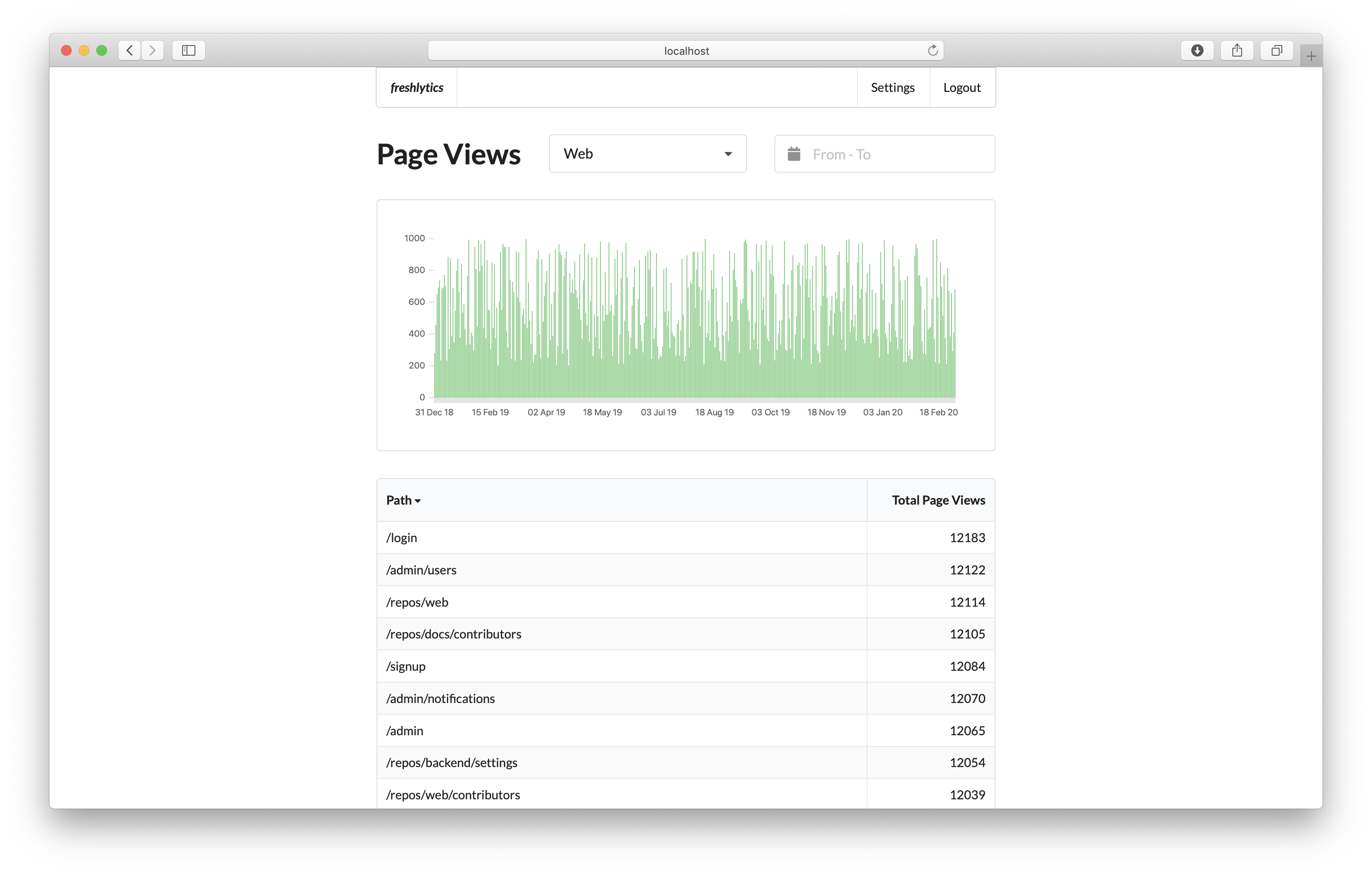
What is freshlytics?
Freshlytics is a self-hosted privacy-friendly web analytics service. It tracks pageviews, referrers, browsers, and browser versions without using cookies or collecting personally identifiable information. It supports multiple projects with different reporting timezones, has an admin/user role system, and provides a dashboard with date range filtering and dimension switching. It runs via Docker Compose with a PipelineDB (PostgreSQL) backend.
Should you self-host freshlytics?
freshlytics scores 45/100 on selfhost.directory (how scoring works) and ranks #18 of 27 in Analytics. It has 362 GitHub stars.
There was no stable release in the past 12 months, so check the repository's recent activity before you rely on it.
Setup is moderate: expect some configuration beyond a single command. An official Docker image is available. It is MIT-licensed and written mostly in Typescript.
Its closest alternative on selfhost.directory is PostHog (81/100, 40 492 stars). It scores higher overall, so compare the two before you pick. See freshlytics vs PostHog side by side.
Features
- Dashboard with date range filtering
- Multi-project support
- Pageview tracking
- Privacy-friendly tracking
- Role-based Access Control
freshlytics README
More in Analytics
 frontendTalo Dashboard is a self-hosted, open-source web interface for managing game backend data including players, leaderboards, events, saves, and analytics.
 fuguFugu is a self-hosted, open-source product analytics tool focused on simplicity and privacy. It tracks events without collecting personal data like IP addresses.
 GeoMetrikksGeoMetrikks is a self-hosted, open-source service that tails reverse proxy logs, performs GeoLite2 lookups, and displays requests on a live MapLibre map with analytics.
 ghstatsSelf-hosted, open-source tool that pulls GitHub repo traffic via API into SQLite, keeping history beyond the 14-day limit. Includes dashboards, JSON API, and SVG badges.
 GizmoSQLSelf-hosted SQL server on DuckDB/SQLite with Arrow Flight SQL, TLS, JWT auth. Core is Apache 2.0; Enterprise adds SSO, metrics, permissions.
 GoModelThis open-source, self-hosted AI gateway in Go unifies 34 LLM providers behind OpenAI-style and Anthropic-style APIs, adding budgets, caching, routing and audit logs.
 GPT-LoadAn open-source, self-hosted AI gateway routing one endpoint to 35 upstream channels — key credentials and subscription logins, with failover, logs and cost estimates.
 graphite-webA highly scalable real-time graphing system
 hakatimeSelf-hosted Wakatime server implementation with analytics dashboard, leaderboards, badge generation, and GitHub commit time tracking. Open-source under Unlicense.
 hastic-serverHastic Server is an open-source, self-hosted analytics engine adding pattern recognition and anomaly detection to Grafana dashboards.
 Helical InsightHelical Insight is a self-hosted, open-source BI platform with AI analytics, pixel-perfect reporting, dashboards, SSO, multi-tenancy, embedding — all free under AGPL-3.0.
 HitKeepA single-binary, open-source analytics tool that covers traffic, conversions, search performance, and AI-driven visits without needing a separate database.
0 comments