
Self-host drydock
v1.7.0Container update monitor with 23 registries and 21 triggers
- Stars
- 271
- Port
- 3000 (Web UI and API)
codeswhat/drydock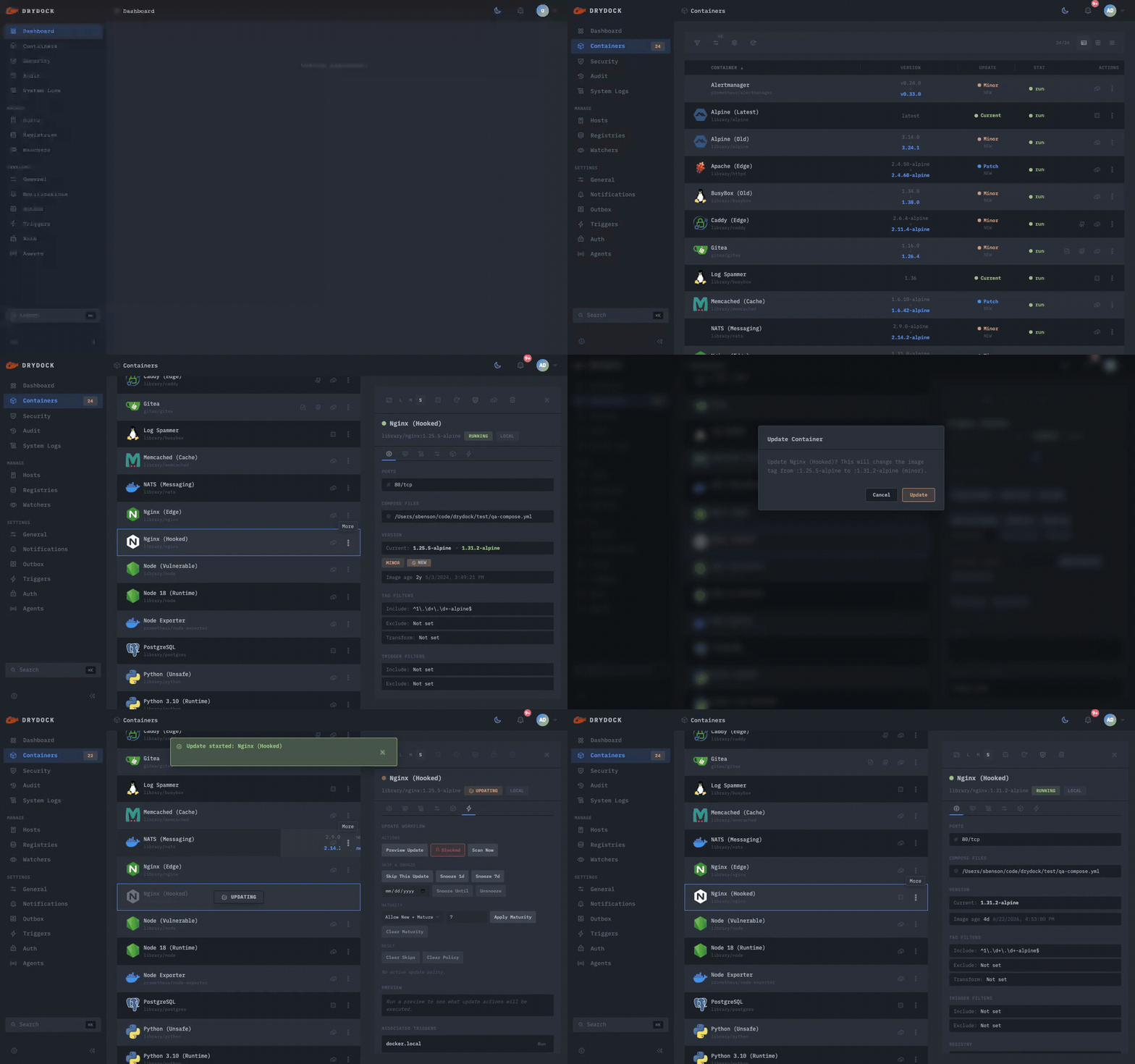
What is drydock?
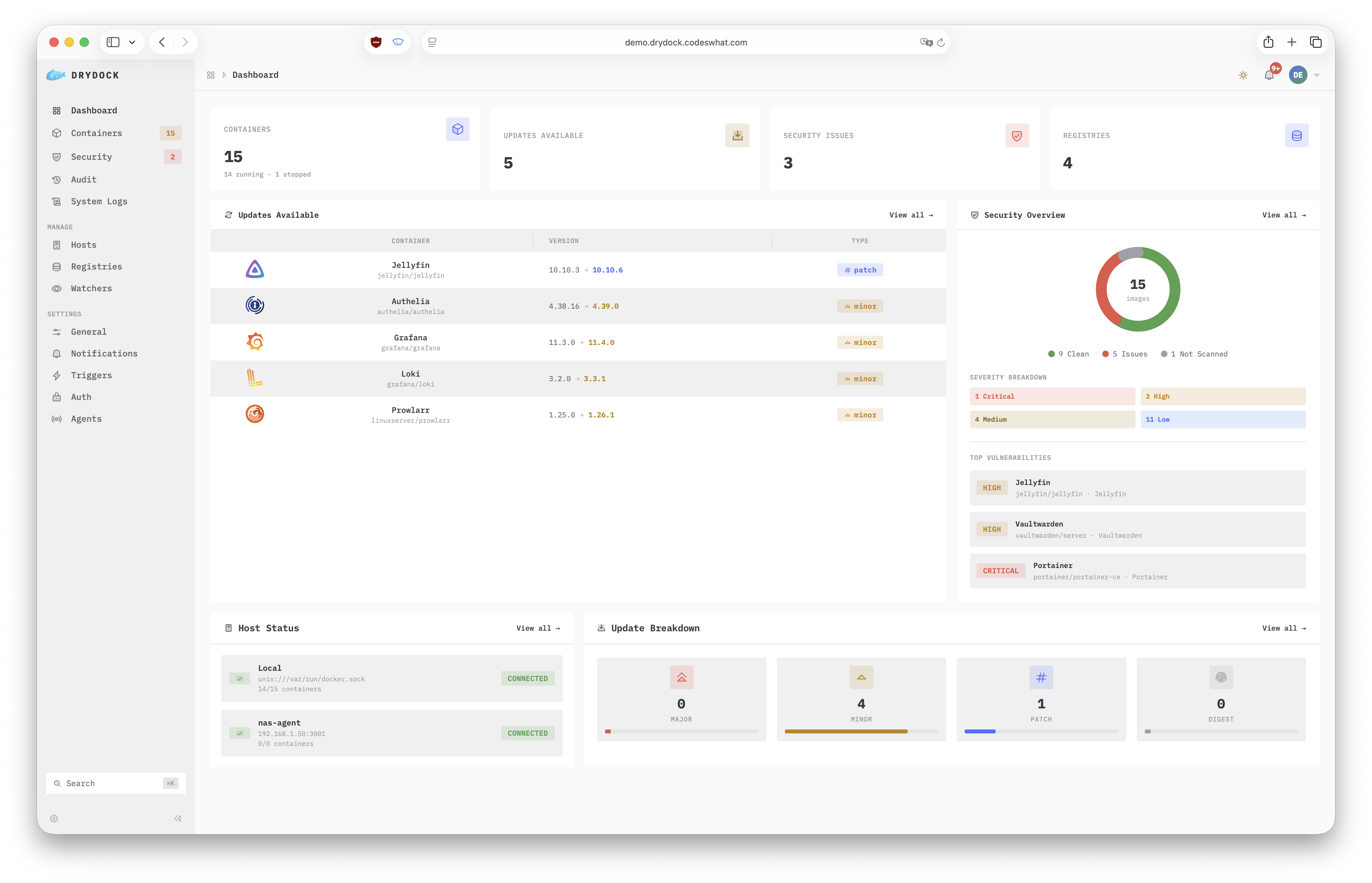
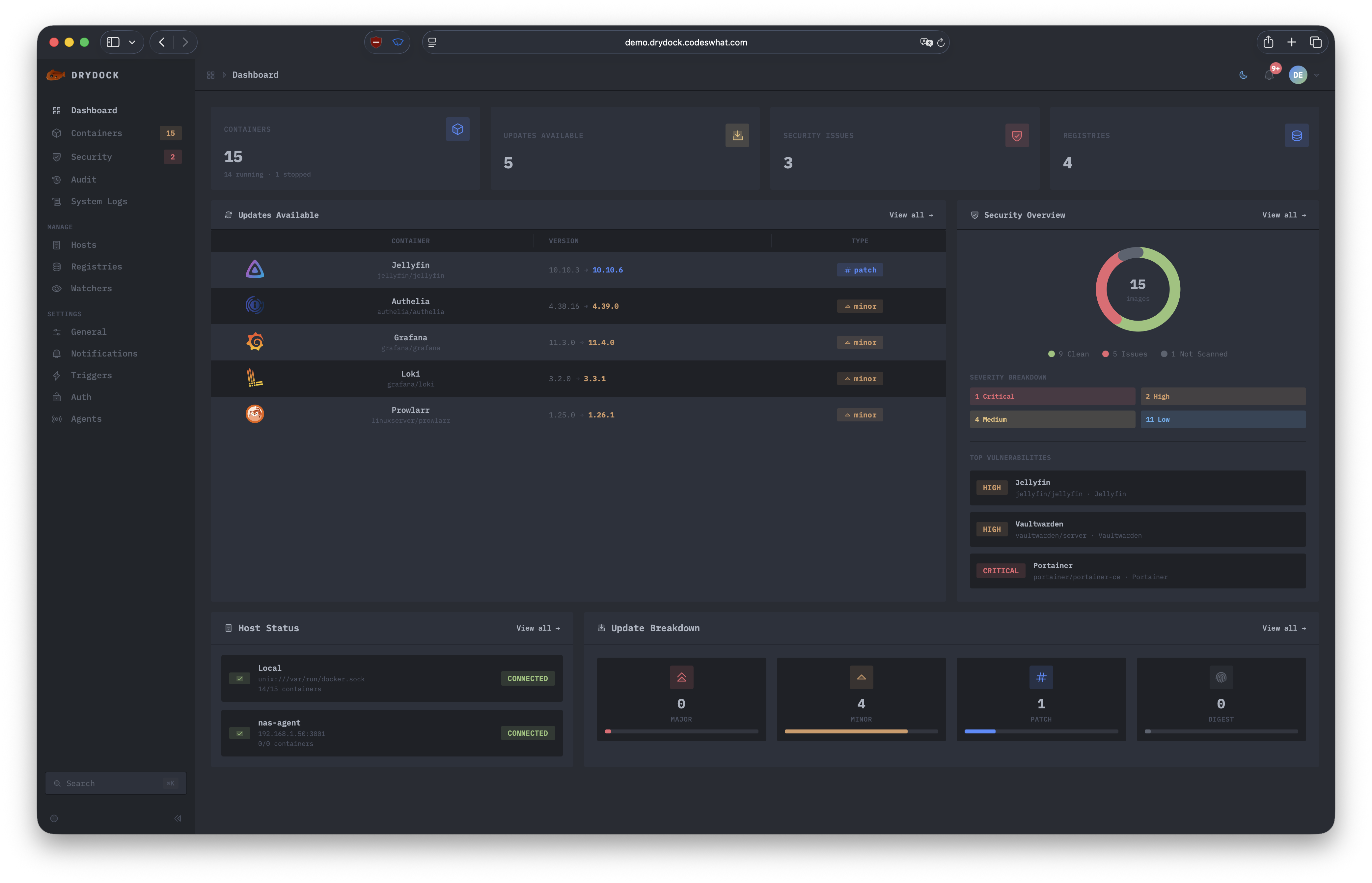
Drydock is a self-hosted platform for monitoring container image updates. It scans 23 different registries to find newer versions of running container images and presents them in a Vue 3 web dashboard. The system can send alerts through 17 notification channels like Slack, Discord, and Telegram, or automatically apply updates using four action types including Docker Compose and Portainer. Security features include Trivy and Grype vulnerability scanning that prevents unsafe deployments, signature verification with cosign, and SBOM generation. It also creates image backups before updates and rolls back automatically if health checks fail. Remote Docker hosts are supported through Portwing agents. Authentication options include OIDC with Authelia, Auth0, and Authentik, plus basic auth and optional anonymous access. The project is MIT licensed with the latest stable version v1.7.0 released in October 2026.
Should you self-host drydock?
drydock scores 53/100 on selfhost.directory (how scoring works) and ranks #13 of 44 in Container Management. It has 271 GitHub stars.
It shipped 3 stable releases in the past year. The latest, v1.7.0, came out on 19 October 2026. New versions land roughly every 2 months.
Setup is moderate: expect some configuration beyond a single command. An official Docker image is available. It is Other-licensed and written mostly in Typescript.
Its closest alternative on selfhost.directory is dockge (76/100, 24 698 stars). It scores higher overall, so compare the two before you pick. See drydock vs dockge side by side.
Features
- 17 UI Locales
- 21 Notification and Action Triggers
- 23 Registry Providers
- Distributed Agents
- Docker Compose Updates
- Image Backup & Auto Rollback
- Lifecycle hooks
- Monitor-First Detection
- OIDC Authentication
- Per-Container Policy
- Prometheus Metrics
- ReDoS-Immune Regex
- REST API & webhooks
- Vulnerability Scanning (Update Bouncer)
- Web Dashboard
drydock README
More in DevOps
 EncoreOpen-source backend dev platform: declare databases, queues and cron jobs in Go or TypeScript code, and build standalone Docker images for self-hosted deploys.
 F-DroidF-Droid Server is a suite of tools for maintaining an F-Droid repository system, allowing users to publish and manage collections of Android apps (APK files) and other packages.
 FeatbitRun feature management and A/B experiments on your own servers with FeatBit, an MIT-licensed, open-core flags platform deployed via Docker Compose or Helm charts.
 flowctlflowctl is an open-source self-hosted workflow automation platform for teams to define complex workflows as YAML/HUML files with inputs, approvals, and scheduling.
 FlowForgeConnect, Collect, Build, and Scale with FlowFuse
 ForgejoForgejo is a self-hosted, lightweight software forge for Git hosting, project management, and collaboration, designed for privacy, ease of use, and independence from corporate control.
 GiteaGitea is a self-hosted, open-source Git platform with code hosting, CI/CD, package registries, issues, and project management — a lightweight GitHub alternative.
 Gitea RunnerGit with a cup of tea! Painless self-hosted all-in-one software development service, including Git hosting, code review, team collaboration, package registry and CI/CD
 gocdSelf-hosted, open-source CD server by Thoughtworks. Automates build-test-release pipelines and visualizes the whole delivery flow in a value stream map.
 haloyA lightweight CLI deployment platform that runs on your own Linux server, giving you zero-downtime Docker deployments with automatic HTTPS and instant rollbacks.
 HealthchecksOpen-source, self-hosted cron job and background task monitor: each job pings a unique URL, and alerts fire over 25+ integrations when a heartbeat is late.
 InfisicalInfisical is the open-source platform for securing secrets, certificates, access, and AI Agents.
0 comments