
Self-host Healthchecks
v5.0.3Cron job and heartbeat monitoring with 25+ alert channels
docker compose up- Stars
- 10 516
- Ports
- 8000 (Web UI, pinging and API, served by uWSGI (docker-compose maps "8000:8000")), 2525 (Optional SMTP listener for pinging checks by email; enabled by setting SMTPD_PORT)
healthchecks/healthchecks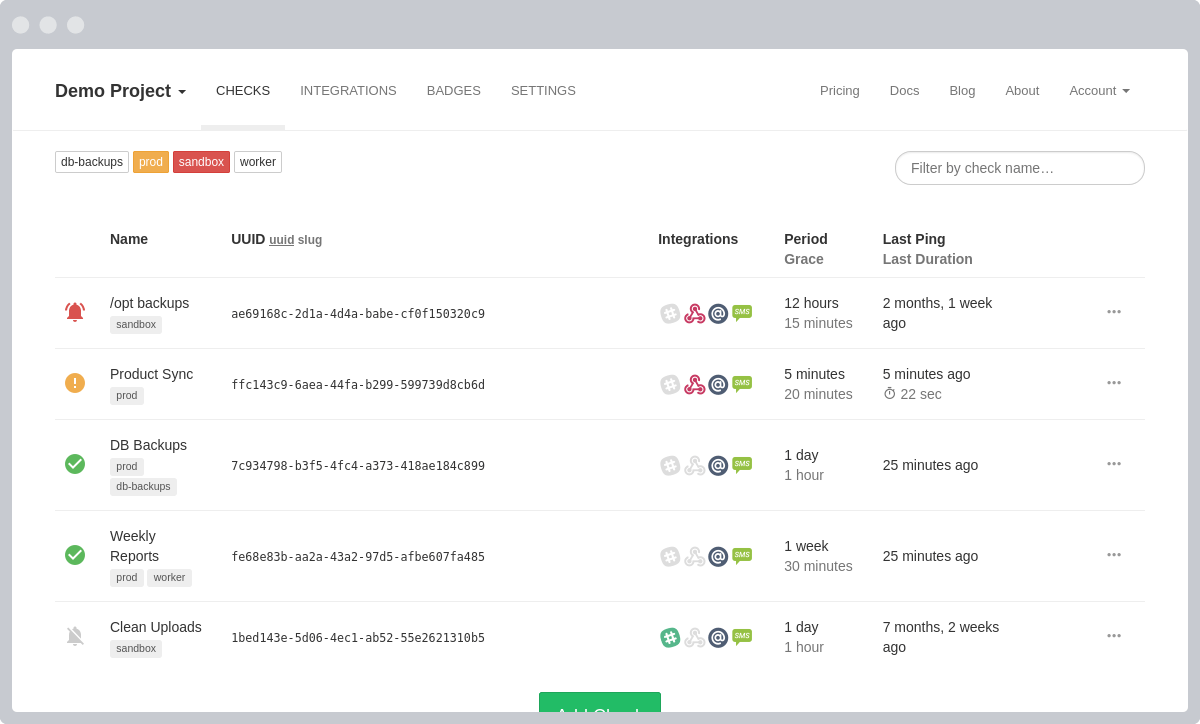
What is Healthchecks?
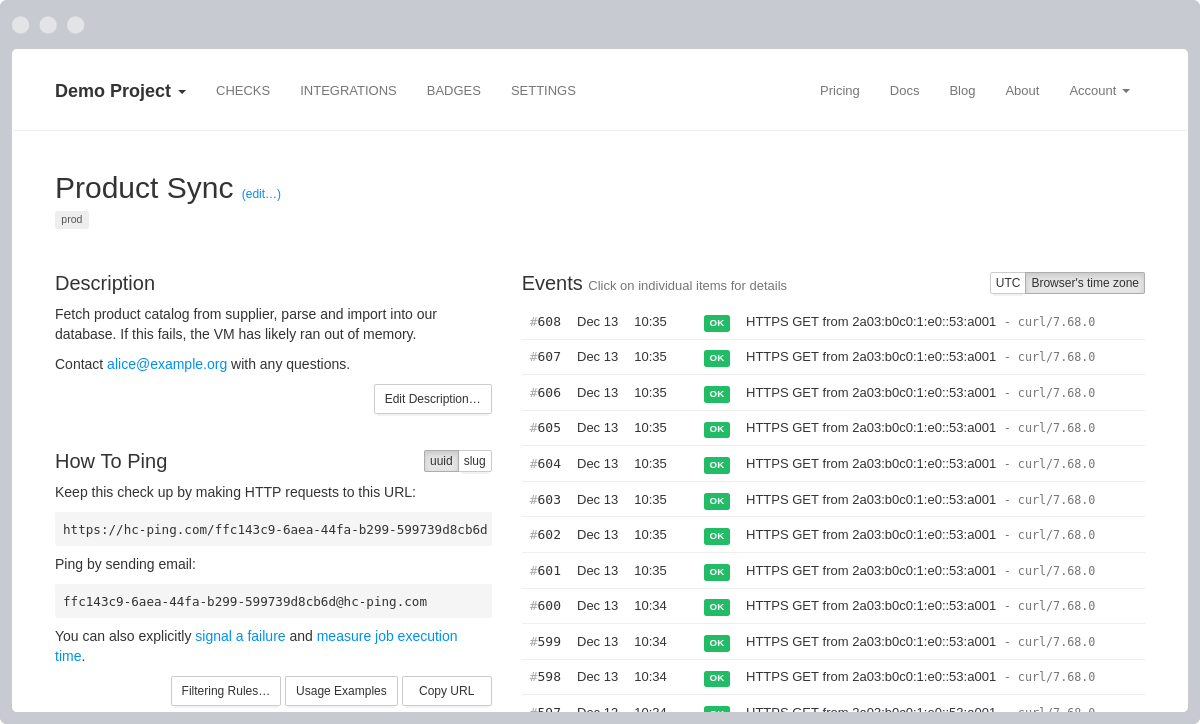
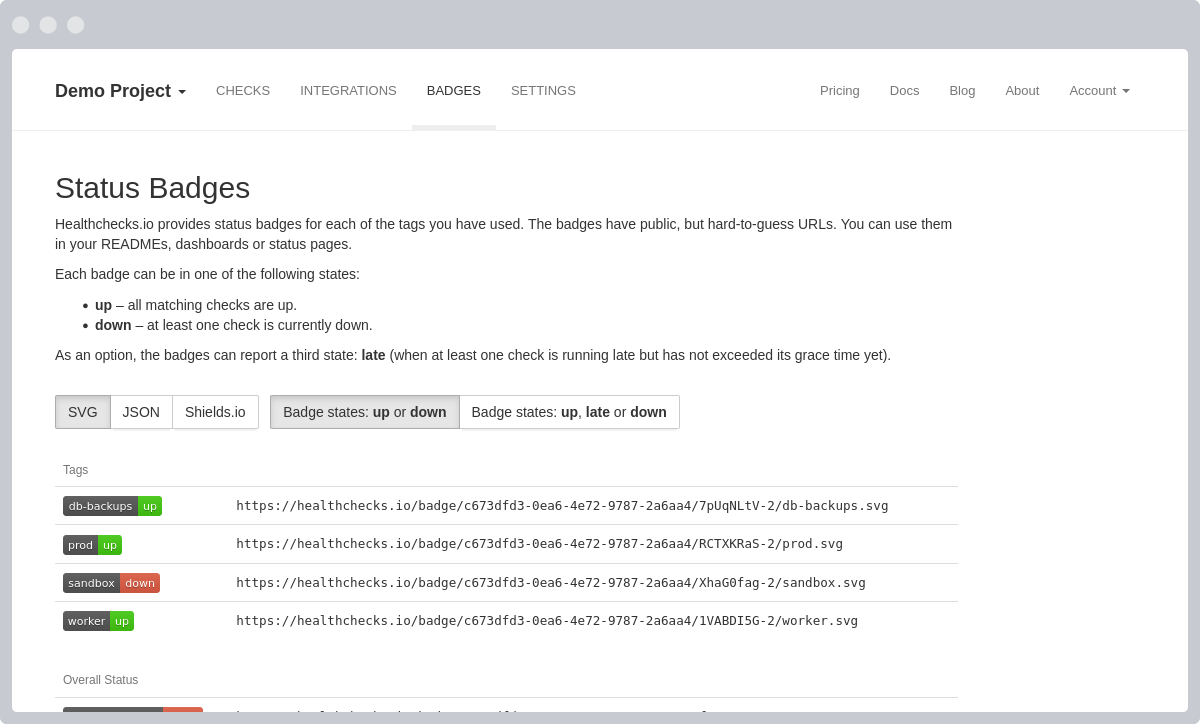
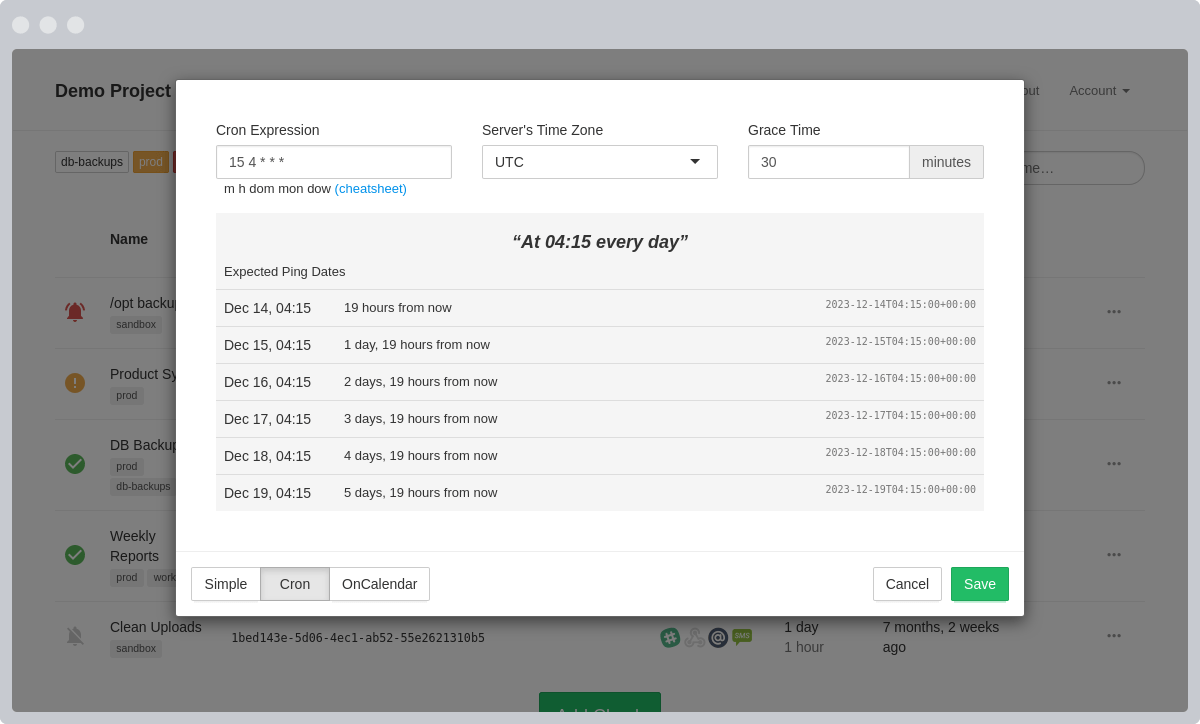
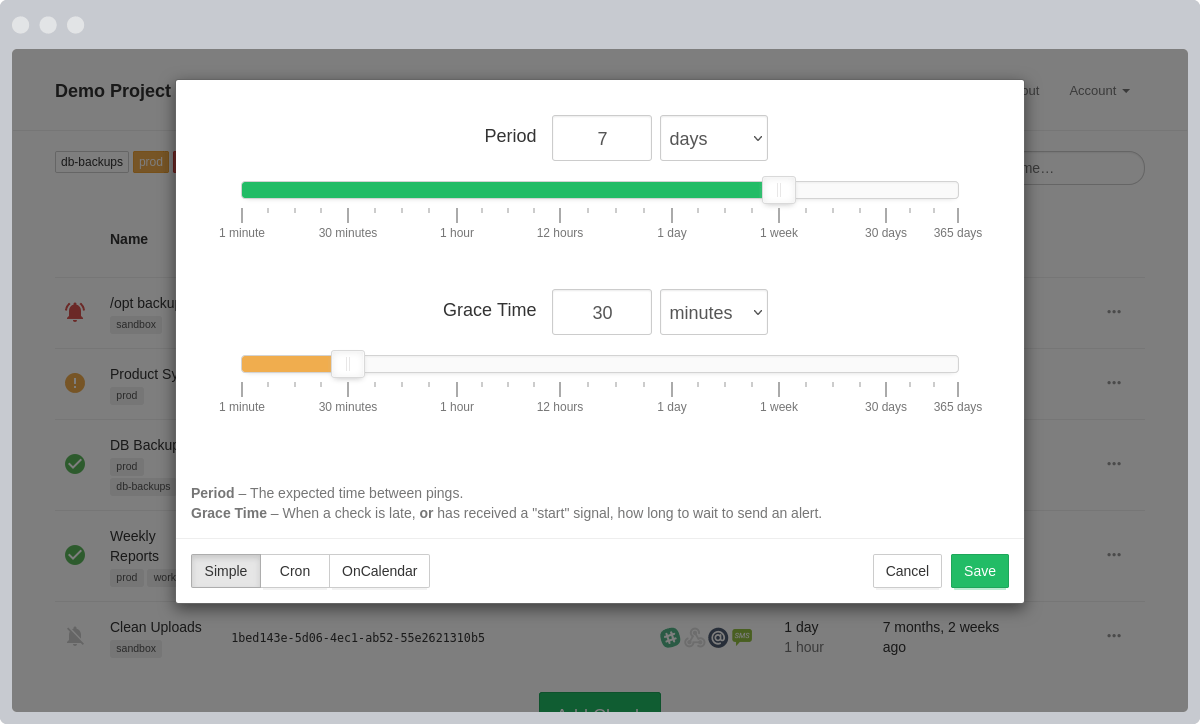
Healthchecks is a dead man's switch monitor for cron jobs, scheduled tasks and background workers: you create a check, get a unique ping URL, and the instance raises an alert as soon as an expected heartbeat goes missing beyond the configured Period plus Grace Time. Checks can be scheduled by period/grace values or by cron expressions, and the web dashboard updates live with per-check event logs, tags, descriptions and public status badges. Alerts go out over 25+ channels (email, webhooks, Slack, Telegram, Matrix, PagerDuty and more), and monthly or weekly email reports are produced by a separate worker process. Pings arrive over HTTP or by email, since a bundled SMTP listener turns messages addressed to a check's UUID into pings. Self-hosting means running the Django project with a WSGI server (uWSGI in the reference Docker image) plus always-on sendalerts and sendreports processes, backed by PostgreSQL, MySQL/MariaDB or SQLite; a sample docker-compose with Postgres and prebuilt images for amd64/arm are published on Docker Hub. The instance needs working SMTP to deliver login links and alerts, does no TLS termination itself (a reverse proxy is expected), and extras such as WebAuthn 2FA, reverse-proxy SSO and S3 ping-body storage are opt-in through environment variables. The same codebase powers the hosted service at healthchecks.io, under the BSD 3-clause licence since 2015.
Healthchecks alternatives
 checkmateSelf-hosted, open-source uptime and infrastructure monitor: HTTP, ping, DNS, Docker and gRPC checks with incidents, status pages and Slack or email alerts.Comparecheckmate with Healthchecks
 CheckupSelf-hosted distributed health checks and status pages in Go. Supports HTTP, TCP, DNS, TLS checks with S3, filesystem, GitHub, MySQL, PostgreSQL, SQLite storage.CompareCheckup with Healthchecks
 checkcleOpen-source, self-hosted monitoring platform for uptime checks, server metrics, SSL expiry and incidents, with regional probes, alert channels and public status pages.Comparecheckcle with Healthchecks
 ciaoSelf-hosted, open-source HTTP(S) URL monitoring: cron-scheduled checks, web UI, REST API, e-mail and webhook alerts, Prometheus metrics, no external database.Compareciao with Healthchecks
 missedrun-selfhostedMissedRun Self-hosted monitors scheduled jobs via ping URLs to catch silent failures and sends email alerts when jobs miss check-ins.Comparemissedrun-selfhosted with Healthchecks
 peekapingOpen-source, self-hosted uptime monitor in Go and React: HTTP, TCP, ping, DNS and database checks, status pages, 20+ alert channels, 2FA and a REST API.Comparepeekaping with Healthchecks
 runitorRunitor is a self-hosted command runner that reports task results to healthchecks.io, with built-in scheduling and output capture for cron monitoring.Comparerunitor with Healthchecks
 Kuvasz UptimeSelf-hosted, open-source uptime & SSL monitor with HTTP, ping, TCP, DNS and Docker checks, status pages, maintenance windows, REST API, and Prometheus export.CompareKuvasz Uptime with Healthchecks
All self-hosted alternatives to Cronitor → All self-hosted alternatives to Sentry →
Should you self-host Healthchecks?
Healthchecks scores 73/100 on selfhost.directory (how scoring works) and ranks #2 of 12 in Uptime Monitoring. It has 10 516 GitHub stars, +130 in the last 30 days.
It shipped 12 stable releases in the past year. The latest, v5.0.3, came out on 27 October 2026. New versions land roughly every 5 weeks.
Setup is moderate: expect some configuration beyond a single command. An official Docker image is available. It is BSD-3-Clause-licensed and written mostly in Python.
Its closest alternative on selfhost.directory is Rustrak (60/100, 856 stars). Healthchecks scores higher overall. See Healthchecks vs Rustrak side by side.
Features
- 25+ notification integrations
- Administration Panel
- Cron expression schedules
- External object storage for ping bodies
- Heartbeat (dead man's switch) monitoring
- Live-updating web dashboard
- Management and pinging API
- Period and Grace Time configuration
- Ping checks by email
- Private instance mode
- Projects and team access
- Public status badges
- Reverse-proxy external authentication
- Two-factor authentication (WebAuthn)Enabled by setting RP_ID to the site domain
- Weekly and monthly email reports
Healthchecks README

FAQ
Can I send notifications to more than one person?
Yes, set up several notification channels and invite team members to your projects; invited members can view checks and ping logs and add their own notification methods.
What authentication mechanisms are supported?
Sign in with a one-time emailed link or with email and password, optionally protected by two-factor authentication using WebAuthn security keys or TOTP codes.
Should I use Healthchecks.io or Cronitor?
It depends; the project publishes a Healthchecks.io vs Cronitor comparison table to help decide.
Can I self-host this service?
Yes, the code base is BSD licensed and developed openly on GitHub; self-hosting suits custom features or in-house compliance requirements, though running it reliably takes ongoing maintenance.
What is Healthchecks.io?
A service for monitoring regularly running tasks such as cron jobs: the monitored system must check in at configurable intervals, and a missed check-in triggers an alert (heartbeat / dead man's switch monitoring).
More in Uptime Monitoring
 hertzbeatApache HertzBeat is a self-hosted, open-source observability system unifying agentless metrics and logs collection, alerting, and notification dispatch.
 kenerAn open-source, self-hosted status page and uptime monitor: 11 monitor types, incidents, maintenance windows, subscriber alerts and OIDC login.
- Kuvasz UptimeSelf-hosted, open-source uptime & SSL monitor with HTTP, ping, TCP, DNS and Docker checks, status pages, maintenance windows, REST API, and Prometheus export.
 logtideOpen-source, self-hosted log management and SIEM unifying logs, traces and metrics on TimescaleDB, ClickHouse or MongoDB, an alternative to Datadog, Splunk and ELK.
 NezhaOpen-source, self-hosted server and website monitor: a dashboard plus agents track host metrics, HTTP/TCP/ping checks, SSL certs, alerts and a web terminal.
- peekapingOpen-source, self-hosted uptime monitor in Go and React: HTTP, TCP, ping, DNS and database checks, status pages, 20+ alert channels, 2FA and a REST API.
 phpservermonSelf-hosted, open-source uptime monitor that checks websites and TCP ports from your own PHP server, with cron jobs, graphs and email, SMS or Telegram alerts.
 Statping-ngA self-hosted, open-source status page and uptime monitor in Go. It checks HTTP, socket and gRPC endpoints, alerts via Slack, Discord or email, and supports oAuth logins.
 statusnookSelf-hosted status page with HTTP endpoint monitoring, incident timelines, and Slack/SMTP notifications.
 UpptimeOpen-source, self-hosted uptime monitor and status page that runs entirely on GitHub Actions, Issues and Pages, checking endpoints every 5 minutes with no server.
 upstatSelf-hosted open-source uptime monitor with HTTP(S) checks, latency charts, status pages, and alerts via Discord, Slack, email, webhooks. SQLite/PostgreSQL.
 UptimeFlareFree, open-source monitor and status page built on Cloudflare's Workers platform: geo-aware checks from 310+ cities, HTTP and TCP probing, plus incident history.
0 comments