
Self-host docker-fr24feed-piaware-dump1090
2.9.0dump1090-fa, FR24feed, piaware, ADS-B feeders in Docker
- Stars
- 308
- Ports
- 8080 (Web UI map (dump1090-fa)), 8754 (FR24 feeder configuration panel), 30005 (Beast TCP input (dump1090 output)), 30053 (Plane Finder configuration wizard)
thomx/fr24feed-piaware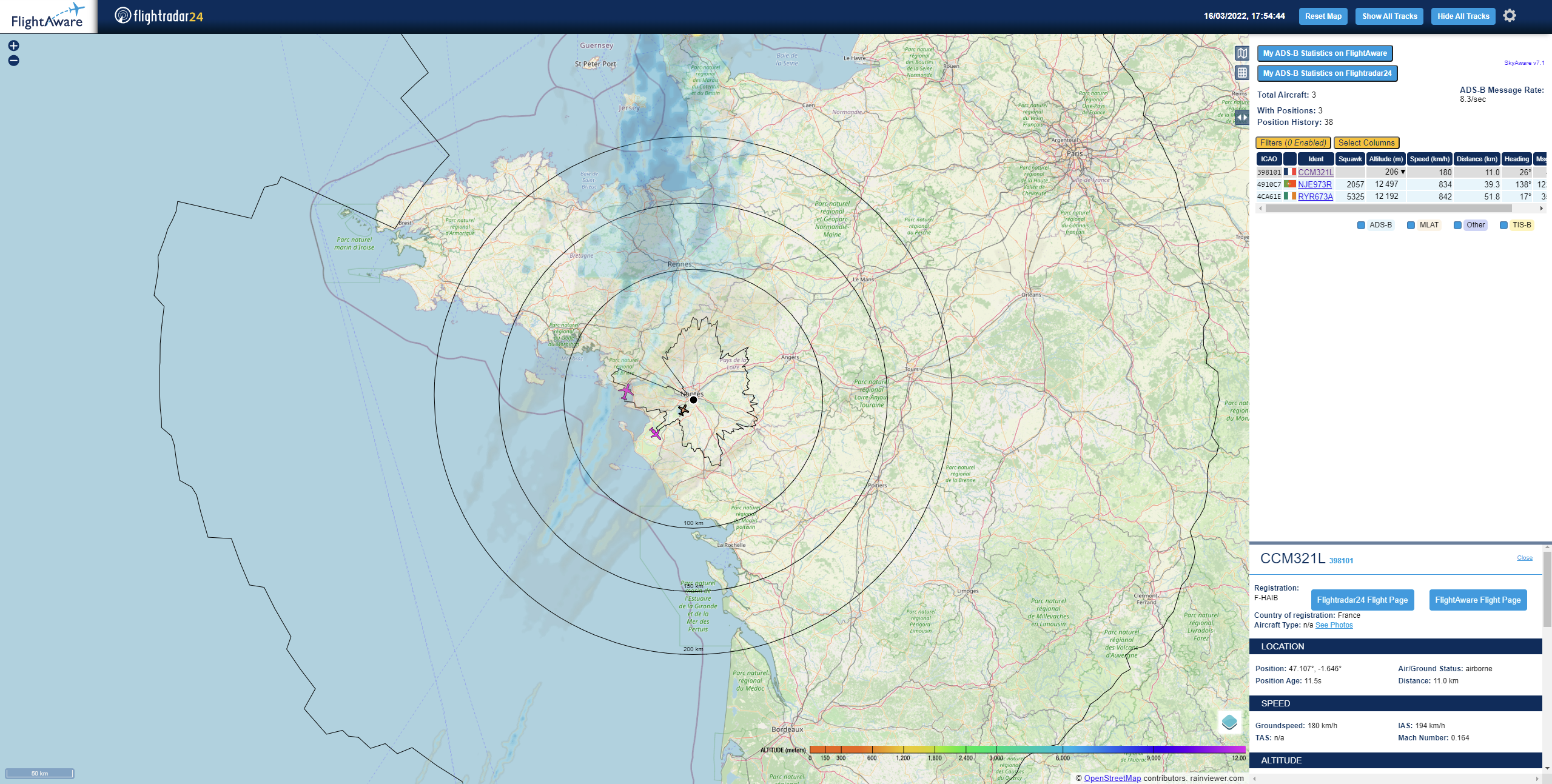
What is docker-fr24feed-piaware-dump1090?
This project packages dump1090-fa (a Mode S decoder for RTL-SDR), the FlightRadar24 feeder (fr24feed), FlightAware's piaware, and clients for ADS-B Exchange, Plane Finder, OpenSky Network, adsb.fi, Radarbox (Airnavradar), and ADSBHub into one multi-arch Docker image. You run it on your own hardware (amd64, arm64, arm/v7) with an RTL-SDR DVB-T dongle (RTL2832). The container exposes a web map on port 8080 and the FR24 feeder status page on 8754. Each feeder is enabled via environment variables; first-time setup for piaware, Plane Finder, OpenSky, and Radarbox uses temporary containers to obtain sharing keys. MLAT is supported when exact coordinates are provided. The image is published on Docker Hub as thomx/fr24feed-piaware and built from the GitHub repository under the MIT licence.
Should you self-host docker-fr24feed-piaware-dump1090?
docker-fr24feed-piaware-dump1090 scores 50/100 on selfhost.directory (how scoring works) and ranks #26 of 48 in Network Monitoring. It has 308 GitHub stars.
It shipped 4 stable releases in the past year. The latest, 2.9.0, came out on 7 October 2026. New versions land roughly every 6 weeks.
Setup is moderate: expect some configuration beyond a single command. An official Docker image is available. It is MIT-licensed and written mostly in JavaScript.
Its closest alternative on selfhost.directory is mitmproxy (86/100, 46 448 stars). It scores higher overall, so compare the two before you pick. See docker-fr24feed-piaware-dump1090 vs mitmproxy side by side.
Features
- BIAS-T support
- FR24 feeder status panel
- MLAT support
- Multi-feeder ADS-B aggregation
- Remote dump1090 forwarding
- RTL_TCP forwarding
- Terrain-limit rings
- Weather map layers
- Web-based aircraft map
docker-fr24feed-piaware-dump1090 README
More in Network Monitoring
 docsightSelf-hosted open-source app that captures DOCSIS signals, speed tests, and latency to document cable internet issues and prove them to your ISP.
 DStatusSelf-hosted server monitoring & AI ops panel: real-time metrics, 3-network TCPing, MTR, IP/streaming checks, alerts, WebSSH, renewals, AI assistant. Free: 3 nodes.
 EdMonEdMon is a self-hosted Java tool that monitors servers via ICMP ping and services via TCP, sending notifications through HTTP webhooks with master/secondary failover.
 Fail2Ban-ReportSelf-hosted web dashboard aggregating Fail2Ban logs from multiple servers into searchable JSON reports with UFW blocklist sync and role-based auth.
 Fail2NetworkBanFail2NetworkBan is a self-hosted, open-source Python client/server that sends Fail2Ban bans to Proxmox for network-wide IP blocking across all VMs.
 globalping-probeSelf-hosted network probe that joins the Globalping community network to run ping, traceroute, DNS, and HTTP tests from your location.
 gonzalesGonzales is a self-hosted, open-source internet speed monitor running automated 24/7 Ookla tests with a real-time dashboard, Home Assistant integration, and ISP grading.
 GPONSelf-hosted Prometheus exporter scraping ~75 metrics from Realtek RTL960x GPON SFP ONUs over SSH, with pre-built Grafana dashboard.
 heplifyheplify is a self-hosted, open-source HEP capture agent for SIP, RTCP, DNS, Diameter and logs. Runs as a single binary on Linux, macOS, Windows with Docker.
 HomeLabInfoSelf-hosted, open-source network scanner and visualization dashboard for homelab infrastructure with DHCP discovery, topology mapping, and container monitoring.
 HoneyWireSelf-hosted open-source deception platform that turns any Linux machine into enterprise-grade canaries for detecting lateral movement with near-zero false positives.
 infra-homeSelf-hosted stack restoring Philips Ambilight+Hue sync, syncing TV colors to PC LEDs, debloating Fire TV, and blocking ads with Pi-hole from one Home Assistant dashboard.
0 comments