
Self-host docsight
v2026-10-14.1DOCSIS signal monitoring and evidence for cable internet
- Stars
- 290
- Port
- 8765 (Web UI)
ghcr.io/itsdnns/docsight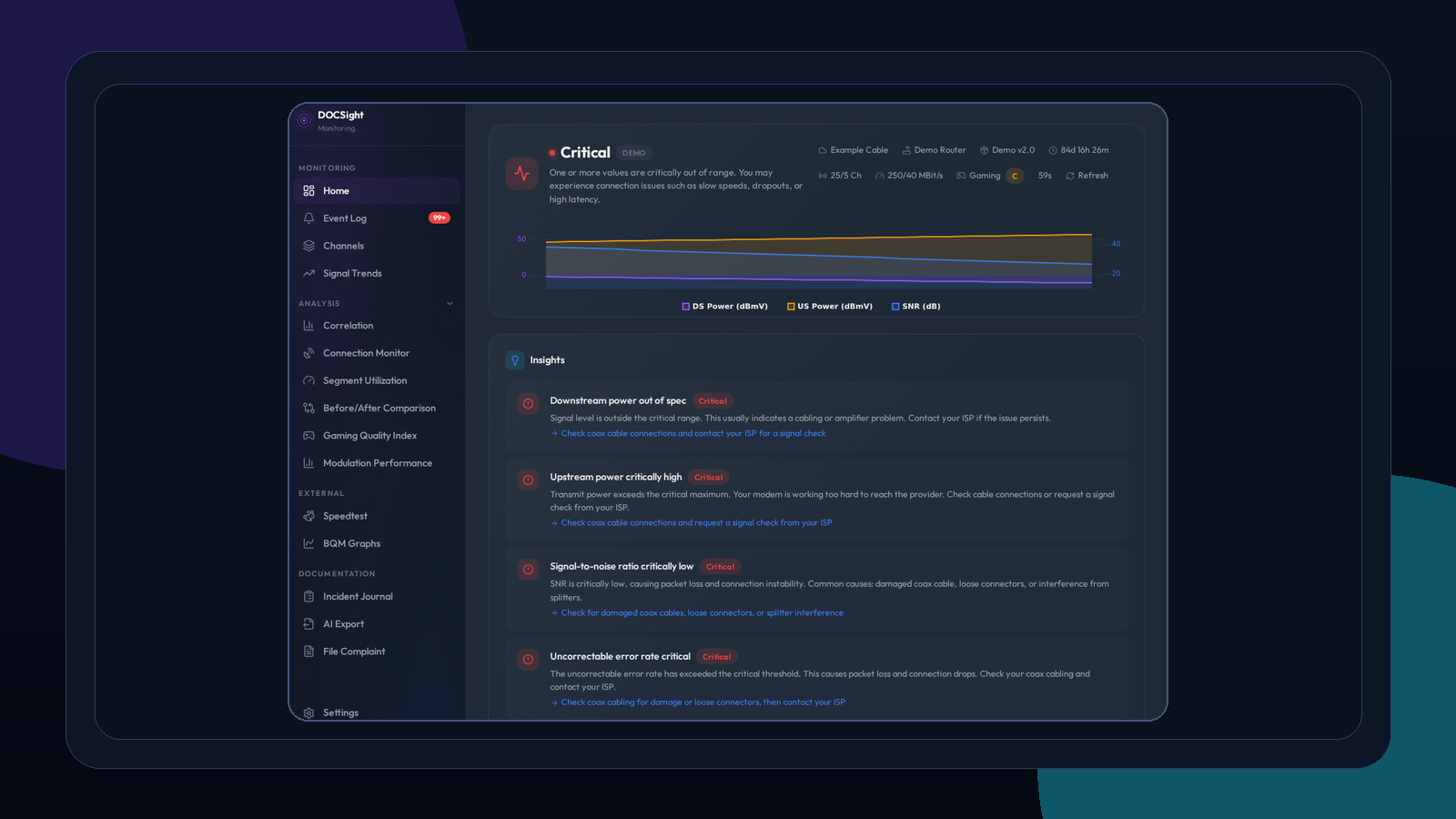
What is docsight?
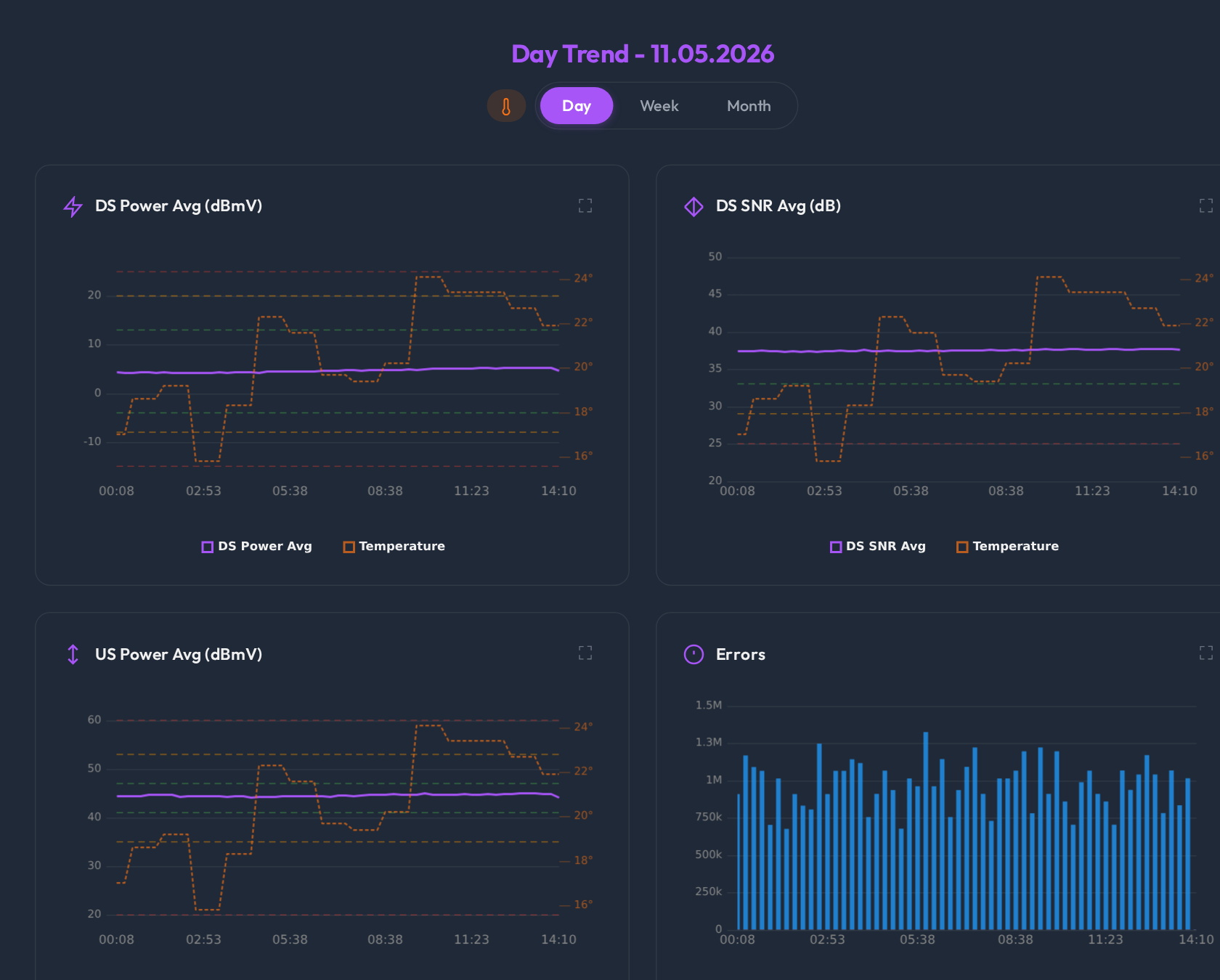
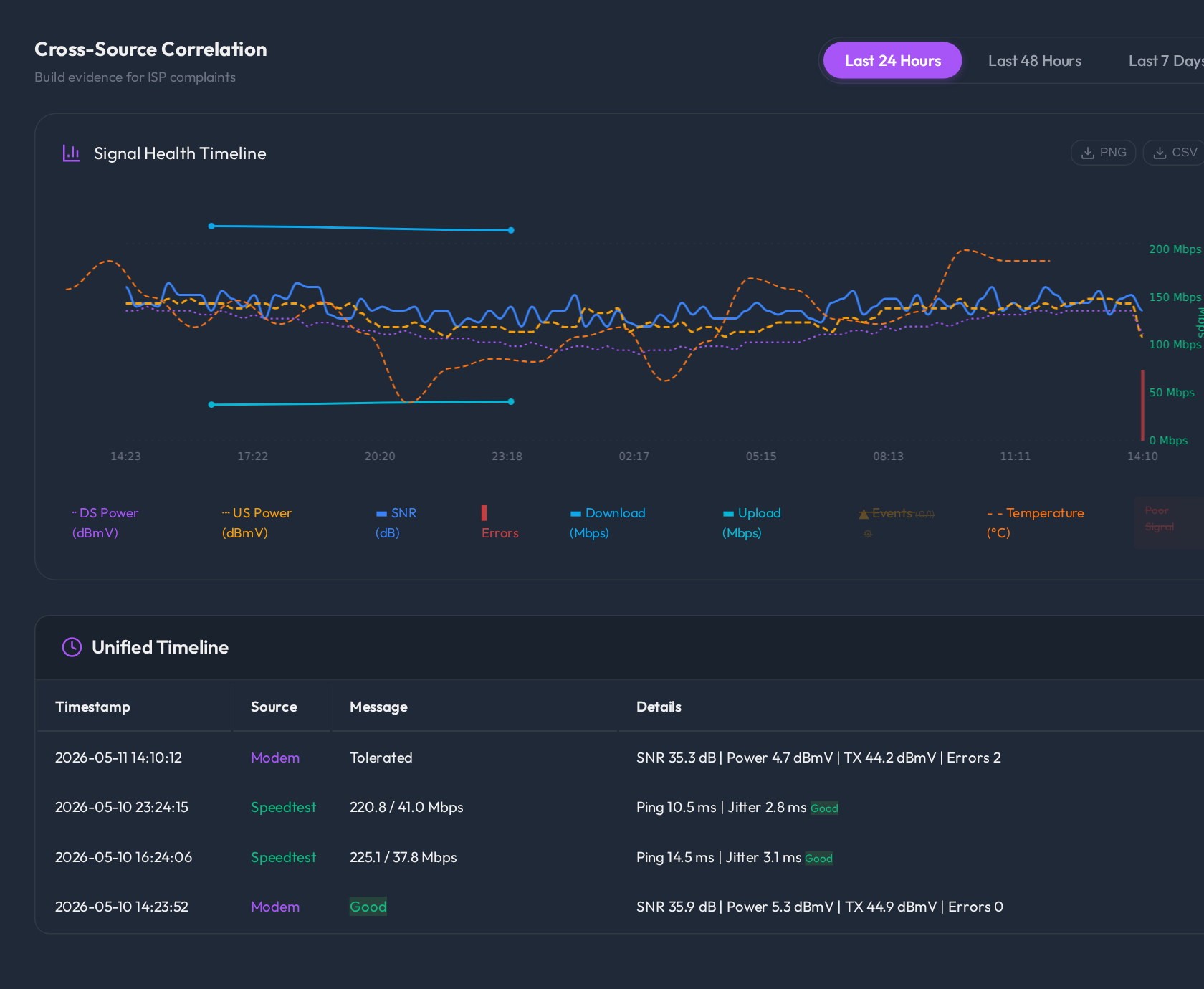
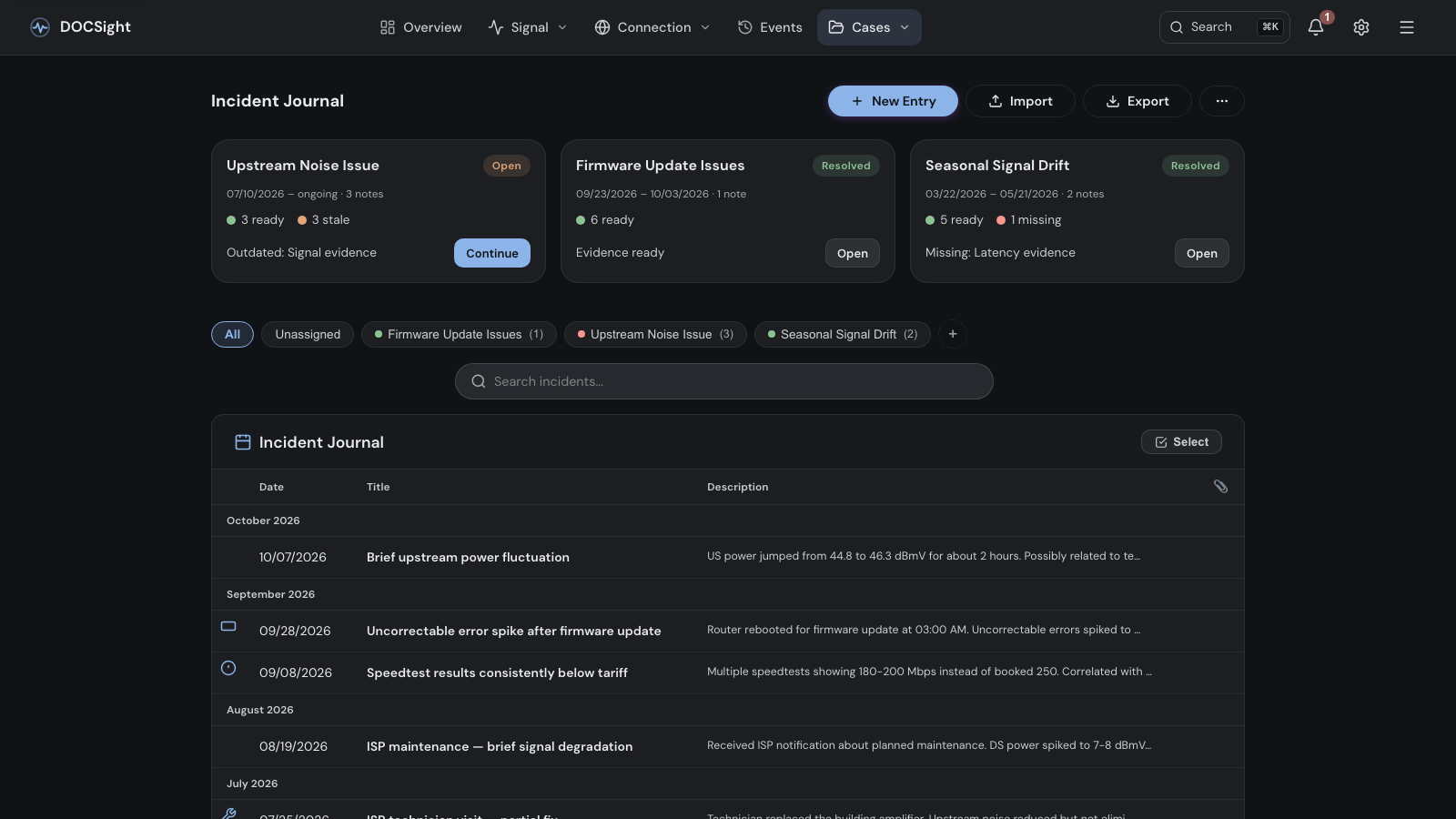
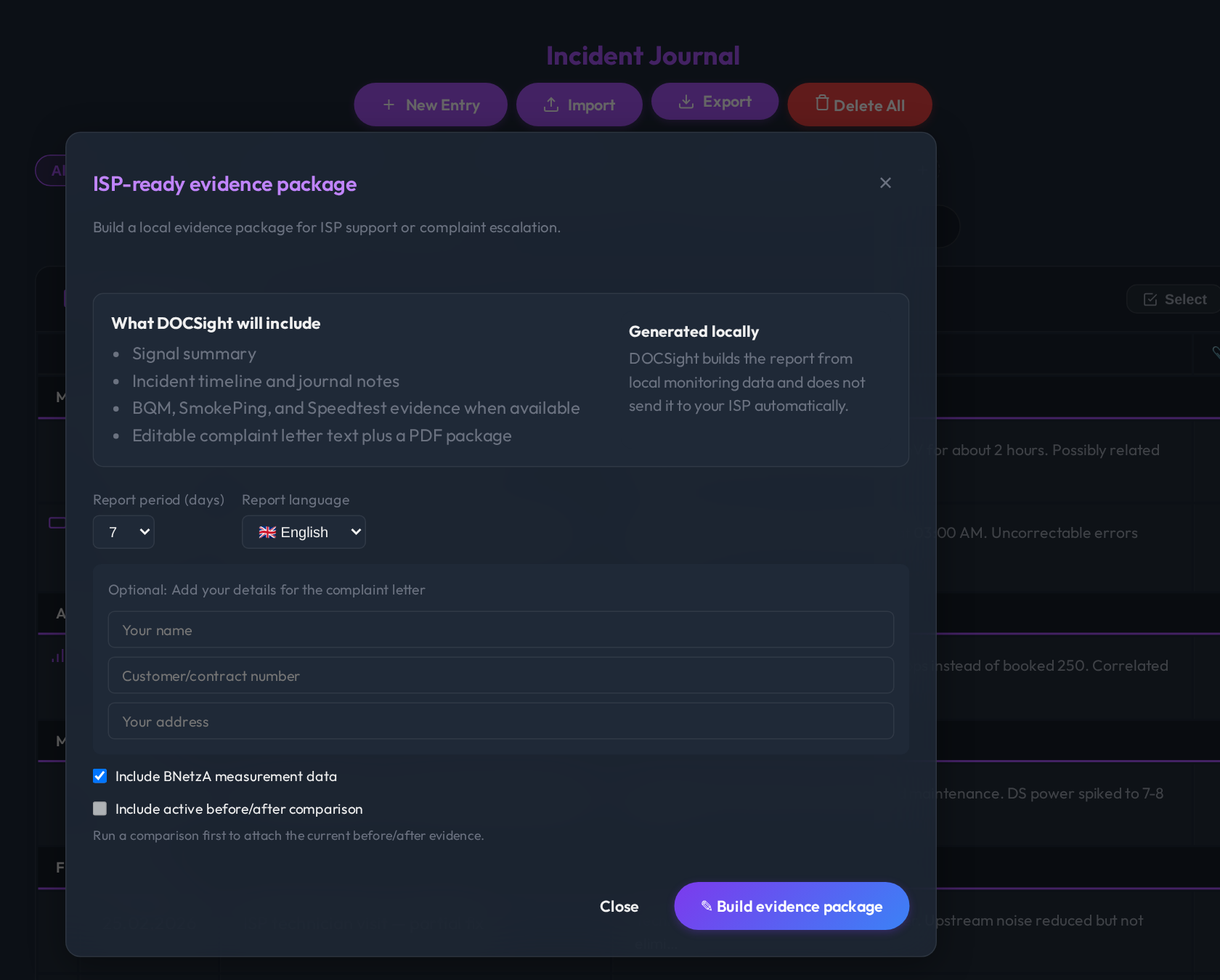
DOCSight is a self-hosted monitoring system for cable internet connections that records DOCSIS signal data, speed tests, latency, outages, and traceroutes around the clock. It supports 22 modem families including FRITZ!Box, Vodafone Station, Technicolor, Arris, Hitron, and Netgear models, plus a generic router mode for fiber, DSL, and satellite. The web interface shows signal trends with target bands, correlates signal quality with speed tests and segment load, and builds incident cases with evidence timelines. It can generate complaint letters and PDF reports for providers, including BNetzA measurements and TKG compensation calculations for Germany. Data stays local with optional integrations for Home Assistant, MQTT, Speedtest Tracker, ThinkBroadband BQM, and webhook notifications. The UI supports 24 languages, themes, backup/restore, and is installable as a PWA. Runs via Docker or Docker Compose on port 8765.
Should you self-host docsight?
docsight scores 51/100 on selfhost.directory (how scoring works) and ranks #21 of 48 in Network Monitoring. It has 290 GitHub stars.
It shipped 21 stable releases in the past year. The latest, v2026-10-14.1, came out on 14 October 2026. New versions land roughly every 7 days.
Setup is moderate: expect some configuration beyond a single command. An official Docker image is available. It is MIT-licensed and written mostly in Python.
Its closest alternative on selfhost.directory is mitmproxy (86/100, 46 448 stars). It scores higher overall, so compare the two before you pick. See docsight vs mitmproxy side by side.
Features
- AI export with local redaction
- Backup and Restore
- BQM integration
- Connection monitor with outages and traceroutes
- DOCSIS Signal Monitoring
- Evidence journey and complaint reports
- Gaming quality monitoring
- Home Assistant Integration
- Incident journal and cases
- Multi-language Support
- Notifications with browser push
- Signal correlation timeline
- Smokeping integration
- Themes
docsight README
More in Network Monitoring
 DStatusSelf-hosted server monitoring & AI ops panel: real-time metrics, 3-network TCPing, MTR, IP/streaming checks, alerts, WebSSH, renewals, AI assistant. Free: 3 nodes.
 EdMonEdMon is a self-hosted Java tool that monitors servers via ICMP ping and services via TCP, sending notifications through HTTP webhooks with master/secondary failover.
 Fail2Ban-ReportSelf-hosted web dashboard aggregating Fail2Ban logs from multiple servers into searchable JSON reports with UFW blocklist sync and role-based auth.
 Fail2NetworkBanFail2NetworkBan is a self-hosted, open-source Python client/server that sends Fail2Ban bans to Proxmox for network-wide IP blocking across all VMs.
 globalping-probeSelf-hosted network probe that joins the Globalping community network to run ping, traceroute, DNS, and HTTP tests from your location.
 gonzalesGonzales is a self-hosted, open-source internet speed monitor running automated 24/7 Ookla tests with a real-time dashboard, Home Assistant integration, and ISP grading.
 GPONSelf-hosted Prometheus exporter scraping ~75 metrics from Realtek RTL960x GPON SFP ONUs over SSH, with pre-built Grafana dashboard.
 heplifyheplify is a self-hosted, open-source HEP capture agent for SIP, RTCP, DNS, Diameter and logs. Runs as a single binary on Linux, macOS, Windows with Docker.
 HomeLabInfoSelf-hosted, open-source network scanner and visualization dashboard for homelab infrastructure with DHCP discovery, topology mapping, and container monitoring.
 HoneyWireSelf-hosted open-source deception platform that turns any Linux machine into enterprise-grade canaries for detecting lateral movement with near-zero false positives.
 infra-homeSelf-hosted stack restoring Philips Ambilight+Hue sync, syncing TV colors to PC LEDs, debloating Fire TV, and blocking ads with Pi-hole from one Home Assistant dashboard.
 LanLensLanLens is a self-hosted, open-source network inventory that discovers devices via ARP scanning, documents them with SNMP context, and exports to CMDB/i-doit via Docker.
0 comments