
Self-host Dock-Dploy
v0.2.0Visual Docker Compose builder with config generators
docker run -d --name dock-dploy --restart unless-stopped -p 3000:3000 -e NODE_ENV=production hhftechnology/dock-dploy:latest- Stars
- 242
- Port
- 3000 (HTTP web interface)
hhftechnology/dock-dploy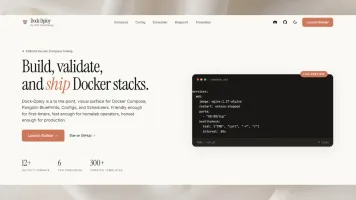
What is Dock-Dploy?
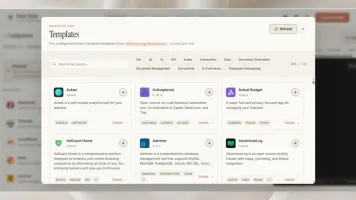
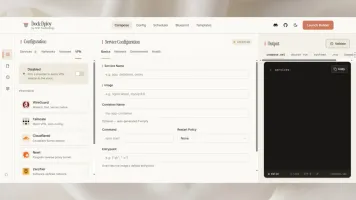
Dock-Dploy is a web application that lets you create Docker Compose configurations through a visual interface instead of writing YAML manually. It includes a service builder with marketplace integration for importing popular self-hosted applications, built-in VPN support for Tailscale, WireGuard, Cloudflared and other solutions, plus network and volume management. The tool can convert Compose files into docker run commands, systemd units, .env files, redacted versions for safe sharing, and Komodo TOML format. It also provides a Config Builder for Homepage dashboards and a Scheduler Builder for cron jobs, GitHub Actions workflows, and systemd timers. Built with React 19, TypeScript, and Vite, it deploys via Docker Compose, standalone containers, Vercel, Nginx, Apache, or static hosts like Netlify and Cloudflare Pages. Licensed under AGPL-3.0.
Should you self-host Dock-Dploy?
Dock-Dploy scores 42/100 on selfhost.directory (how scoring works) and ranks #122 of 166 in Developer Tools. It has 242 GitHub stars.
It shipped 7 stable releases in the past year. The latest, v0.2.0, came out on 19 May 2026. New versions land roughly every 7 days.
Setup is easy: most people get it running in one sitting. An official Docker image is available. It is AGPL-3.0-licensed and written mostly in Typescript.
Its closest alternative on selfhost.directory is openhands (87/100, 92 068 stars). It scores higher overall, so compare the two before you pick. See Dock-Dploy vs openhands side by side.
Features
- Docker Run Conversion
- Environment File Extraction
- Homepage Config Builder
- Komodo TOML Conversion
- Marketplace Integration
- Network Management
- Scheduler Builder
- Sensitive Data Redaction
- Systemd Service Generation
- Visual Docker Compose Builder
- Volume Management
- VPN Integration
- YAML Validation and Live Preview
Dock-Dploy README
More in Configuration Management
 FleetOpen-source MDM and endpoint management for macOS, Windows, Linux and mobile: self-hosted software patching, vulnerability tracking and live device reports.
 FliptSelf-hosted, open-source feature flag platform that keeps flags as code in your own Git repositories, with multi-environment support and REST/gRPC APIs.
 gansSelf-hosted open-source tool that monitors a local Git repository for changes and automatically executes only the modified Ansible playbooks via a web interface.
 git-confedSelf-hosted web tool that scans folders for Git repos and applies shared config blocks (user, remotes) to multiple repos via a Bootstrap UI.
 hass-configuratorSelf-hosted, open-source web UI to edit Home Assistant YAML files with syntax highlighting, linting, Git integration, and a file browser — runs on any Python 3 system.
 MantraeSelf-hosted web UI for managing Traefik dynamic config without editing YAML, with agent discovery and DNS integration.
 mcp-server-managerMCP Server Manager is a self-hosted, open-source tool that simplifies managing Model Context Protocol servers for AI clients via a web UI and single YAML config.
 openvoxOpenVox is a self-hosted, open-source configuration management platform compatible with Puppet for automating Linux, Unix, and Windows servers.
 oxidizedOxidized is a self-hosted, open-source network device config backup tool replacing RANCID. Supports 150+ device types, REST API, web UI, and Git/file/HTTP storage.
 PulumiOpen-source infrastructure-as-code CLI and engine for AWS, Azure, GCP and Kubernetes in TypeScript, Python or Go, with self-hosted state in S3 or PostgreSQL.
 QuickstartSelf-hosted web UI for creating and managing Kometa configurations with guided setup, config versioning, live overlay previews, and integrated analytics.
 rconfigFree open-source network configuration manager for automated multi-vendor backups, versioning, and API-driven automation. Deploy via Docker or Linux.
0 comments