
Self-host Crontab Guru Dashboard
33.11CLI tool for monitoring cron jobs with self-hosted dashboard
- Stars
- 555
- Ports
- 9000 (Crontab Guru Dashboard web UI), 8319 (OAuth callback for browser login)
What is Crontab Guru Dashboard?
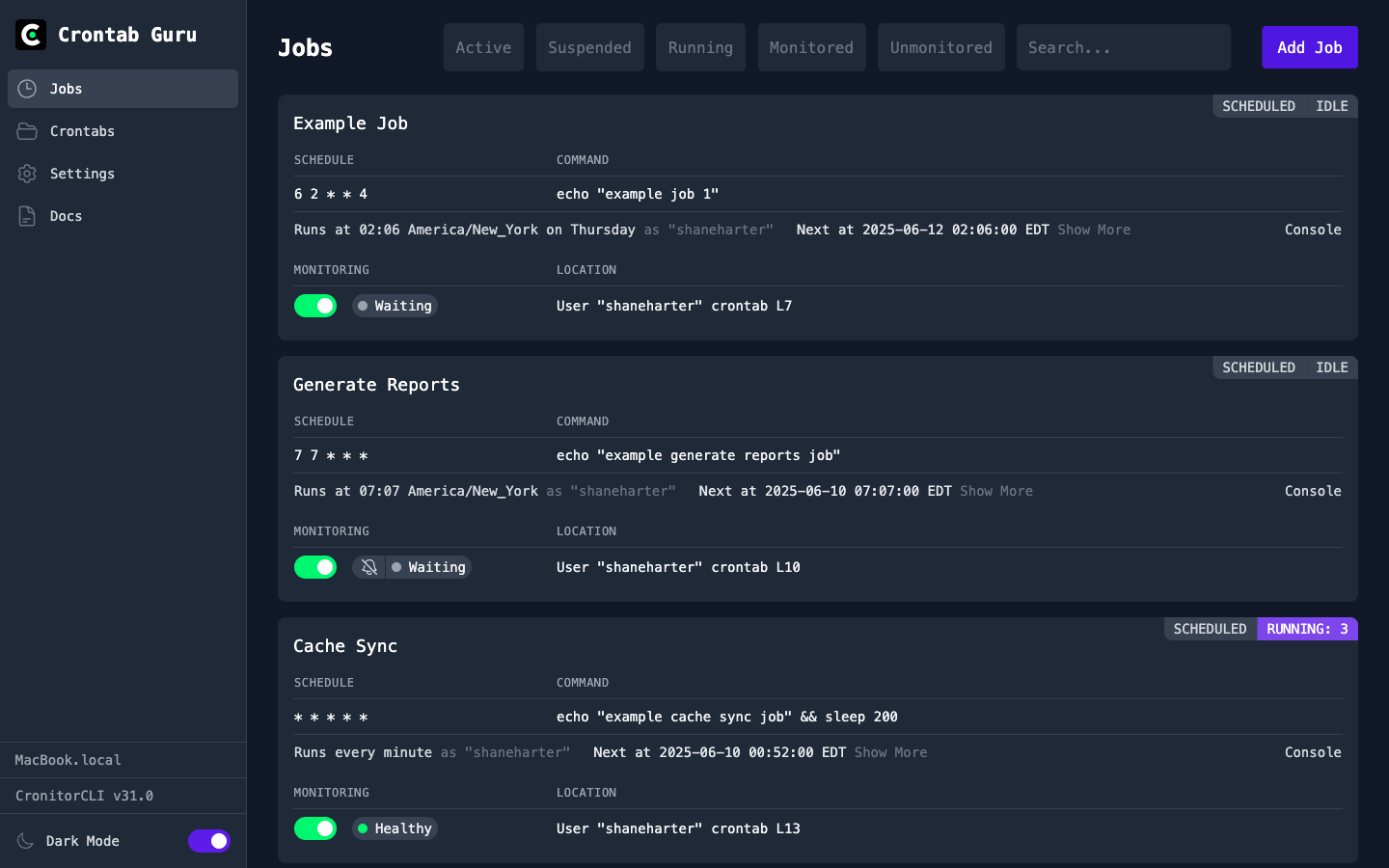
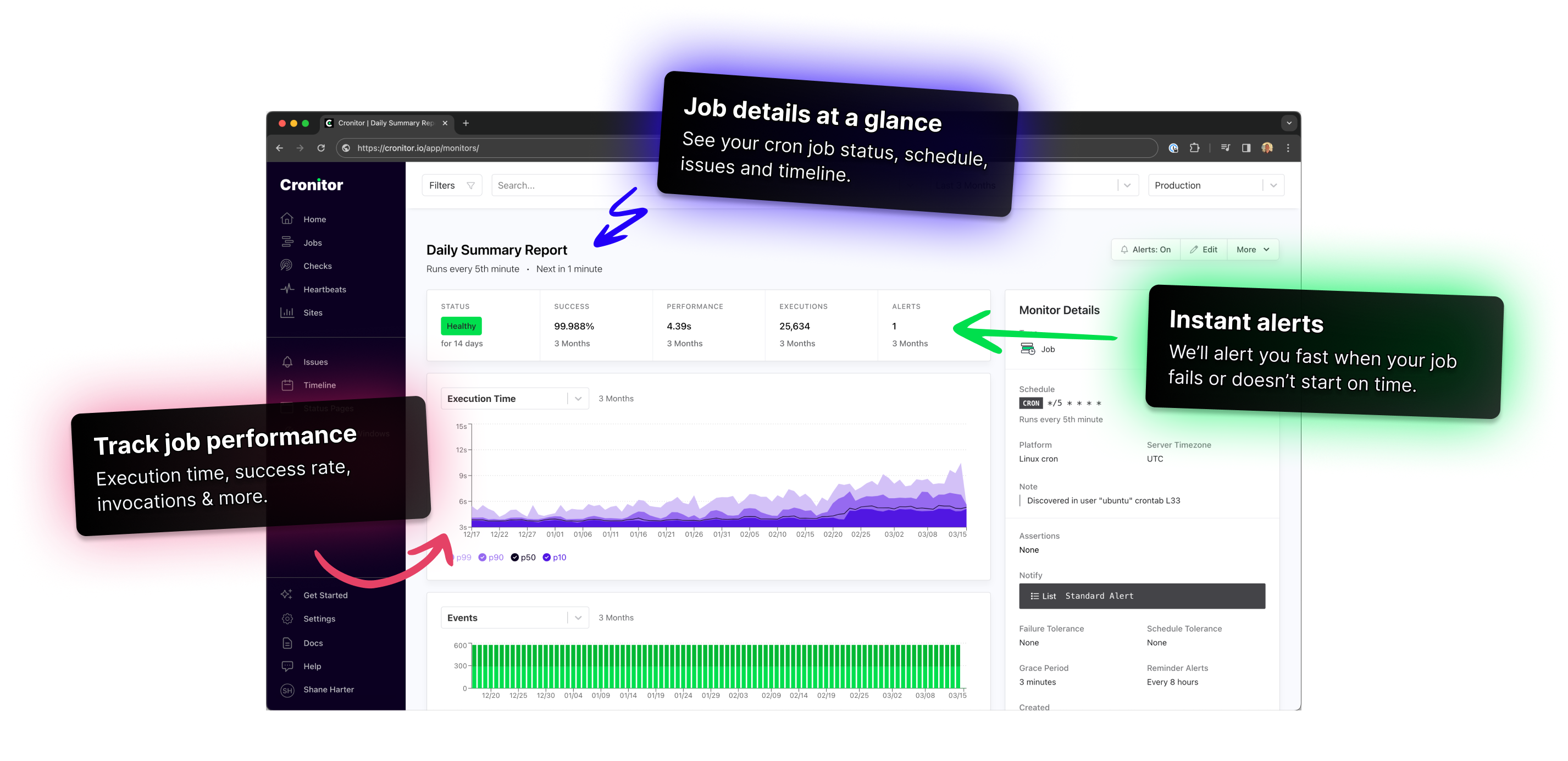
Cronitor CLI is a cross-platform command-line tool that integrates with the Cronitor.io monitoring service. It enables users to discover and sync cron jobs from their system, monitor command execution with telemetry pings, manage monitors, status pages, issues, and notification integrations from the terminal, and run a self-hosted web dashboard (Crontab Guru Dashboard) for visual job management with one-click run/suspend actions and a built-in MCP server for AI-assisted cron management. The CLI is distributed as a single binary for Linux, macOS, and Windows, with installation via script or manual download. It also provides a Docker image for running the dashboard. Authentication uses OAuth with PKCE (browser login) or API keys for CI/container deployments. The tool requires a Cronitor.io account (free tier available) to function.
Should you self-host Crontab Guru Dashboard?
Crontab Guru Dashboard scores 51/100 on selfhost.directory (how scoring works) and ranks #20 of 51 in Monitoring & observability. It has 555 GitHub stars.
It shipped 14 stable releases in the past year. The latest, 33.11, came out on 27 October 2026. New versions land roughly every 2 weeks.
Setup is easy: most people get it running in one sitting. It is Other-licensed and written mostly in Go.
Its closest alternative on selfhost.directory is GoAccess (75/100, 21 094 stars). It scores higher overall, so compare the two before you pick. See Crontab Guru Dashboard vs GoAccess side by side.
Features
- API Key Management
- Auto-update
- Command execution monitoring
- Cron job discovery and sync
- Cron-like shell for testing
- Environment and group management
- Integration Management
- Issue Tracking
- MCP server for AI integration
- Monitor management
- Notification list management
- Self-hosted web dashboard
- Status page management
- Team Management
- Telemetry pings
Crontab Guru Dashboard README
More in Task Management
 Crontab-UIOpen-source self-hosted crontab manager with a web UI to add, pause, and back up cron jobs safely, plus error logging, import/export, and email notifications.
 dayGLANCESelf-hosted, open-source day planner with visual time-blocking, tasks, habits, and calendar sync — runs locally in browser or Docker, no account needed.
 DeftSelf-hosted workspace unifying chat, tasks, knowledge, calendar, and AI agents. Docker Compose deploy, BYO AI providers, MCP for agent access. AGPL-3.0-only, alpha.
 Django-CRMSelf-hosted open-source CRM on Django Admin: leads and deals, tasks and projects, SMTP/IMAP email campaigns, analytics reports, interface in 20+ languages.
 docker-crontabdocker-crontab is a self-hosted, open-source cron scheduler that runs as a Docker container and executes scheduled jobs in other containers via the Docker socket.
 DonetickSelf-hosted, open-source task and chore app for households, with rotating assignments, adaptive recurring schedules and OIDC sign-in.
 DoskaAn open-source Kanban app with Markdown cards that runs offline in the browser and syncs through a self-hosted server. Includes OIDC sign-on and MCP for AI agents.
 DumbDoDumbDo is a self-hosted, open-source todo list with clean UI, dark/light mode, PIN protection, PWA support, and file-based JSON storage—no database needed.
 DumbKanSelf-hosted Kanban board with drag-and-drop tasks, multiple boards, custom columns, dark mode, and PIN protection — no database needed.
 eclaireA self-hosted, open-source AI assistant that keeps data private by running locally — it handles your personal information using a local language model.
 eigenfocusEigenfocus is a self-hosted project management tool with boards, timeline, grid, list views and time tracking — alternative to Jira and Trello without per-user fees.
 Files.mdA self-hosted, open-source Markdown workspace for notes, journaling, tasks and checklists that keeps files local in your browser, with a Go sync server and Telegram bot.
0 comments