
Self-host clonarr
v3.5.0Visual TRaSH Guides profile manager for Radarr and Sonarr
- Stars
- 190
- Port
- 6060 (Web UI)
ghcr.io/prophetse7en/clonarr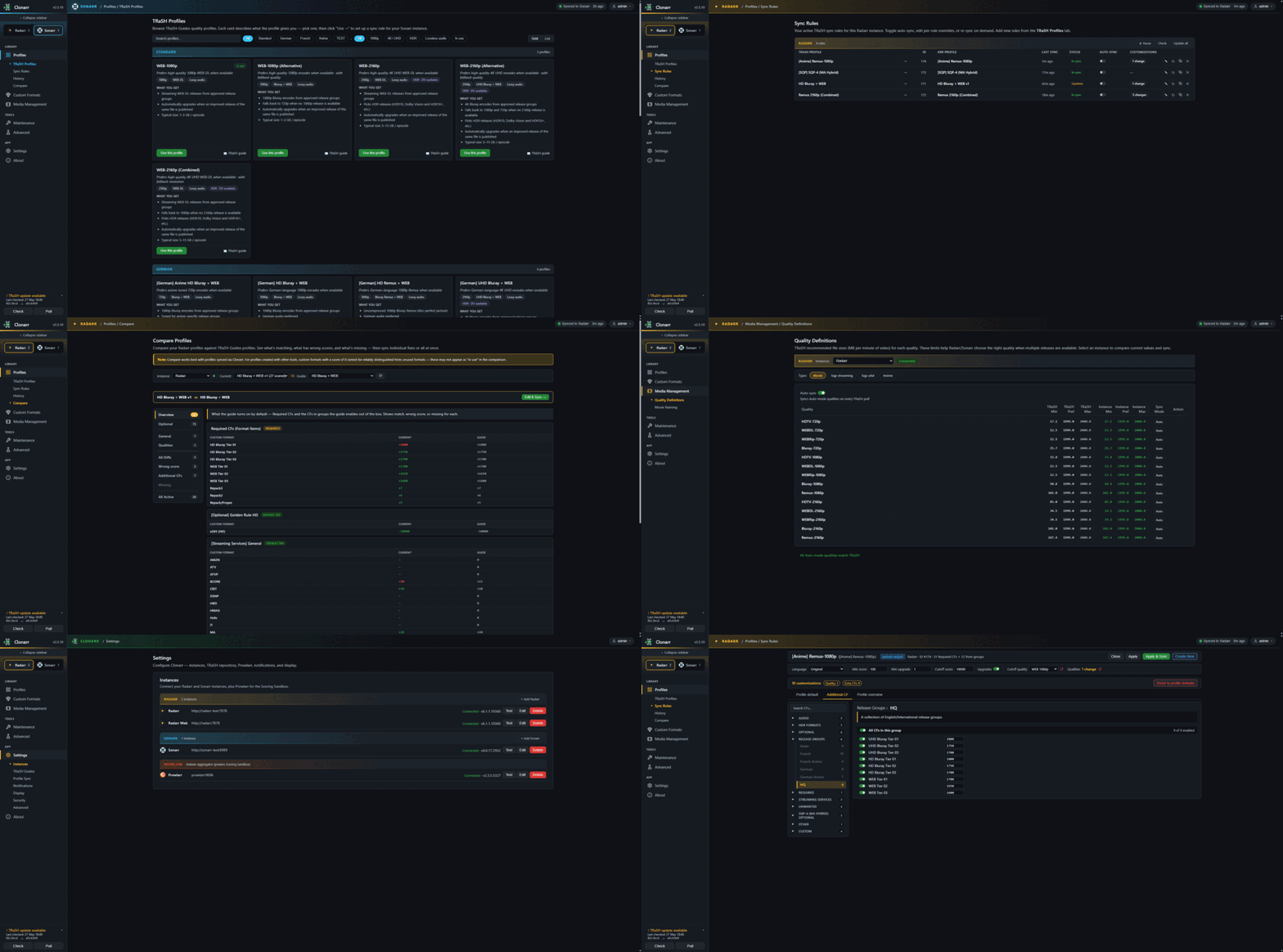
What is clonarr?
Clonarr provides a browser-based interface for managing TRaSH Guides data in Radarr and Sonarr. It clones the TRaSH Guides repository and lets users browse, customize, and sync quality profiles and custom formats to multiple Arr instances. Features include dry-run previews before applying changes, automatic synchronization with configurable behavior, change history with one-click rollback, side-by-side profile comparison, custom format creation and organization, quality size and file naming scheme management, maintenance tools for backup and cleanup, and a scoring sandbox for testing release scoring. Notifications work with several popular services. The application runs as a Docker container on port 6060 with persistent configuration. Authentication defaults to a forms-based login with options for HTTP Basic Auth or no authentication, plus trusted network configuration and API key access. The project receives regular updates and is licensed under MIT.
Should you self-host clonarr?
clonarr scores 49/100 on selfhost.directory (how scoring works) and ranks #70 of 142 in Media Management. It has 190 GitHub stars.
It shipped 11 stable releases in the past year. The latest, v3.5.0, came out on 24 October 2026. New versions land roughly every 4 days.
Setup is moderate: expect some configuration beyond a single command. An official Docker image is available. It is MIT-licensed and written mostly in Go.
Its closest alternative on selfhost.directory is Sonarr (81/100, 17 472 stars). It scores higher overall, so compare the two before you pick. See clonarr vs Sonarr side by side.
Features
- Auto-sync with Configurable Behavior
- Custom Format Management
- File Naming Schemes
- Maintenance Tools
- Multi-instance management
- Notifications
- Profile Comparison
- Profile Customization
- Quality Definitions Sync
- Recyclarr YAML ImportHidden behind Advanced toggle
- Scoring SandboxHidden behind Advanced toggle
- Security Configuration
- Sync History and Rollback
- Theme and Display Customization
- TRaSH Guides Profile Sync
clonarr README
More in Configuration Management
 collinsCollins is a self-hosted, open-source CMDB from Tumblr for tracking servers, switches, and racks with REST API, CLI, IPAM, power management, and multi-datacenter support.
 ConfigarrConfigarr is a self-hosted, open-source tool that automates configuration for Sonarr, Radarr, and other *arr apps by syncing custom formats from TRaSH-Guides.
 coreCFEngine is a self-hosted, open-source configuration management system automating infrastructure, security, and compliance at scale.
 Dock-DploySelf-hosted web app for visually building Docker Compose files, generating Homepage configs, and creating schedulers in cron, GitHub Actions, and systemd formats.
 FleetOpen-source MDM and endpoint management for macOS, Windows, Linux and mobile: self-hosted software patching, vulnerability tracking and live device reports.
 FliptSelf-hosted, open-source feature flag platform that keeps flags as code in your own Git repositories, with multi-environment support and REST/gRPC APIs.
 gansSelf-hosted open-source tool that monitors a local Git repository for changes and automatically executes only the modified Ansible playbooks via a web interface.
 git-confedSelf-hosted web tool that scans folders for Git repos and applies shared config blocks (user, remotes) to multiple repos via a Bootstrap UI.
 hass-configuratorSelf-hosted, open-source web UI to edit Home Assistant YAML files with syntax highlighting, linting, Git integration, and a file browser — runs on any Python 3 system.
 MantraeSelf-hosted web UI for managing Traefik dynamic config without editing YAML, with agent discovery and DNS integration.
 mcp-server-managerMCP Server Manager is a self-hosted, open-source tool that simplifies managing Model Context Protocol servers for AI clients via a web UI and single YAML config.
 openvoxOpenVox is a self-hosted, open-source configuration management platform compatible with Puppet for automating Linux, Unix, and Windows servers.
0 comments