
Self-host cherry
v0.0.10Self-hosted bookmark manager with tags and full-text search
- Stars
- 283
- Ports
- 8000 (HTTP traffic), 5173 (Internal SvelteKit dev server (not for external use))
ghcr.io/haishanh/cherry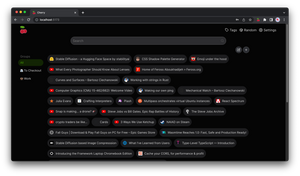
What is cherry?
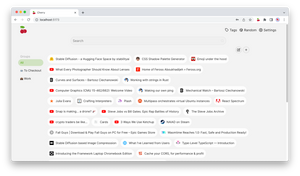
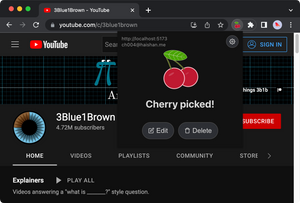
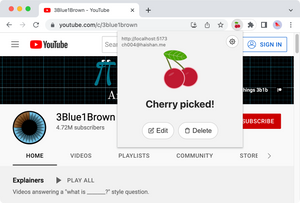
Cherry is a self-hosted bookmark manager designed for personal use. It stores bookmarks in a SQLite database and provides a clean web UI with tagging, grouping, and full-text search powered by a custom SQLite tokenizer extension. Users can save pages through Chrome and Firefox browser extensions or a bookmarklet. The service supports CSV import and export for migrating data. Authentication is handled via built-in email/password accounts, with optional Google OAuth and HTTP remote-user header integration for SSO gateways like Authelia or Authentik. Deployment is Docker-only, with the image published to ghcr.io/haishanh/cherry. The project is MIT-licensed and actively maintained.
Should you self-host cherry?
cherry scores 44/100 on selfhost.directory (how scoring works) and ranks #33 of 46 in Bookmarks & Link Sharing. It has 283 GitHub stars.
It shipped 2 stable releases in the past year. The latest, v0.0.10, came out on 8 September 2026. New versions land roughly every 2 months.
Setup is easy: most people get it running in one sitting. An official Docker image is available. It is MIT-licensed and written mostly in Typescript.
Its closest alternative on selfhost.directory is Karakeep (82/100, 30 114 stars). It scores higher overall, so compare the two before you pick. See cherry vs Karakeep side by side.
Features
- Bookmarklet
- Browser Extensions
- CSV Export
- CSV Import
- Full-Text Search
- Google OAuth sign-in
- Groups
- HTTP remote-user authentication
- Personal access tokens (PAT)
- SQLite Database
- Tagging
- User management CLI
cherry README
More in Bookmarks & Link Sharing
 Chhoto URLChhoto URL is a self-hosted, open-source URL shortener in Rust using SQLite, with a tiny 6 MB container, OIDC auth, custom slugs, link expiry, hit counting, and QR codes.
 CodeverSelf-hosted bookmarks & snippets manager for developers with Markdown, browser extensions, IDE plugins, and Keycloak auth via GitHub, Google, GitLab, StackOverflow.
 dashlitSelf-hosted start page with multi-user link dashboards, layouts, OIDC login and per-link availability checks. Open-source, one Go binary or Docker container.
 DashMachineA self-hosted, open-source dashboard of web-app bookmarks, link collections and data-source cards, with users, access groups, dark mode and a Docker install.
 dashwiseAn open-source, self-hosted homelab dashboard with built-in auth and OIDC SSO, widgets, link groups with uptime monitoring, RSS news and Spotlight-style search.
 DigibunchSelf-hosted, open-source link-hub written in PHP for curating collections of web links with categories, grid/list views, embed codes, QR sharing and backups.
 Django-link-archiveSelf-hosted, open-source link database and RSS reader aggregating bookmarks, YouTube, Reddit, and email into a searchable archive with dark mode.
 docker-flareFlare is a lightweight, open-source bookmark navigation start page that stores everything in plain YAML files with no database, runs in under 30 MB RAM.
 docker-shioriSelf-hosted Docker image for Shiori bookmark manager with SQLite, MySQL, and PostgreSQL database support.
 eselsohrSelf-hosted bookmark manager using capability-based security instead of user accounts. Written in Haskell, runs as a single binary or Docker container.
 EspialOpen-source, self-hosted bookmark server with multiple accounts, tagging, a browser bookmarklet, REST API and snapshot archiving via ArchiveBox or the Wayback Machine.
 favedFree open-source bookmark manager with nested tags, automatic metadata fetching and browser/Raindrop/Pocket import, self-hosted as one Docker container.
0 comments