
Self-host CC-Router
v0.6.2Proxy that rotates Claude Max accounts for higher throughput
- Stars
- 40
- Port
- 3456 (Main proxy HTTP server)
- Requires
- Node.js
What is CC-Router?
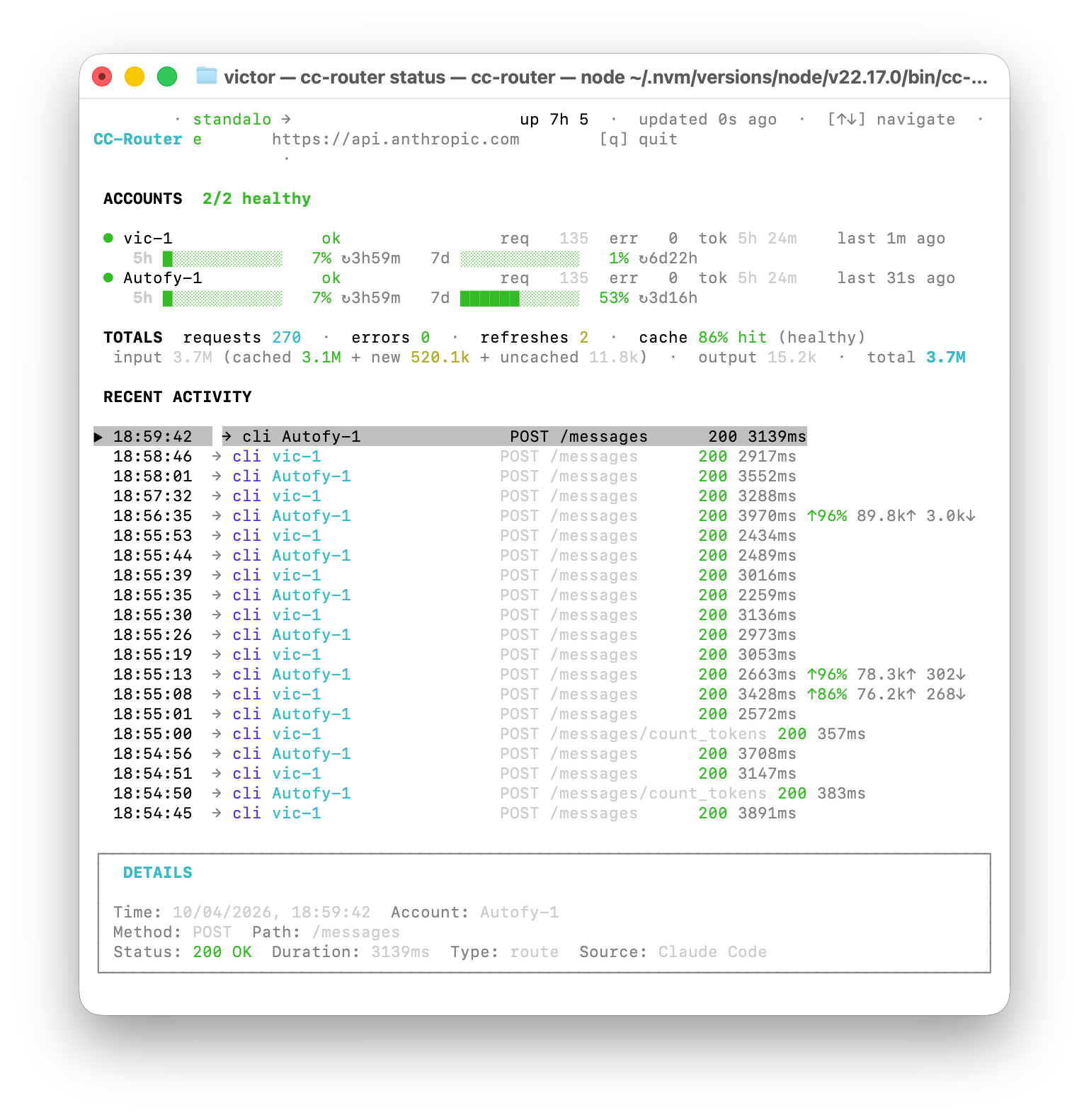
CC-Router runs locally on macOS, Linux, or Windows and sits between Claude Code and the Anthropic API. It round-robins requests across two to twenty Claude Max accounts, refreshes OAuth tokens before they expire, and detects rate-limit responses to cool down busy accounts. An OpenAI Responses-compatible endpoint lets Codex CLI use ChatGPT/Codex subscriptions through the same proxy. Deployment options include an npm global install that can run as a background daemon with launchd or systemd auto-start, a Docker Compose stack with optional LiteLLM for a web dashboard, or a client-only mode that points to a remote instance. A live terminal dashboard shows per-account health, request counts, and token usage. Claude Desktop traffic can be intercepted via mitmproxy. The project is MIT-licensed and requires Node.js 20+.
Should you self-host CC-Router?
CC-Router scores 37/100 on selfhost.directory (how scoring works) and ranks #143 of 166 in Developer Tools. It has 40 GitHub stars.
There was no stable release in the past 12 months, so check the repository's recent activity before you rely on it.
Setup is moderate: expect some configuration beyond a single command. It is MIT-licensed and written mostly in Typescript.
Its closest alternative on selfhost.directory is openhands (87/100, 92 105 stars). It scores higher overall, so compare the two before you pick. See CC-Router vs openhands side by side.
CC-Router README
More in Proxy
 CELERITY-panelSelf-hosted open-source web panel for Hysteria 2 and Xray VLESS with one-click node setup, server groups, load balancing, ACL filtering, and subscriptions.
 chiselSelf-hosted, open-source TCP/UDP tunnel over HTTP with SSH encryption; a single Go binary running as both server and client, with SOCKS5 and reverse port forwarding.
 Claude UnlimitedSelf-hosted daemon pooling Claude, ChatGPT, and API keys for Claude Code. Rotates on limits with local dashboard. MIT licensed, runs on macOS, Linux, Windows.
 email-oauth2-proxySelf-hosted open-source proxy adding OAuth 2.0 to legacy email clients for Exchange, Gmail, and more.
 flaresolverrSelf-hosted open-source proxy that drives a real Chrome browser to solve Cloudflare and DDoS-Guard challenges, returning cookies and HTML to your HTTP clients.
 frpfrp is a self-hosted, open-source fast reverse proxy that exposes local servers behind NAT or firewalls to the internet via TCP, UDP, HTTP, and HTTPS with P2P support.
 g3proxyOpen-source, self-hosted enterprise forward proxy in async Rust: HTTP, SOCKS5, SNI and TPROXY modes, MITM auditing, proxy chaining, ICAP hooks and StatsD metrics.
 grokbuild-proxySelf-hosted proxy translating Anthropic and OpenAI API requests to Grok Build, letting you use your personal Grok account with Claude Code and compatible clients.
 GUSTGUST is a self-hosted, open-source web proxy running as a single HTML file in any browser, using WebAssembly and WISP tunneling to bypass filters without Service Workers.
 hettyAn HTTP toolkit for security research.
 HevSocks5ServerA self-hosted, open-source SOCKS5 proxy server with dual-stack IPv4/IPv6, UDP relay and username/password auth; runs on Linux, macOS, Windows, Android and iOS.
 hls-restream-proxySelf-hosted HLS proxy that injects headers and rewrites playlists for Jellyfin, Emby, Plex and other media servers to play IPTV streams requiring specific HTTP headers.
0 comments