
Self-host ytdlp_web_player
v1.3.3Self-hosted video player powered by yt-dlp
docker compose up- Stars
- 809
- Port
- 5000 (HTTP web interface)
matszwe02/ytdlp_web_player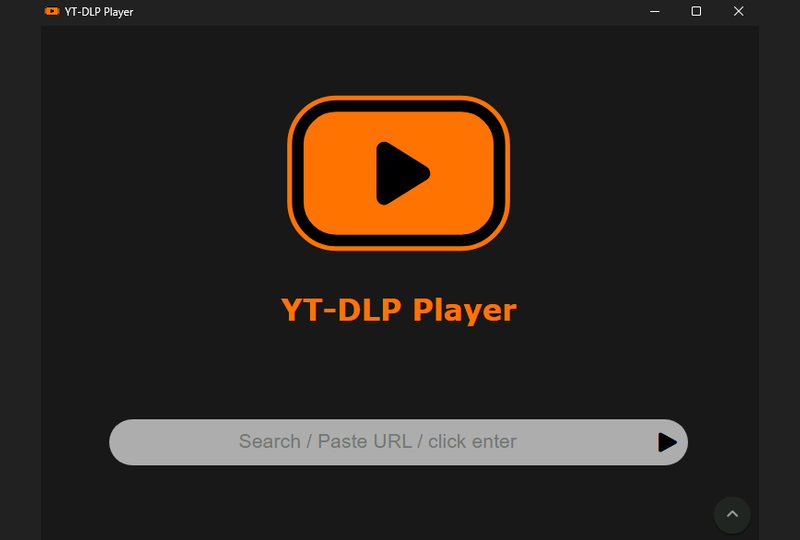

What is ytdlp_web_player?
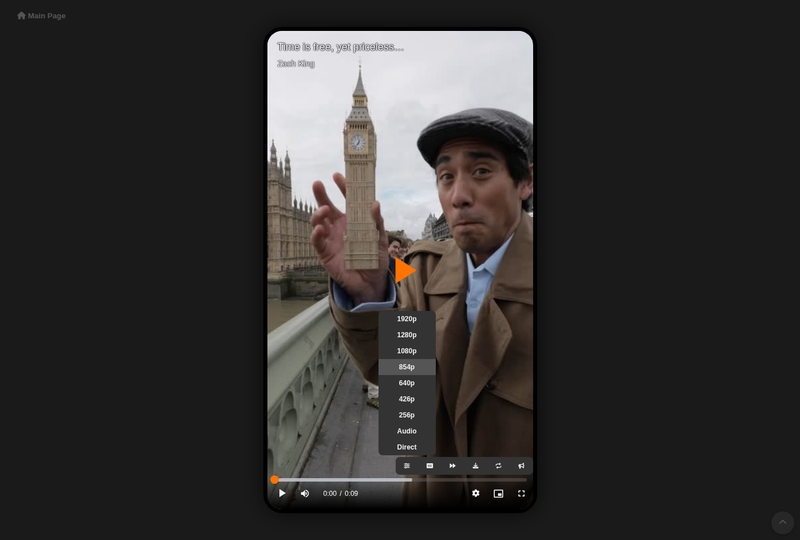
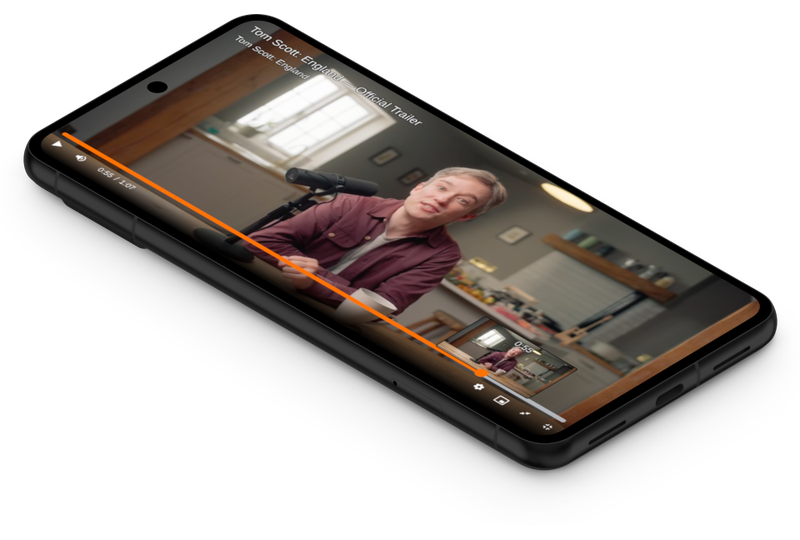
YT-DLP Web Player is a self-hosted web application that streams videos from any site supported by yt-dlp. It provides a clean, minimalistic video player interface with features like live stream support, vertical video handling, zoom-to-fill, video download and looping, optional music visualizer, and a browser extension that replaces embedded players on websites. The project auto-updates yt-dlp daily to support new sites and codecs. It can be deployed via Docker, Docker Compose, Python directly, or as native Windows/Linux binaries. Hardware-accelerated transcoding via FFmpeg (with NVIDIA NVENC support) ensures reliable playback. The player integrates SponsorBlock for skipping sponsor segments, Media Session API for system playback controls, and Audio Context API for audio amplification and visualization. Configuration is done through environment variables. No user authentication system is built in; it's designed for personal or trusted-network use.
Should you self-host ytdlp_web_player?
ytdlp_web_player scores 55/100 on selfhost.directory (how scoring works) and ranks #12 of 36 in Video Streaming. It has 809 GitHub stars.
It shipped 8 stable releases in the past year. The latest, v1.3.3, came out on 25 October 2026. New versions land roughly every 5 days.
Setup is easy: most people get it running in one sitting. An official Docker image is available. It is GPL-2.0-licensed and written mostly in JavaScript.
Its closest alternative on selfhost.directory is piped (70/100, 10 295 stars). It scores higher overall, so compare the two before you pick. See ytdlp_web_player vs piped side by side.
Features
- Audio over-amplification
- Browser ExtensionAvailable on Chrome Web Store and Firefox Add-ons
- Cookie-based authentication for streaming sitesRequires manual cookie file setup
- Embeddable iframe player
- Hardware-accelerated transcodingRequires NVIDIA Container Toolkit for GPU acceleration in Docker
- HTTP proxy support with fallbackConfigured via PROXIES env var
- Live stream support
- Media Session API
- Music visualizerOff by default, enable via AUDIO_VISUALIZER env var
- Open Graph sharing support
- Sponsorblock IntegrationConfigured via AUTOSKIP_SB_SEGMENTS env var
- Vertical video support
- Video download and loop
- Video playback from yt-dlp supported sites
ytdlp_web_player README
FAQ
Can this app do XYZ?
Check src/example.env for all configuration options. If the feature you want isn't listed, you can file a feature request.
I can't play some videos
Check if the site is supported by yt-dlp at their supported sites list. Also check yt-dlp's issues. Try downloading the video with yt-dlp directly to verify it's supported.
More in Video Streaming
 yuebingYuebing is an open-source, self-hosted video sharing platform that transcodes videos to adaptive bitrate DASH/MP4, storing all data in S3 or Backblaze B2 buckets.
 AIOStreamsOpen-source, self-hosted Stremio super-addon: one URL merges every addon, debrid and Usenet source, then filters, sorts and formats results your way.
 ant-media-serverOpen-source, self-hosted media server for live video: RTMP/HLS ingest, WebRTC, recording, DVR and playback via a web dashboard, with paid Enterprise extras.
 avideoSelf-hosted, open-source video platform for on-demand libraries and live broadcasts, with HLS delivery, an encoder, plugins, and paid monetization options.
 belabox-receiverSelf-hosted Docker receiver bundling srtla_rec, srt-live-server, and NOALBS to ingest SRT/SRTLA streams from BELABOX, Moblin, or IRL Pro for OBS/VLC playback.
 bilistreamSelf-hosted open-source tool that monitors Twitch, YouTube, and YouTube scheduled streams and relays them to Bilibili when live, with a built-in web console.
 CamViewerPlusSelf-hosted, open-source RTSP camera viewer with customizable grid views, digital pan/zoom, and a web UI for monitoring multiple camera streams.
 clipableA self-hosted video platform for hosting and sharing clips with Streamable-like simplicity, featuring browser uploads, quality presets, S3 storage, and a REST API.
 clipbucket-v5Self-hosted PHP video sharing platform with dark/light themes, HLS conversion, Chromecast, subtitles, TMDB integration, and multi-language support.
 CometSelf-hosted Stremio add-on searching torrents, debrid, usenet with P2P metadata sharing, Kodi support, and Torznab for *arr apps.
 couchtubeSelf-hosted YouTube frontend that simulates a TV channel by scheduling videos from user-defined lists. Runs via Docker on port 8363 with a built-in channel editor.
 creamy-videosCreamy Videos is an open-source, self-hosted video streaming tube site written in Go with PostgreSQL support for hosting your own video library.
0 comments