
Self-host couchtube
YouTube frontend simulating a TV channel experience
- Stars
- 268
- Port
- 8363 (HTTP web interface)
ghcr.io/ozencb/couchtube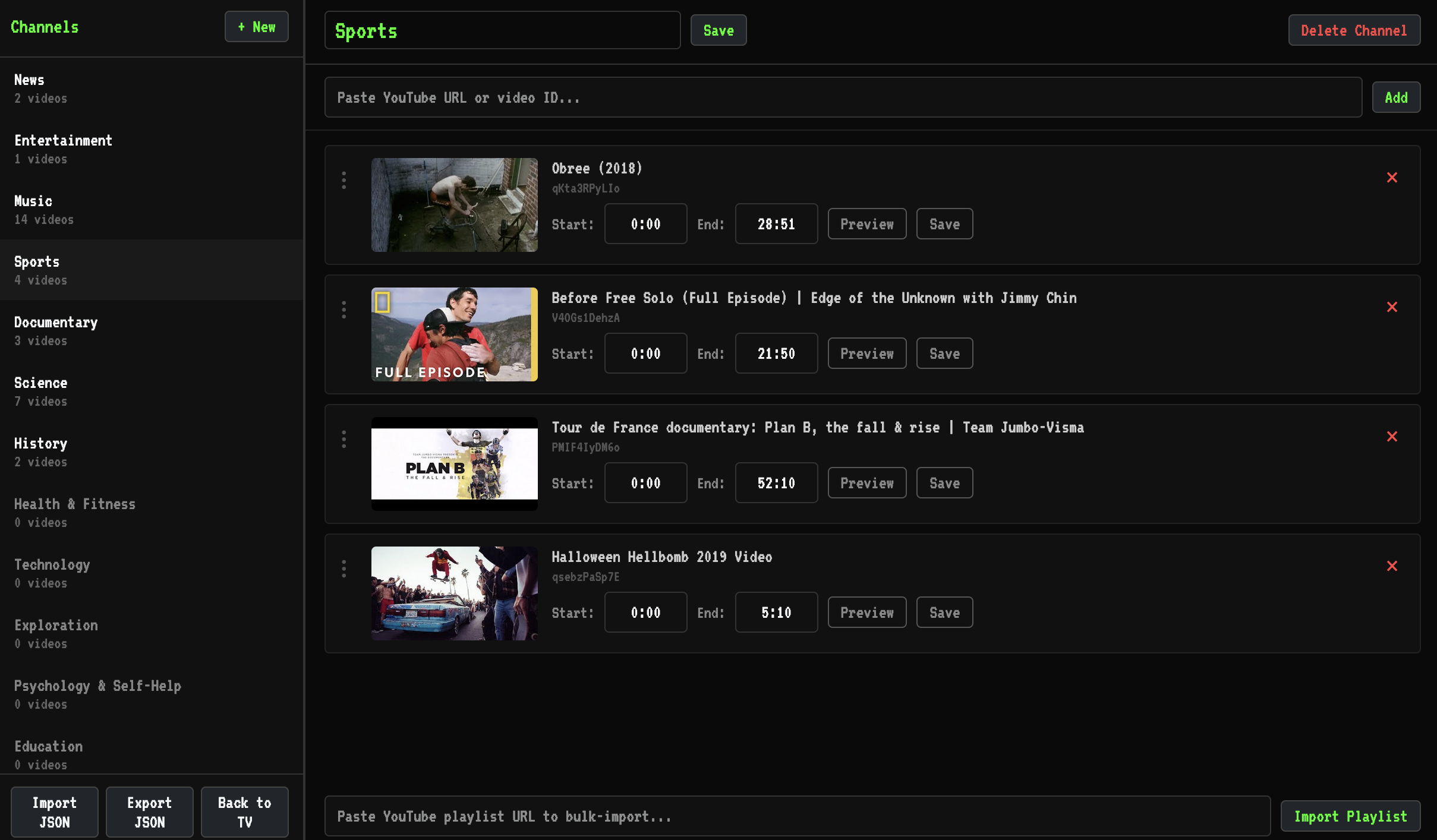
What is couchtube?
CouchTube is a self-hosted YouTube frontend written in Go that simulates a TV channel experience. It loads videos from predefined channel lists and schedules playback by time of day so multiple viewers see the same content. A built-in editor at /editor lets users manage channels, add videos, set playback segments, and import or export JSON configurations. Custom JSON files can also be submitted via a URL in the settings. The app stores data in SQLite and runs on port 8363 by default. It is distributed as a Docker image (ghcr.io/ozencb/couchtube:latest) and can be built from source with Go 1.22+. The project is in early development and licensed under GPL-3.0.
Should you self-host couchtube?
couchtube scores 40/100 on selfhost.directory (how scoring works) and ranks #31 of 36 in Video Streaming. It has 268 GitHub stars.
There was no stable release in the past 12 months, so check the repository's recent activity before you rely on it.
Setup is easy: most people get it running in one sitting. An official Docker image is available. It is GPL-3.0-licensed and written mostly in Go.
Its closest alternative on selfhost.directory is piped (70/100, 10 293 stars). It scores higher overall, so compare the two before you pick. See couchtube vs piped side by side.
Features
- Channel EditorControlled by EDITOR_MODE environment variable (off, readonly, full)
- Custom JSON channel lists
- Health Checks
- SQLite Storage
- Synchronized scheduling
- TV channel simulation
- Video Section Playback
- YouTube playlist import
couchtube README
More in Video Streaming
 creamy-videosCreamy Videos is an open-source, self-hosted video streaming tube site written in Go with PostgreSQL support for hosting your own video library.
 DispatcharrYour Ultimate IPTV & Stream Management Companion
 docker-wyze-bridgeSelf-hosted, open-source Docker bridge that streams Wyze cameras over RTSP, WebRTC, RTMP and LL-HLS, with a web dashboard, recording, snapshots and camera control.
 DroneBridgeDroneBridge is an open-source, self-hosted long-range radio link for drones using WiFi. Supports 1080p video, MAVLink telemetry, RC control, and OSD.
 ErinErin is a self-hosted, open-source web app for browsing personal images and videos in a TikTok-like vertical swipe feed with playlists and optional password protection.
 ErsatzTVOpen-source, self-hosted IPTV server that builds scheduled live TV channels with EPG from your Plex, Jellyfin, Emby or local media, using FFmpeg transcoding.
 EZ-WifiBroadcastOpen-source, self-hosted FPV video link that streams low-latency 1080p video, MAVLink telemetry and RC control between a drone camera and its ground station.
 FladderFladder is an open-source, self-hosted Jellyfin frontend built with Flutter, offering streaming, downloads, offline playback, library management, and native apps.
 foldergramFoldergram is a self-hosted, open-source photo and video gallery that turns local folders into an Instagram-style feed with PWA support and SQLite indexing.
 GanymedeSelf-hosted platform for saving Twitch VODs and live streams with synchronized chat, OIDC login, and Docker Compose deployment.
 GerberaOpen-source, self-hosted UPnP/DLNA media server that streams your music, photos and videos to any compatible device, with a web UI to manage the library.
 glimeshGlimesh.tv is a self-hosted, open-source live streaming platform built with Elixir and Phoenix that focuses on creator discoverability and community interaction.
0 comments