
Self-host ant-media-server
ams-v3.1.0Live streaming server for WebRTC, RTMP ingest and HLS
docker run --restart=always -d --name antmedia --network=host -it antmedia/enterprise:latest- Stars
- 4 747
- CPU
- at least 4 vCPUs (compute-optimized)
- RAM
- 8 GB RAM for a single instance
- Ports
- 5080 (HTTP (web panel and streaming)), 5443 (HTTPS), 1935 (RTMP), 4200 (SRT (UDP)), 5000 (Internal cluster communication only; should not be public), 50000 (Start of the default WebRTC UDP port range 50000-60000)
antmedia/enterprise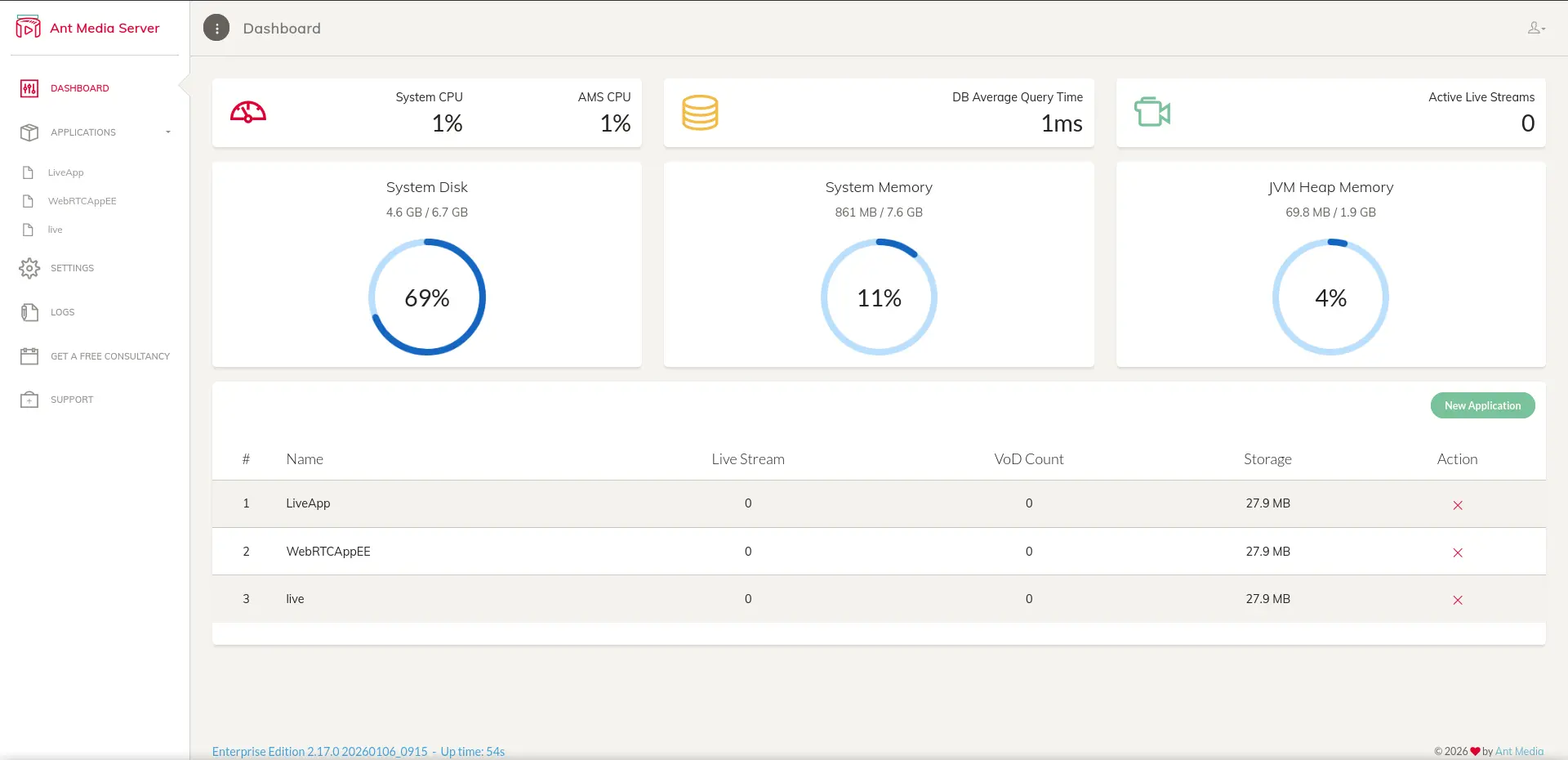


What is ant-media-server?
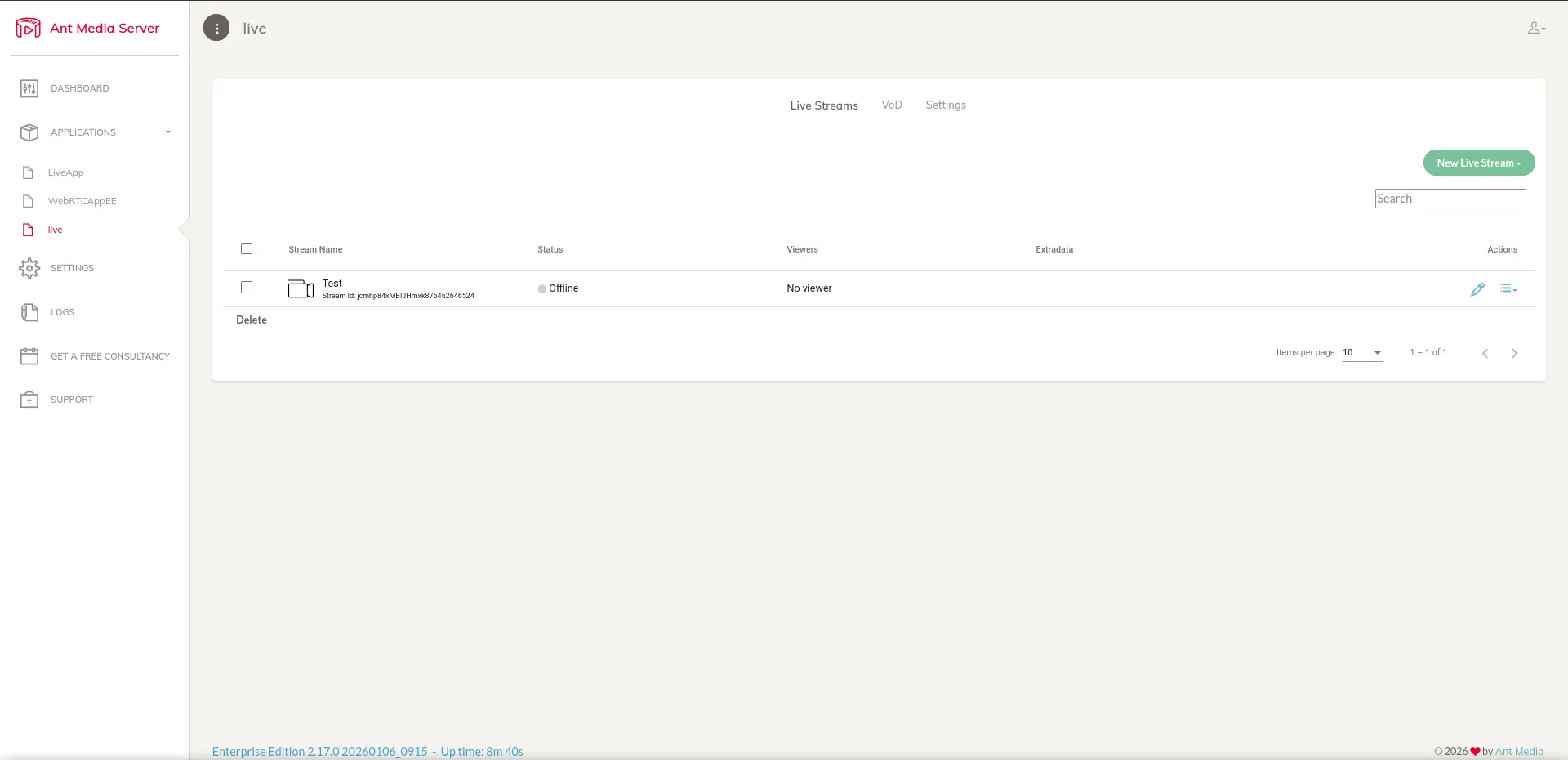
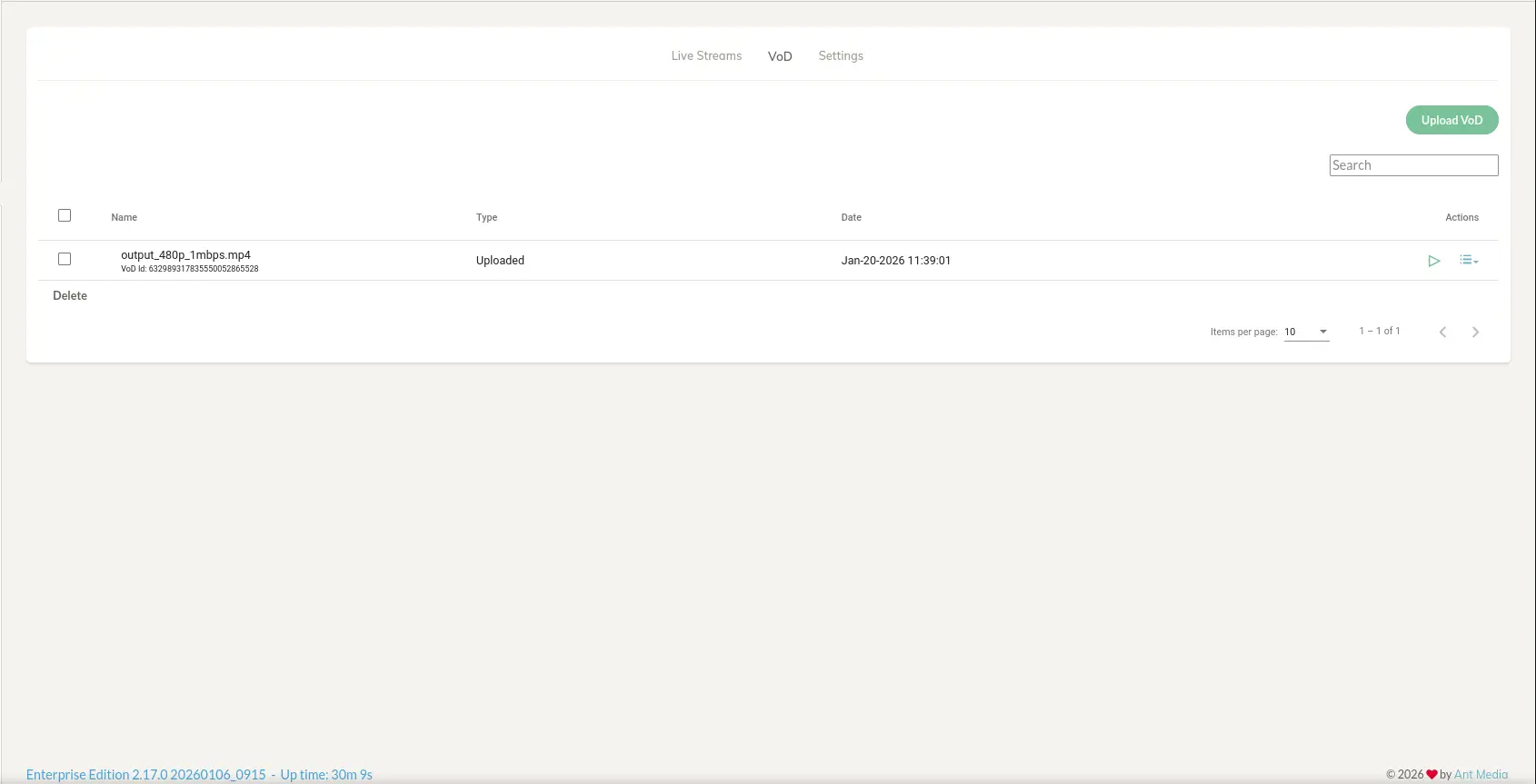
Ant Media Server is a live-streaming media server for developers building video products — telehealth, e-learning, live shopping, auctions, gaming or IP-camera monitoring. It accepts streams from encoders and cameras over RTMP, RTSP and WebRTC, plays them back in the browser with HLS, records sessions, offers DVR, restreams to social platforms and serves uploaded or recorded files as VoD. Everything is driven from a web panel (applications, live streams, VoD, per-stream actions, plus instance health figures for CPU, disk, memory and the JVM heap) and from REST APIs, with client SDKs covering JavaScript, Unity, Flutter, React Native and the two mobile platforms. You run it yourself: a shell install script on Ubuntu/CentOS/Rocky/Alma, the official Docker image, or a Docker Compose file you build from a release ZIP, with the panel on port 5080 (5443 once SSL is enabled). It ships in two editions. The free, Apache-licensed Community Edition covers RTMP/HLS workflows with 8-12 second latency and WebRTC ingest only (no WebRTC playback), and excludes adaptive bitrate transcoding, clustering, Kubernetes and SRT/NDI/WHIP — those are Enterprise Edition features, licensed per instance (hourly, monthly, annual or perpetual) and validated against Ant Media's license manager unless you buy an offline license.
ant-media-server alternatives
 RestreamerOpen-source, self-hosted live video streaming server with a web UI: ingest via RTMP or SRT, restream to YouTube, Twitch and Vimeo, and embed a player.CompareRestreamer with ant-media-server
 nomercy-media-serverSelf-hosted media server with automatic encoding, hardware transcoding (NVIDIA/Intel/AMD), and a polished web app plus mobile PWA for streaming movies, shows, and music.Comparenomercy-media-server with ant-media-server
 StreamFlowSelf-hosted web app for live streaming to YouTube, Facebook, and RTMP with video gallery, scheduling, and real-time monitoring.CompareStreamFlow with ant-media-server
 VDO.NinjaOpen-source browser-based WebRTC tool that pipes remote guests, phone cameras, and screen shares into OBS and other live-production software, with director control rooms.CompareVDO.Ninja with ant-media-server
 go2rtcSelf-hosted, open-source camera streaming server: ingests dozens of input formats (RTSP, ONVIF, USB cams, vendor clouds) and outputs WebRTC, HLS, MP4 or RTSP.Comparego2rtc with ant-media-server
 MediaCMSSelf-hosted, open-source video and media CMS on Django and React: transcoding, HLS streaming, RBAC, SAML login, automatic captions and a REST API.CompareMediaCMS with ant-media-server
 rtmp-hls-serverSelf-hosted, open-source Docker image for a video streaming server supporting RTMP, HLS and DASH, built on Nginx with nginx-rtmp-module, FFmpeg and web players.Comparertmp-hls-server with ant-media-server
 MistServerMistServer is a self-hosted, open-source streaming media server for OTT with multi-protocol support including RTMP, SRT, RIST, WebRTC, RTSP, and HTTP.CompareMistServer with ant-media-server
Should you self-host ant-media-server?
ant-media-server scores 65/100 on selfhost.directory (how scoring works) and ranks #19 of 119 in Media Server. It has 4 747 GitHub stars, +5 in the last 30 days.
It shipped 7 stable releases in the past year. The latest, ams-v3.1.0, came out on 31 August 2026. New versions land roughly every 5 weeks.
Setup is moderate: expect some configuration beyond a single command. An official Docker image is available. It is Apache-2.0-licensed and written mostly in Java.
Its closest alternative on selfhost.directory is Jellyfin (88/100, 59 157 stars). It scores higher overall, so compare the two before you pick. See ant-media-server vs Jellyfin side by side.
Features
- Adaptive bitrate transcodingListed as Enterprise Edition in the edition comparison; Community shows it as not included.
- Client SDKsiOS/Android WebRTC SDK is publish-only in the Community Edition.
- Clustering and horizontal scalingScaling and Kubernetes support are marked Enterprise Edition in the edition comparison table.
- DVR
- Embedded web player
- Health metrics monitoring
- HLS Streaming
- IP camera streaming
- RecordingCommunity Edition records HLS and MP4 only.
- REST API
- Restreaming to social platforms
- RTMP Ingest
- VoD libraries
- Web management dashboard
- WebRTC ingestCommunity Edition: WebRTC ingest only, no WebRTC playback; Enterprise has full WebRTC support.
ant-media-server README
FAQ
Which protocols are supported for ingesting?
Ingest works over RTMP, RTSP, WebRTC, SRT, Zixi and WHIP.
What are the latency figures supported?
About 0.5 seconds with WebRTC, 3-5 seconds with low-latency DASH or HLS, and 8-10 seconds with standard HLS.
How can I build my own Video Application with Ant Media Server?
Through its REST APIs and SDKs, which let external apps control and manage the server remotely.
Can I build and provide hosted streaming solutions?
Yes, companies, ISPs and data centres can offer hosted video streaming services built on it.
Can I build my own Online Video Platform?
Yes, the server can be used as the streaming backbone for your own OVP or SaaS video service.
Is Ant Media Server provided as SaaS (Software as a Service) Platform?
No — it is standalone software that you install and run yourself to serve video streaming sessions.
What does Ant Media Server License include and how it’s licensed?
Enterprise Edition is licensed per server (per pod on Kubernetes), imposes no viewer or connection limits, and includes the mobile SDKs.
Can Ant Media Server scale automatically?
Yes, auto-scaling can be configured on-premises with Kubernetes or through cloud marketplace images that add nodes under load.
Can I scale Ant Media Server?
Yes, it scales vertically by adding CPUs to the server or horizontally by adding more Enterprise Edition instances.
Is there any price difference in the Cluster License?
No, the cluster license adds nothing on top of the license fees.
What is the Cluster License of Ant Media Server?
It lets several Enterprise Edition instances run synchronized in an origin/edge setup and enables auto scalability.
What is the difference between a Subscription-based License and a Perpetual License?
Subscription licenses renew automatically for a set period, whereas a perpetual license is a one-time purchase for unlimited use, with upgrades and support needing a separate package after the first year.
What are the price packages for Ant Media Server?
The Community Edition is free with limited functions, while the Enterprise Edition is paid through monthly or annual subscriptions and also a one-time perpetual license, with hourly scaling available on monthly subscriptions.
More in Media Server
 app-plexSelf-hosted Plex Media Server packaged as a Home Assistant Community add-on, letting you organize and stream personal media libraries through Home Assistant.
 arozosSelf-hosted, open-source web desktop OS written in Go that turns any PC, Raspberry Pi or old hardware into a NAS with a file manager, media playback and network shares.
 arr-toolsSelf-hosted toolset for automating Sonarr/Radarr quality management and browsing media with a Tinder-like interface, integrating Emby, Jellyfin, Spotify.
 asknavidromeAskNavidrome is an open-source Alexa skill that streams your music from a Subsonic server like Navidrome to Amazon Echo devices, without subscription fees or ads.
 assemblrrassemblrr is an open-source, self-hosted automation suite that provisions a complete media stack with VPN-first networking and a unified CLI.
 AtsumeruAtsumeruManager is a cross-platform desktop app and web UI for managing your self-hosted Atsumeru manga server. Native binaries for Windows, Linux, macOS.
 auddly-serverAuddly is an open-source, self-hosted music streaming server with a REST API for your personal library, playlists, Last.fm scrobbling, and Spotify artist images.
 Audiobookbay-DownloaderSelf-hosted web app to search and download audiobooks from AudiobookBay using Jackett, with Transmission, qBittorrent, or Decypharr, plus Beets and Goodreads sync.
 AudiobookshelfOpen-source, self-hosted media server for audiobooks and podcasts with on-the-fly audio streaming, progress syncing and podcast auto-downloads.
 aurralOpen-source self-hosted music discovery with personalized recommendations, rotating playlist flows, and library management. Works standalone or with Lidarr.
 AutocaliwebSelf-hosted, open-source web app to browse, read and manage eBooks, eComics and PDFs on a Calibre database, with OPDS, Kobo sync and automated ingest and conversion.
 AutoPlexxAutoPlexx is a self-hosted, open-source Docker Compose stack for a complete Plex Media Server with request handling, library automation, VPN torrent downloads, monitoring
0 comments