
Self-host youtube-dl-server
Download YouTube videos via web UI or REST API
- Stars
- 319
- Port
- 8080 (HTTP web UI and REST API)
nbr23/youtube-dl-server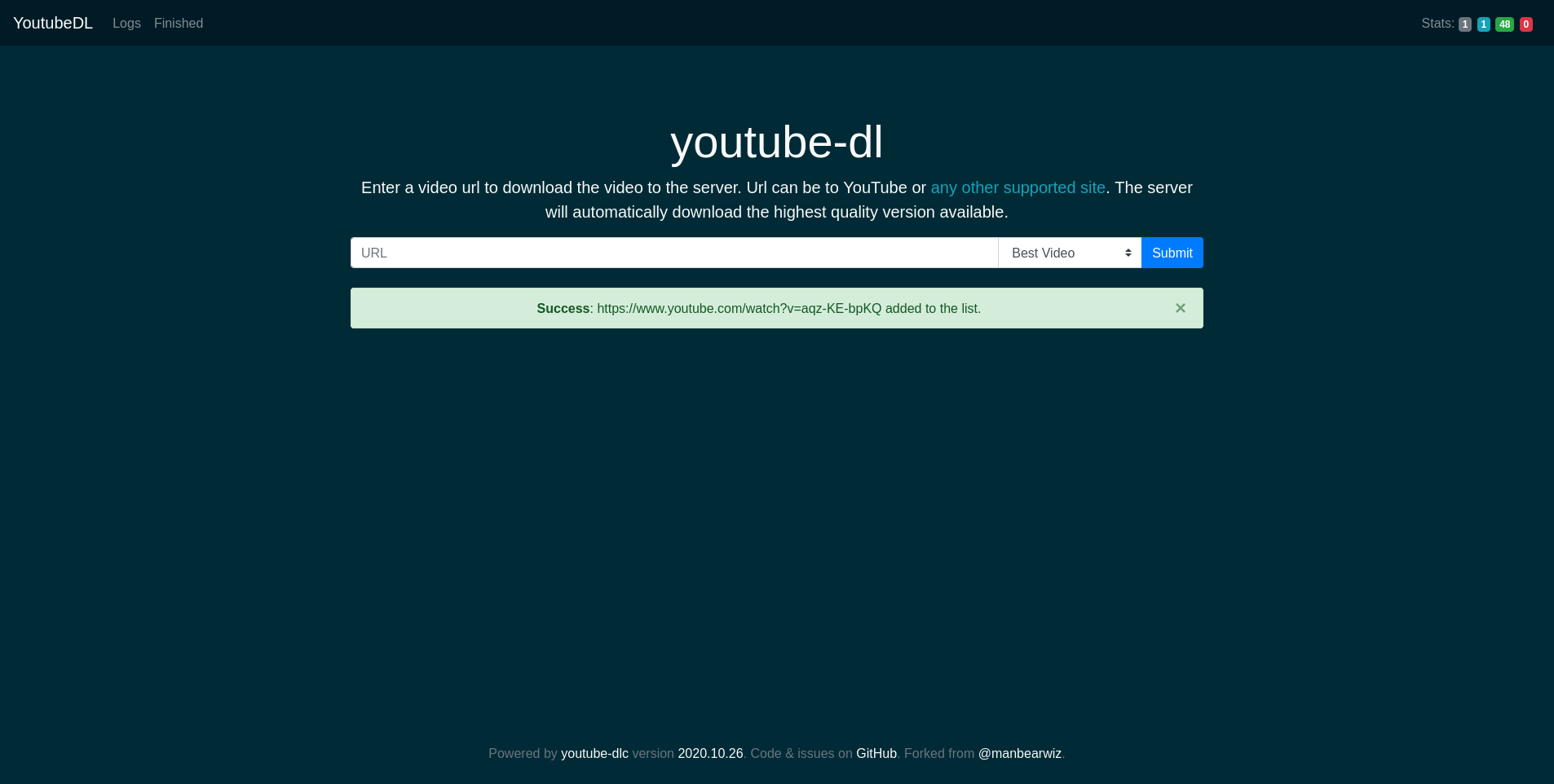
What is youtube-dl-server?
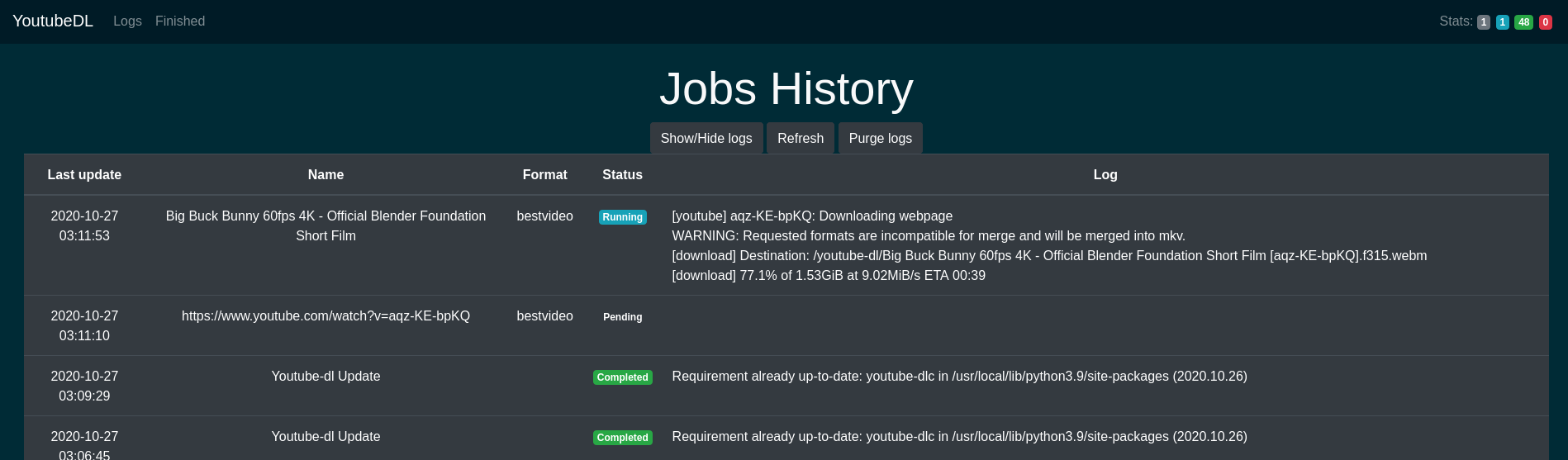
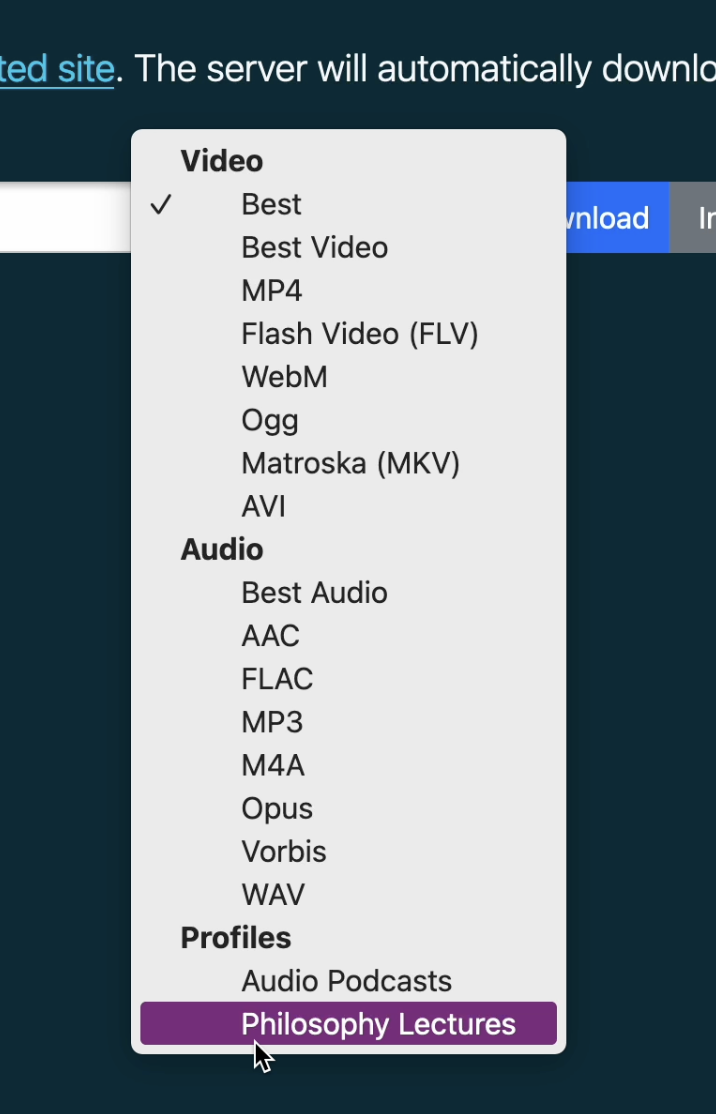
youtube-dl-server is a self-hosted web application that provides a simple web UI and REST API for downloading videos from YouTube and other supported sites using yt-dlp or youtube-dl as the backend. It features a web interface for queuing downloads, a REST API for programmatic access, download profiles for common format combinations, scheduled downloads for live events and premieres, job history with logs, and Docker-based deployment. The server stores download metadata in a SQLite database and outputs files to a configured directory. It is a fork of manbearwiz/youtube-dl-server with added features like profiles, aliases, and scheduling.
Should you self-host youtube-dl-server?
youtube-dl-server scores 47/100 on selfhost.directory (how scoring works) and ranks #31 of 45 in Download Management. It has 319 GitHub stars.
There was no stable release in the past 12 months, so check the repository's recent activity before you rely on it.
Setup is easy: most people get it running in one sitting. An official Docker image is available. It is MIT-licensed and written mostly in Python.
Its closest alternative on selfhost.directory is cobalt (83/100, 45 586 stars). It scores higher overall, so compare the two before you pick. See youtube-dl-server vs cobalt side by side.
Features
- Bookmarklet Support
- Download profiles
- Format Selection
- Job history and management
- Multiple download backends
- Option aliases
- REST API
- Scheduled Downloads
- Web UI
youtube-dl-server README
More in Media
 8mb.localSelf-hosted video compressor that shrinks clips to a chosen file size using GPU encoders (AV1/HEVC/H.264), with Docker, native Windows/macOS builds and an Android app.
 asciinemaA self-hosted, open-source platform for hosting, sharing and live-streaming terminal session recordings, with full-text search, embeddable player and passwordless login.
 BlenderSelf-hosted, open-source Docker container running Blender 3D graphics software with hardware-accelerated web access via HTTPS on port 3001, maintained by LinuxServer.io.
 Cartoon StudioOpen-source desktop app for creating 2D animated cartoons — write scripts, generate voices, animate SVG characters with lip-sync, render to MP4 locally.
 CDRM-Project-2.0CDRM-Project is a self-hosted, open-source web application that decrypts Widevine and PlayReady DRM content using a Flask and React stack with SQLite or MariaDB backend.
 DigimergeSelf-hosted open-source (AGPL-3.0) web app to merge audio, concatenate videos or build image slideshows with ffmpeg.wasm; files are processed locally in the browser.
 Duix.AvatarSelf-hosted, open-source AI avatar toolkit that clones your face and voice offline to generate lip-synced talking videos from text or audio on your own GPU.
 File ViewerOpen-source browser preview component: 275 extensions across 47 pipelines for Office files, PDF, CAD, archives and mail, self-hostable with no conversion server.
 FlyimgSelf-hosted, open-source image optimization service: resize, crop and compress any image URL on the fly and serve AVIF, WebP or MozJPEG from one Docker container.
 FreeFrameOpen-source Frame.io alternative for collaborative media review with frame-accurate comments, annotations, approvals, and NLE export — self-hosted on your infrastructure.
 imgproxySelf-hosted, open-source image processing server that resizes, crops, filters and converts images on the fly through signed URLs, running behind your CDN.
 LinkSiftSelf-hosted media downloader with yt-dlp: inspect URLs, pick MP4/MP3 quality, manage downloads in a responsive web queue with live progress.
0 comments