
Self-host youtube-dl-nas
26.1026Authenticated yt-dlp queue for NAS with mobile sharing
- Stars
- 201
- Port
- 8080 (Web dashboard and API)
modenaf360/youtube-dl-nas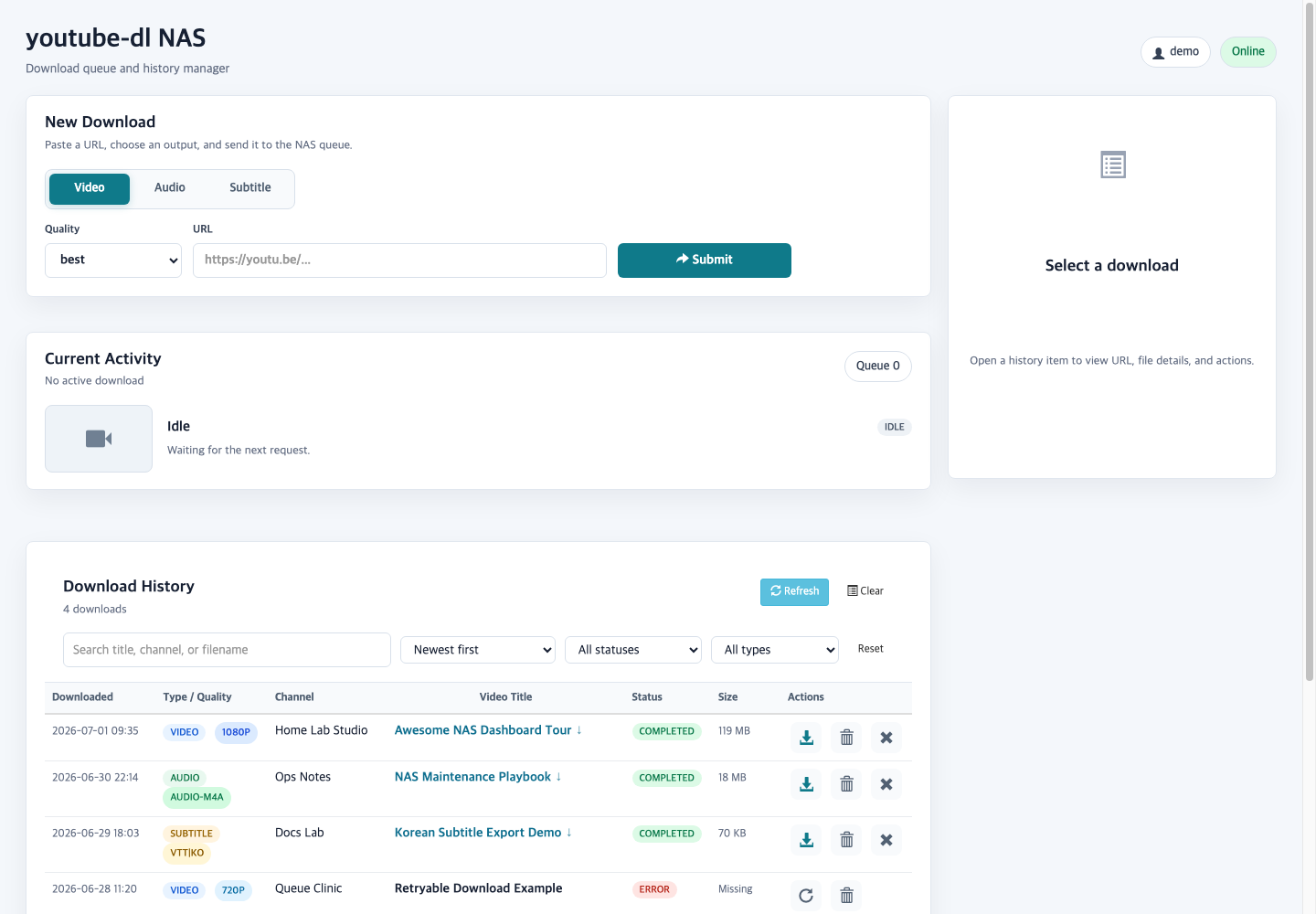
What is youtube-dl-nas?
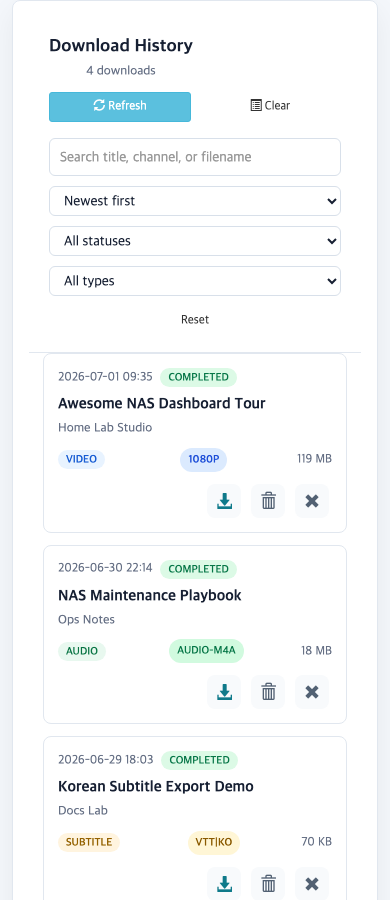
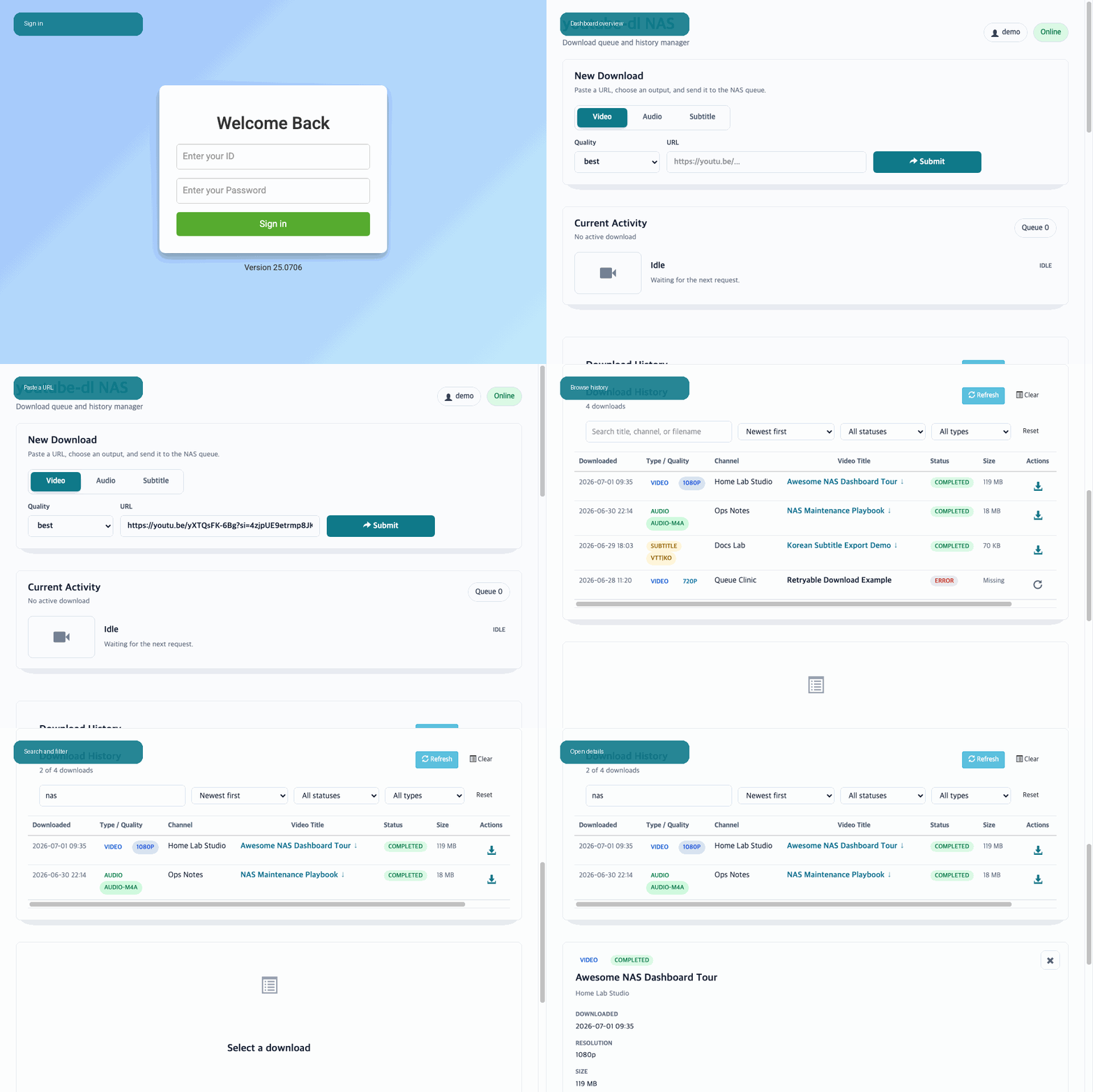
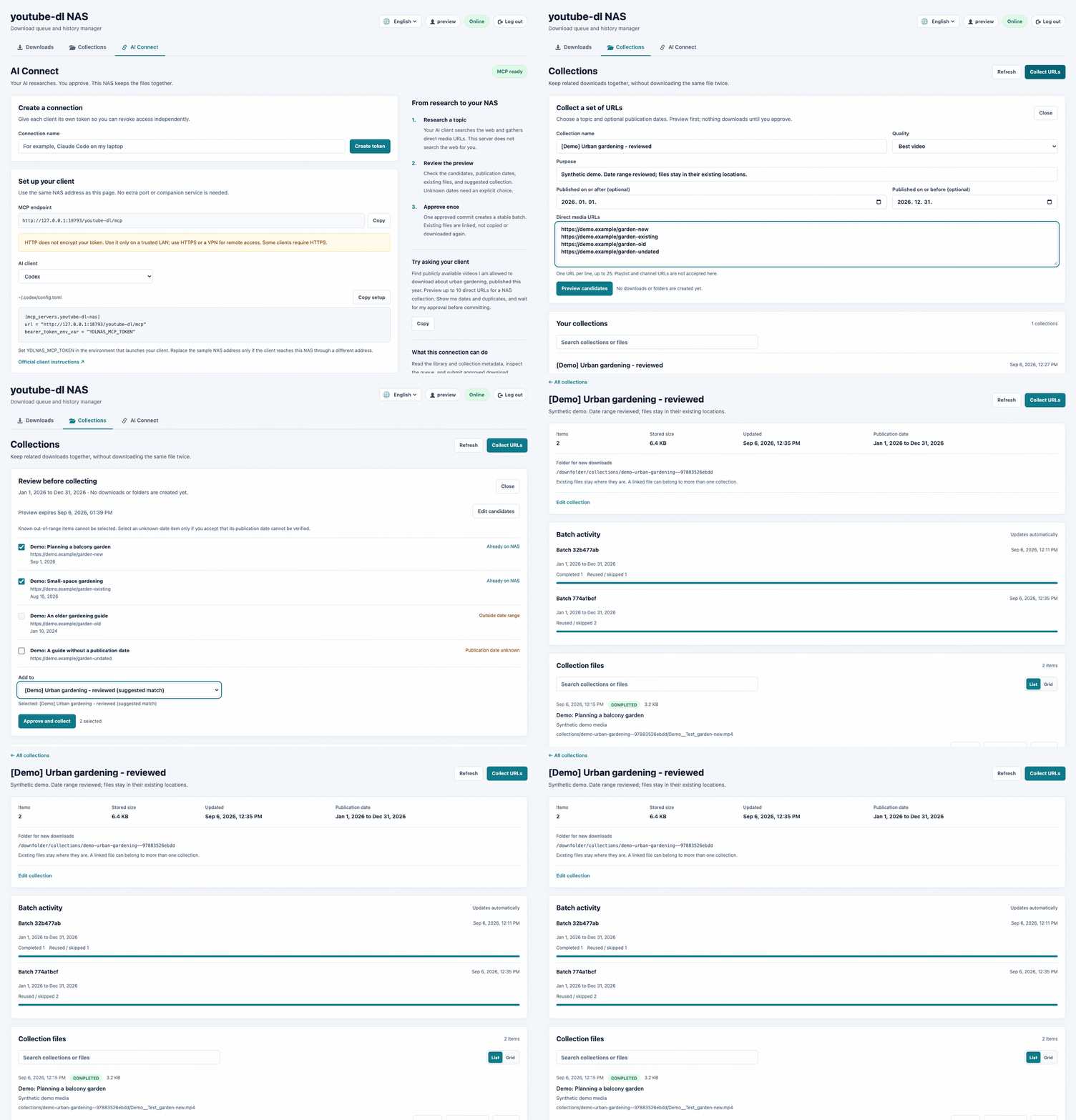
A compact self-hosted download manager for NAS devices that wraps yt-dlp with a password-protected web interface. Users paste video, audio, or subtitle links into a queue that survives container restarts and avoids duplicate work. The dashboard shows live progress, lets you stop active transfers while keeping partial data, and can serve files already on disk. Mobile users send links straight from their phone share sheet via a PWA, an Android shortcut, or an iOS shortcut. Playlists and channels require an explicit scope choice before anything is queued. Subtitles can be checked against a reference transcript using nlptutti metrics. An MCP endpoint lets AI assistants propose batches of URLs for approval. Everything runs in one Docker image with nginx, the web app, and the MCP service sharing a single port; two bind mounts keep downloads and queue state persistent. The UI speaks English, Korean, Chinese, and Polish.
Should you self-host youtube-dl-nas?
youtube-dl-nas scores 50/100 on selfhost.directory (how scoring works) and ranks #27 of 45 in Download Management. It has 201 GitHub stars.
It shipped 10 stable releases in the past year. The latest, 26.1026, came out on 26 October 2026. New versions land roughly every 8 days.
Setup is moderate: expect some configuration beyond a single command. An official Docker image is available. It is MIT-licensed and written mostly in Python.
Its closest alternative on selfhost.directory is cobalt (83/100, 45 582 stars). It scores higher overall, so compare the two before you pick. See youtube-dl-nas vs cobalt side by side.
Features
- Authenticated web dashboard
- Duplicate Detection
- MCP (Model Context Protocol) Support
- Mounted file discovery
- Playlist and channel scope guard
- REST API
- Restart-safe queue persistence
- Smart Preflight with undo window
- Subtitle quality analysis
- Thumbnail sidecars
- Topic collections
- Video, audio, and subtitle downloads
youtube-dl-nas README
More in Download Management
 youtube-dl-serverSelf-hosted web app to download YouTube videos using yt-dlp or youtube-dl via browser UI or REST API, with Docker deployment and download profiles.
 ytdlp-webuiytdlp-webui is a self-hosted, open-source web interface for yt-dlp to download videos on a remote machine like a NAS, using Docker Compose with Redis for task queuing.
 ytdl-sub-guiOpen-source, self-hosted CLI that drives yt-dlp to pull videos and music and format them for Plex, Jellyfin, Emby or Kodi with YAML presets and NFO or audio tags.
 ytdl-webserverytdl-webserver is a self-hosted, open-source web application that provides a simple UI for downloading YouTube videos, packaged as a Docker image for easy deployment.
 YTPTubeYTPTube is an open-source, self-hosted download manager built on yt-dlp with scheduled tasks, metadata conditions, and Kodi-compatible NFO generation for media servers.
 yubalSelf-hosted YouTube Music downloader with tagged, deduplicated library, scheduled sync, lyrics, ReplayGain. Docker-based with Navidrome/Jellyfin integration.
 AddarrAddarr is a self-hosted Telegram bot to add series to Sonarr and movies to Radarr, plus control Transmission and Sabnzbd download speeds via inline keyboard.
 All-jellyfin-media-serverA Docker Compose stack that combines Jellyfin, the *arr automation apps, a request manager, torrent client, subtitle tool, and VPN into one self-hosted media server.
 amutorrentSelf-hosted web interface that combines multiple torrent and eDonkey clients into one searchable, category-organized dashboard with *arr support.
 anorakAnorak is a self-hosted, open-source torrent grabber that searches Jackett indexers and sends torrents to Transmission as a general-purpose alternative to *arr apps.
 aria2-ariang-dockerSelf-hosted, open-source Docker image bundling Aria2, AriaNg, File Browser, and Rclone — runs on ARM and x86 with auto HTTPS via Caddy.
 AriaNgA self-hosted, open-source web UI for the aria2 download daemon: pure HTML and JS files you serve yourself, with task sorting, dark theme and multi-RPC-host support.
0 comments