
Self-host ydl_api_ng
REST API server for yt-dlp video and audio downloads
- Stars
- 240
- Port
- 80 (HTTP API)
- Requires
- Ffmpeg, Python 3, Yt-dlp
totonyus/ydl_api_ng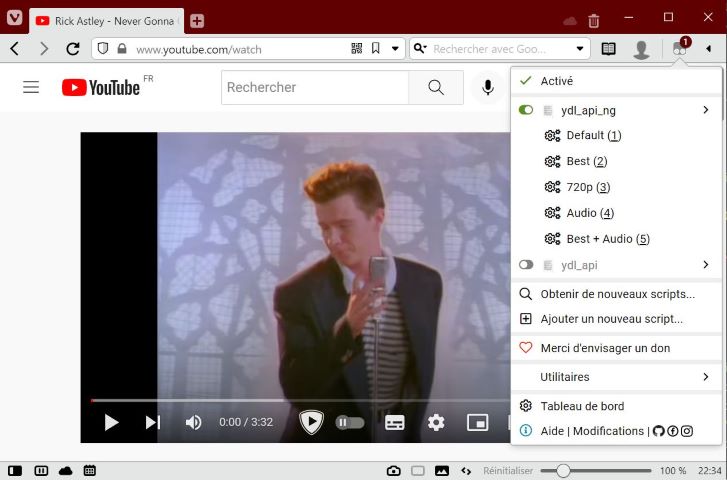
What is ydl_api_ng?
ydl_api_ng is a self-hosted web server that exposes a REST API for yt-dlp, the popular command-line video downloader. It supports downloading from any site yt-dlp supports, with features like multiple download queues, scheduled recordings (programmation), customizable hooks for post-processing, and a userscript for one-click downloads from the browser. It runs via Docker Compose (recommended) or as a systemd service on bare metal, and uses Redis for queue management and scheduling. The API accepts GET and POST requests with presets for common formats (audio, HD, SD, etc.) and allows full yt-dlp parameter customization.
Should you self-host ydl_api_ng?
ydl_api_ng scores 46/100 on selfhost.directory (how scoring works) and ranks #33 of 45 in Download Management. It has 240 GitHub stars.
There was no stable release in the past 12 months, so check the repository's recent activity before you rely on it.
Setup is moderate: expect some configuration beyond a single command. An official Docker image is available. It is GPL-3.0-licensed and written mostly in Python.
Its closest alternative on selfhost.directory is cobalt (83/100, 45 584 stars). It scores higher overall, so compare the two before you pick. See ydl_api_ng vs cobalt side by side.
Features
- Batch Downloads
- Browser userscript
- Cookie Management
- Custom Hooks
- iOS shortcut
- Preset system
- Queue Management
- REST API
- Scheduled downloads (programmation)Requires Redis
- Token-based authenticationDisabled by default in Docker config
ydl_api_ng README
More in Download Management
 YoutarrSelf-hosted YouTube downloader that downloads channels/playlists, syncs to Plex/Jellyfin/Emby with watch status, and plays in-browser without a media server.
 youtube-dlSelf-hosted Docker image that automates yt-dlp to download YouTube subscriptions and watch later playlists with a web UI for configuration and manual downloads.
 YoutubeDL-MaterialSelf-hosted, open-source YouTube downloader with a Material Design web UI built on youtube-dl: subscriptions, downloads manager, categories, RSS feeds and an API.
 youtube-dl-nasSelf-hosted download queue wrapping yt-dlp with an authenticated dashboard, real-time progress, restart-safe downloads, mobile sharing, and MCP for AI clients.
 youtube-dl-serverSelf-hosted web app to download YouTube videos using yt-dlp or youtube-dl via browser UI or REST API, with Docker deployment and download profiles.
 ytdlp-webuiytdlp-webui is a self-hosted, open-source web interface for yt-dlp to download videos on a remote machine like a NAS, using Docker Compose with Redis for task queuing.
 ytdl-sub-guiOpen-source, self-hosted CLI that drives yt-dlp to pull videos and music and format them for Plex, Jellyfin, Emby or Kodi with YAML presets and NFO or audio tags.
 ytdl-webserverytdl-webserver is a self-hosted, open-source web application that provides a simple UI for downloading YouTube videos, packaged as a Docker image for easy deployment.
 YTPTubeYTPTube is an open-source, self-hosted download manager built on yt-dlp with scheduled tasks, metadata conditions, and Kodi-compatible NFO generation for media servers.
 yubalSelf-hosted YouTube Music downloader with tagged, deduplicated library, scheduled sync, lyrics, ReplayGain. Docker-based with Navidrome/Jellyfin integration.
 AddarrAddarr is a self-hosted Telegram bot to add series to Sonarr and movies to Radarr, plus control Transmission and Sabnzbd download speeds via inline keyboard.
 All-jellyfin-media-serverA Docker Compose stack that combines Jellyfin, the *arr automation apps, a request manager, torrent client, subtitle tool, and VPN into one self-hosted media server.
0 comments