
Self-host TwitchDropsMiner
v2.3.2Automated Twitch drops miner with web dashboard
- Stars
- 373
- Port
- 8080 (web dashboard)
rangermix/twitch-drops-miner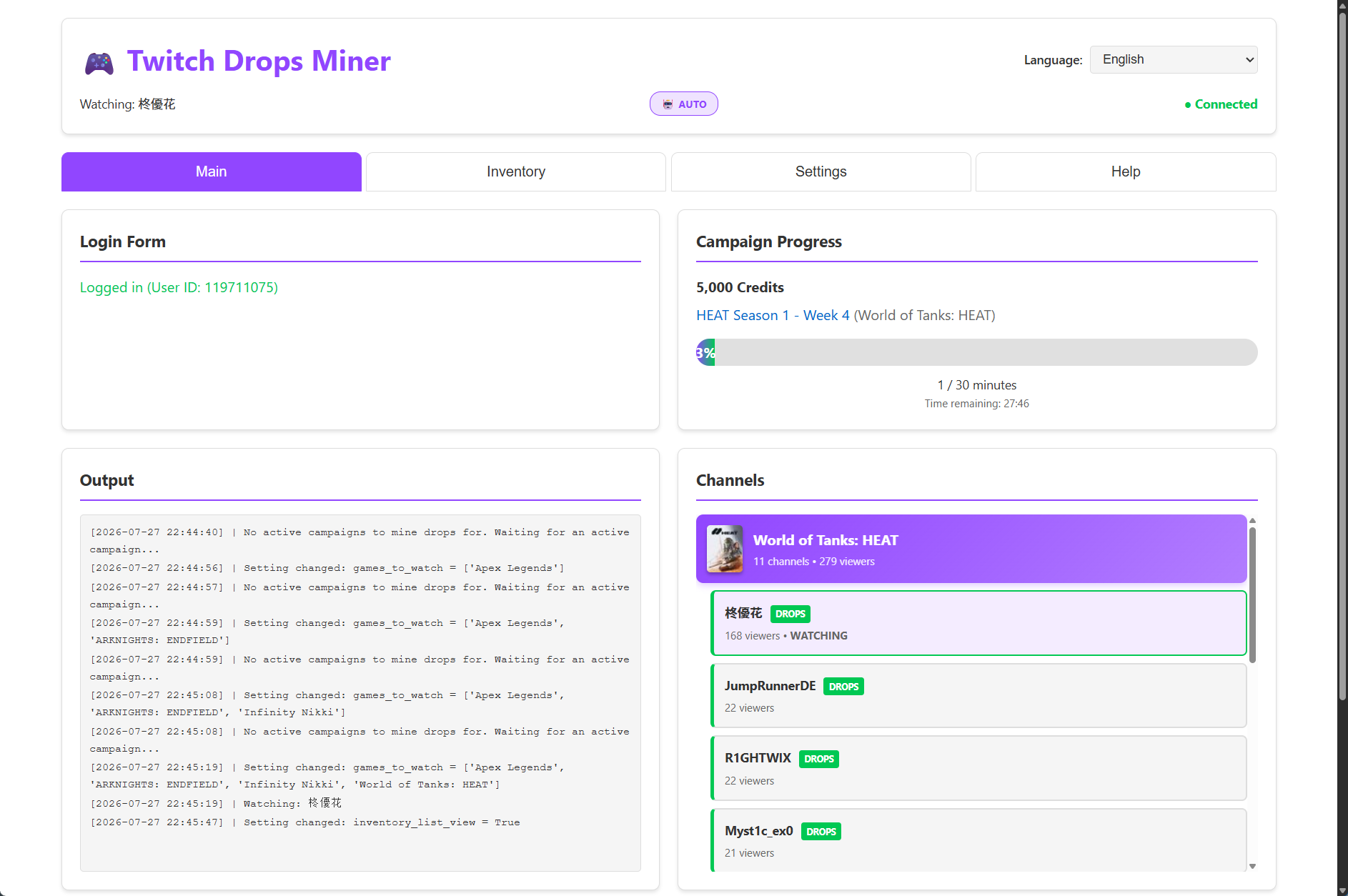
What is TwitchDropsMiner?
Twitch Drops Miner is a self-hosted tool that automatically collects timed Twitch Drops without streaming video or audio. It works by reading playlist metadata and checking segment response headers to minimize bandwidth use. The software discovers active campaigns, selects live channels, and claims rewards through a web dashboard. Users can prioritize games, track campaigns and rewards, ignore unwanted drops, and skip banned channels. Sign-in happens through an embedded Chromium browser with automatic session renewal. Features include optional dashboard password protection, claim history with CSV export, and Telegram or Discord notifications. It runs via Docker or Docker Compose on Linux, macOS, or Windows (WSL), with the dashboard on port 8080. This MIT-licensed project is a fork of DevilXD/TwitchDropsMiner.
Should you self-host TwitchDropsMiner?
TwitchDropsMiner scores 51/100 on selfhost.directory (how scoring works) and ranks #11 of 23 in Gaming. It has 373 GitHub stars.
It shipped 19 stable releases in the past year. The latest, v2.3.2, came out on 28 October 2026. New versions land roughly every 4 days.
Setup is moderate: expect some configuration beyond a single command. An official Docker image is available. It is MIT-licensed and written mostly in Python.
Its closest alternative on selfhost.directory is OpenTTD (73/100, 8 432 stars). It scores higher overall, so compare the two before you pick. See TwitchDropsMiner vs OpenTTD side by side.
Features
- Automatic Campaign Discovery
- Automatic drop claiming
- Automatic Twitch drops mining
- Claim history with CSV export
- Dashboard password protection
- Desktop helper fallback
- Diagnosis data dump
- Discord Notifications
- Game prioritization
- Mining hours scheduling
- Responsive Design
- Session Management
- Telegram Notifications
- Web Dashboard
TwitchDropsMiner README
More in Gaming
 Zero-KZero-K is a free, open-source RTS with simulated physics, deformable terrain, 100+ units, campaign, and 16v16 multiplayer on Spring engine.
- 0 A.D.0 A.D. is a free, open-source, historical Real Time Strategy (RTS) game set in the ancient world, featuring 15+ factions, multiplayer, and modding support.
 DDraceNetworkDDraceNetwork is a free, open-source cooperative platformer where up to 128 players help each other through custom maps. Includes a self-hostable game server.
 epicgames-freegames-nodeOpen-source, self-hosted automation that logs into the Epic Games Store on a schedule, finds free weekly games, and messages you a checkout link to finish yourself.
 Gaseous ServerSelf-hosted ROM manager with in-browser emulation via EmulatorJS. Fetches metadata from IGDB/Hasheous, supports 2FA and OIDC auth, runs via Docker or Windows.
 piqueserverSelf-hosted open-source Ace of Spades 0.75 server compatible with OpenSpades clients, featuring map rotation, scripts, gamemodes, and SSH remote console.
 PlanarAllyPlanarAlly is a self-hosted, open-source virtual tabletop for TTRPGs. It runs offline with dynamic lighting, fog of war, layered maps, and initiative tracking.
 quakejs-dockerSelf-hosted Quake 3 Arena server running in-browser via WebAssembly, with web admin console for maps, bots, players, and leaderboards in a single Docker image.
 RazziaA self-hosted, open-source quiz platform for smaller events.
 satisfactoryA Dockerized version of the Satisfactory dedicated server
 StayInTarkov (SIT.Docker)Self-hosted Docker image for running a personal Escape from Tarkov cooperative server (SITCoop) with automated builds from source commits.
 Terraforming MarsSelf-hosted web app to play Terraforming Mars online with multiplayer, solo modes, and all expansions.
0 comments