
Self-host TradeTally
v2.14.0Trading journal with behavioral analytics and broker sync
- Stars
- 346
- Port
- 80 (HTTP web interface (nginx frontend + backend API))
- Requires
- PostgreSQL
potentialmidas/tradetally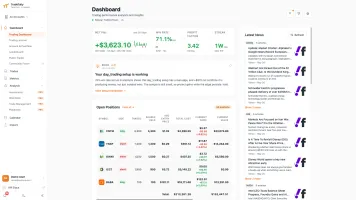


What is TradeTally?
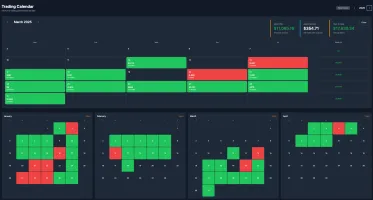
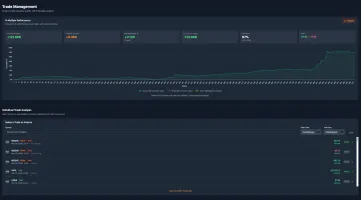
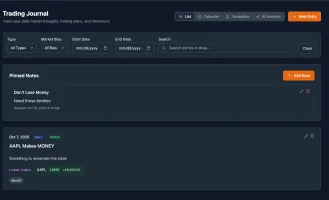
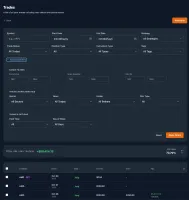
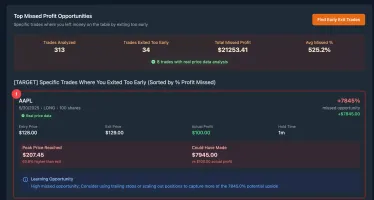
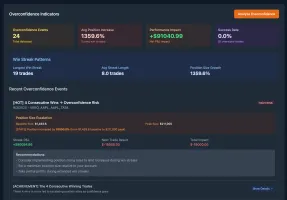
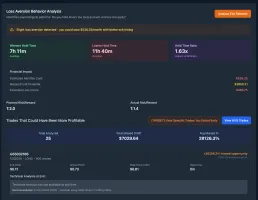
TradeTally is a self-hosted trading journal and analytics tool for active traders. It lets you import trades from many brokers via CSV or automated sync, shows candlestick charts marking where you entered and exited positions, and calculates advanced metrics like Sharpe ratio, Kelly criterion, and MAE/MFE. Behavioral analytics flag patterns such as revenge trading, overconfidence after wins, and loss aversion. The Docker deployment includes all Pro features by default and uses PostgreSQL. A native iOS app provides full feature parity. The cloud service at tradetally.io offers a free tier with unlimited trades and a paid Pro plan for broker auto-sync and deeper analytics.
Should you self-host TradeTally?
TradeTally scores 52/100 on selfhost.directory (how scoring works) and ranks #4 of 9 in Finance & Budgeting. It has 346 GitHub stars.
It shipped 10 stable releases in the past year. The latest, v2.14.0, came out on 27 October 2026. New versions land roughly every 9 days.
Setup is moderate: expect some configuration beyond a single command. An official Docker image is available. It is Apache-2.0-licensed and written mostly in JavaScript.
Its closest alternative on selfhost.directory is openops (56/100, 1 080 stars). It scores higher overall, so compare the two before you pick. See TradeTally vs openops side by side.
Features
- AI-powered analyticsRequires AI provider API key (Gemini, etc.)
- Behavioral analyticsPro feature in cloud; included in self-hosted
- Data Export/Import
- Earnings trackingPro feature in cloud; included in self-hosted
- Health tracking correlationRequires iOS app and Apple Health integration
- Interactive trade charts
- Leaderboards & achievements
- Multi-broker trade import
- Native iOS app
- News integration
- Options & futures trading support
- Public trade sharing
- Real-time market dataRequires Finnhub API key for full functionality
- REST API & webhooksPro feature in cloud; included in self-hosted
- Watchlists & price alertsPro feature in cloud; included in self-hosted
TradeTally README
FAQ
Does TradeTally have AI features?
Yes, TradeTally Pro includes AI-powered features: personalized trading insights that analyze patterns and suggest improvements, behavioral pattern detection for issues like revenge trading or overtrading, and intelligent trade tagging suggestions.
How much does TradeTally cost?
TradeTally offers a completely free tier with unlimited trade storage and basic analytics. The Pro tier costs $15/month ($135/year with 25% savings) and includes AI insights, behavioral analytics, unlimited batch imports, stock scanner, and advanced metrics.
What does TradeTally Pro include?
TradeTally Pro includes AI-powered trading insights, advanced behavioral analytics (revenge trading detection, loss aversion patterns), 8 Pillars value investing stock analysis, Russell 2000 stock scanner, health correlations (Apple Health integration), watchlists with price alerts, advanced metrics (Kelly criterion, SQN, MAE/MFE, K-Ratio), API keys, and webhooks.
Can I self-host a trading journal?
Yes, TradeTally is one of the only trading journals that offers self-hosting. Deploy on your own server using Docker for complete data privacy and control.
Which brokers does TradeTally support?
TradeTally Pro supports auto-sync with Charles Schwab/ThinkorSwim, Interactive Brokers (IBKR), TradeStation, Alpaca, Webull, Tradovate, and Trading 212. Every plan includes CSV parsers for TraderVue, Lightspeed, Webull, TradingView, TradeStation, Tradovate, Questrade, and more.
Can I import my data from TraderVue?
Yes, TradeTally supports direct TraderVue CSV imports including completed-trade exports with open/close datetimes, side, volume, entry price, exit price, P&L, notes, and tags.
What's the difference between cloud-hosted and self-hosted versions?
The cloud-hosted version is managed by TradeTally with all API keys included. The self-hosted version runs on your own server for complete data control, but you must provide your own API keys for market data (Finnhub), charts (Alpha Vantage), and AI features (Google Gemini).
Is TradeTally really free?
Yes, TradeTally offers a generous free tier with unlimited trade storage. The only limitation is that free tier imports are limited to 100 executions per batch, but you can import unlimited batches.
What is TradeTally?
TradeTally is a professional trading journal and analytics platform that helps traders track, analyze, and improve their trading performance with comprehensive charts, multi-broker support, and real-time insights.
More in Finance & Budgeting
 Vibe AStockSelf-hosted A-share trading workbench with real-time monitoring, sentiment analysis, AI reviews, trading journal, and multi-market research.
 WealthfolioOpen-source, local-first investment tracker for holdings, net worth and spending, with free desktop, mobile and self-hosted Docker editions.
 yourfinanceworksSelf-hosted AI finance platform that automates invoicing, expense tracking, bank reconciliation, and business intelligence with multi-tenant architecture.
 不用記帳 (ALL SET)Self-hosted, open-source Taiwan finance dashboard syncing banks, cards, investments, and e-invoices into one net-worth view on Cloudflare Workers.
 家庭账房 · Family LedgerSelf-hosted family finance app with monthly snapshots, true returns (XIRR/TWR), fund look-through, and AI portfolio diagnostics — all on your server.
 ActualSelf-hosted, open-source personal finance app using envelope budgeting with multi-device sync, end-to-end encryption, and bank sync via goCardless and SimpleFIN.
 actual-icalSelf-hosted open-source application that exposes Actual Budget scheduled transactions as an iCal feed for calendar integration.
 akauntingSelf-hosted accounting and invoicing for freelancers and small businesses: free on-premise edition with multi-currency, client portal, reports and a paid app store.
 BeeCountOpen-source Flutter bookkeeping app for iOS, Android and web with AI, OCR and voice entry, plus self-hosted sync and shared ledgers via a BeeCount Cloud Docker server.
 Budget BoardOpen-source self-hosted finance app for accounts, transactions, budgets and goals, with SimpleFIN/LunchFlow bank sync, 2FA and OIDC login; built as a Mint alternative.
 CloudQueryCloudQuery is an open-source, self-hosted cloud asset inventory that syncs 80+ sources into your database for SQL querying, CSPM, FinOps, and AI agents via MCP.
 dockerSelf-hosted accounting software for small businesses with invoicing, expenses, and a modular app store. Runs via Docker or manual install on Laravel/Vue.js.
0 comments