
Self-host TeslaMate Chinese Dashboards
v1.11.0Chinese-localized Grafana dashboards for TeslaMate
- Stars
- 202
- RAM
- 2GB+
- Storage
- 10GB+
- Port
- 3000 (Grafana web UI)
- Requires
- Grafana, Mosquitto (MQTT broker), PostgreSQL, TeslaMate (data collector)
ghcr.io/wjsall/teslamate-chinese-dashboards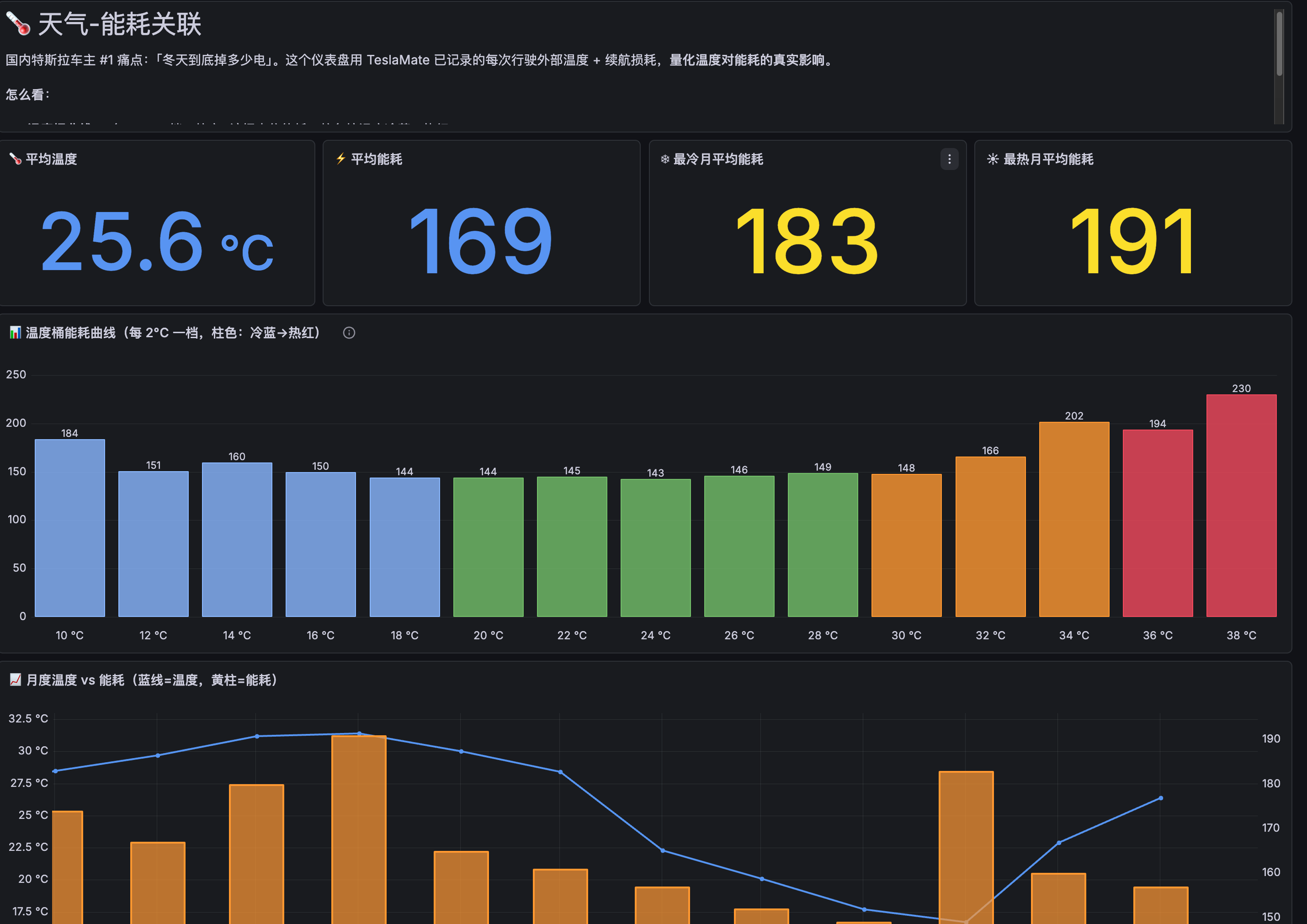
What is TeslaMate Chinese Dashboards?
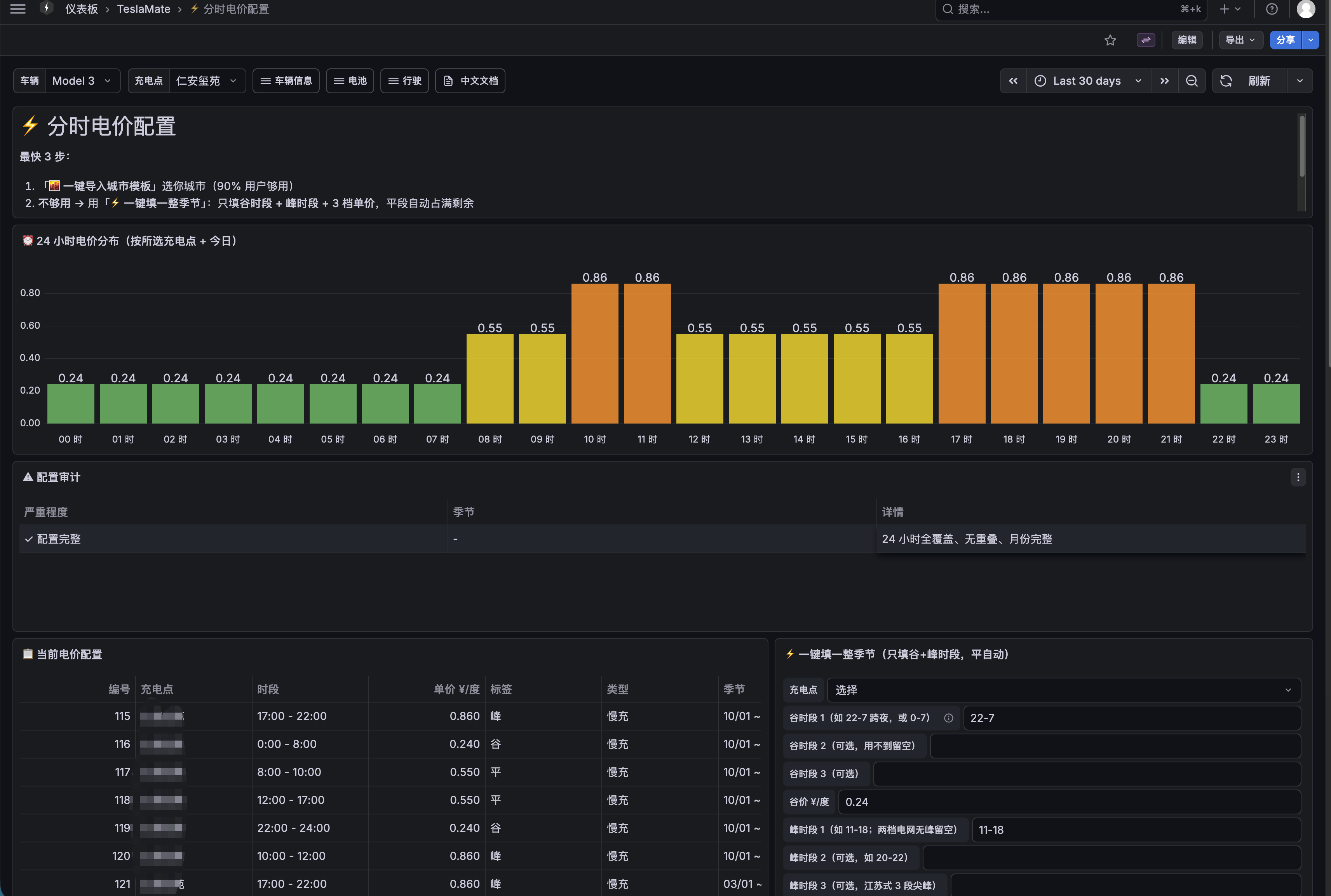
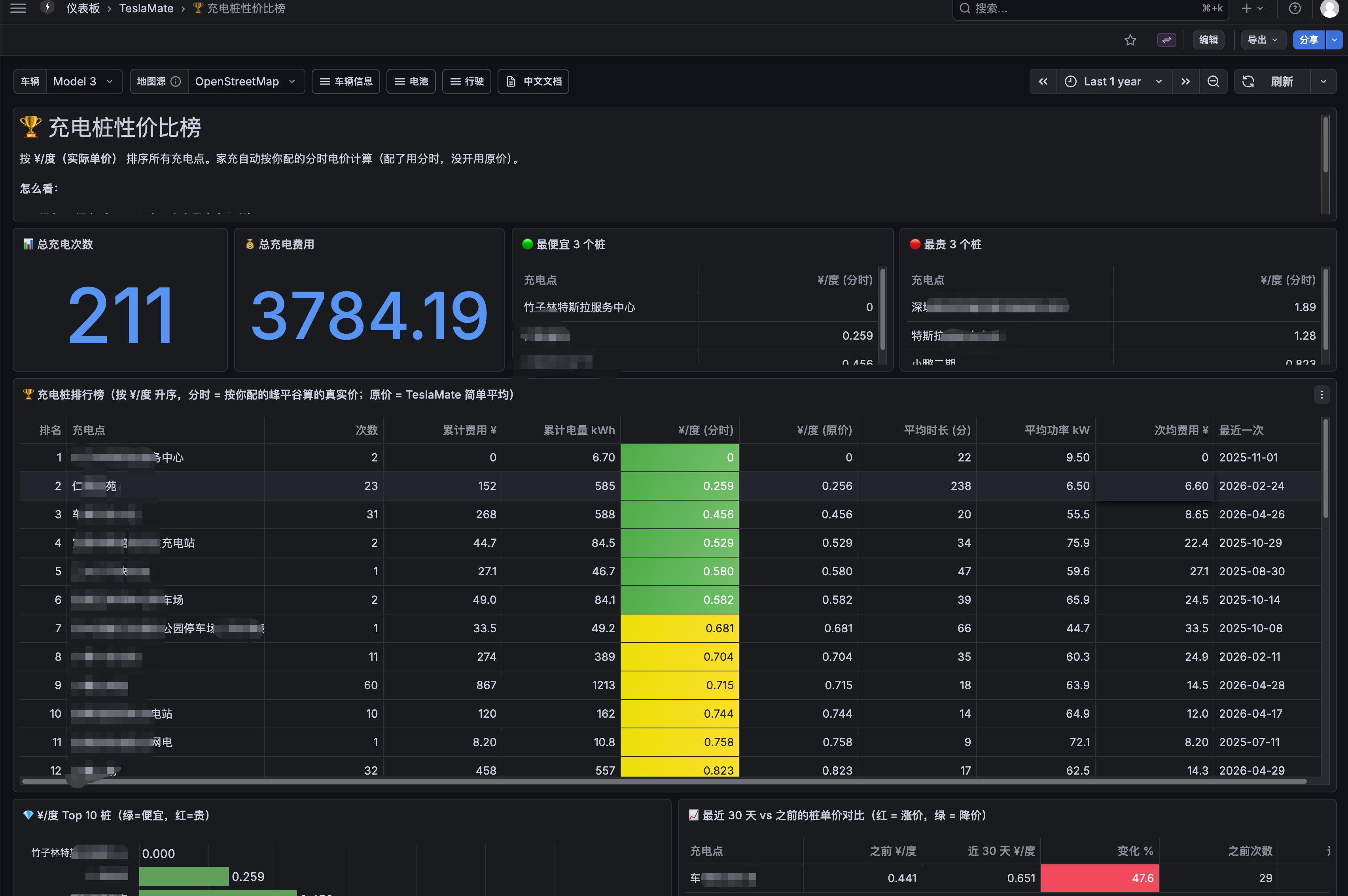
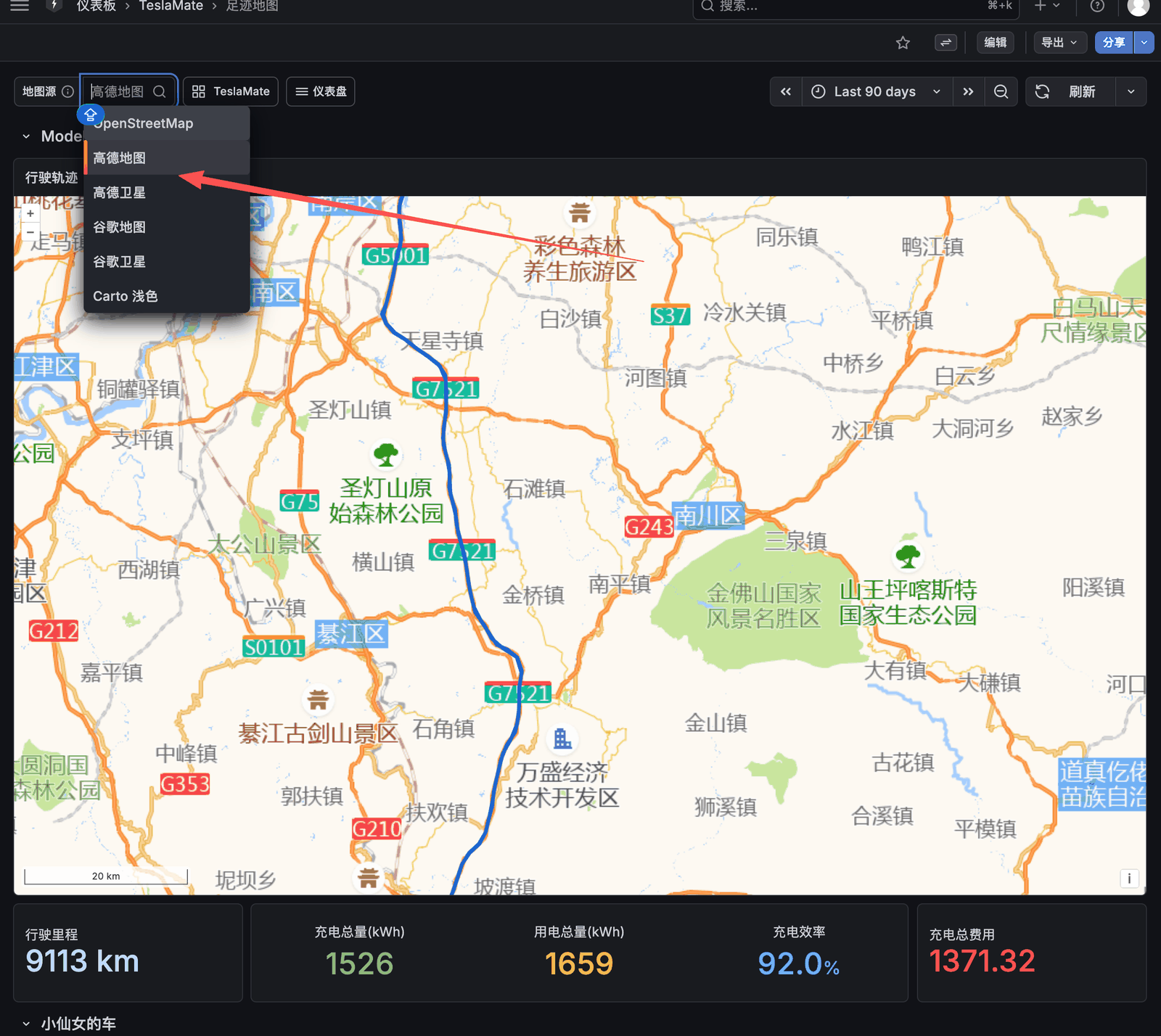
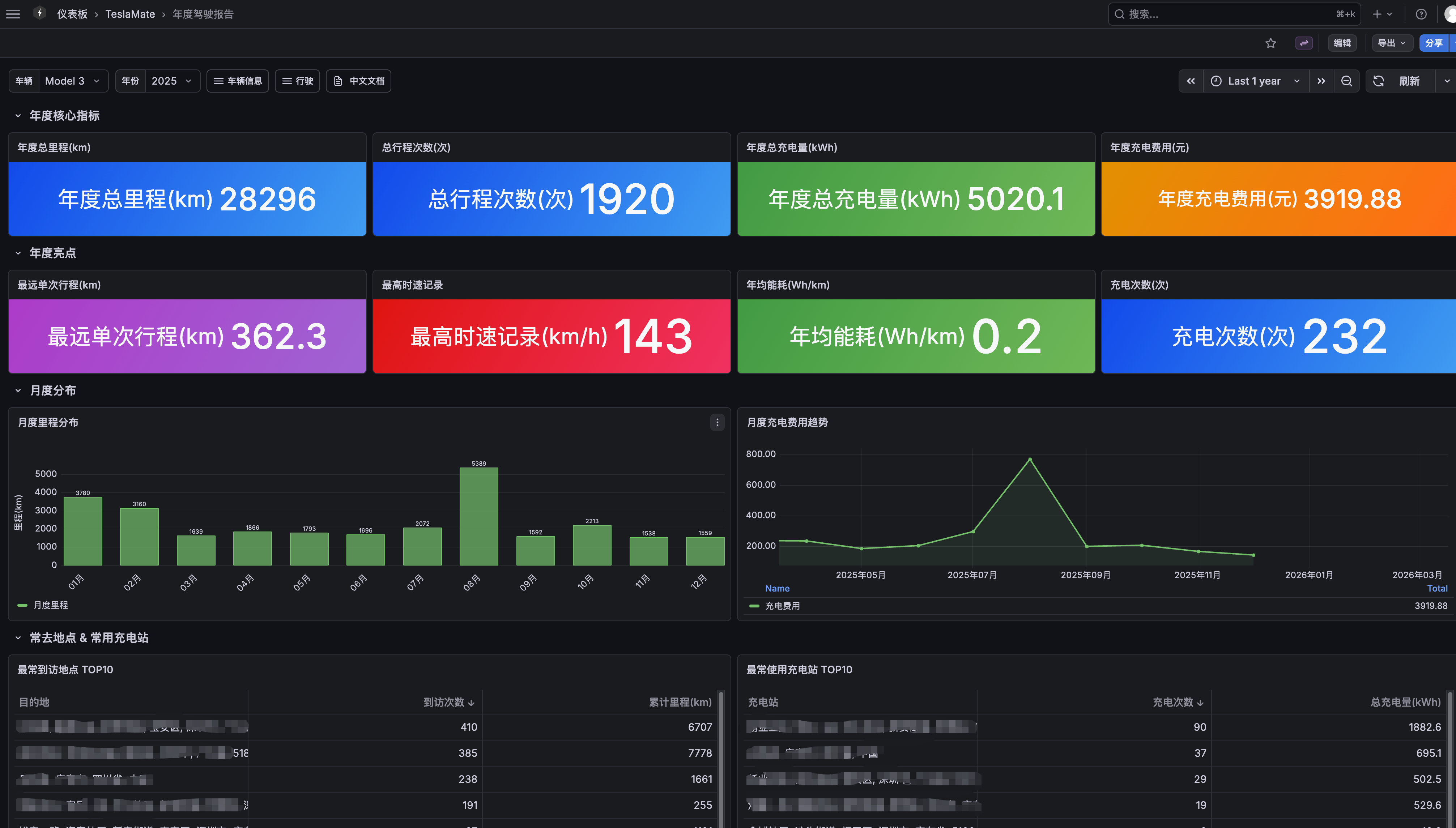
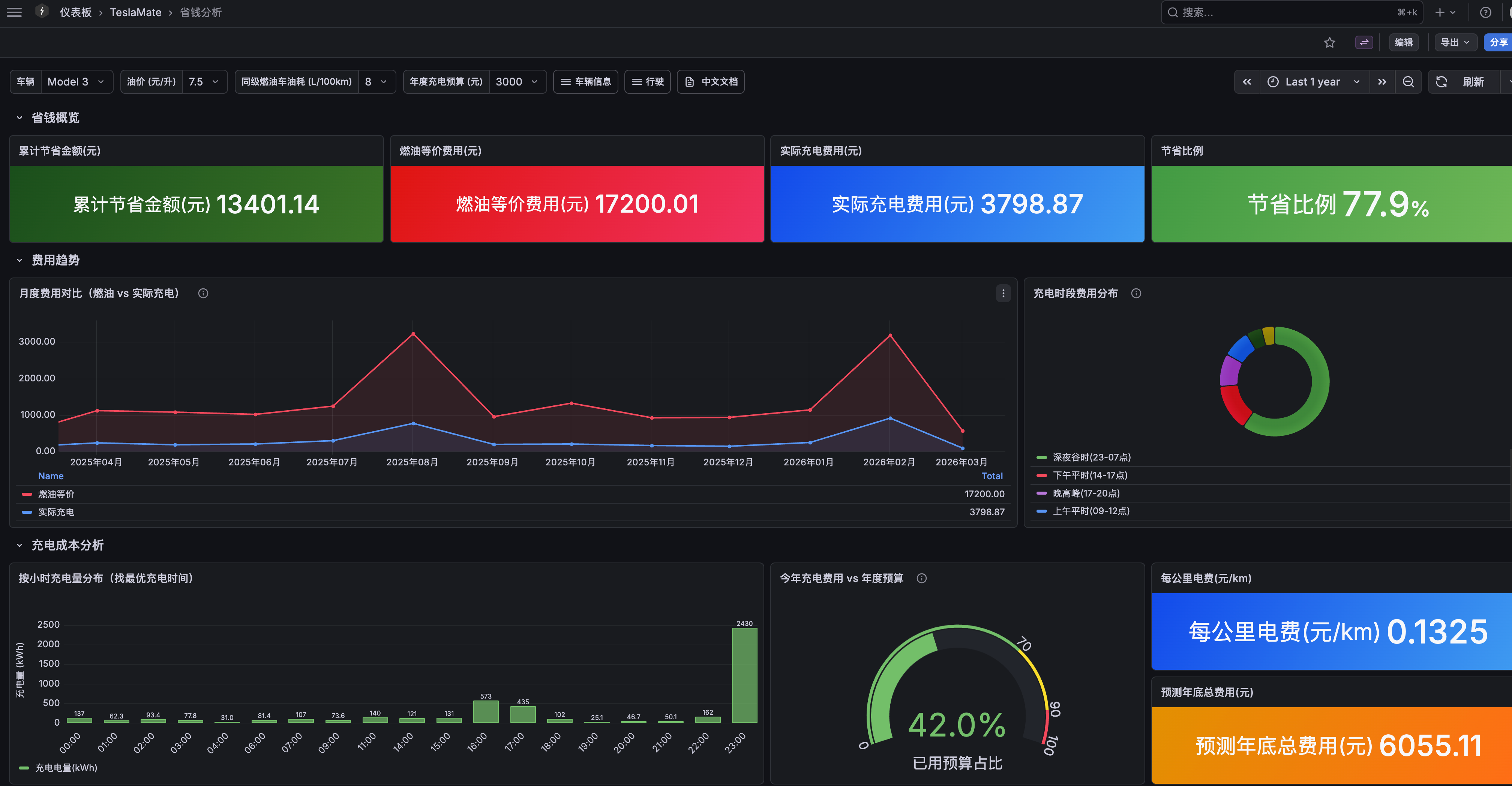
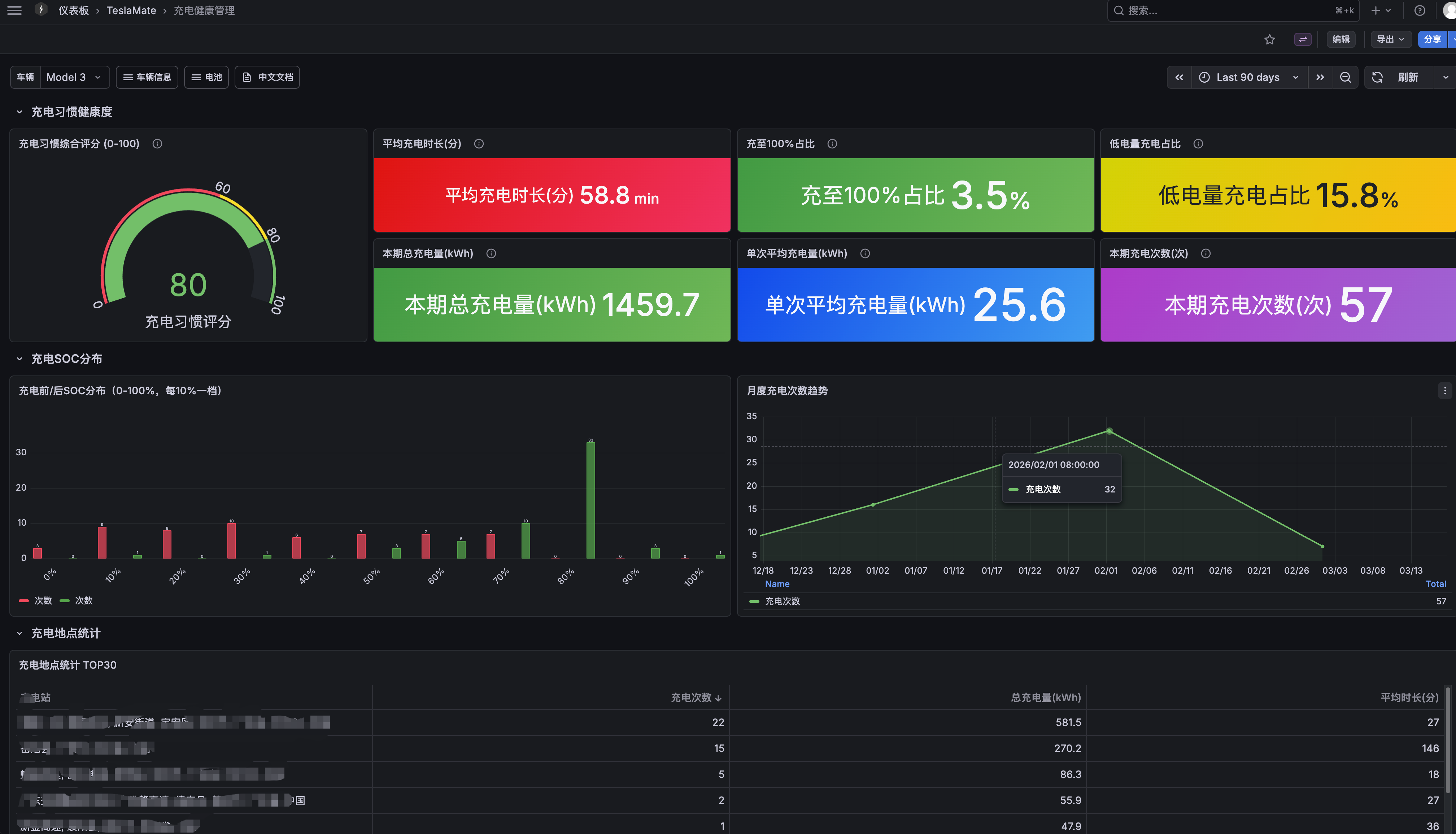
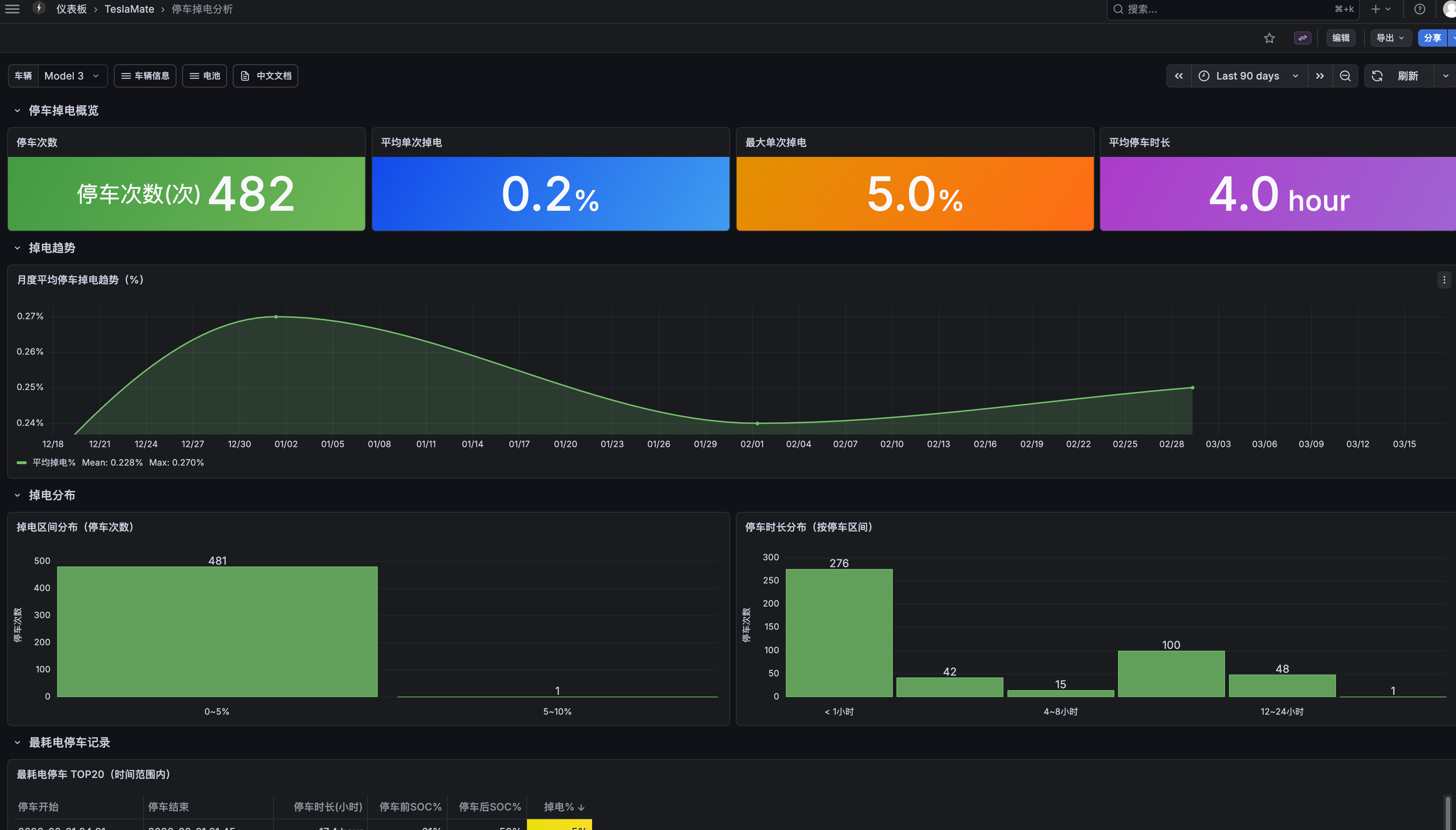
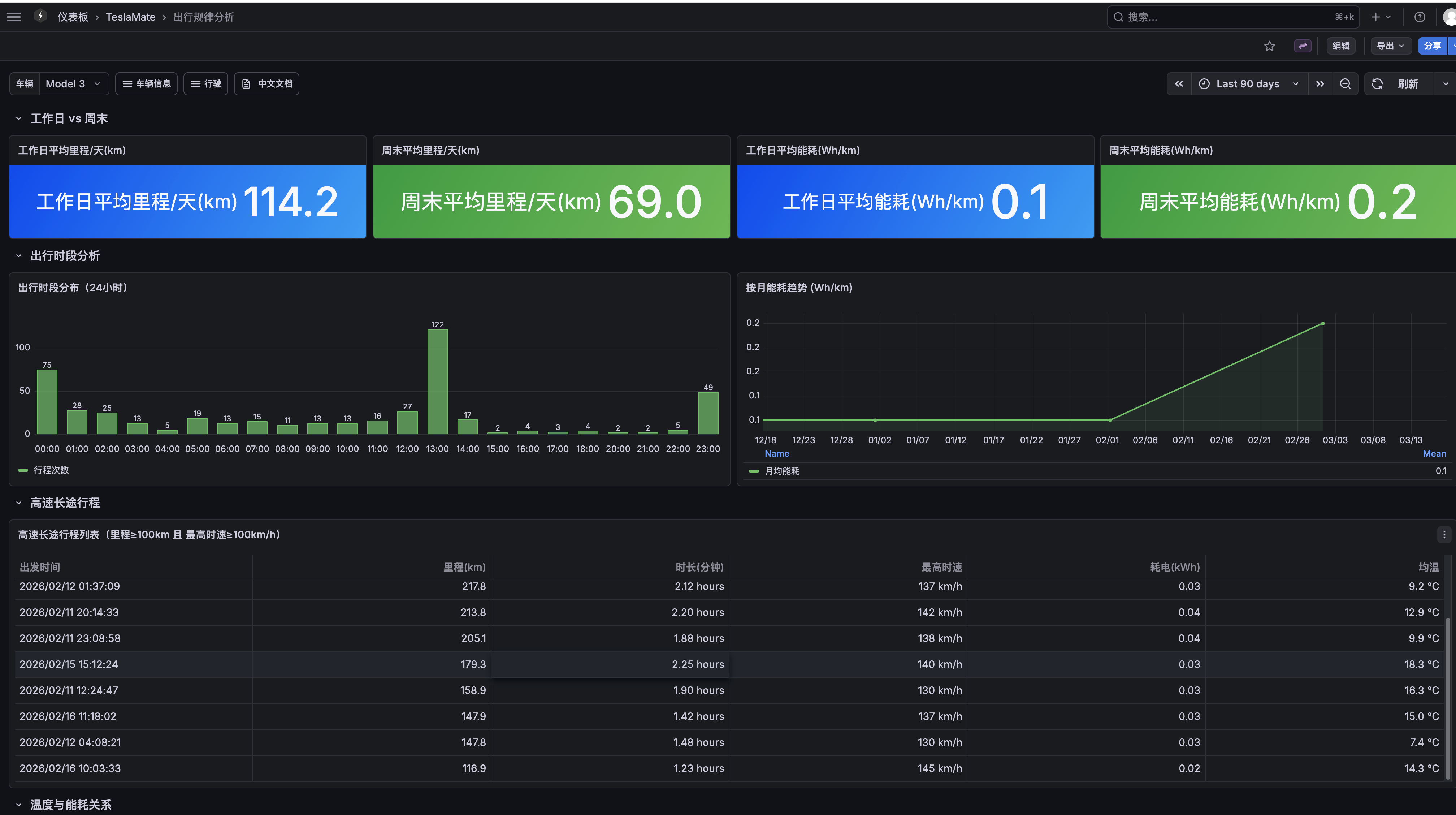
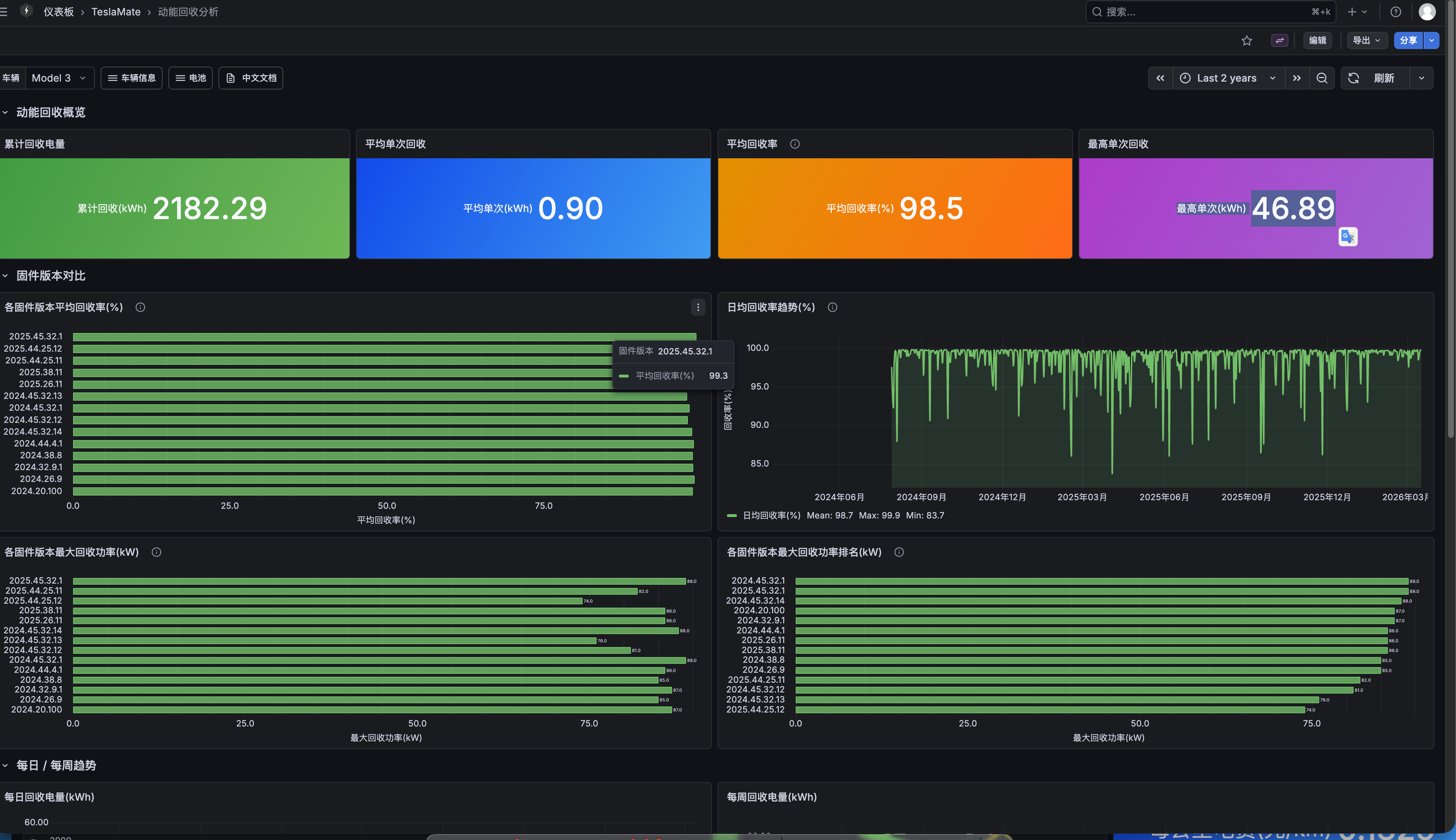
TeslaMate Chinese Dashboards is a self-hosted localization project that provides 46 fully Chinese-translated Grafana dashboards for TeslaMate, the open-source Tesla data logger. It adds 13 original analysis dashboards not found in the upstream project, including annual driving reports, cost savings analysis, charging health management, driving vs parking energy consumption, driving patterns, regenerative braking analysis, battery degradation tracking, driving scores, multi-vehicle comparison, and time-of-use electricity pricing with charging station cost rankings. A key feature is one-click map source switching (OpenStreetMap, Amap, Google Maps, Carto) with automatic GCJ-02 coordinate correction so vehicle tracks align precisely with Chinese road networks. Deployment is via Docker Compose with a one-click script (simple-deploy.sh) that sets up TeslaMate, PostgreSQL 16+, Grafana, and Mosquitto in about 5 minutes. The project tracks upstream TeslaMate releases closely and provides migration scripts for users switching from the official English version.
Should you self-host TeslaMate Chinese Dashboards?
TeslaMate Chinese Dashboards scores 51/100 on selfhost.directory (how scoring works) and ranks #14 of 44 in Dashboard. It has 202 GitHub stars.
It shipped 10 stable releases in the past year. The latest, v1.11.0, came out on 3 October 2026. New versions land roughly every 6 days.
Setup is moderate: expect some configuration beyond a single command. An official Docker image is available. It is Other-licensed and written mostly in Shell.
Its closest alternative on selfhost.directory is Homepage by gethomepage (84/100, 33 419 stars). It scores higher overall, so compare the two before you pick. See TeslaMate Chinese Dashboards vs Homepage by gethomepage side by side.
Features
- Automatic database backup
- Chinese localization
- Docker Hub mirror for China
- Map source switching with GCJ-02 correction
- Original analysis dashboards
- SQL version locking
- Time-of-use electricity pricing
- Upstream version tracking
TeslaMate Chinese Dashboards README
FAQ
What are the system requirements?
Docker 20.10+, Docker Compose 2.0+, PostgreSQL 16+ (recommended 18), 2GB+ RAM, 10GB+ disk space.
Why is Grafana still in English?
Ensure Grafana has GF_USERS_DEFAULT_LANGUAGE=zh-Hans environment variable set, then restart Grafana with docker compose restart grafana.
Can I monitor multiple vehicles?
Yes, multiple vehicles under the same Tesla account are automatically detected and recorded separately. Dashboards have a vehicle selector dropdown.
How do I backup my data?
Backup the PostgreSQL database with: docker compose exec database pg_dump -U teslamate teslamate > backup_$(date +%Y%m%d).sql
Can I run this on a server in mainland China?
Yes, TeslaMate 3.0+ auto-detects China accounts from the token and uses *.cloud.tesla.cn. Only image pulls may be slow; use Docker Hub mirror or proxy.
Will container restart lose my data?
No, all data is in PostgreSQL. Container restarts do not affect data.
Is it normal to have no data in charts after install?
Yes, data takes minutes to hours to appear depending on Tesla API response. If no data after 1 hour, check docker compose logs teslamate.
Is my vehicle token safe?
Tokens are encrypted with your ENCRYPTION_KEY and stored locally in the database. Use a strong random key and keep it safe.
Does TeslaMate affect vehicle range or prevent sleep?
TeslaMate respects vehicle sleep and does not actively wake a sleeping car. Occasional wake-ups for data fetching have minimal impact on range.
Can I view dashboards on my phone?
Yes, if your phone is on the same LAN or the server has a public IP, you can access Grafana at http://IP:3000. The Grafana UI is mobile-adapted.
Do I need to keep my computer running all the time?
Yes, you need an always-on machine. NAS, cloud server, or Raspberry Pi are recommended. If the machine is off, TeslaMate stops collecting data but existing data is not lost.
Where is my data stored? Can Tesla or others see it?
All data is stored on your own machine and never uploaded to any third-party server except for fetching from the Tesla official API.
More in Vehicle Management
 torqvoiceSelf-hosted workshop management for auto repair shops with work orders, invoicing, vehicle histories, customer portal, and tire storage.
 Kia Uvo & Hyundai BluelinkA Home Assistant HACS integration that supports Kia Connect(Uvo) and Hyundai Bluelink. The integration supports the EU, Canada and the USA.
 LubeLoggerSelf-hosted, open-source web app for vehicle maintenance records, fuel economy, reminders, multi-user logins, CSV import, an API and OIDC SSO.
 mygarageSelf-hosted vehicle tracker for households: service history, fuel, tires, insurance, docs, live OBD2. Docker, SQLite/Postgres, OIDC, PWA.
 TeslaMateOpen-source, self-hosted logger that records your Tesla's drives, charges and battery data to Postgres and adds bundled Grafana dashboards plus MQTT output.
 teslamateapiTeslaMateApi is a self-hosted, open-source REST API exposing TeslaMate vehicle data as JSON with endpoints for status, drives, charges, and remote commands.
0 comments