
Self-host Tamari
v1.7.1Recipe manager with meal planning, shopping lists, discovery
- Stars
- 145
- Port
- 4888 (HTTP web interface)
alexbates/tamari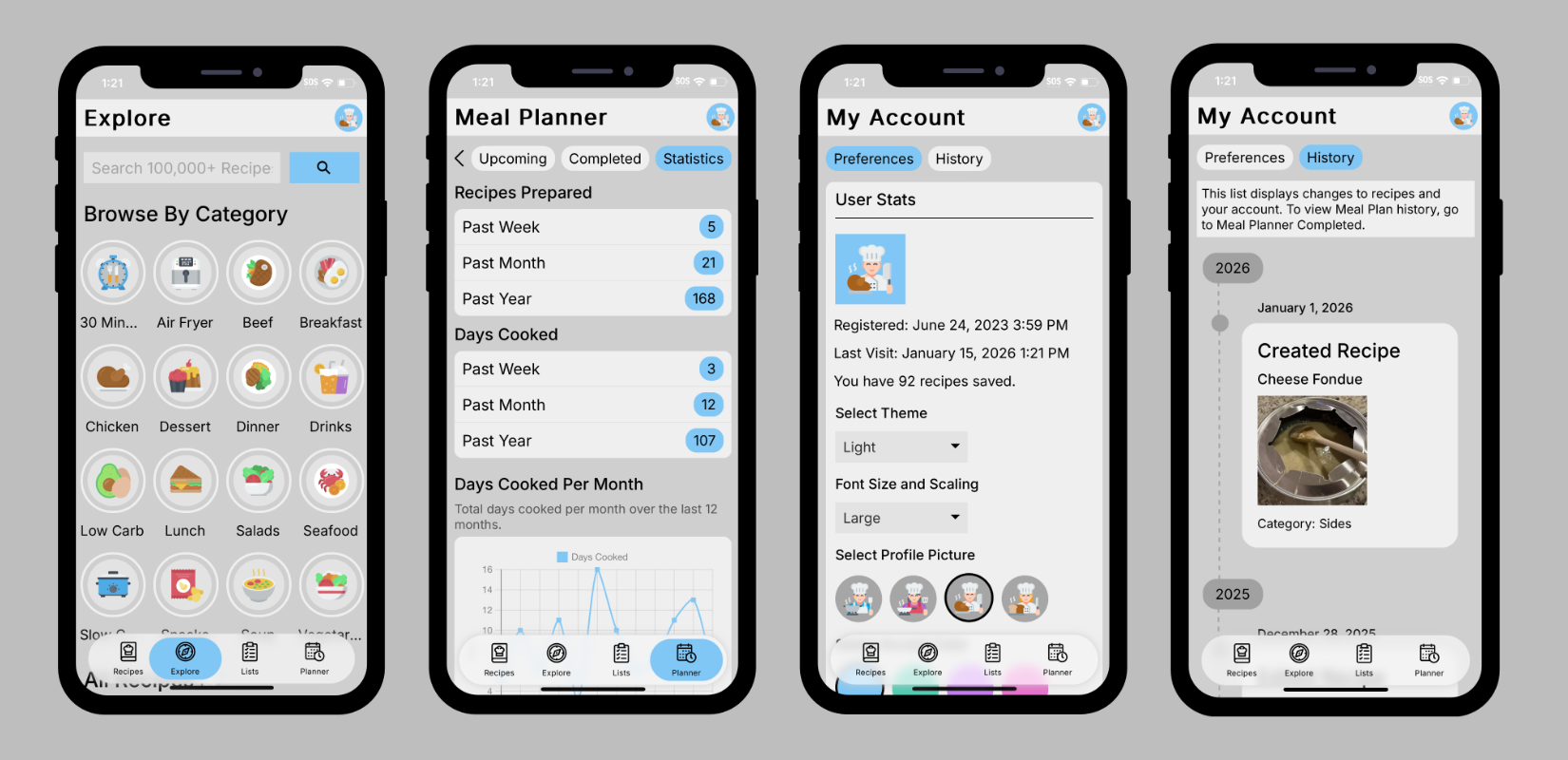
What is Tamari?
Tamari is a self-hosted recipe manager web application built with Python and Flask. Users create accounts to store recipes complete with photos, ingredients, instructions, and nutrition details. Recipes can be organized using favorites and categories, and searched instantly as you type. The Explore feature lets you browse over 400,000 recipes from hundreds of websites and import them with one click. Meal planning supports scheduling up to 30 days ahead, while shopping lists can be created per store with barcode scanning. A REST API provides programmatic access to recipes, lists, and meal plans (disabled by default). The interface offers light and dark themes, customizable accent colors, and works across desktop and mobile devices. Deployment is available via Docker or manual installation on Debian/Ubuntu, with data stored in SQLite and local file storage.
Should you self-host Tamari?
Tamari scores 46/100 on selfhost.directory (how scoring works) and ranks #13 of 18 in Recipe Management. It has 145 GitHub stars.
It shipped 5 stable releases in the past year. The latest, v1.7.1, came out on 14 September 2026. New versions land roughly every 2 months.
Setup is moderate: expect some configuration beyond a single command. An official Docker image is available. It is GPL-3.0-licensed and written mostly in Python.
Its closest alternative on selfhost.directory is Mealie (75/100, 13 711 stars). It scores higher overall, so compare the two before you pick. See Tamari vs Mealie side by side.
Features
- Categories
- Customization
- Favorites
- Import/Export
- Meal Planner
- Password reset via emailRequires SMTP configuration
- Recipe Discovery (Explore)
- Recipe Management
- Recipe Search
- Recipe Sharing
- REST APIDisabled by default, enable via API_ENABLED config
- Shopping Lists
Tamari README
More in Recipe Management
 Tandoor RecipesApplication for managing recipes, planning meals, building shopping lists and much much more!
 vanilla-cookbookVanilla Cookbook is a self-hosted, open-source recipe manager that parses ingredients, scrapes recipes, and offers AI-assisted features via LLM APIs.
 vue-salt-rimSelf-hosted Vue 3 web client for Bar Assistant with recipe management, inventory, PWA, dark theme, and multi-language support.
 Bar AssistantSelf-hosted, open-source cocktail recipe manager with ingredient inventory, bar management, shopping lists, and menu creation for home bartenders.
 CookCLIA self-hosted, open-source recipe manager in one binary: it parses plain .cook files, builds shopping lists and meal plans, and serves a browsable cookbook web UI.
 fork.recipesSelf-hosted Django recipe manager with AI tools for scraping, generating, translating, and narrating recipes.
 groceriesOpen-source self-hosted grocery list app with reliable real-time sync, offline support, multiple lists, store aisle sorting, and Tandoor recipe import.
 grocyA self-hosted, open-source household ERP: track grocery stock, shopping lists, recipes, meal plans, chores, tasks, batteries and devices, with a full REST API.
 kcalSelf-hosted, open-source personal food nutrition journal for tracking calories, macros, recipes, and food journal entries with goal setting and meal planning.
 KitchenOwlKitchenOwl is a self-hosted grocery list and recipe manager. The backend is made with Flask and the frontend with Flutter. Easily add items to your shopping list before you go shopping. You can also create recipes and add items based on what you want to cook.
 MealieSelf-hosted recipe management with meal planning and shopping lists. Import recipes from URLs or create manually via web editor.
 norishA self-hosted, open-source recipe manager for households: import recipes from links, videos or photos, plan meals and share grocery lists in real time.
0 comments