
Self-host shield
v9.0.2Backup and restore system for pluggable data stores
- Stars
- 402
- Ports
- 8080 (API and web UI), 5444 (Agent communication)
- Requires
- HashiCorp Vault
quay.io/shieldproject/shield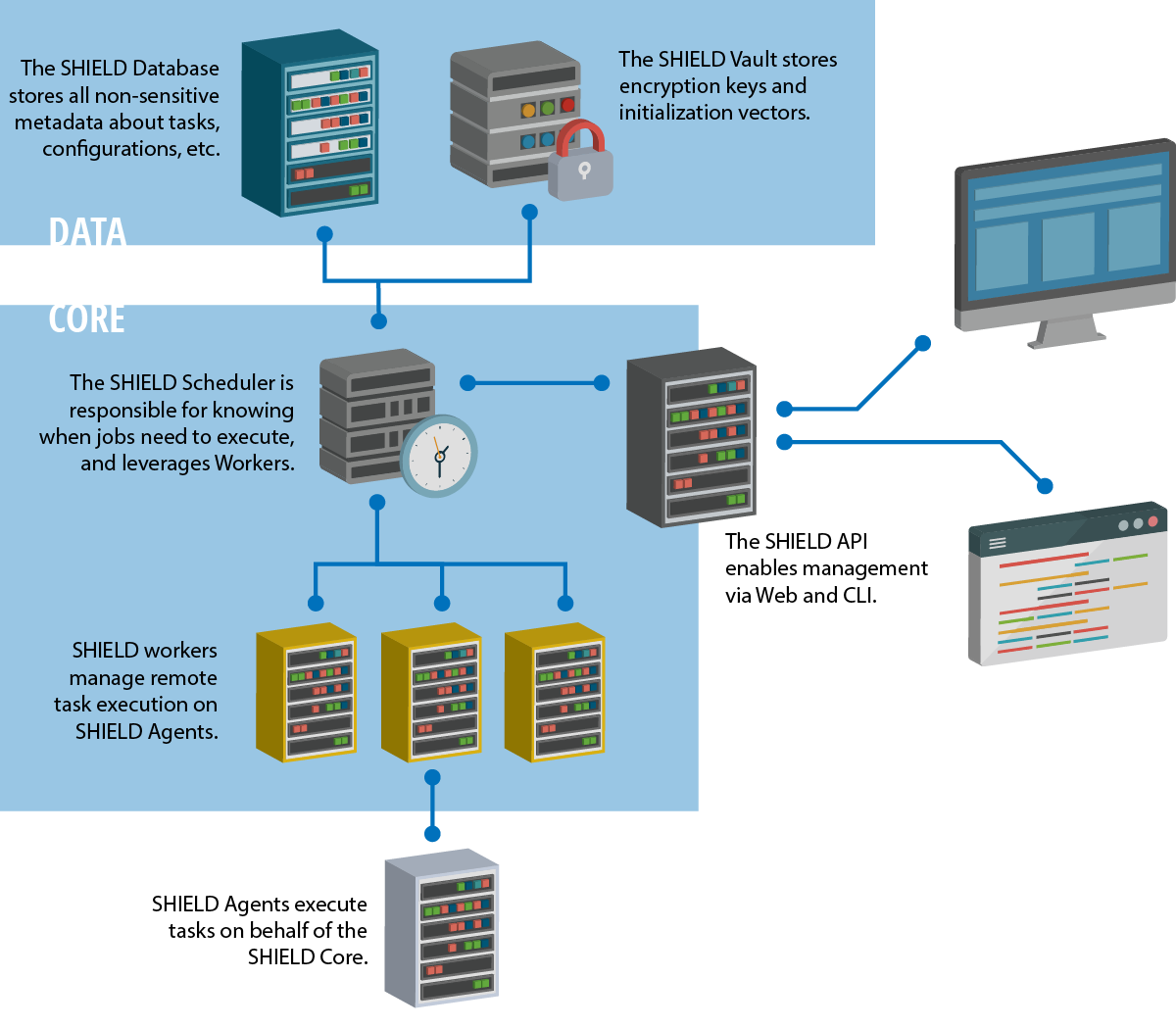
What is shield?
SHIELD is a standalone backup and restore system for operations teams to protect critical infrastructure data. It schedules automatic backups of PostgreSQL, MySQL, Consul, Redis, MongoDB, Cassandra, and etcd, with restore capabilities for disaster recovery. Backups are encrypted and stored in cloud providers including Amazon S3, Microsoft Azure Blobstore, Google Cloud Storage, OpenStack Swift, and WebDAV. The system uses a plugin architecture for backup targets and storage backends. SHIELD deploys via BOSH releases, Docker, or Docker Compose, and requires HashiCorp Vault for secrets. The web UI runs on port 8080 and the agent on port 5444.
Should you self-host shield?
shield scores 50/100 on selfhost.directory (how scoring works) and ranks #5 of 15 in Backup Management. It has 402 GitHub stars.
It shipped 2 stable releases in the past year. The latest, v9.0.2, came out on 11 August 2026. New versions land roughly every 3 months.
Setup is advanced: plan for several services and some ongoing maintenance. An official Docker image is available. It is MIT-licensed and written mostly in Go.
Its closest alternative on selfhost.directory is fogproject (63/100, 1 689 stars). It scores higher overall, so compare the two before you pick. See shield vs fogproject side by side.
Features
- Backup & Restore
- CLI Tool
- Encrypted backups
- Filesystem backup
- Multiple cloud storage backends
- Multiple database support
- Plugin Architecture
- Scheduled Backups
- Vault Integration
- Web UI
shield README
More in Backup Management
 St0rSt0r is a self-hosted, open-source web UI enhancing UrBackup with a modern dashboard, multi-customer support, file recovery, and offsite replication — free, MIT-licensed.
 unraid-duplicate-file-handlerSelf-hosted web tool for Unraid that scans drives for duplicate files by relative path, lets you choose copies to keep, then deletes or moves extras with progress.
 unvr-nas-backupA self-hosted Docker container that backs up 24/7 UniFi Protect footage to network storage, turning proprietary video into standard MP4 files organized by camera and date
 UrBackupUrBackup is a self-hosted, open-source client/server backup system for Windows, Linux, and macOS combining image and file backups with deduplication and a web interface.
 VolumeVaultSelf-hosted Laravel app for Docker volume backups with safe restores, scheduled backups, encrypted destinations, and API automation.
 VykarSelf-hosted Rust backup tool with YAML config, multiple storage backends, built-in scheduling, desktop GUI, and WebDAV for browsing snapshots.
 WPMgrWPMgr is a self-hosted, open-source WordPress fleet management platform for backups, updates, uptime monitoring, image optimization, and security from one dashboard.
 aeternaAeterna is a self-hosted, open-source dead man's switch that delivers messages and files if you stop checking in. Encrypts data at rest with AES-256-GCM.
 alt-coreAlterante Core is a self-hosted, open-source decentralized filesystem in Java for file discovery, automated backup/replication, and web-based file access.
 arkeepArkeep is an open-source, self-hosted backup management platform with a web dashboard for Restic/Rclone backups across multiple servers.
 Auto Backup🗃️ Improved Backup Service for Home Assistant that can Automatically Remove Backups and Supports Generational Backup Schemes.
 BackAppBackApp is a self-hosted, open-source backup automation tool with a React web UI that schedules and inspects remote server backups over SSH.
0 comments