
Self-host PruneMate
V1.3.3Scheduled Docker image and resource cleanup web UI
- Stars
- 468
- Port
- 8080 (Web UI port inside the container (example mapping 7676:8080))
- Requires
- Docker Engine
anoniemerd/prunemate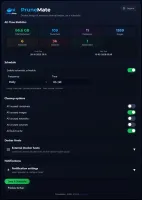
What is PruneMate?
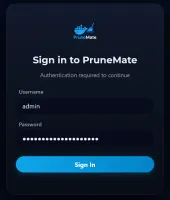
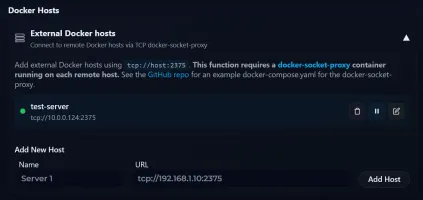
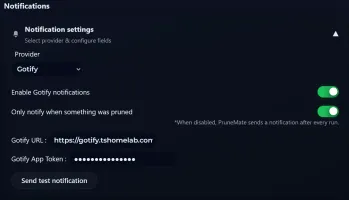
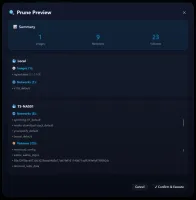
PruneMate is a lightweight Flask-based web interface that keeps a Docker host tidy by running Docker's own prune commands at intervals you configure. You can set daily, weekly or monthly jobs, or turn scheduling off and trigger runs by hand, and pick which resource types to sweep: stopped containers, unused images, custom networks, volumes and the builder cache. Before a manual run, a preview screen lists the objects Docker would remove, so nothing goes until you confirm it. The app tracks cumulative figures for reclaimed disk space and deleted objects, publishes them through a /api/stats endpoint for Homepage dashboard widgets, and can send run reports to notification services such as Gotify, ntfy.sh, Discord and Telegram. Several remote Docker hosts can be handled from one UI by standing up docker-socket-proxy on each machine. Login protection is optional, using a scrypt password hash with a Basic Auth fallback for API clients. Deployment is a single container with the Docker socket plus config and log volumes mounted; images exist for amd64 and arm64. Note the project's own warning: pruning deletes everything Docker deems unused, volumes included, so understand the impact before automating it.
Should you self-host PruneMate?
PruneMate scores 46/100 on selfhost.directory (how scoring works) and ranks #5 of 5 in Docker Management. It has 468 GitHub stars.
It shipped 10 stable releases in the past year. The latest, V1.3.3, came out on 15 February 2026. New versions land roughly every 4 days.
Setup is easy: most people get it running in one sitting. An official Docker image is available. It is AGPL-3.0-licensed and written mostly in HTML.
Its closest alternative on selfhost.directory is dockge (76/100, 24 698 stars). It scores higher overall, so compare the two before you pick. See PruneMate vs dockge side by side.
Features
- All-time statistics
- Build cache pruning
- Detailed run logs
- Multi-host Management
- Notification alerts
- Prune preview
- REST API
- Scheduled cleanup
- Selective resource cleanup
- Timezone Support
PruneMate README
More in Docker Management
 registry-uiSelf-hosted open-source web UI for Docker Registry V2 — mobile-first, dark mode, smart tag deletion, no database required.
 repliqateRepliqate is a self-hosted, open-source backup tool for Docker that uses container labels for automated, versioned backups with flexible scheduling and restic storage.
 SenchoSelf-hosted, open-source control plane for managing Docker Compose stacks across multiple nodes with a web UI, real-time logs, and fleet-wide orchestration.
 swarmpitSwarmpit is a self-hosted, open-source web UI for managing Docker Swarm clusters with stack deployment, resource monitoring, and an MCP server for LLM-driven automation.
 TipiOpen-source homeserver manager that installs and updates around 300 self-hosted apps through a web dashboard, with Traefik handling networking and HTTPS automatically.
 tugtainerTugtainer is a self-hosted, open-source tool that automates Docker container updates across multiple hosts with a web UI, scheduled checks, and notifications.
 usulnetSelf-hosted Docker management platform with built-in OSINT recon, metadata hygiene, and infrastructure tooling — all in a single AGPL-3.0 binary.
 VolumeVaultSelf-hosted Laravel app for Docker volume backups with safe restores, scheduled backups, encrypted destinations, and API automation.
 ArcaneWeb-based Docker manager for containers, images, volumes, networks, and Compose projects across local and remote hosts, with OIDC, passkeys, and native mobile apps.
 AutoPlexxAutoPlexx is a self-hosted, open-source Docker Compose stack for a complete Plex Media Server with request handling, library automation, VPN torrent downloads, monitoring
 CalagopusSelf-hosted Rust game server panel for Minecraft, Rust, and more with high performance and modern UI.
 CasaOSSelf-hosted personal cloud OS for Linux machines: a friendly web dashboard, an app store with one-click Docker installs, drive and file management, and remote access.
0 comments