
Self-host Sim
v0.9.47Visual workspace for building and deploying AI agents
- Stars
- 30 070
- Ports
- 3000 (Main application (simstudio service; compose maps 3000:3000)), 3002 (Realtime WebSocket server (realtime service; compose maps 3002:3002))
ghcr.io/simstudioai/simstudio


What is Sim?
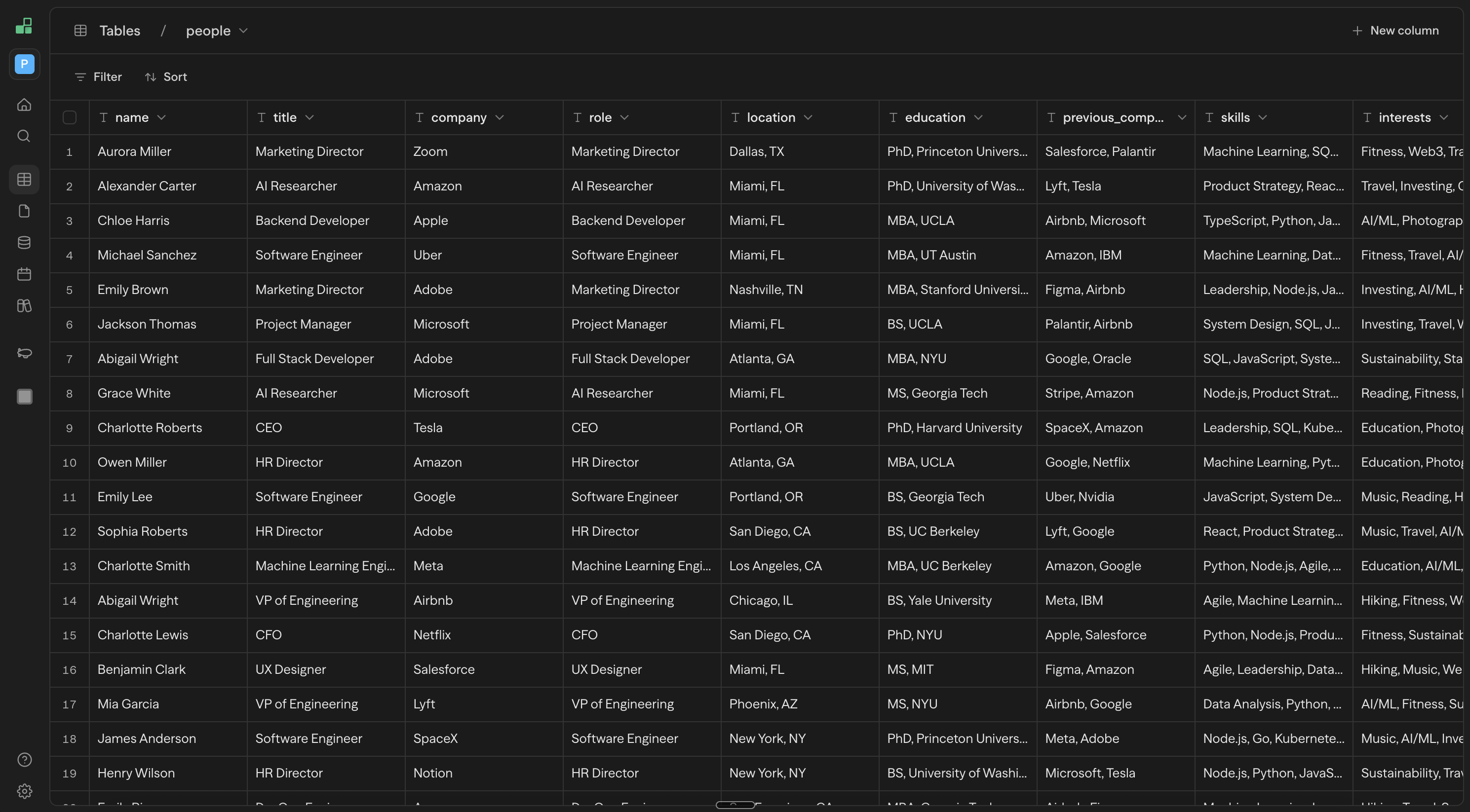
Sim is an Apache-2.0 licensed workspace where a team lays out, ships and watches over AI agents and the workflows that drive them. Flows are assembled on a drag-and-drop canvas of blocks, described to the built-in assistant, or written as code, and they reach out to more than a thousand app connectors plus the leading model providers. Around the builder sits a bundled set of data tools: tables agents can query and update, a shared file store backed by local disk or S3/Azure Blob/GCS, and knowledge bases synced from outside services for retrieval. Runs are captured in detailed logs, with schedules, webhooks and workspace events as entry points, and agents can also be reached over an API, MCP or the CLI. Governance extras such as organizations, permission groups, SAML/OIDC sign-in, directory provisioning, white-labeling, audit logs, usage tracking and data retention are present in self-hosted builds and switched on through environment flags, because a deployment of your own runs with billing disabled. To operate it, npx sim-setup generates the secrets and starts the published GHCR images through Docker Compose (app on 3000, realtime on 3002, plus PostgreSQL 17 with pgvector, Redis and a cron scheduler), while a Helm chart covers Kubernetes and a Mac desktop client can point at your instance. One caveat: the Chat module talks to a Sim-managed hosted service and needs a key minted on sim.ai unless you turn it off.
Should you self-host Sim?
Sim scores 78/100 on selfhost.directory (how scoring works) and ranks #14 of 209 in AI Agents. It has 30 070 GitHub stars, +302 in the last 30 days.
It shipped 179 stable releases in the past year. The latest, v0.9.47, came out on 7 November 2026. New versions land roughly every 1 days.
Setup is moderate: expect some configuration beyond a single command. An official Docker image is available. It is Apache-2.0-licensed and written mostly in Typescript.
Its closest alternative on selfhost.directory is Huginn (81/100, 50 367 stars). It scores higher overall, so compare the two before you pick. See Sim vs Huginn side by side.
Features
- Audit LoggingFlag AUDIT_LOGS_ENABLED.
- Built-in tables
- CLI
- Knowledge bases
- Local LLM Support
- macOS desktop appmacOS 12+, Apple Silicon and Intel.
- Permission groupsFlag ACCESS_CONTROL_ENABLED (with NEXT_PUBLIC_ twin).
- REST API
- Run logs and tracing
- Scheduled workflowsNeeds CRON_SECRET set.
- Shared file storage
- Single sign-on (SAML/OIDC)In self-hosted installs these features need no subscription; they are switched on with ENTERPRISE_ENABLED or the per-feature flag plus its NEXT_PUBLIC_ twin.
- Visual Workflow Builder
Sim README
FAQ
Can I customize the PostgreSQL credentials?
Yes, set POSTGRES_USER and POSTGRES_DB in .env before first start; POSTGRES_PASSWORD is mandatory, and Postgres only applies these when it creates the volume.
Why is there a Redis container?
Redis provides pub/sub for live Chat task status and table events plus shared caches; its port is intentionally not published so it cannot clash with a local Redis.
Do scheduled workflows work on Docker Compose?
Yes — the cron service in the stack runs the same jobs the Helm chart schedules as Kubernetes CronJobs, using docker/crontab, but it needs CRON_SECRET set or it exits while the rest of the stack keeps running.
More in AI Agents
 SkalesSelf-hosted AI agent harness: background goals, coding, voice and browser automation on desktop plus native phone apps, with 27 providers or fully local inference.
 skrunSkrun is a self-hosted agent runtime turning Agent Skills into POST /run APIs. Supports multiple LLMs, MCP, SSE, webhooks, dashboard. MIT, Node.js, SQLite/Postgres
 skyfloDeprecated open-source AI agent that runs in your Kubernetes cluster to automate infrastructure via a deterministic approval-gated control loop.
 skypilot-code-sandboxA self-hosted sandbox that lets LLM agents run code securely on your own cloud using SkyPilot, supporting multiple languages and MCP clients.
 skyvernSelf-hosted, open-source AI browser automation: vision LLM agents run tasks and no-code workflows on any site, with Python/TypeScript SDKs and Docker Compose.
 SoulFlow-OrchestratorSelf-hosted AI agent runtime with 9 LLM backends, 141-node workflow engine, HITL gates, AES-256-GCM vault, Slack/Telegram/Discord/web chat. All data on your server.
 SourceWeftOpen-source, self-hostable AI workstation with multi-agent collaboration, skill library, MCP integrations, and cited knowledge — an alternative to ChatGPT and NotebookLM.
 SpacebotSpacebot is a self-hosted AI agent system for teams. Its multi-threaded architecture handles concurrent conversations across Discord, Slack, Telegram without blocking.
 steelSelf-hosted browser API giving AI agents control over real Chrome via standard automation tools, handling sessions, proxies, and anti-detection.
 StellaClawSelf-hosted Rust framework for durable AI agent conversations across Telegram, desktop, and Web API with isolated execution and SSH remote workspaces.
 sunaSelf-hosted AI workforce platform: keep agents, skills and company knowledge as files in your own git repo, run each session in a throwaway sandbox, and review its work.
 SuperAGIOpen-source, self-hosted framework for building, deploying and running autonomous AI agents, with a web GUI, action console, toolkits and multiple vector databases.
0 comments