
Self-host PluXml
v5.8.23Flat-file CMS for lightweight websites without a database
- Stars
- 233
- Requires
- PHP, PHP GD library, PHP XML library, Web server (Apache, Nginx, or Lighttpd)


What is PluXml?
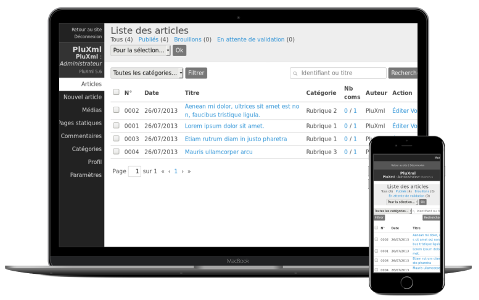
PluXml is a flat-file content management system that stores all data in XML files instead of a database, making it portable and easy to back up. It provides a user-friendly back-office for managing articles, pages, categories, tags, comments, and media. The system supports multiple users with different permission levels, customizable themes including mobile-responsive designs, and a plugin architecture for extending functionality. Installation is as simple as downloading a ZIP archive, extracting it to a web server with PHP 7.2+ and a web server like Apache or Nginx, then running the web-based setup. The project is licensed under GPL-3.0 and has been actively maintained since 2012.
Should you self-host PluXml?
PluXml scores 48/100 on selfhost.directory (how scoring works) and ranks #34 of 42 in Content Management. It has 233 GitHub stars.
It shipped 3 stable releases in the past year. The latest, v5.8.23, came out on 23 July 2026. New versions land roughly every 4 months.
Setup is easy: most people get it running in one sitting. It is GPL-3.0-licensed and written mostly in PHP.
Its closest alternative on selfhost.directory is Ghost (83/100, 55 629 stars). It scores higher overall, so compare the two before you pick. See PluXml vs Ghost side by side.
Features
- Articles and static pages
- Comments management
- Customizable Themes
- Flat-file storage (XML)
- Media Manager
- Multi-language Support
- Multi-user with permission levels
- Plugin System
- Portable installation
- RSS Feeds
- URL Rewriting
PluXml README
More in Content Management
 POSSE PartySelf-hosted web app that syndicates your site's Atom feed to eight major social platforms automatically.
 processwireProcessWire is a free, open-source PHP CMS/CMF with a developer-friendly API, custom fields, multi-language support, RBAC, and 2FA.
 ProductFlowProductFlow is an open-source, self-hosted product creative workbench for solo merchants to manage assets, AI copy, and image workflows.
 PublifySelf-hosted, open-source Ruby on Rails blogware around a multi-user blogging engine, with themes, plugins, text filters, SEO options, feeds and IndieWeb syndication.
 PydioPydio Cells is a self-hosted file sharing platform with document management, 5TB transfers, WebDAV, sync, and no-code automation. Runs on your infra with MySQL/MariaDB.
 REDAXOREDAXO is a self-hosted, open-source PHP CMS since 2004 with 100% output control and modular block editing.
 RowySelf-hosted open-source low-code backend: manage Firestore data in an Airtable-like spreadsheet UI and build cloud functions, webhooks and automations from the browser.
 S-CartSelf-hosted open-source e-commerce on Laravel 13 with multi-language, CMS, payments, admin panel, MCP server for AI agents, and HMVC plugin marketplace.
 ScreenTinkerSelf-hosted digital signage CMS for TVs and kiosks across many platforms with playlists, scheduling, and integrations for Microsoft 365, Google Workspace, and Power BI.
 ScriptlogSelf-hosted, open-source PHP blog engine with REST API, themes, plugins, multi-language support, and GDPR tools — install in minutes on your own server.
 silexSelf-hosted, open-source visual website builder (AGPL) that exports clean HTML/CSS, plugs into headless CMSs, and runs via Docker, Node.js, CapRover or a desktop app.
 smartsites-editor-platformSelf-hosted open-source website builder with drag-and-drop CMS and visitor analytics, built on Django and React.
0 comments