
Self-host pandaprobe
v0.7.0Open-source agent engineering platform for AI tracing
- Stars
- 792
- Ports
- 3000 (Next.js dashboard), 8000 (FastAPI application server)
- Requires
- PostgreSQL, Redis
ghcr.io/chirpz-ai/pandaprobe-backend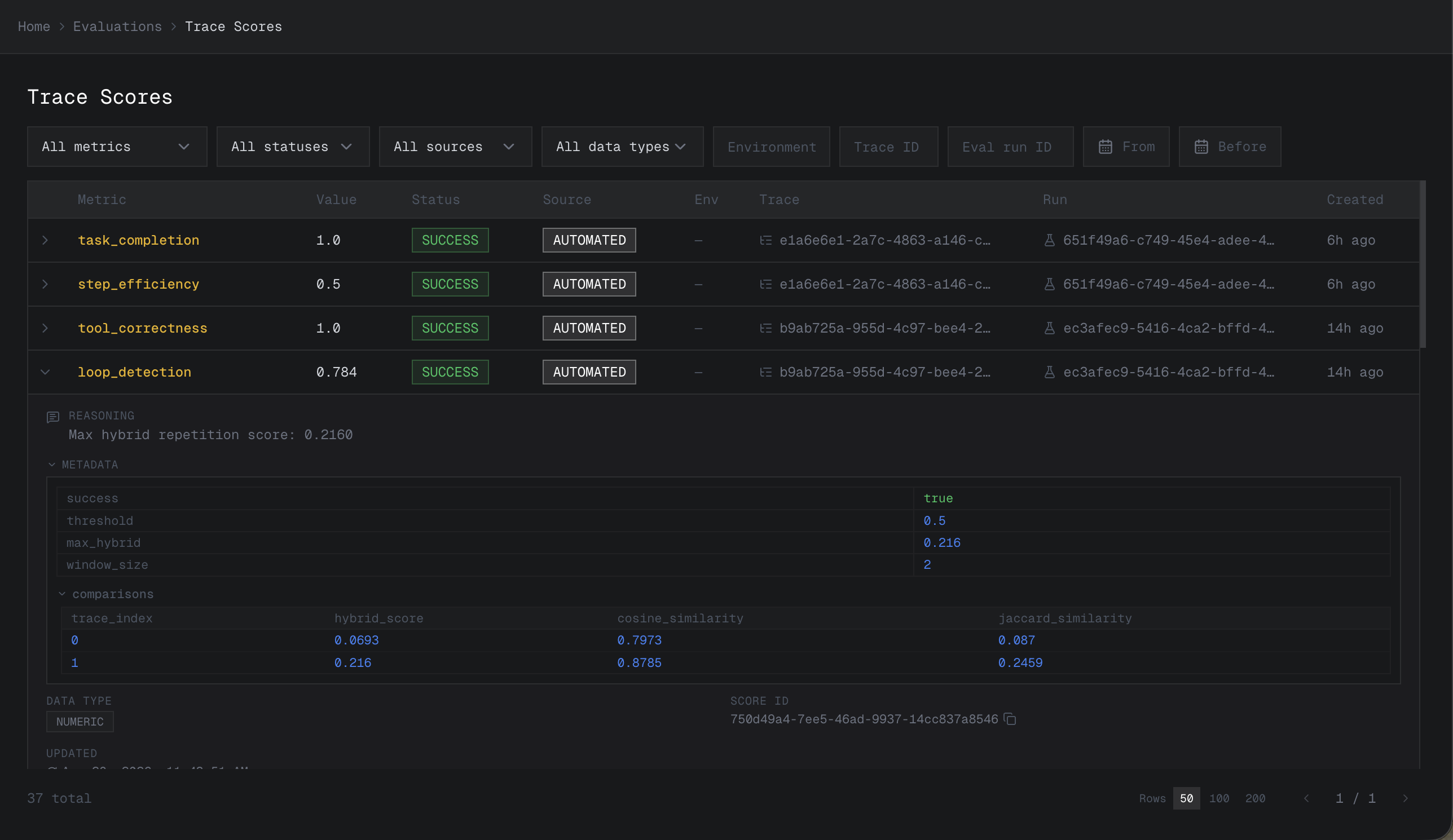
What is pandaprobe?
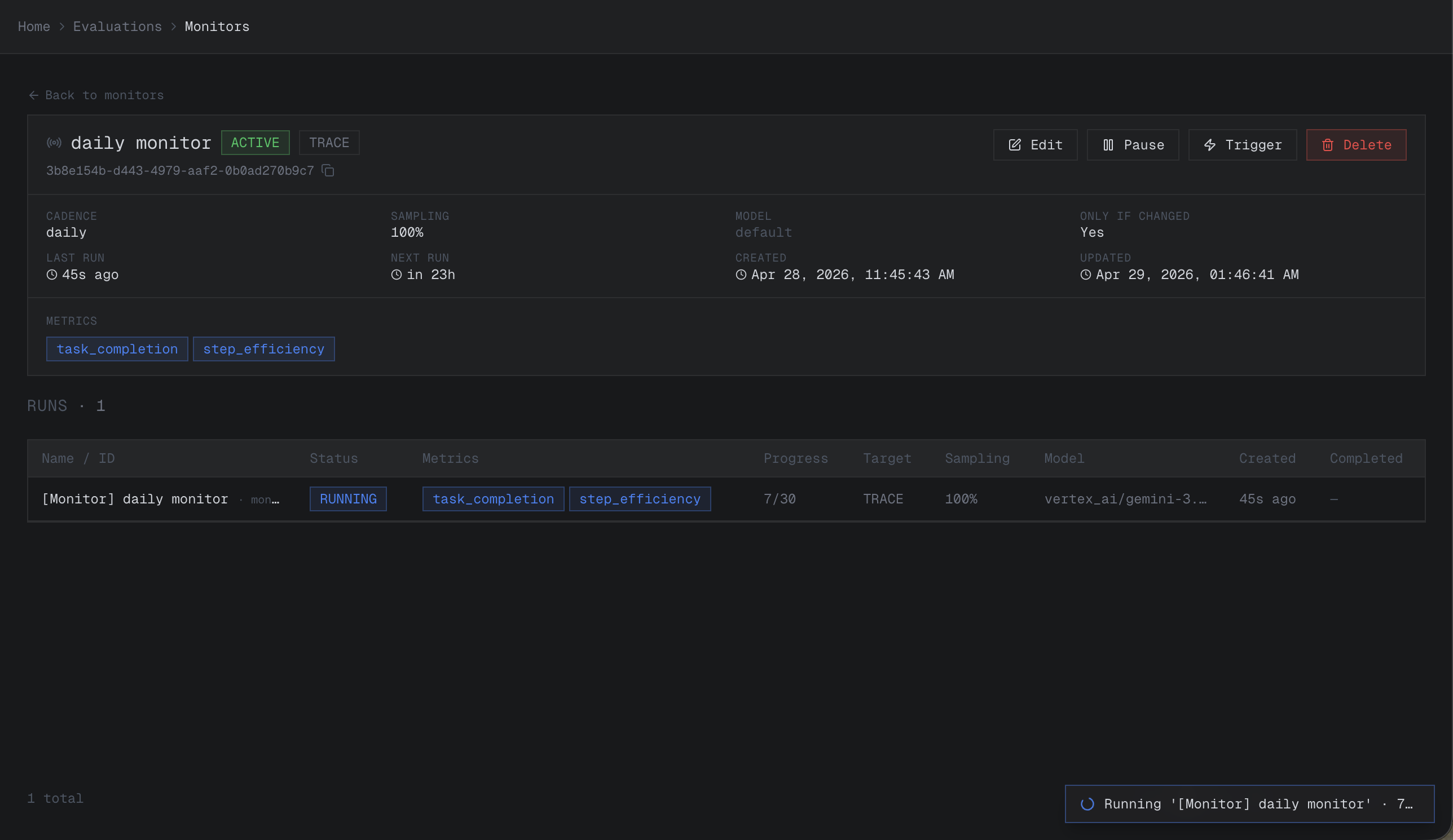
PandaProbe is an open-source platform that helps teams trace, evaluate, and debug AI agents. It records model calls, tool usage, and agent decisions across full trajectories, evaluates outcomes to detect failures, and provides a repair harness that converts failures into validated, reusable fixes. The platform integrates with major agent frameworks like LangGraph, CrewAI, and Claude Agent SDK, plus LLM providers including OpenAI, Anthropic, and Gemini. Self-hosting uses Docker Compose with a start.sh script, deploying a Next.js dashboard, FastAPI backend, Celery workers, PostgreSQL 16, and Redis 7. Licensed under Apache 2.0 by Chirpz AI.
Should you self-host pandaprobe?
pandaprobe scores 51/100 on selfhost.directory (how scoring works) and ranks #44 of 125 in AI. It has 792 GitHub stars.
It shipped 16 stable releases in the past year. The latest, v0.7.0, came out on 4 October 2026. New versions land roughly every 3 days.
Setup is moderate: expect some configuration beyond a single command. An official Docker image is available. It is Apache-2.0-licensed and written mostly in Python.
Its closest alternative on selfhost.directory is ComfyUI (93/100, 143 752 stars). It scores higher overall, so compare the two before you pick. See pandaprobe vs ComfyUI side by side.
Features
- Agent Evaluation
- Agent Framework Integrations
- Agent Tracing
- API Key Authentication
- Background job processing
- Dashboard
- LLM Provider Integrations
- Multi-tenancy
- Repair Harness
- REST API
pandaprobe README
More in Monitoring & observability
 ParseableParseable is a self-hosted, open-source observability platform in Rust on a Parquet data lake: logs, metrics and traces with alerting, dashboards, PromQL and SQL.
 PatchPandaSelf-hosted tool that monitors GitHub releases for Docker Compose services, shows release notes and breaking changes, groups containers for coordinated updates.
 pcpPerformance Co-Pilot (PCP) is an open-source, self-hosted framework for system-level performance monitoring across distributed systems.
 PeaNUTSelf-hosted, open-source UPS dashboard for NUT with real-time stats, multi-device support, InfluxDB/Prometheus integration, and REST API.
 PersesSelf-hosted, open-source dashboards for observability signals: Prometheus, Tempo, Loki and Pyroscope in one tool, with RBAC, OIDC login and Dashboard-as-Code SDKs.
 ph-interceptph-intercept is a self-hosted, open-source DNS dashboard that visualizes live query traffic from Pi-hole v6, AdGuard Home, or Technitium as an arcade-style space shooter.
 pi-dashboardSelf-hosted, open-source monitoring dashboard for Raspberry Pi and Linux with live metrics, Docker, WireGuard, REST API, and MCP server for AI assistants.
 planoOpen-source, self-hosted Envoy-based AI proxy from Katanemo: LLM routing across many providers, multi-agent orchestration, guardrail filter chains and OTel observability.
 Plex-Data-Collector-For-InfluxDBSelf-hosted Python tool that polls Plex for streams, library stats, and recent adds, writing to InfluxDB for Grafana dashboards.
 pm2-hawkeyeSelf-hosted, open-source dashboard to monitor PM2 processes with live CPU/memory metrics, log streaming, one-click restart, and alerting via webhooks or ntfy.
 PostHogOpen-source product toolkit - analytics, session replay, feature flags, error tracking - with a one-line self-hosted hobby deploy using Docker Compose.
 production-stackSelf-hosted, open-source Helm stack that scales vLLM across a Kubernetes cluster, with KV-cache-aware request routing and a Prometheus/Grafana monitoring dashboard.
0 comments