
Self-host openclaw-dashboard
v2026.9.7Local web console for OpenClaw AI agents
docker run -p 8080:8080 -e OPENCLAW_DASHBOARD_ALLOW_NON_LOOPBACK=1 -v ~/.openclaw:/home/dashboard/.openclaw openclaw-dashboard- Stars
- 459
- Port
- 8080 (HTTP server serving the dashboard UI and API)
- Requires
- OpenClaw
What is openclaw-dashboard?
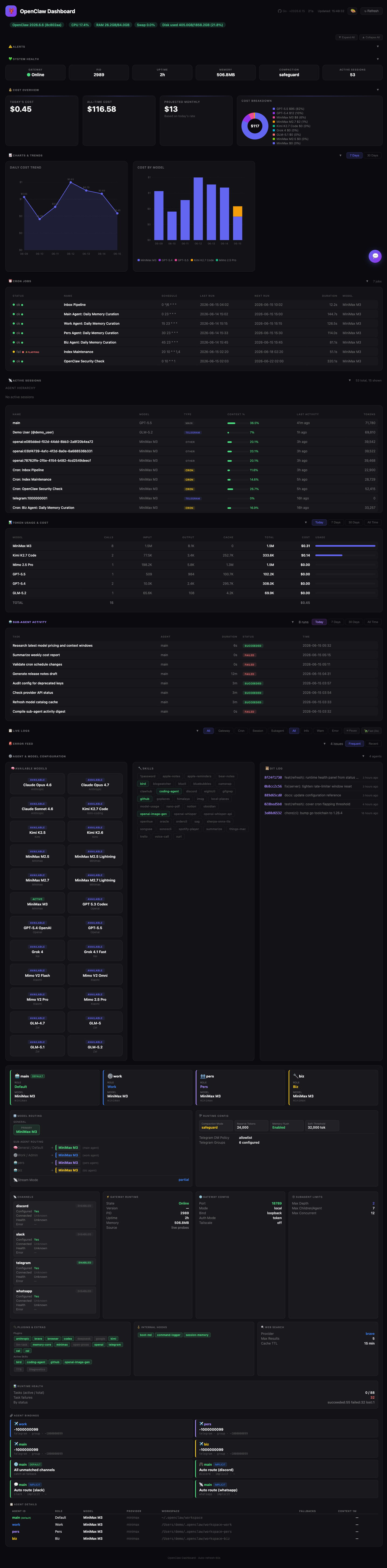
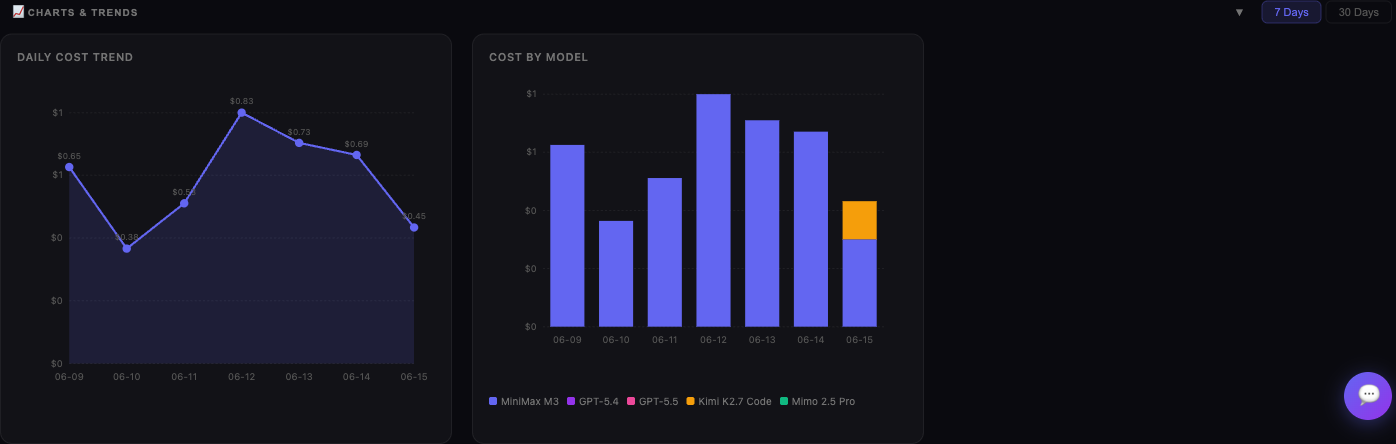
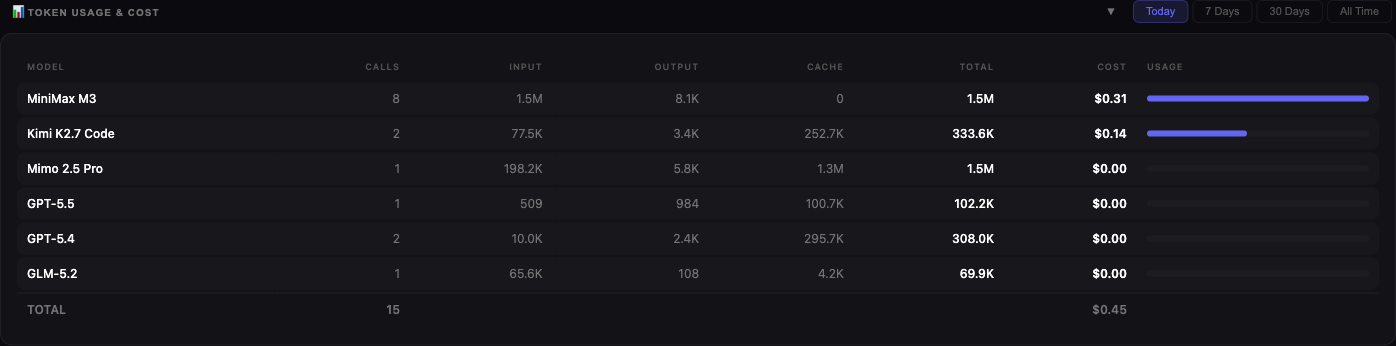
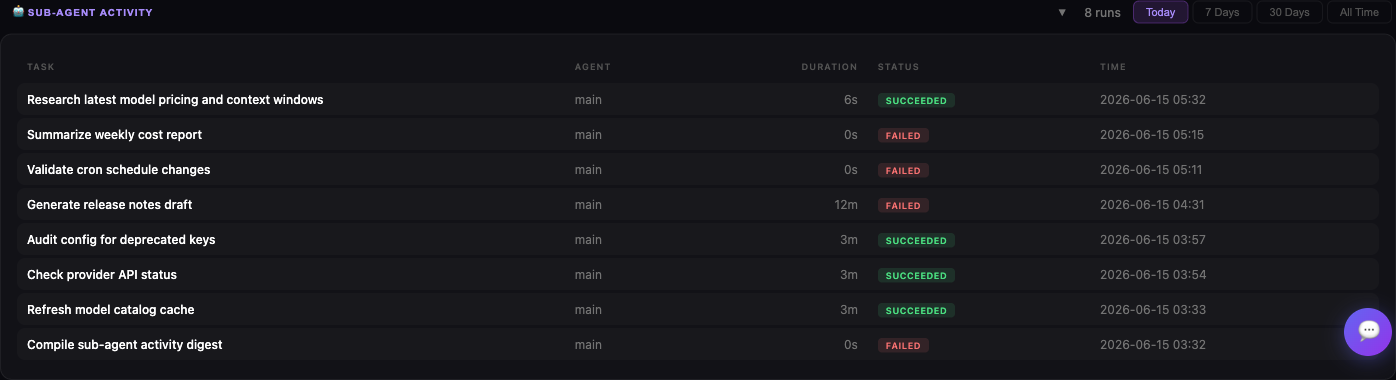
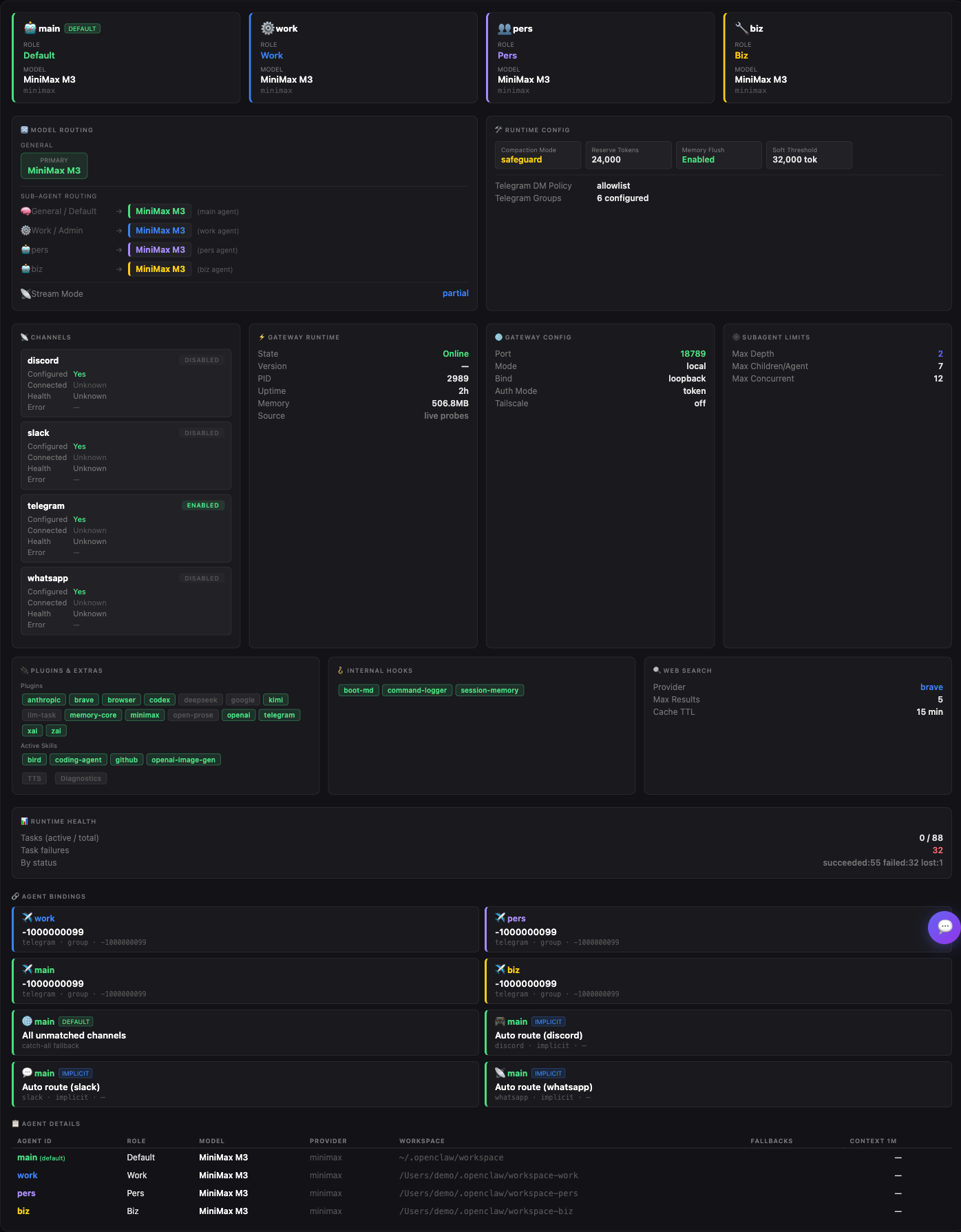
OpenClaw Dashboard is a local web dashboard for people who run OpenClaw AI agents, gathering in one page what is otherwise scattered across log files and CLI commands: gateway health, today and all-time spending, per-model token usage, cron job status with failure and flapping detection, active sessions with context consumption, and sub-agent activity. The backend is a single Go binary with no third-party libraries, and the frontend is plain HTML/CSS/JS embedded inside it, refreshing automatically every 60 seconds. Extras include an optional chat panel that sends natural-language questions to the gateway's OpenAI-compatible completions API, an always-on host metrics strip (CPU/RAM/swap/disk) with configurable thresholds, a smart alerts banner, six built-in themes plus custom ones, and built-in commands to install it as a launchd or systemd service. Self-hosting means installing via Homebrew, a pre-built release tarball, a one-line install script, a locally built Docker image or a Nix flake, then opening it on localhost — it binds to loopback by default and has no login. It needs a working OpenClaw installation (host CLI or a selected Docker/Podman container) to have data to show, and it complements rather than replaces the OpenClaw CLI; per the maintainer it is an at-a-glance overview layer, still on pre-1.0 date-based versioning.
Should you self-host openclaw-dashboard?
openclaw-dashboard scores 47/100 on selfhost.directory (how scoring works) and ranks #62 of 123 in AI. It has 459 GitHub stars.
It shipped 13 stable releases in the past year. The latest, v2026.9.7, came out on 7 September 2026. New versions land roughly every 9 days.
Setup is easy: most people get it running in one sitting. It is MIT-licensed and written mostly in Go.
Its closest alternative on selfhost.directory is ComfyUI (93/100, 144 013 stars). It scores higher overall, so compare the two before you pick. See openclaw-dashboard vs ComfyUI side by side.
Features
- AI Chat PanelRequires the gateway's chatCompletions HTTP endpoint to be enabled.
- Alerts banner
- Auto-refresh
- Background service management
- Charts & Trends
- Cost & token usage tracking
- Cron Job Monitoring
- Host metrics bar
- Log tailing & error feed
- Loopback-only security design
- Opt-in operator actions
- REST API
- Session Monitoring
- Sub-agent activity view
- Theming
openclaw-dashboard README
A beautiful, zero-dependency command center for OpenClaw AI agents.
For the current working-tree runtime changes, see OpenClaw runtime compatibility and the pre-release validation record. These changes are not a published release; screenshots below may show the earlier layout.

More in Dashboards
 ParseableParseable is a self-hosted, open-source observability platform in Rust on a Parquet data lake: logs, metrics and traces with alerting, dashboards, PromQL and SQL.
 PgHeroSelf-hosted, open-source performance dashboard for Postgres: slow queries, index suggestions, connection and space stats, shipped as a Docker image or Rails engine.
 RedashOpen-source, self-hosted business intelligence tool: query over 35 database and API back ends, build dashboards, schedule refreshes, and get data alerts.
 SupersetApache Superset is a Data Visualization and Data Exploration Platform
 TeslaMateOpen-source, self-hosted logger that records your Tesla's drives, charges and battery data to Postgres and adds bundled Grafana dashboards plus MQTT output.
 Typesense-DashboardA Typesense Dashboard to manage and browse collections.
 Wall Panel🖼️ Wall panel mode and photo screensaver for your Home Assistant Dashboards
 wrapperrSelf-hosted, open-source web app that turns Plex viewing history into an interactive Wrapped-style recap via the Tautulli API, with Plex login and admin config.
 x-proberSelf-hosted, open-source PHP probe: drop one PHP file on any web server to view CPU, memory, disk, network, PHP extensions and run benchmarks.
 Your SpotifyOpen-source, self-hosted Spotify tracking dashboard: a server polls the Spotify API for your plays while a web app lets you explore your listening statistics.
 BencherOpen-source continuous benchmarking suite: a CLI, API server, and web console that track benchmark results and catch performance regressions; self-hosted with Docker.
 ChartbrewOpen-source reporting platform for building and sharing live dashboards from SQL, NoSQL databases and REST APIs, with a chart builder, embeds, schedules and AI help.
0 comments