
Self-host OpenCharts
0.3.0Open-source trading terminal with charting and paper trading
- Stars
- 195
What is OpenCharts?
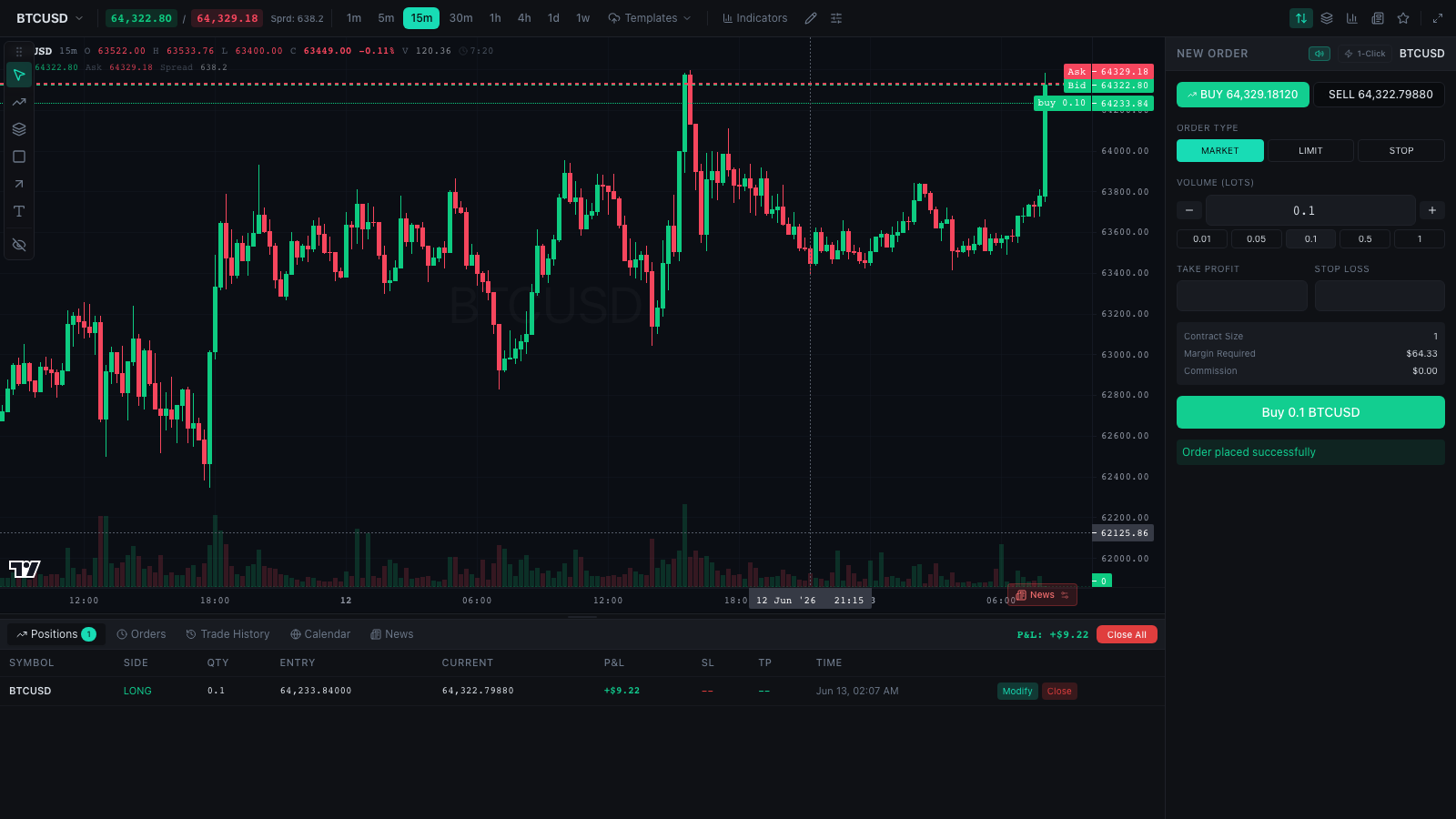
OpenCharts is a browser-based trading terminal that requires no backend server. It delivers candlestick charts built on TradingView's Lightweight Charts library, a full drawing toolkit, eight technical indicators, a watchlist, depth-of-market display, and an order ticket supporting market, limit, and stop orders. A paper trading engine with a $100,000 starting balance and 100× leverage runs entirely in the browser, updating positions on every tick. Real historical OHLC data from Binance is bundled at build time and replayed as a live tick stream. The terminal can be deployed as a static site or embedded in a React application via an npm package. An adapter interface lets users connect custom data and trading backends without forking the codebase.
Should you self-host OpenCharts?
OpenCharts scores 46/100 on selfhost.directory (how scoring works) and ranks #29 of 42 in Cryptocurrency. It has 195 GitHub stars.
There was no stable release in the past 12 months, so check the repository's recent activity before you rely on it.
Setup is easy: most people get it running in one sitting. It is MIT-licensed and written mostly in Typescript.
Its closest alternative on selfhost.directory is Bitcoin Core (86/100, 90 528 stars). It scores higher overall, so compare the two before you pick. See OpenCharts vs Bitcoin Core side by side.
Features
- Adapter interface for custom backends
- Candlestick charting
- Chart templates
- Composable panels
- Depth of market (DOM)DOM ladder sizes are synthetic — derived deterministically from each price level
- Drawing Tools
- Line-cross alertsIn-session only — nothing persisted or delivered offline
- Order ticket
- Paper trading engineAccount state resets on reload; drawings/preferences persist in localStorage
- Real market data (bundled)Timeline normalized so latest bar aligns to 'now'; bid/ask spread and DOM sizes are synthetic
- Session ReplayCovers roughly the last 16 hours of bundled 1m history
- Technical indicators
- Trade journal
- TradingView embedsThird-party network requests to TradingView CDN
- Watchlist
OpenCharts README
More in Finance
 phoenixdphoenixd is a self-hosted, self-custodial Lightning daemon for developers to send/receive payments via HTTP API with automated liquidity and zero config.
 SatSaleSelf-hosted Bitcoin payment processor for donations and payments on-chain and Lightning, connecting directly to your own node for self-custody with no middleman.
 TradingAgentsSelf-hosted, open-source multi-agent LLM framework that mimics a trading desk: analyst, researcher, trader and risk agents debate a ticker and output a decision.
 WallosTrack subscriptions, manage budgets, and control finances with this self-hosted open-source personal finance app.
 xcashXcash is an open-source, self-hosted, non-custodial crypto payment gateway for EVM chains and Tron with zero platform fees and no KYC.
 Bitcoin CoreBitcoin Core integration/staging tree
 Bitcoin KnotsSelf-hosted Bitcoin full node with wallet and GUI option, based on Bitcoin Core with extra features. Run on Linux, Windows, or macOS to validate the blockchain yourself.
 Bitcoin Seed ToolBitcoin Seed Tool is a self-hosted, open-source web app for learning Bitcoin wallet seed generation, BIP39, BIP85, BIP47, and passphrase verification.
 bleskomat-serverSelf-hosted open-source web server for Lightning Network payments on Bleskomat Bitcoin ATMs with optional admin interface and multiple database backends.
 BudgetZeroFree open-source privacy-friendly offline-first budgeting with zero-based envelope methodology. Self-host via Docker or static files as an alternative to YNAB style apps.
 cashu.meCashu.me is a self-hosted, open-source PWA wallet for the Cashu ecash protocol. Send/receive Bitcoin via Lightning using blinded bearer ecash tokens stored locally.
 CurrencyinfoSelf-hosted open-source REST API aggregating crypto and fiat rates from up to ten sources into one merged rate.
0 comments