
Self-host NevuForPlex
v1.4.3Modern Plex UI replacement with Netflix-like design
- Stars
- 488
- Ports
- 3000 (HTTP web interface), 44201 (UDP for Nevu Sync (Watch Together))
- Requires
- Plex Media Server
ipmake/nevu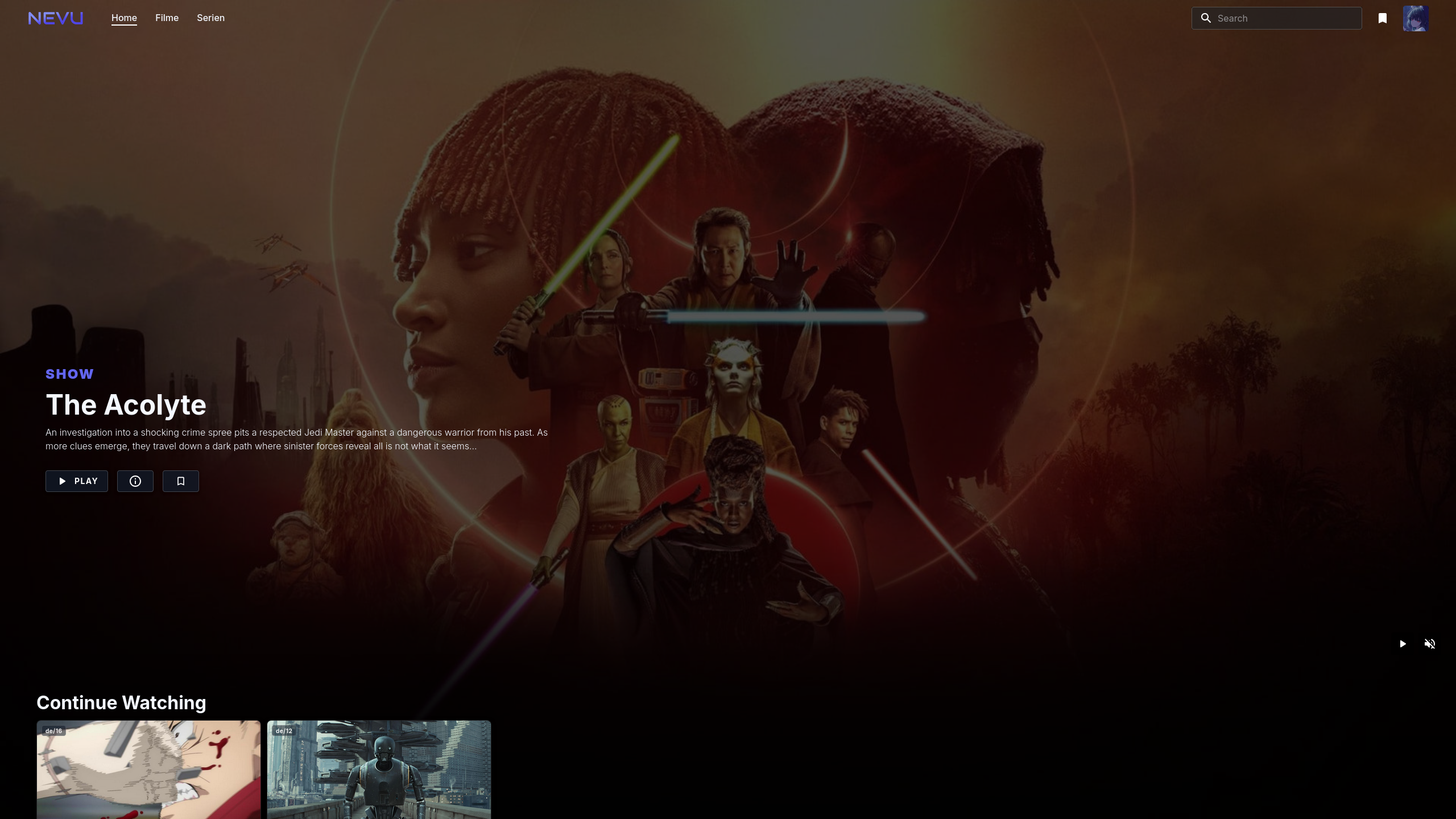

What is NevuForPlex?
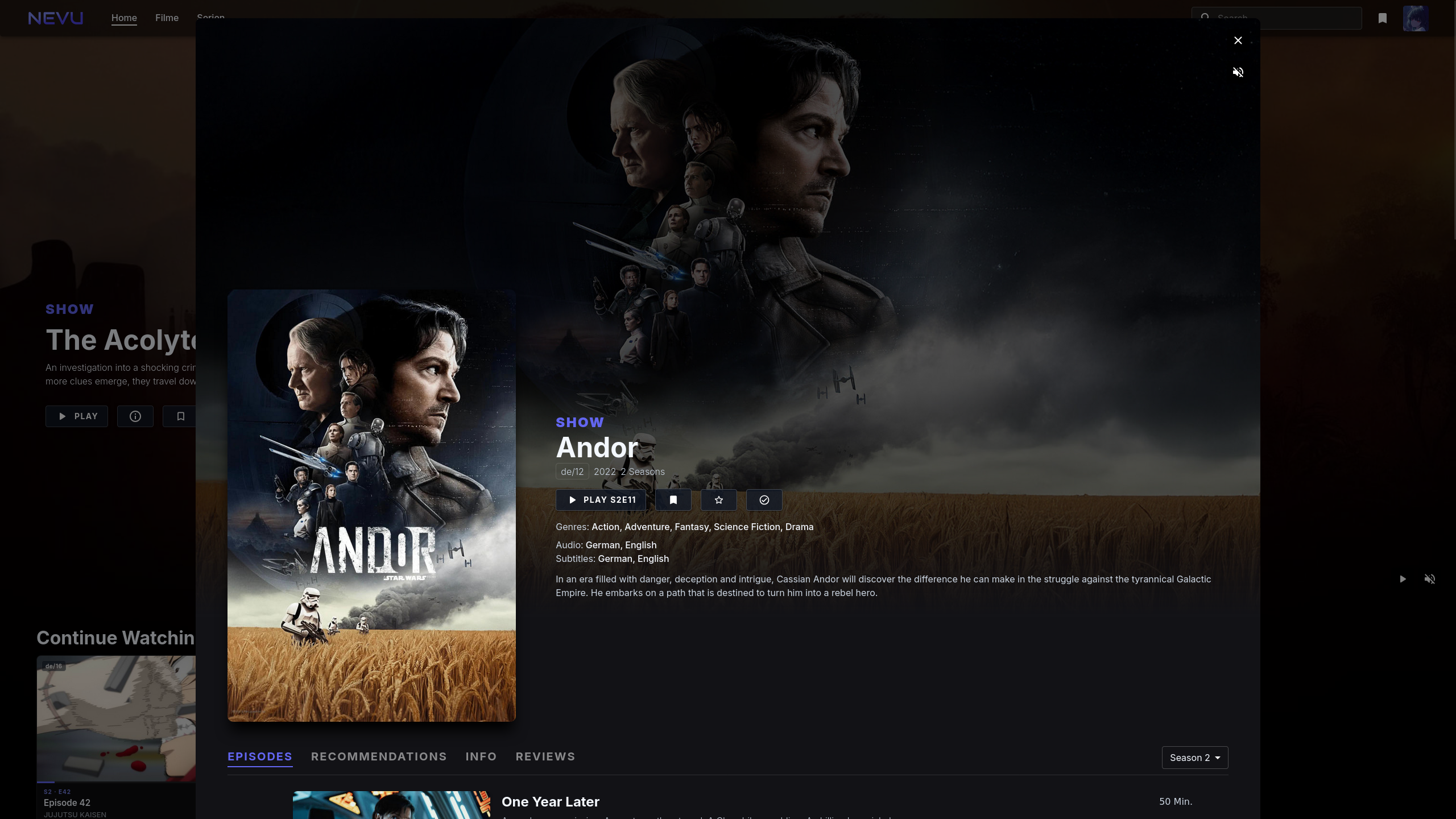
NEVU is a self-hosted web application that replaces the standard Plex interface with a modern, Netflix-inspired design. It connects to a Plex Media Server through its API to provide a fresh UI for browsing Movie and TV Show libraries, playing content directly in the browser, and adding features like synchronized group viewing (Nevu Sync), personalized recommendations, and a built-in watchlist. Deployment is handled through Docker or Docker Compose, and an existing Plex server is required. The software remains in active development and may have stability issues. The interface targets desktop and laptop users, with mobile and TV optimization not yet implemented, though an Android version is undergoing closed testing.
Should you self-host NevuForPlex?
NevuForPlex scores 45/100 on selfhost.directory (how scoring works) and ranks #84 of 118 in Media Server. It has 488 GitHub stars.
It shipped 2 stable releases in the past year. The latest, v1.4.3, came out on 16 August 2026. New versions land roughly every 6 months.
Setup is moderate: expect some configuration beyond a single command. An official Docker image is available. It is GPL-3.0-licensed and written mostly in Typescript.
Its closest alternative on selfhost.directory is Jellyfin (88/100, 58 737 stars). It scores higher overall, so compare the two before you pick. See NevuForPlex vs Jellyfin side by side.
Features
- Automatic Track Matching
- Integrated Watchlist
- Library Browsing
- Media Playback
- Modern immersive UI
- Pro-User features
- Recommendations
- Seamless Plex integration
- Search
- Watch Together (Nevu Sync)
NevuForPlex README
More in Media Streaming
 NightingaleSelf-hosted karaoke software that converts your music collection into sing-along tracks using neural networks for vocal removal, lyric sync, and real-time pitch grading.
 NodeCast-TVSelf-hosted IPTV player for live TV, movies, and series with EPG, hardware transcoding, and OIDC login.
 NymphCastSelf-hosted, open-source audio and video casting: stream media files, URLs and AngelScript-based apps to a Raspberry Pi or PC receiver attached to your TV or speakers.
 NzbDAVSelf-hosted WebDAV server that mounts NZB files as a virtual filesystem for direct streaming to Plex, Jellyfin, and Stremio via SABnzbd-compatible API.
 OblectoSelf-hosted media server for movies/TV with Jellyfin API. Indexes libraries, fetches TMDb/TVDB metadata, supports transcoding and federation.
 OpenAListOpenAList is a self-hosted, open-source file listing program supporting 60+ cloud storage providers, WebDAV, FTP, SFTP, and S3 access with security hardening.
 PeerTubeOpen-source, ActivityPub-federated video platform for self-hosted instances: WebRTC P2P streaming, live broadcasts, playlists and moderation tools.
- PlexPlex Media Server is a self-hosted media server application that allows users to organize and stream their personal media libraries.
 PlexTraktSyncSelf-hosted open-source CLI syncing Plex collections, ratings, watchlists and watched status with Trakt both ways, no Plex Pass or Trakt VIP; runs via pipx or Docker.
 pms-dockerPackage and run Plex Media Server in a container: a self-hosted video, music and photo library you can reach from any device via Docker or Compose.
 PrismediaPrismedia is a self-hosted media server organizing movies, TV, music, books, audiobooks, comics, and photos in one library with web and native Apple apps.
 Rebel IPTVSelf-hosted IPTV server combining 450+ channels and sports into M3U with XMLTV guide. Runs in Docker, works with Jellyfin, Plex, Emby. Multi-source fallback.
0 comments