
Self-host MulmoTerminal
11.5.0Browser terminal grid for parallel AI coding agents
- Stars
- 255
- Ports
- 34567 (Backend HTTP/WebSocket port (production URL)), 6856 (Vite dev-server port (development only))
- Requires
- claude (Claude Code CLI), gh (GitHub CLI), Git
What is MulmoTerminal?
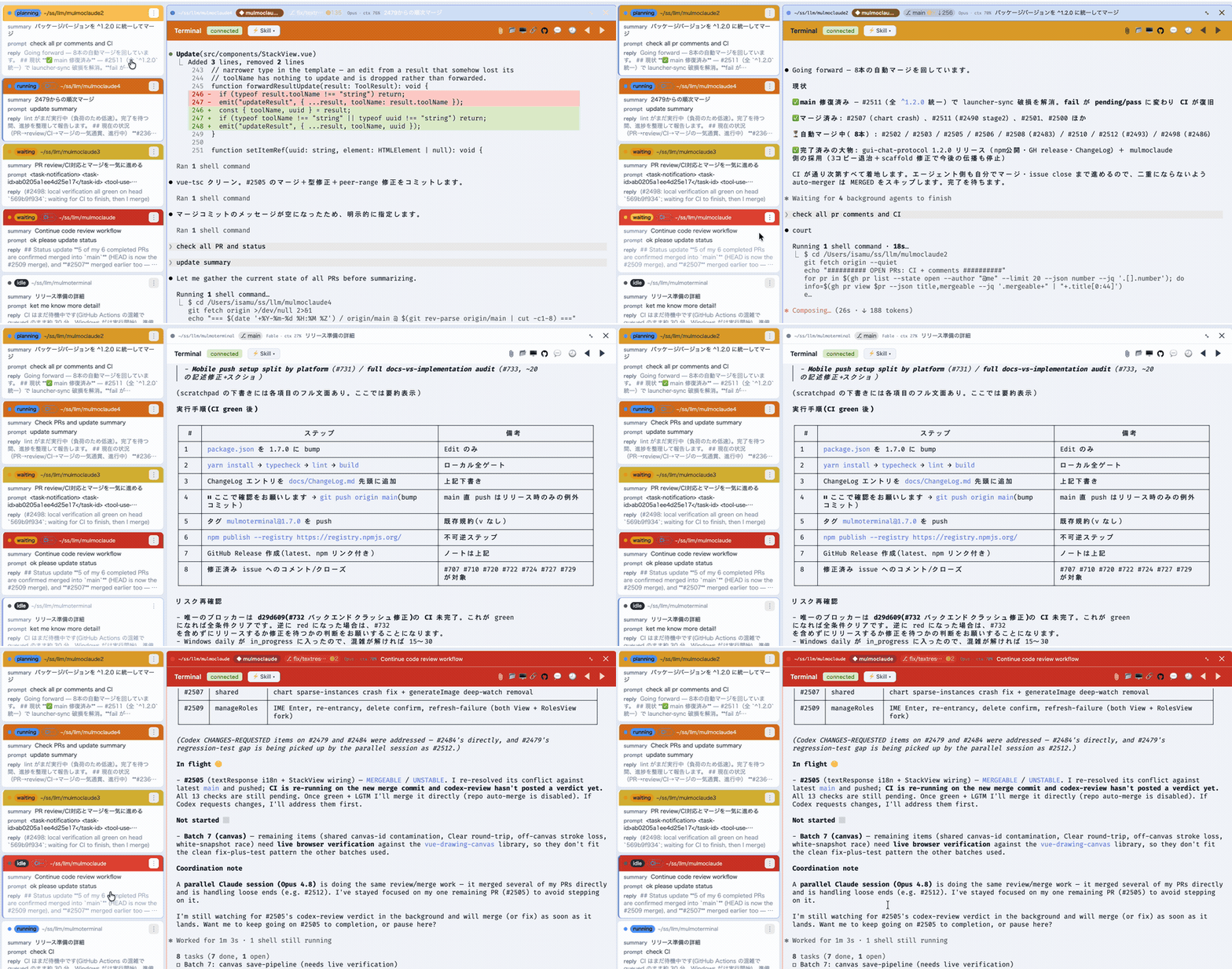
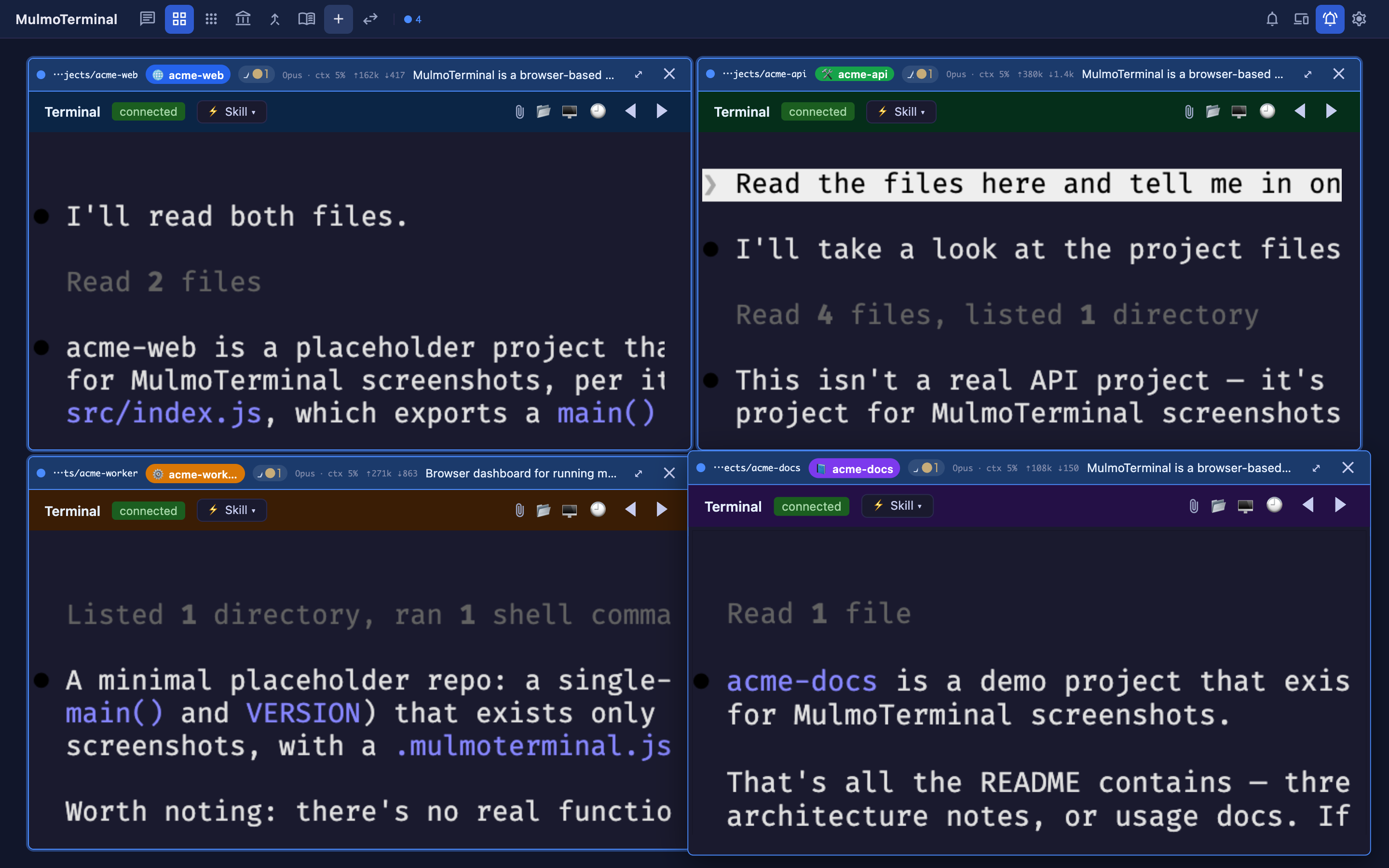
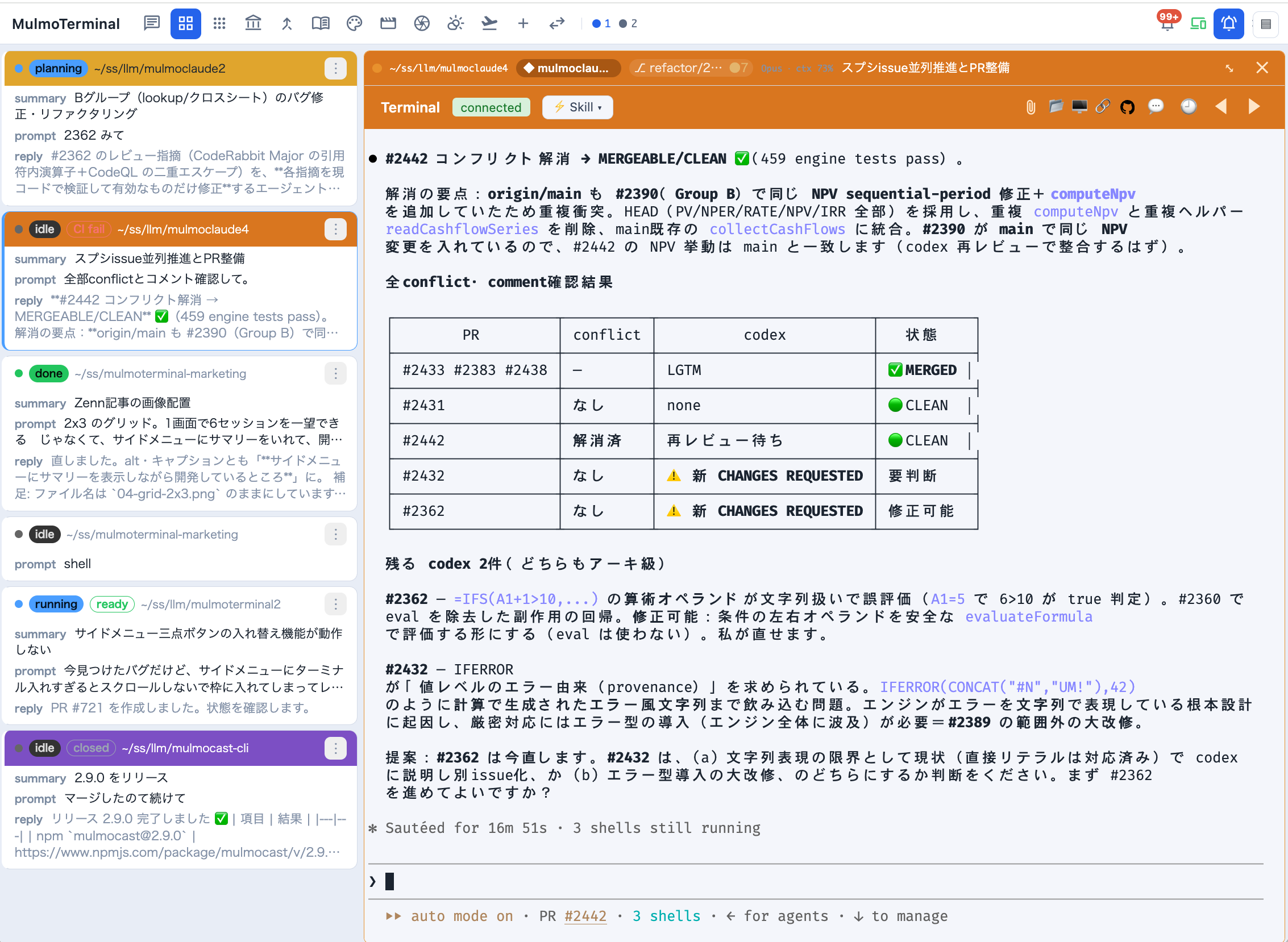
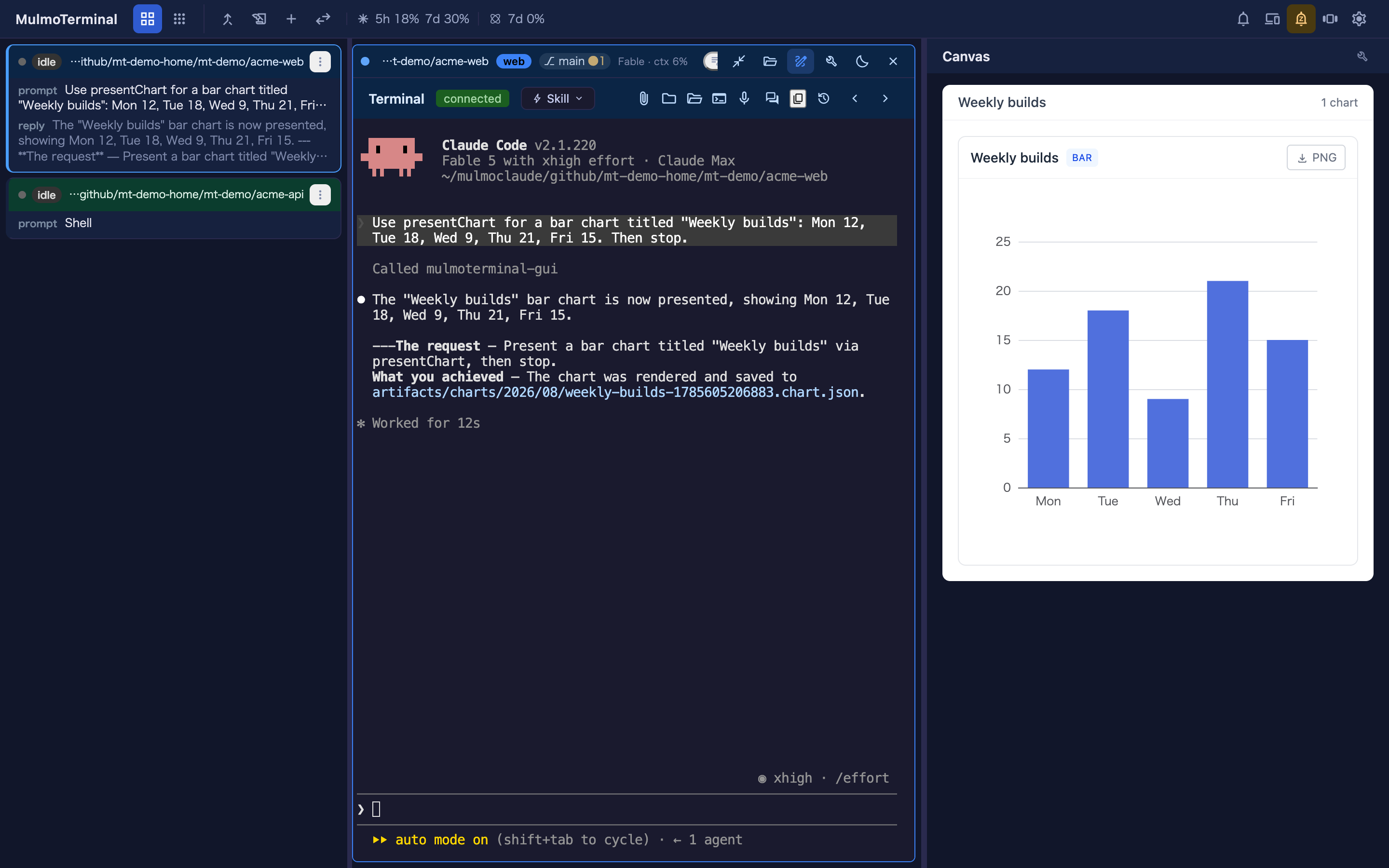
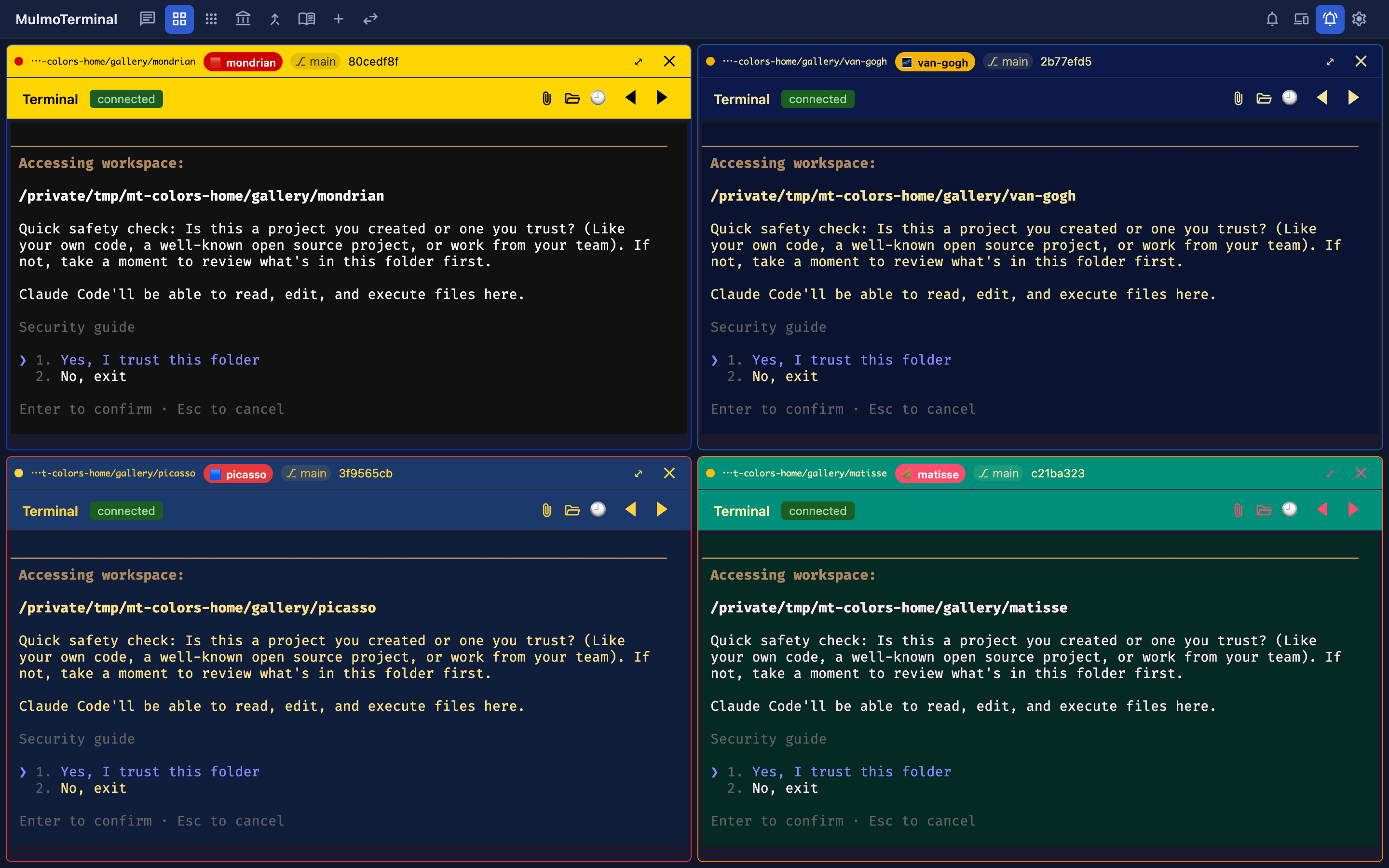
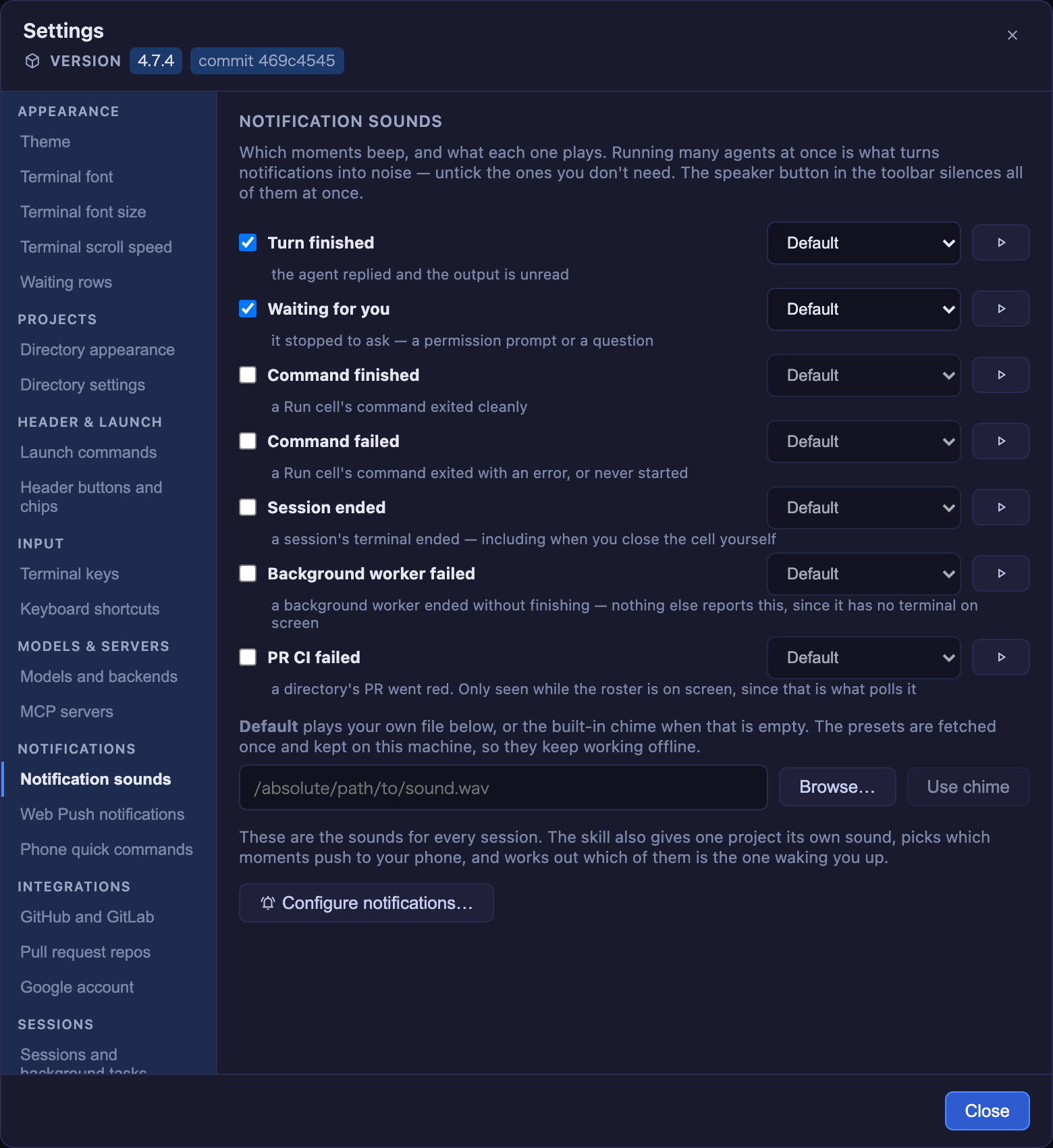
MulmoTerminal is a browser-based terminal grid for supervising multiple AI coding agents in parallel. It launches real PTY sessions for each agent (Claude Code, Codex, and five others) and streams them to xterm.js terminals in the browser over WebSockets. Each cell is color-coded by agent state — blue for working, amber for waiting on permission, green for done — with an attention chime and Web Push notifications to your phone. Sessions survive server restarts via tmux persistence. Git worktrees isolate agent work per task with one-click PR creation. The UI includes a cockpit roster showing one-line summaries per session, a Canvas panel rendering rich GUI output (documents, forms, charts, images) via MCP, per-project theming, cost/token readouts, and configurable header buttons. It runs via npx (Node ≥ 22.12), Docker, or SSH tunnel to a remote server. No Electron, no separate install step. Licensed MIT.
Should you self-host MulmoTerminal?
MulmoTerminal scores 53/100 on selfhost.directory (how scoring works) and ranks #66 of 166 in Developer Tools. It has 255 GitHub stars.
It shipped 11 stable releases in the past year. The latest, 11.5.0, came out on 28 October 2026. New versions land roughly every 1 days.
Setup is moderate: expect some configuration beyond a single command. It is MIT-licensed and written mostly in Typescript.
Its closest alternative on selfhost.directory is openhands (87/100, 92 068 stars). It scores higher overall, so compare the two before you pick. See MulmoTerminal vs openhands side by side.
Features
- Canvas GUI panel
- Cockpit roster
- Color-coded session states
- Command palette and keyboard navigation
- Cost and token readouts
- File drag-and-drop and screenshot paste
- MCP (Model Context Protocol) integration
- Parallel agent grid
- Per-directory theming
- Remote server via SSH tunnel or DockerDocker is experimental, no official image
- Web push notifications
MulmoTerminal README
FAQ
Can I use it as an ordinary terminal?
Yes. Pick Shell in an empty cell and choose a directory. No launcher entry, no model, no configuration. Every cell is a real PTY.
Can several agents work in the same repository?
Yes, they're isolated with git worktrees — one worktree and one branch per task, so the same repo is safe to parallelize. Diff, commit, push, and Open PR are reachable from inside the cell.
How many agents do people actually run?
Typically one to six, with the heaviest user at eight. Users don't run more agents than before — they handle the same number more easily without losing track.
Is MulmoTerminal itself free?
Yes — MIT license. Use it at work, fork it, whatever you need. Nothing is sent to any server the authors control.
What do I need to run it?
Node.js 22.12+, claude or codex on PATH, optional tmux for session persistence (on Windows, psmux 3.4.0+). Run with: npx mulmoterminal@latest → http://localhost:34567
Does it work on Windows?
Yes. Windows, macOS and Linux. CI runs Linux and macOS on every PR, and Windows nightly. There are Windows-specific test cases for path separators, realpathSync behaviour, fs.watch differences.
How is this different from Conductor / Crystal?
Conductor/Crystal have more developed diff review and are native (faster). But they're desktop apps — more windows means more memory and every window looks the same. MulmoTerminal fits in one browser tab, reachable from phone.
How is this different from Claude Squad?
Claude Squad is a TUI where you look at one agent at a time. MulmoTerminal is a browser showing several live screens at once. Claude Squad is lighter over SSH.
Why not just split a terminal with tmux?
tmux wasn't designed for agents that stop and ask permission. MulmoTerminal adds visible state colors, grid↔enlarge to scan then read, and phone notifications so you can leave the desk.
How is this different from Cursor?
Completion and inline editing are better in Cursor. MulmoTerminal doesn't replace that — it solves the step before: which agent is waiting on you right now, with color-coded grid and phone push.
How is this different from the VS Code Claude Code extension?
Different jobs — not an either/or. Keeping several agents apart in VS Code windows is expensive (each brings editor, language server, extensions, file watchers). Here agents are processes on a server and UI is browser tabs.
What happens to my hooks, MCP servers and CLAUDE.md?
They keep working. MulmoTerminal launches your own claude/codex CLI — not a wrapper or reimplementation — so hooks, MCP servers, CLAUDE.md and permission settings behave exactly as before.
Can I go back if I don't like it?
Yes. It runs through npx; closing it is the whole uninstall. Sessions live in tmux, settings in ~/.mulmoterminal/ and .mulmoterminal.json. Your existing ~/.claude/ setup is not modified.
Do my existing Claude Code sessions carry over?
Yes. MulmoTerminal uses the same claude --resume, reading the same transcripts from your disk. Nothing is converted to a private format. Point it at a directory you already work in and your history is there.
More in Terminal
 Myrlin WorkbookSelf-hosted workspace manager that unifies Claude Code and Codex sessions with live terminals, scrollback, cost tracking, kanban, and phone UI.
 nexus4ccSelf-hosted web terminal bridging browsers to tmux sessions running Claude Code and other AI agents, with project/channel management, file browser, and PWA support.
 NoEyesSelf-hosted terminal chat with E2E encryption and a blind-forwarder server that cannot read messages or identify users. For small trusted groups wanting private comms.
 Open TerminalA self-hosted, open-source terminal server exposing a real remote shell and file APIs over REST for AI agents and automation; deploy via Docker, pip, or uvx.
 oxkerAn open-source, self-hosted terminal UI, written in Rust, for watching Docker containers, tailing logs, and running start/stop/exec commands from the keyboard.
 reminalreminal is a self-hosted, open-source tool that streams windows, desktops, and terminals to any browser with end-to-end encryption and no open ports.
 remotelabSelf-hosted tool for accessing AI coding assistants like Claude Code and Copilot from any browser via HTTPS, with multi-session dashboard and terminal persistence.
 RoamgateOpen-source browser/PWA client for self-hosted Herdr, unifying terminals, agents, files, and Git worktrees in one web workspace.
 shell.onlineSelf-hosted terminal sharing for coding agents — run Claude Code on your computer, access live sessions from any browser with end-to-end encryption.
 SidecarSidecar is a self-hosted terminal workspace unifying AI coding agents, task management, git workflows, and file browsing in one interface with split panes.
 skiffSkiff is a self-hosted, open-source SSH manager with searchable command memory, persistent sessions, and encrypted vault. Runs via Docker or Node.js with SQLite.
 SoA-WebSelf-hosted browser terminal running real shells on your server via WebSocket. No Electron — just Node. Phone pairing via QR, persistent tabs, server-side CLI tools.
0 comments