
Self-host K16S
2026-09-08CKA/CKS exam simulator with real kubeadm clusters
- Stars
- 225
- CPU
- 4 vCPUs
- RAM
- 8 GB RAM
- Storage
- 30 GB disk
- Port
- 8080 (K16S exam server)
- Requires
- Incus
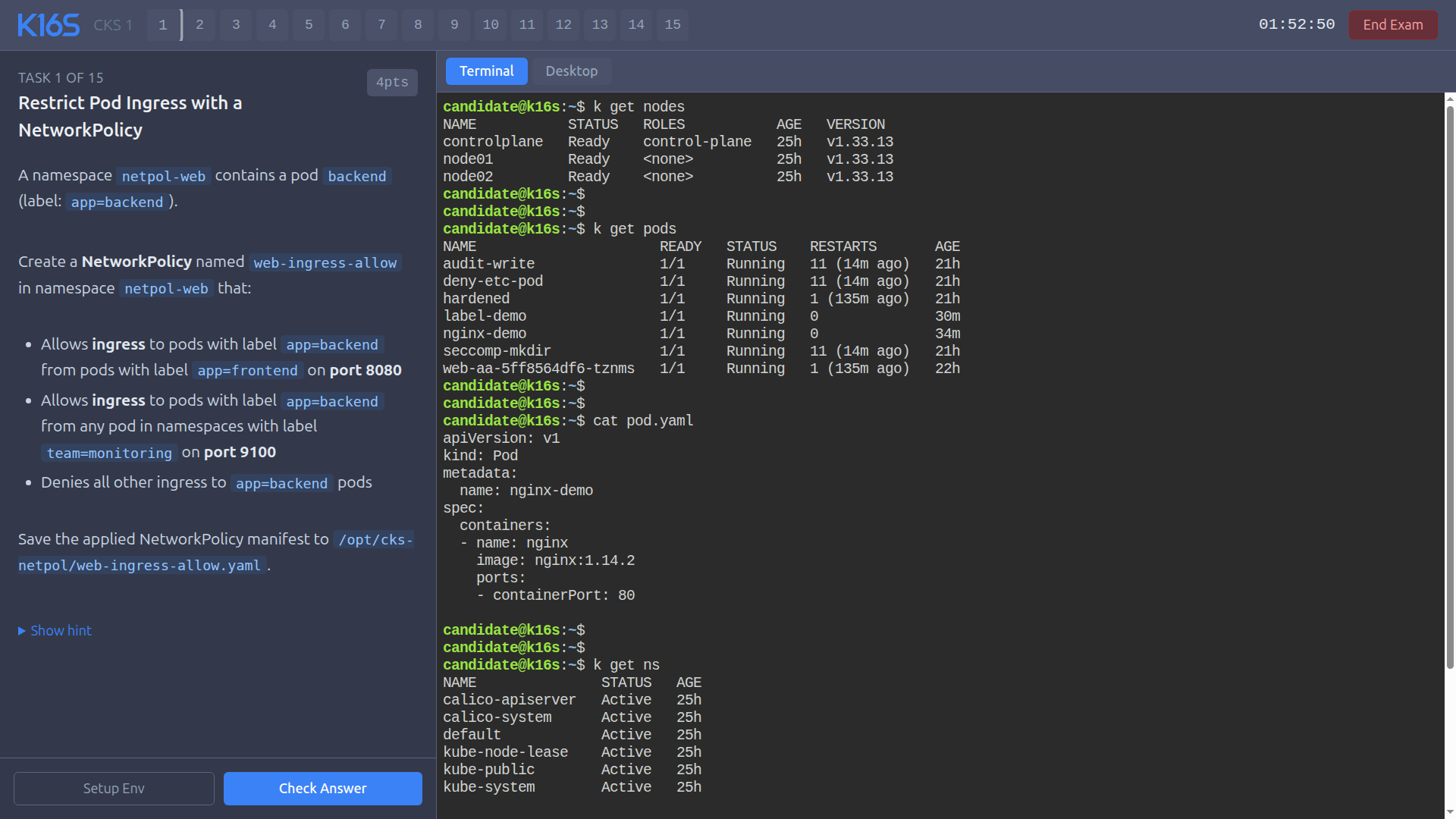
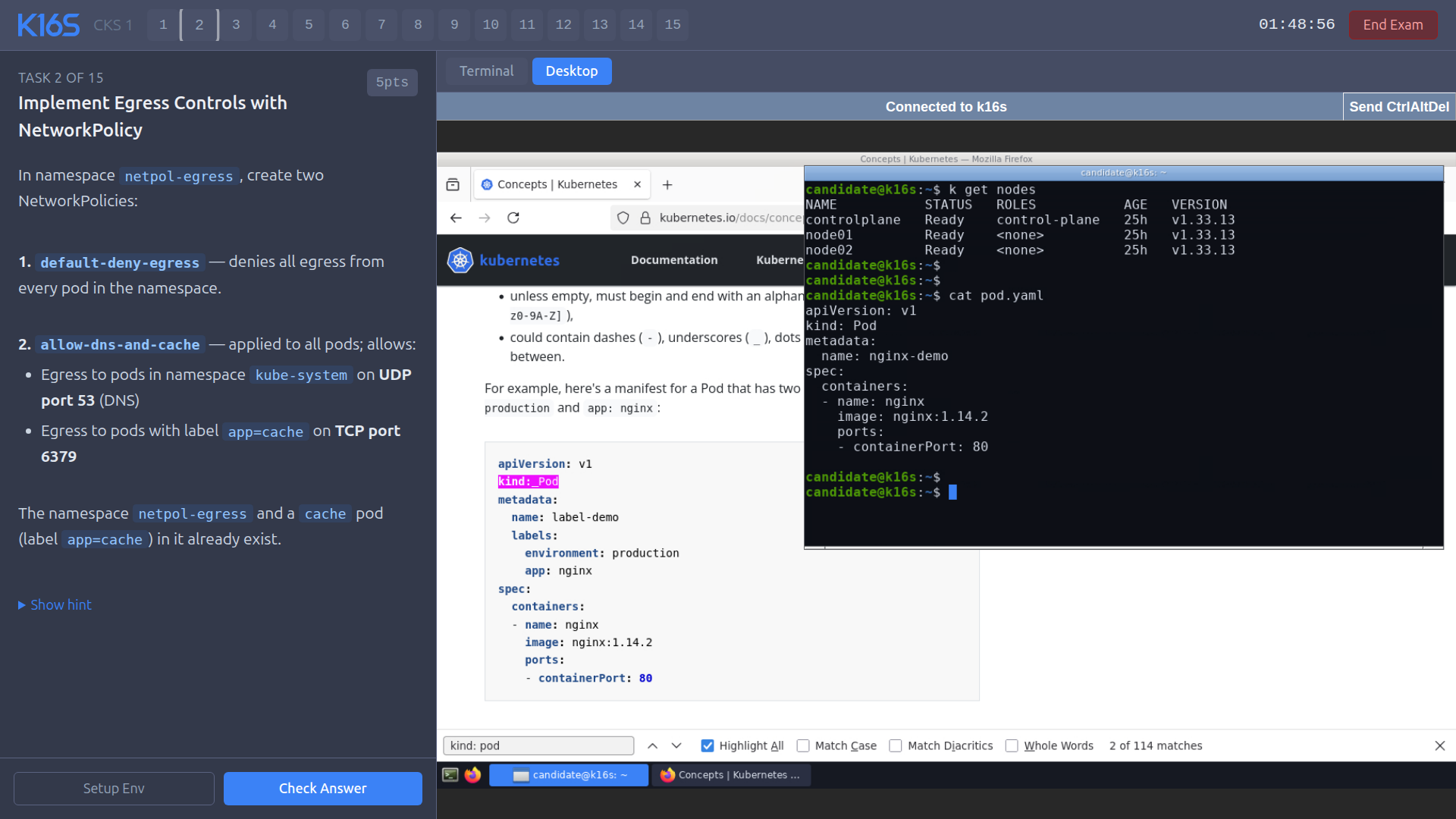
What is K16S?
K16S is a self-hosted exam simulator for the CKA and CKS Kubernetes certifications. It deploys an authentic kubeadm cluster with Incus LXC containers acting as worker nodes, each running its own systemd, containerd, and kubelet. This reproduces the real exam environment including systemctl access, etcd backup/restore, static pod manifests, and crictl debugging. The simulator includes two CKA mock exams (18 questions each) and three CKS mock exams (15-18 questions each) covering the 2026 curricula, with per-question setup scripts that break the cluster and validation scripts that grade fixes against real cluster state. It runs in three modes: on a VPS or VM (Debian 13, Ubuntu 22.04 or newer), on a laptop via Lima VM (macOS/Linux, 16 GB+ RAM), or lightweight via kind in Docker (~2 GB RAM). The web UI provides a browser-based terminal (ttyd) and timed exam sessions with automated grading. Licensed under PolyForm Noncommercial 1.0.0 — available at no cost for personal and non-commercial purposes.
Should you self-host K16S?
K16S scores 43/100 on selfhost.directory (how scoring works) and ranks #22 of 30 in Education. It has 225 GitHub stars.
There was no stable release in the past 12 months, so check the repository's recent activity before you rely on it.
Setup is advanced: plan for several services and some ongoing maintenance. It is Other-licensed and written mostly in Shell.
Its closest alternative on selfhost.directory is CTFd (70/100, 6 894 stars). It scores higher overall, so compare the two before you pick. See K16S vs CTFd side by side.
Features
- Automated grading against real cluster state
- Browser-based terminal
- CKA mock exams
- CKS mock exams
- Crictl debugging
- Custom question support
- Etcd backup and restore
- Multiple deployment modes
- Per-question setup and grading
- Real kubeadm cluster
- SSH access to worker nodes
- Static pod manifests
- Systemctl on worker nodes
- Timed mock exams
- Worker kubelet config files
K16S README
More in Kubernetes
 KappalKappal is a self-hosted, open-source CLI that runs docker-compose.yaml on Kubernetes (K3s) using familiar Docker Compose commands — no kubectl needed.
 kiteSelf-hosted, open-source Kubernetes workspace for multi-cluster management: RBAC, LDAP/OAuth login, Prometheus monitoring, Helm, audit logs, and an AI assistant.
 KuberoOpen-source, self-hosted PaaS for Kubernetes: deploy containers or source with 160+ app templates, CI/CD pipelines and GitOps review apps, run by a UI plus operator.
 kubetailSelf-hosted, open-source Kubernetes logging tool that tails multiple pod logs in real-time via CLI or web dashboard, using your cluster's API directly.
 LinnixLinnix is a self-hosted eBPF agent that attributes stalls to specific processes and pods, finding noisy neighbors without SaaS.
 LLMKubeOpen-source Kubernetes operator running LLMs on NVIDIA, AMD, Intel, and Apple Silicon with pluggable runtimes and hybrid routing.
 maintenantSelf-hosted monitoring auto-discovering Docker, Swarm, and Kubernetes containers, endpoints, TLS certs, cron jobs, and host resources from one Go binary (~100MB).
 MesherySelf-hosted, open-source cloud native manager: model, deploy and operate multi-cluster Kubernetes with visual GitOps and nearly 400 integrations.
 mirrordOpen-source, self-hosted Kubernetes dev tool: your local process or AI agent runs on your machine while mirrord proxies a target pod's traffic, env vars, DNS and files.
- NirvatiSelf-hosted Rust backend for the n5i/Nirvati Kubernetes server-management stack: GraphQL API, node and app agents, plugins; this fork adds Tailscale and Longhorn.
 oneOpenNebula is a self-hosted, open-source cloud platform for private clouds, edge, and AI factories with unified VM, Kubernetes, and GPU management.
 platformSelf-hosted, open-source platform for running AI agents on your own Kubernetes with per-agent isolation and full audit trails.
0 comments