
Self-host Hass-MCP
v0.6.1Bridge LLMs to Home Assistant via Model Context Protocol
- Stars
- 351
- Port
- 8000 (MCP streamable HTTP transport endpoint)
- Requires
- Home Assistant
voska/hass-mcp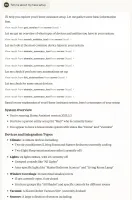
What is Hass-MCP?
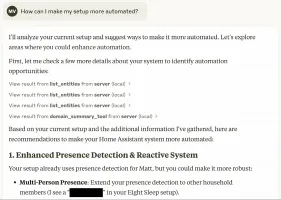
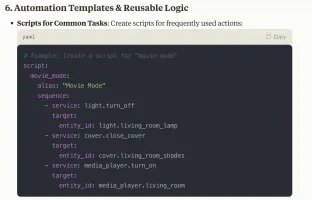
Hass-MCP connects AI assistants such as Claude to a self-hosted Home Assistant instance through the Model Context Protocol. It exposes tools for querying entity states, controlling devices, searching entities, managing automations, reading error logs, retrieving long-term statistics, and live-editing Lovelace dashboards over WebSocket. The server runs via Docker or uvx, requires a Home Assistant long-lived access token, and supports both stdio and streamable HTTP transports. It is open-source under MIT license with no paid tiers.
Should you self-host Hass-MCP?
Hass-MCP scores 50/100 on selfhost.directory (how scoring works) and ranks #63 of 104 in Home Automation. It has 351 GitHub stars.
It shipped 9 stable releases in the past year. The latest, v0.6.1, came out on 24 October 2026.
Setup is moderate: expect some configuration beyond a single command. An official Docker image is available. It is MIT-licensed and written mostly in Python.
Its closest alternative on selfhost.directory is Home Assistant (91/100, 91 796 stars). It scores higher overall, so compare the two before you pick. See Hass-MCP vs Home Assistant side by side.
Features
- Area-based Entity Listing
- Automation Support
- Custom CA Support
- Domain Summaries
- Entity Management
- Error Log Filtering
- Guided Conversations
- Live Dashboard Editing
- Long Term Statistics
- MCP prompts
- MCP resources
- Smart Search
- Streamable HTTP transport
- Token Efficiency
Hass-MCP README
More in Home Automation
 hass-otbr-dockerSelf-hosted Docker container running a stand-alone OpenThread Border Router for Home Assistant Thread/Matter support without Yellow or HassOS.
 HealthSave ObservatorySelf-hosted backend syncing Apple Health into your TimescaleDB with a private dashboard, Grafana, REST API, local AI, and Home Assistant/MQTT — all on your hardware.
 Home AssistantSelf-hosted open-source home automation platform with 1500+ integrations, powerful automations, customizable dashboards, and a built-in voice assistant.
 home-assistant-matter-hubSelf-hosted open-source Matter bridge that publishes Home Assistant entities to Apple Home, Alexa, Google Home, SmartThings and Aqara Home, configured through a web UI.
 Home-Assistant-Time-MachineSelf-hosted web tool for browsing Home Assistant config backups and restoring individual items with side-by-side diffs.
 HomeBox (SysAdminsMedia)A continuation of HomeBox the inventory and organization system built for the Home User
 HomeBridgeSelf-hosted, open-source HomeKit bridge: a Node.js server that emulates the HomeKit Accessory Protocol so 2,000+ community plugins expose non-HomeKit devices to Siri.
 HomeDash2HomeDash is a self-hosted, open-source dashboard for monitoring services on a server via plugins. It offers customizable responsive layouts and kiosk mode.
 HomeGenieSelf-hosted, open-source home automation server for Windows, Linux, macOS and Raspberry Pi, adding local LLM agents, AI vision, voice control and scriptable automations.
 Home-InformationSelf-hosted home management platform organizing documents, devices, and security on interactive floor plans with Home Assistant and Frigate integrations.
 homelableOpen-source, self-hosted homelab canvas: map network and rack layouts, scan subnets with nmap, watch live device status, and keep lab documentation in markdown.
 HomeMatic IP LocalA custom Home Assistant component for HomeMatic(IP) that connects to OpenCCU
0 comments