
Self-host dmarcguard
v1.7.2DMARC aggregate report parser with built-in dashboard
- Stars
- 223
- Ports
- 8080 (HTTP dashboard and API), 8081 (MCP HTTP server (optional))
dmarcguard/parse-dmarc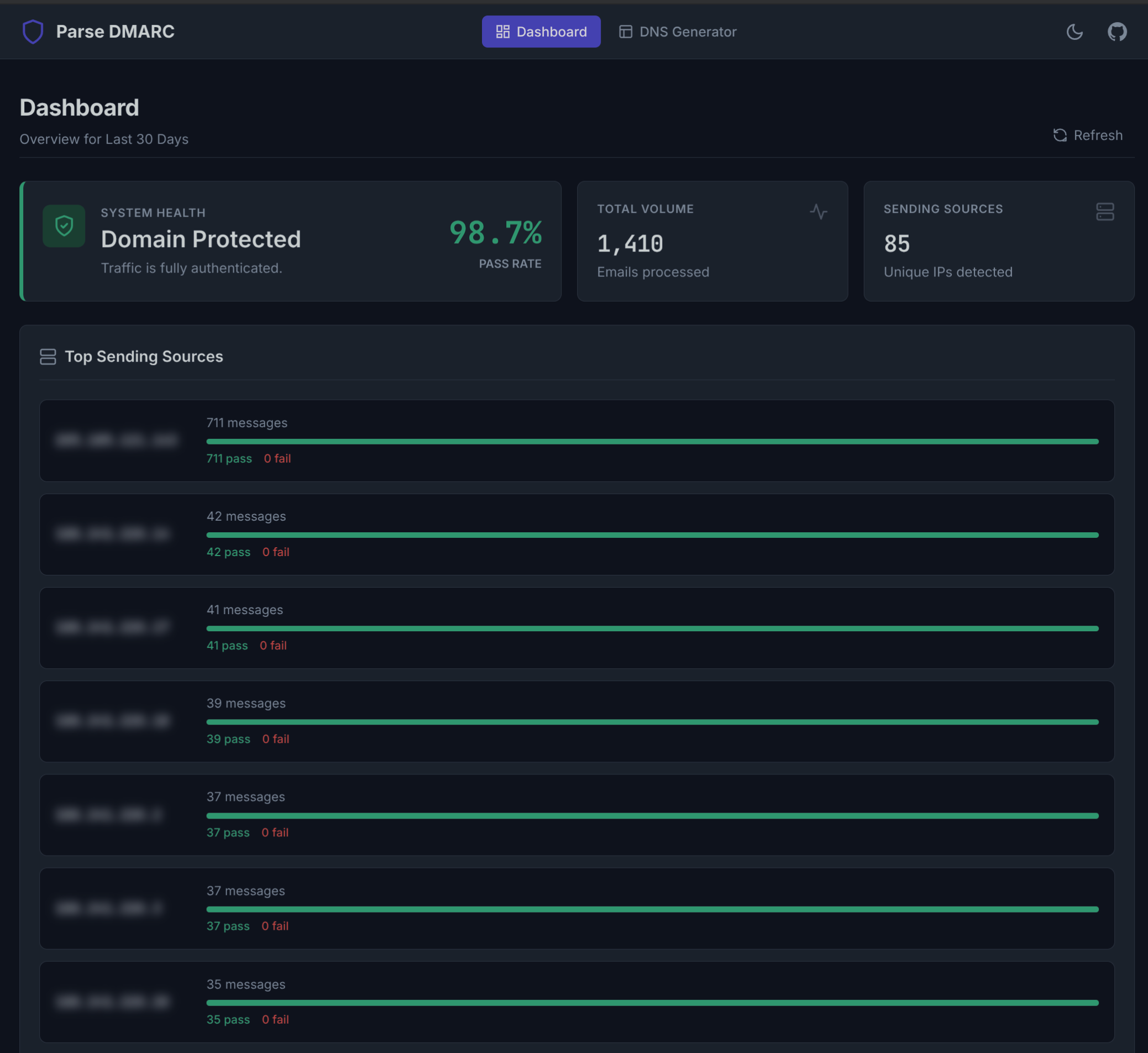
What is dmarcguard?
Parse DMARC is a self-hosted tool for processing DMARC aggregate reports. It connects to an IMAP mailbox or reads a local Maildir, extracts gzip, zip, and raw XML attachments, and saves the parsed data into a single SQLite database. A web UI displays pass rates, message volumes, and top sending sources with the ability to inspect individual records. The software also generates DMARC TXT records, exposes 28 Prometheus metrics with a ready-made Grafana dashboard, and runs an MCP server so AI assistants can query the data. It ships as one static Go binary in a minimal container, configured through environment variables or a JSON file. There is no built-in authentication, so the dashboard should sit behind a reverse proxy or VPN. The project is developed by the same team behind the hosted DMARCguard service, but the codebases are separate and Parse DMARC stays fully Apache-2.0 licensed.
Should you self-host dmarcguard?
dmarcguard scores 50/100 on selfhost.directory (how scoring works) and ranks #56 of 106 in Email. It has 223 GitHub stars.
It shipped 18 stable releases in the past year. The latest, v1.7.2, came out on 25 October 2026. New versions land roughly every 8 days.
Setup is moderate: expect some configuration beyond a single command. An official Docker image is available. It is Apache-2.0-licensed and written mostly in Go.
Its closest alternative on selfhost.directory is Listmonk (80/100, 24 019 stars). It scores higher overall, so compare the two before you pick. See dmarcguard vs Listmonk side by side.
Features
- DMARC aggregate report parsing
- DMARC record generator
- Grafana Dashboard
- HTTP APINo authentication; keep behind reverse proxy or VPN
- IMAP and Maildir intake
- MCP Server
- Prometheus Metrics
- SQLite Storage
- Web Dashboard
dmarcguard README
More in Email
 DMARC Report ViewerSelf-hosted open-source tool fetching DMARC and SMTP TLS reports via IMAP with a responsive web UI, charts, and export. Runs as a single binary or small Docker image.
 docker-mailserverSelf-hosted, open-source mail server image (Postfix, Dovecot, Rspamd, ClamAV, Fail2ban) with SMTP, IMAP, LDAP and OAuth2 login, configured by files only.
 docker-smtpA self-hosted Docker image running Exim4 that lets containers send outgoing email directly or relay through a smart host like Gmail or SendGrid.
 DockFlareOpen-source, self-hosted control plane turning Docker labels into Cloudflare Tunnel routes, DNS entries and Zero Trust policies, with an optional sovereign email suite.
 doublezeroOpen-source, self-hosted dashboard for Amazon SES: send emails through a markdown-friendly API, track bounces and multi-recipient status, and search messages.
 DovecotSelf-hosted open-source IMAP/POP3 mail server for Linux with LMTP, ManageSieve, LDAP/PAM/OAuth2 auth, Sieve filtering, full-text search and official Docker images.
- DovelPosta is a self-hosted email delivery and inbound platform for developers and teams, designed as an alternative to services like SendGrid or Mailgun.
 EGroupwareEGroupware is a self-hosted open-source collaboration suite from Germany with email, calendar, contacts, tasks, projects, CRM, chat, and documents. Free CE or paid EPL.
 EmailEngineHeadless email client
 emailflareEmailFlare is a self-hosted, open-source email platform with a transactional email API and team inbox. Runs on Cloudflare with Docker fallback.
 email-oauth2-proxySelf-hosted open-source proxy adding OAuth 2.0 to legacy email clients for Exchange, Gmail, and more.
 EmailRelayEmailRelay is a simple SMTP proxy and relay MTA, written in C++, for Linux and Windows.
0 comments