
Self-host DMARC Report Viewer
2.6.2Lightweight email report viewer for DMARC and TLS analysis
- Stars
- 362
- Port
- 8080 (HTTP server)
- Requires
- IMAP server
ghcr.io/cry-inc/dmarc-report-viewer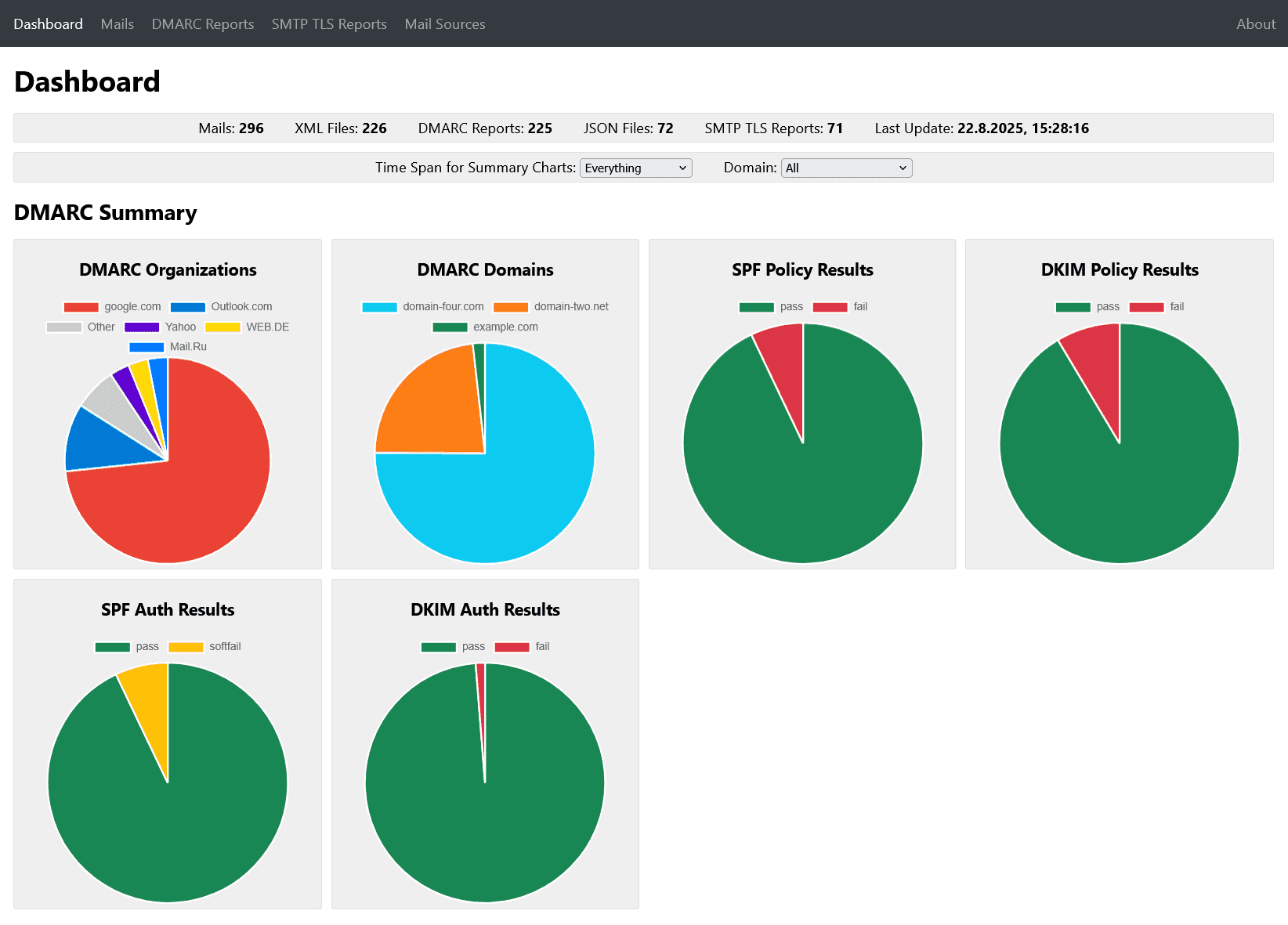
What is DMARC Report Viewer?
DMARC Report Viewer is a self-hosted application for browsing and analyzing email authentication reports. It connects to an IMAP mailbox to fetch reports automatically on a schedule, parses them, and serves a responsive web UI with dashboards, charts, filtering by domain or time span, ranked sources and IPs, and detailed report views. Reports can be exported as XML or JSON. The app is a single statically-linked Rust binary with an embedded HTTP server, available as a small Docker image or prebuilt binaries for Linux, Windows, and macOS. It supports automatic HTTPS via Let's Encrypt, basic auth, health checks, webhooks for new mail notifications, and IPv6. All data stays in memory; only the Let's Encrypt certificate cache needs persistence. It requires an IMAP account with password authentication.
Should you self-host DMARC Report Viewer?
DMARC Report Viewer scores 52/100 on selfhost.directory (how scoring works) and ranks #49 of 106 in Email. It has 362 GitHub stars.
It shipped 10 stable releases in the past year. The latest, 2.6.2, came out on 21 October 2026. New versions land roughly every 3 weeks.
Setup is easy: most people get it running in one sitting. An official Docker image is available. It is MIT-licensed and written mostly in Rust.
Its closest alternative on selfhost.directory is Listmonk (80/100, 24 017 stars). It scores higher overall, so compare the two before you pick. See DMARC Report Viewer vs Listmonk side by side.
Features
- Automatic scheduled fetching
- Basic Authentication
- DMARC aggregate report parsing
- DNS/Whois/GeoIP lookup
- Health check endpoint
- IMAP client with TLS/STARTTLS
- In-memory operation
- IPv6 Support
- Report filtering and export
- SMTP TLS report parsing
- Webhook Notifications
- Web UI with dashboard and charts
DMARC Report Viewer README
More in Email
 docker-mailserverSelf-hosted, open-source mail server image (Postfix, Dovecot, Rspamd, ClamAV, Fail2ban) with SMTP, IMAP, LDAP and OAuth2 login, configured by files only.
 docker-smtpA self-hosted Docker image running Exim4 that lets containers send outgoing email directly or relay through a smart host like Gmail or SendGrid.
 DockFlareOpen-source, self-hosted control plane turning Docker labels into Cloudflare Tunnel routes, DNS entries and Zero Trust policies, with an optional sovereign email suite.
 doublezeroOpen-source, self-hosted dashboard for Amazon SES: send emails through a markdown-friendly API, track bounces and multi-recipient status, and search messages.
 DovecotSelf-hosted open-source IMAP/POP3 mail server for Linux with LMTP, ManageSieve, LDAP/PAM/OAuth2 auth, Sieve filtering, full-text search and official Docker images.
- DovelPosta is a self-hosted email delivery and inbound platform for developers and teams, designed as an alternative to services like SendGrid or Mailgun.
 EGroupwareEGroupware is a self-hosted open-source collaboration suite from Germany with email, calendar, contacts, tasks, projects, CRM, chat, and documents. Free CE or paid EPL.
 EmailEngineHeadless email client
 emailflareEmailFlare is a self-hosted, open-source email platform with a transactional email API and team inbox. Runs on Cloudflare with Docker fallback.
 email-oauth2-proxySelf-hosted open-source proxy adding OAuth 2.0 to legacy email clients for Exchange, Gmail, and more.
 EmailRelayEmailRelay is a simple SMTP proxy and relay MTA, written in C++, for Linux and Windows.
 emailwizSelf-hosted mail server installer: one script sets up Postfix, Dovecot, SpamAssassin, OpenDKIM and fail2ban on Debian/Ubuntu and emits DKIM, SPF and DMARC records.
0 comments