
Self-host Listmonk
v7.0.0-beta.2Newsletter and mailing list manager in a single binary
- Stars
- 24 288
- Port
- 9000 (listmonk web app: admin dashboard, public subscription pages and APIs)
- Requires
- PostgreSQL
listmonk/listmonk



What is Listmonk?
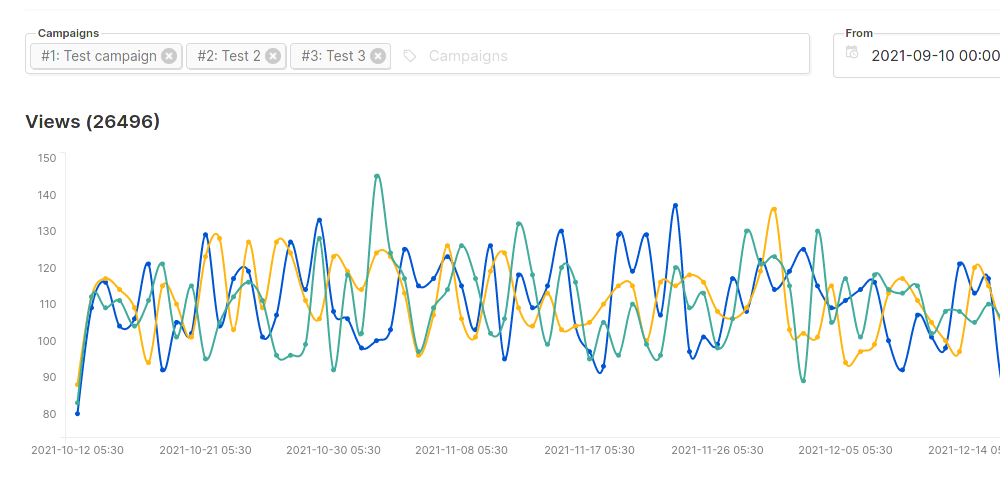
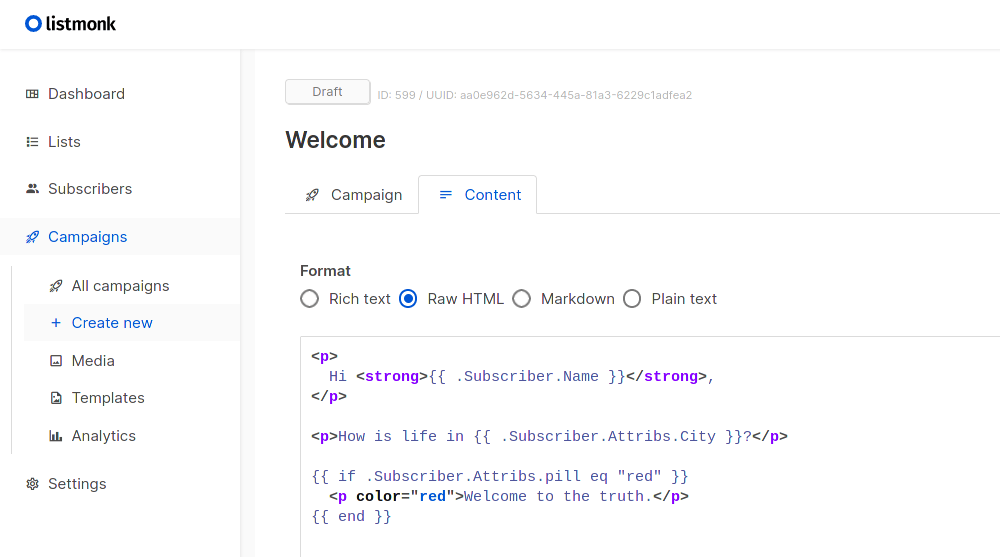
listmonk is a self-hosted manager for newsletters and mailing lists, for people who would rather run their own campaign sending than rely on a hosted marketing service. Subscriber records live in PostgreSQL across opt-in lists that may require explicit confirmation, and any subset can be targeted through SQL-based queries. Outgoing mail goes through parallel queues that can spread work over several SMTP providers, with controls over throughput and sending rate. Message designs are Go templates, and you can compose them in a graphical block builder, a rich-text editor, Markdown, or hand-written HTML. Reports cover reads from a tracking image, link clickthrough, returned mail and most-clicked links. Sending is not confined to e-mail: a Messenger is an HTTP endpoint that receives campaign text as JSON, so the same run can be relayed as SMS or push, and one-off templated messages go out through a transactional API. Returned mail is picked up from a POP mailbox or from provider webhooks such as AWS SES and Sendgrid, after which offending addresses can be blocked or removed on their own. Deployment is one binary plus a database. Download the compose file and bring the stack up, or create a TOML config, prepare the schema with --install, and launch the process; the dashboard answers on port 9000. Inside the admin area you get roles with fine-grained permissions, per-token API access and, if wanted, single sign-on through an OIDC provider. It is AGPLv3 free software written in Go with a Vue front end; pre-1.0-style nightly builds exist but are documented as untested.
Listmonk alternatives
 notifuseOpen-source, self-hosted newsletter, email marketing and transactional email platform. Visual MJML editor, Liquid templating, 7 sending providers.Comparenotifuse with Listmonk
 plunkSelf-hosted, open-source email platform for transactional sends, campaigns and workflows, with an SMTP relay, inbound email and dynamic segments on one contact list.Compareplunk with Listmonk
 SendPortalOpen-source, self-hosted email marketing app for newsletters: subscriber lists, tags, campaigns, tracking and a REST API, sending via SES, Mailgun, Postmark and more.CompareSendPortal with Listmonk
 billion-mailSelf-hosted open-source mail server and email marketing platform: Postfix, Dovecot and Rspamd with web admin, campaigns, analytics and Roundcube webmail.Comparebillion-mail with Listmonk
 LetterSpaceSelf-hosted open-source newsletter tool for managing subscribers, sending campaigns, tracking analytics, and integrating via REST API with full data control.CompareLetterSpace with Listmonk
 senloSelf-hosted open-source email infrastructure with visual MJML editor, REST API, automation, and multi-provider delivery (Resend, Postmark, SMTP).Comparesenlo with Listmonk
 ReloopReloop is a self-hosted, open-source email platform replacing Resend and SendGrid with a unified API for transactional emails, marketing campaigns, and SMTP relay.CompareReloop with Listmonk
 PostalPostal is an open-source mail delivery platform you self-host for transactional e-mail, with SMTP and HTTP sending, DKIM signing, webhooks and incoming mail routing.ComparePostal with Listmonk
Should you self-host Listmonk?
Listmonk scores 80/100 on selfhost.directory (how scoring works) and ranks #1 of 109 in Email. It has 24 288 GitHub stars, +561 in the last 30 days.
It shipped 3 stable releases in the past year. The latest, v6.2.0, came out on 26 June 2026. New versions land roughly every 3 months.
Setup is moderate: expect some configuration beyond a single command. An official Docker image is available. It is AGPL-3.0-licensed and written mostly in Go.
Its closest alternative on selfhost.directory is Mailpit (77/100, 10 927 stars). Listmonk scores higher overall. See Listmonk vs Mailpit side by side.
Features
- Bounce Processing
- Campaign analytics
- CSV subscriber import
- Double opt-in subscriptions
- Email open tracking
- Email Template Editor
- Link click tracking
- Media Library
- Multi-SMTP send queues
- Newsletter campaigns
- Non-email messaging via webhooksMessengers are registered in Settings -> Messengers and support optional BasicAuth.
- REST API
- Role-based Access Control
- Subscriber segmentation
- Transactional messaging API
Listmonk README


More in Email
 Maddy Mail Server✉️ Composable all-in-one mail server.
 MagpieMagpie is a self-hosted, open-source email tool that monitors multiple IMAP accounts and forwards messages to one destination with bidirectional deletion sync.
 mail-archiverMail-Archiver is a web application for archiving, searching, and exporting emails from multiple accounts. Featuring folder sync, attachment support, mailbox migration and a dashboard.
 MailcoachSelf-hosted Laravel email marketing platform for campaigns, automations, and transactional emails with per-email pricing.
 MailcowOpen-source mail server suite providing email hosting with spam filtering, antivirus, webmail, calendar and contacts via Docker Compose installation.
 MailCrabSelf-hosted email testing server that catches all SMTP mail and lets developers inspect messages through a web UI, built with Rust.
 mailcueMailCue is a self-hosted, open-source email testing server with Postfix, Dovecot, DKIM, DMARC, SpamAssassin, REST API, and React UI in one Docker container.
 mailezA self-hosted email platform with SMTP, IMAP, POP3, CardDAV, CalDAV, a React webmail client, and admin console — all deployed via a single Docker Compose command.
 MailFlowA self-hosted webmail app that merges multiple email accounts into one inbox with real-time sync, AI features, and offline-capable PWA.
 mailformMailForm is a self-hosted, open-source email relay for contact forms with configurable SMTP targets, rate limiting, and captcha support.
 MailHogOpen-source SMTP testing tool: capture outgoing mail in a web UI or JSON API, release it to a real server. Runs self-hosted as a single binary or Docker image.
 Mail-in-a-BoxOpen-source, self-hosted mail server appliance: one script turns a fresh Ubuntu 22.04 VPS into a full mail stack with webmail, spam filtering, DNS and a control panel.
0 comments