
Self-host DevTrack
v0.2.0Open-source dev dashboard for GitHub stats, streaks, goals
- Stars
- 261
- Port
- 3000 (HTTP web server)
What is DevTrack?
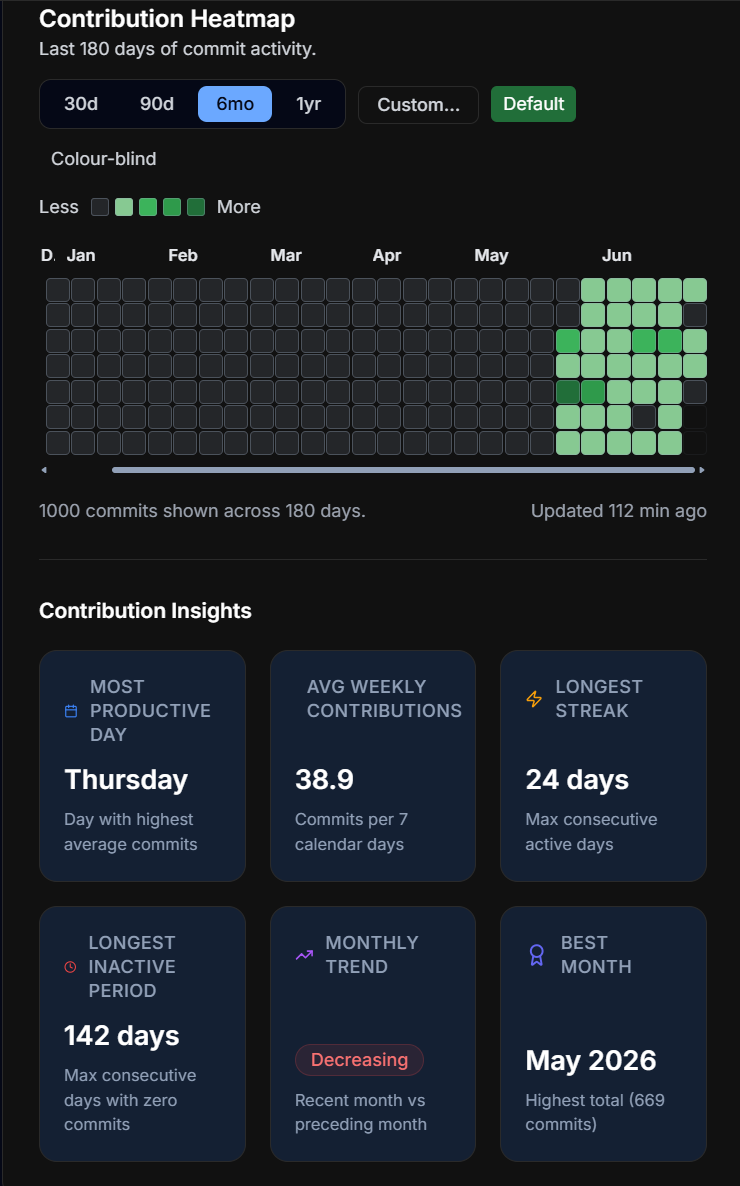
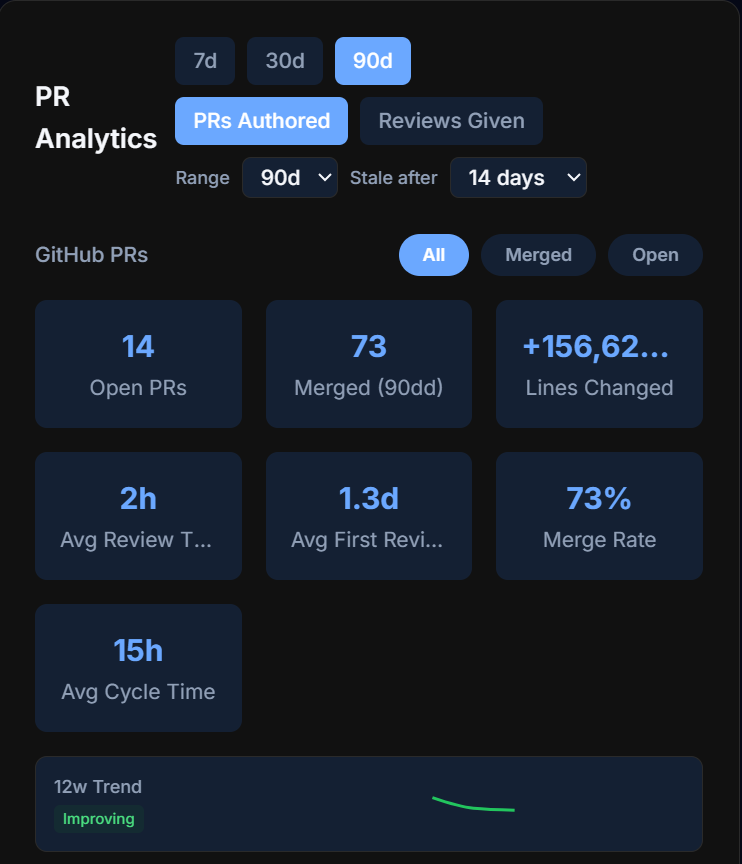
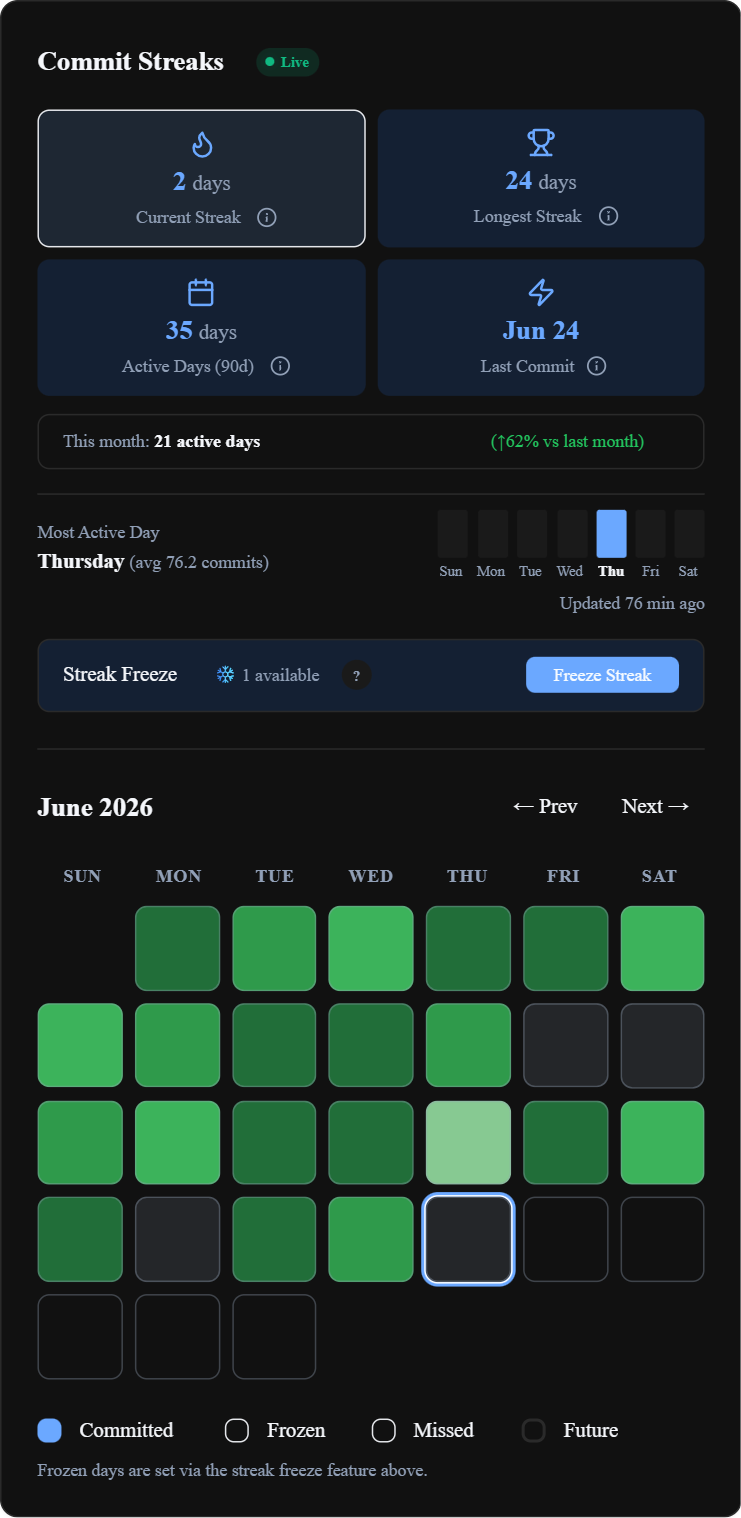
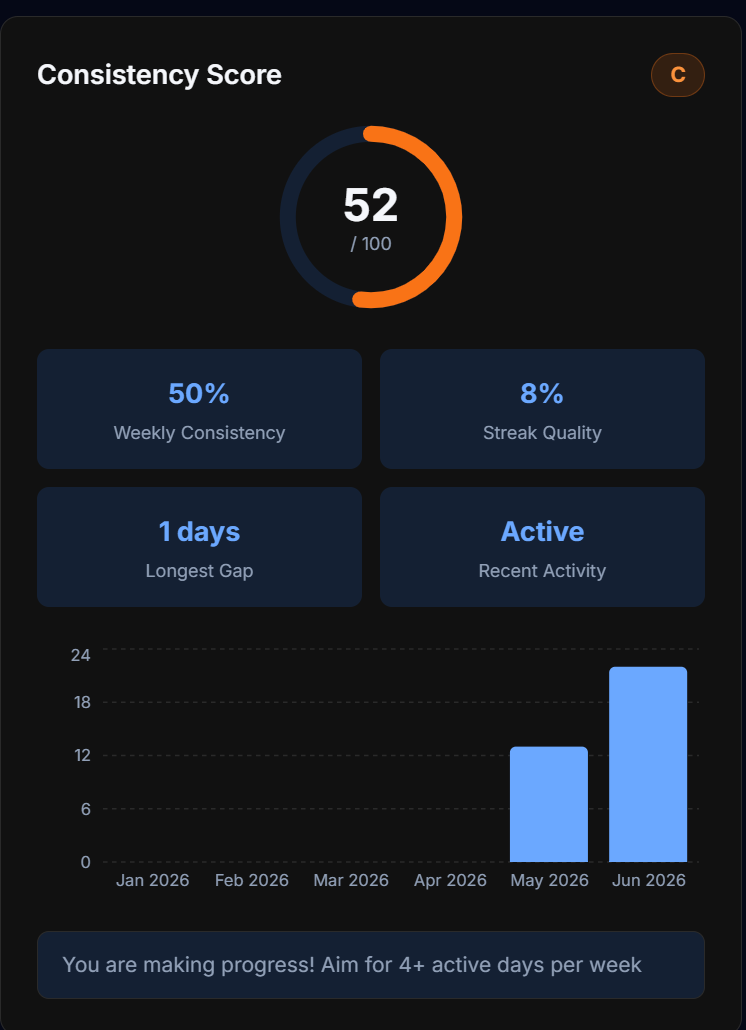
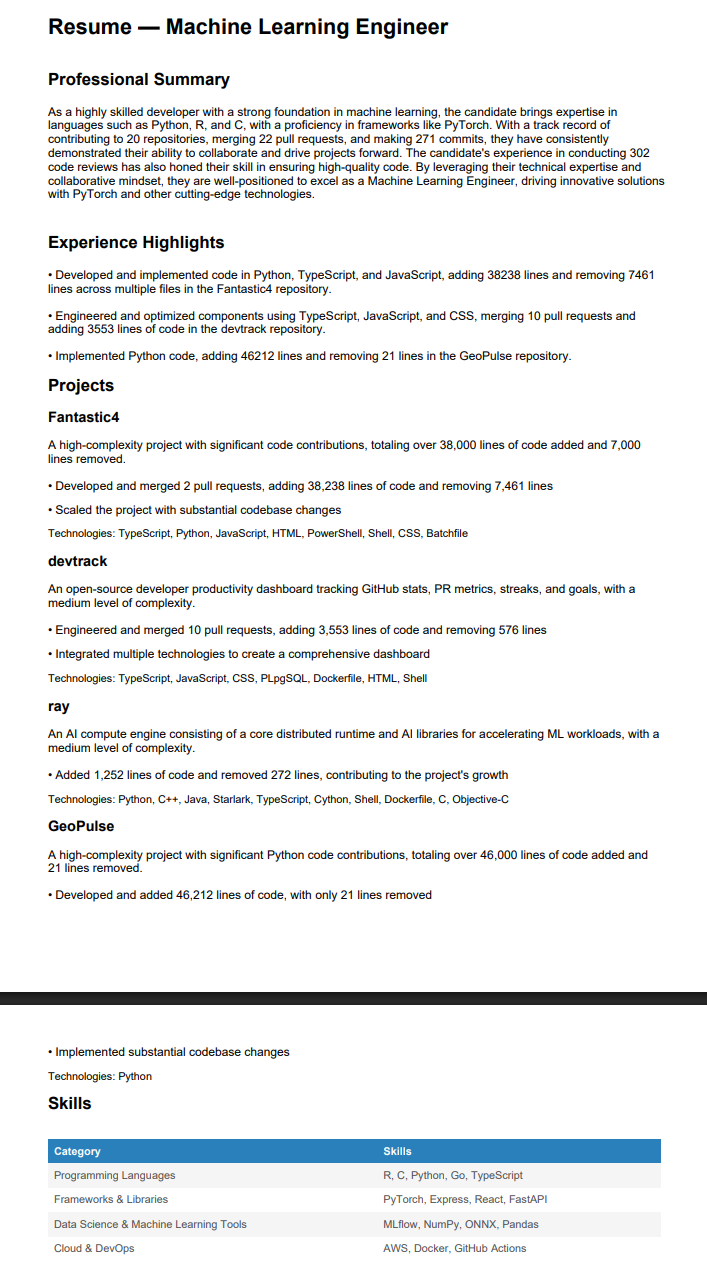
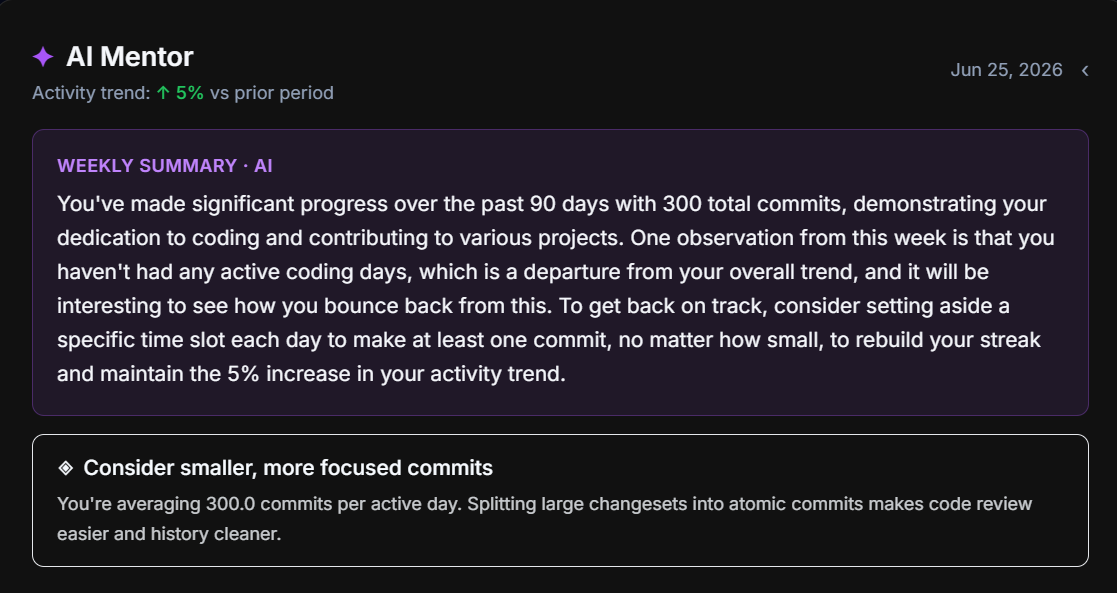
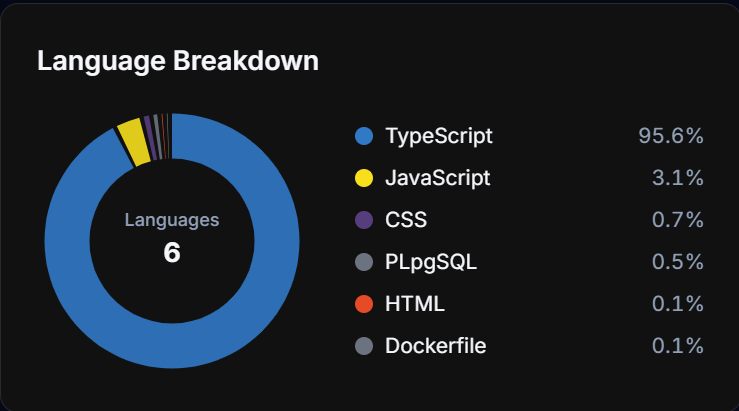
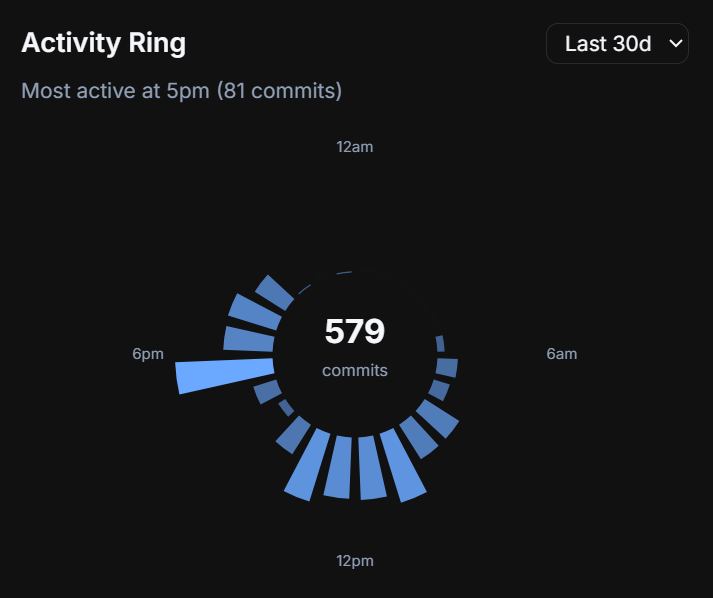
DevTrack is an open-source dashboard that lets developers track their GitHub work in one place. It visualizes commit streaks, pull request metrics, contribution calendars with language filters, language usage breakdowns, consistency ratings, daily activity rings, and coding targets that update automatically from live GitHub data. AI features generate resumes from your GitHub history, analyze your coding personality, provide a mentor with personalized advice, and create weekly natural-language summaries. You can link multiple GitHub accounts and switch between them instantly, get real-time dashboard updates through Supabase Realtime, connect Discord and WakaTime, receive weekly email digests, export all data as JSON or PDF, use it as a progressive web app, and choose from several UI themes. The stack is Next.js 16 with TypeScript and Tailwind CSS, backed by Supabase PostgreSQL with row-level security, and GitHub OAuth via NextAuth.js. You can deploy it with Docker, Vercel in one click, Railway, or Render, each using a free Supabase cloud database.
Should you self-host DevTrack?
DevTrack scores 52/100 on selfhost.directory (how scoring works) and ranks #69 of 166 in Developer Tools. It has 261 GitHub stars.
It shipped 2 stable releases in the past year. The latest, v0.2.0, came out on 9 June 2026. New versions land roughly every 4 weeks.
Setup is moderate: expect some configuration beyond a single command. It is MIT-licensed and written mostly in Typescript.
Its closest alternative on selfhost.directory is openhands (87/100, 92 068 stars). It scores higher overall, so compare the two before you pick. See DevTrack vs openhands side by side.
Features
- AI mentor
- AI resume generator
- Coding personality analysis
- Commit streak tracking
- Data Export
- Embeddable badges
- GitHub contribution tracking
- Goal tracking
- Leaderboard
- Multi-Account Support
- PR analytics
- Public Profile
- Real-time updates
- Weekly insights
- Year Wrapped
DevTrack README
FAQ
Which Node.js and pnpm versions are supported?
Node.js >= 20, pnpm >= 9, Git any version. Install pnpm via corepack enable or npm install -g pnpm.
How can I contribute?
Browse open issues labeled 'good first issue', comment to get assigned, fork the repo, branch from main, open a PR, and ensure CI passes locally with lint, type-check, and tests.
How do I run tests?
Run 'pnpm test' for unit tests, 'npx playwright install --with-deps chromium && pnpm run test:e2e' for end-to-end tests, and 'npx playwright test -c playwright.visual.config.mjs' for visual regression tests.
Why are GitHub metrics not loading?
Likely hitting GitHub's unauthenticated API rate limit. Set GITHUB_TOKEN (personal access token) in .env.local to raise the limit. Also check OAuth scopes granted and outbound network access to api.github.com.
How do I obtain Supabase credentials?
Create a free Supabase project, go to Project Settings → API, and copy the Project URL, anon public key, and service_role key. Run all SQL migrations in supabase/migrations/ via the SQL editor.
Why is login not working?
Usually caused by callback URL mismatch, missing/incorrect NEXTAUTH_SECRET, stale .env.local requiring restart, or Supabase RLS blocking the user row.
How do I configure GitHub OAuth?
Create a GitHub OAuth App with the callback URL set to your deployment URL + /api/auth/callback/github, then add the Client ID and Secret to GITHUB_ID and GITHUB_SECRET in your environment.
More in Productivity
 DillingerOpen-source, self-hosted markdown editor built on Next.js with Monaco, live preview, cloud sync to GitHub and Dropbox, PDF export, and no account required.
 dobaseOpen-source, self-hosted workspace combining eight tools — mail, kanban, docs, chat, tasks, files, calendar, video — into one tiling interface on your server.
 docker-joplinSelf-hosted Docker container running Joplin note-taking app accessible via noVNC web interface, based on jlesage's baseimage-gui for headless GUI applications.
 DoskaAn open-source Kanban app with Markdown cards that runs offline in the browser and syncs through a self-hosted server. Includes OIDC sign-on and MCP for AI agents.
 dropmindSelf-hosted capture inbox to instantly save links, notes, screenshots, and files from any device with PWA, dark mode, and Docker deployment.
 DumbPadDumbPad is a self-hosted, open-source notepad with auto-save, dark mode, PIN protection, markdown preview, fuzzy search, and real-time collaborative editing.
 EidosSelf-hosted single-file relational spreadsheet using standard SQLite for structured data. Open-source Notion alternative with optional sync and publishing services.
 ever-teamsSelf-hosted, open-source work and project management platform with time tracking, productivity metrics, team management, and integrations for GitHub, GitLab, Jira.
 FabricFabric is a self-hosted, open-source AI augmentation framework with crowdsourced prompt patterns, CLI, REST API, and web UI.
 flowchart.funEasily generate flowcharts and diagrams from text ⿻
 FluidCalendarFluidCalendar is a self-hosted, open-source Motion alternative for intelligent task scheduling with Google Calendar, Outlook, and CalDAV sync.
 focus-compass-sync-serverSelf-hosted Node.js sync server for Focus Compass using Hocuspocus/Yjs with SQLite, bearer tokens, admin UI, backups, and optional MCP for AI clients.
0 comments