
Self-host Cliparr
v3.0.1Browser-based video clipper for personal media servers
- Stars
- 215
- Ports
- 7171 (HTTP server for Cliparr web app and API), 3000 (Development server port)
ghcr.io/techsquidtv/cliparr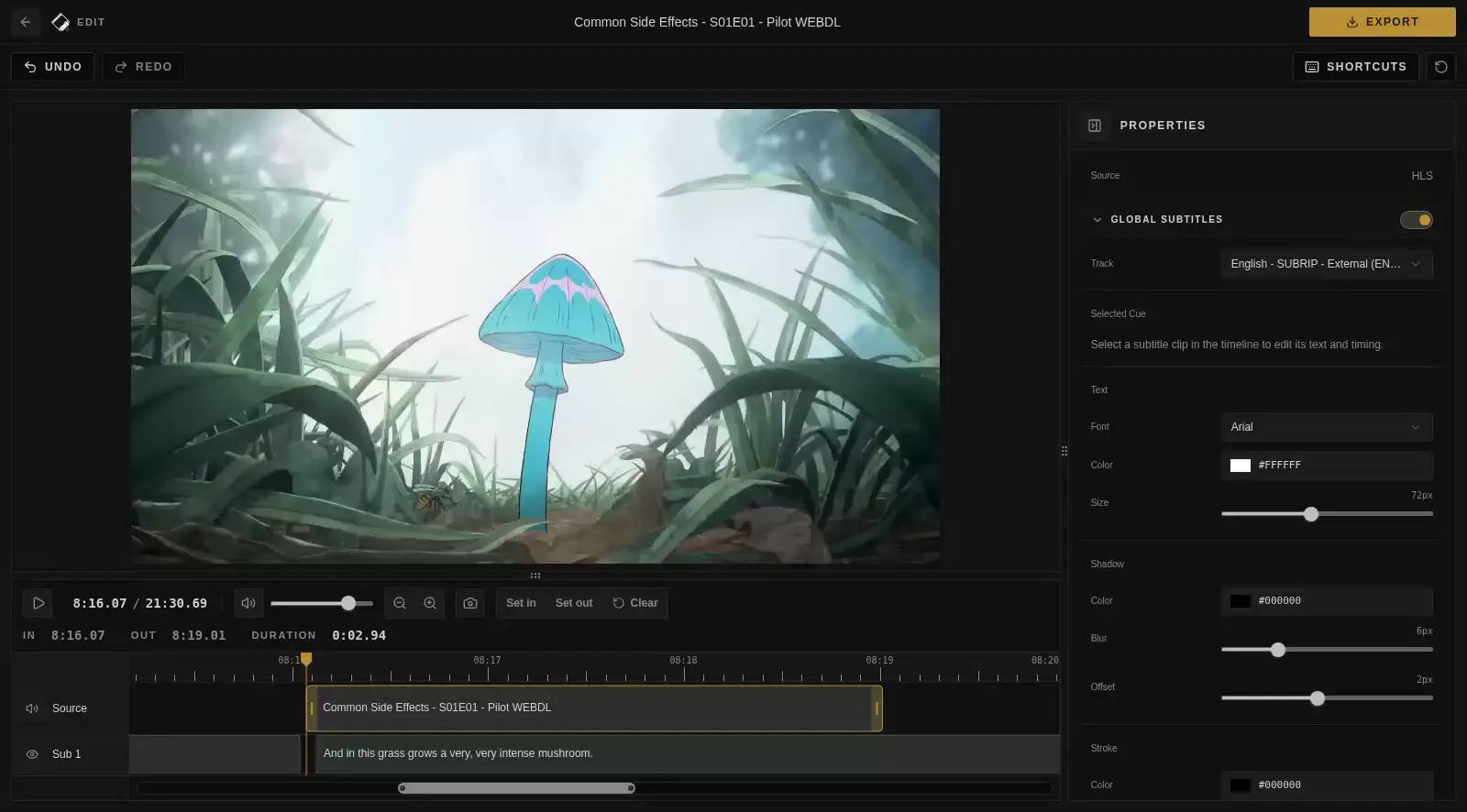
What is Cliparr?
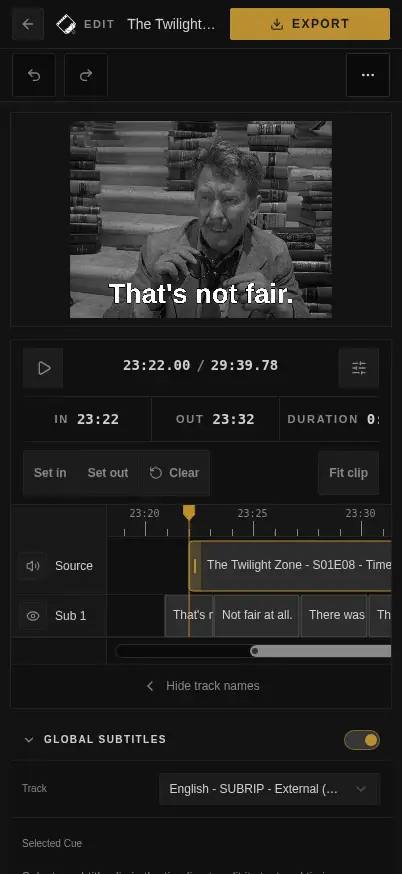
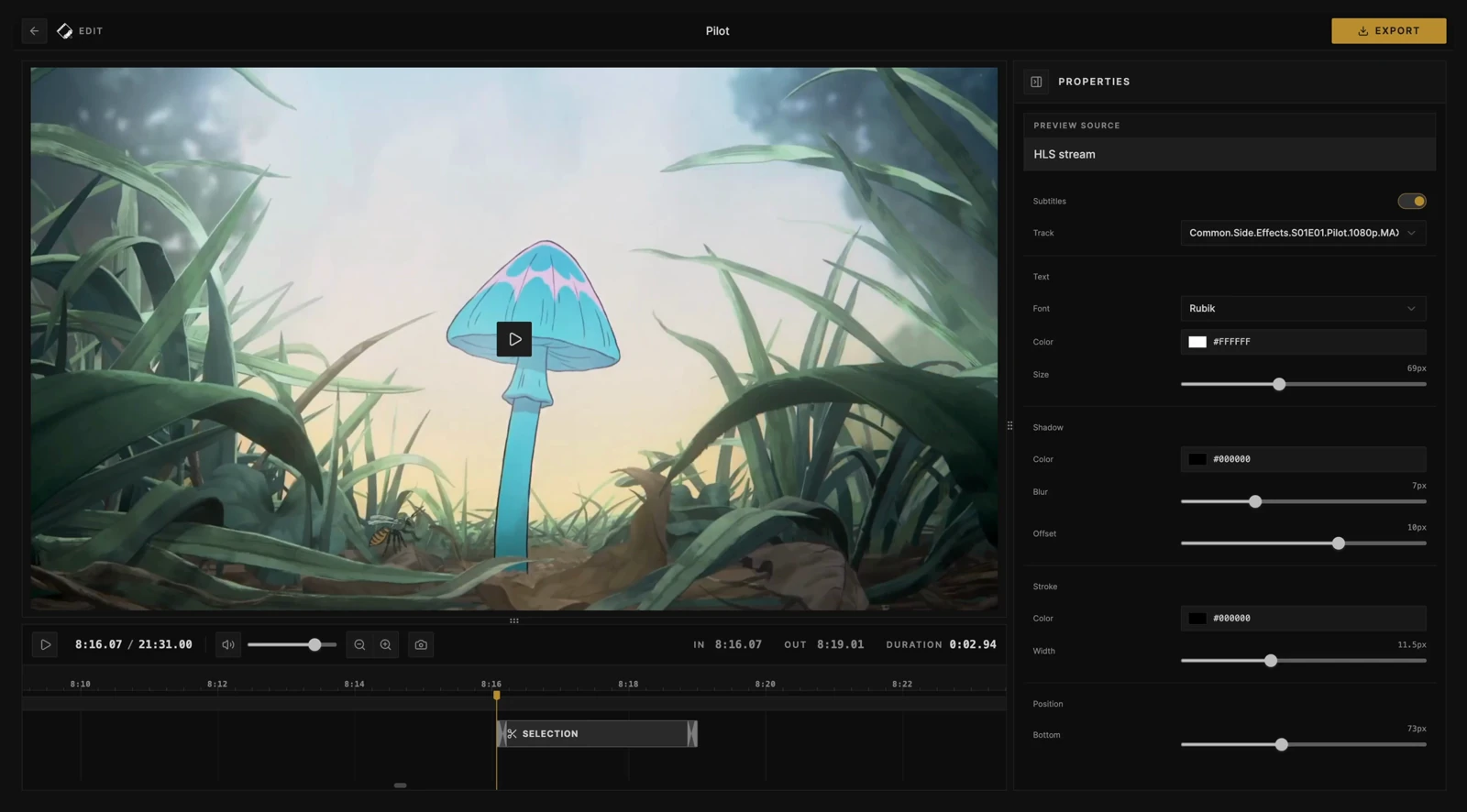
Cliparr is a self-hosted video clipping application for personal media servers. It connects to Plex and Jellyfin to automatically discover active playback sessions, letting you trim clips from what's currently playing. You can also open local video files directly in the browser without uploading them. The editor provides a timeline interface for precise clip selection with zoom and fine-tuning controls. Exports run entirely in the browser using WebCodecs — no server-side FFmpeg required — and support video (MP4, WebM, MOV, MKV), audio (MP3, M4A, Ogg/Opus, FLAC, WAV), and GIF formats. Subtitles can be authored from scratch or imported from the media server, then styled and burned into the exported clip. Metadata such as title, artwork, and timing details from the source media are embedded in supported containers. Cliparr runs as a Docker container (Linux/amd64 and Linux/arm64) on port 7171, stores encrypted provider credentials in a SQLite database, and requires a stable APP_KEY for credential encryption. The UI is a Progressive Web App installable on mobile and desktop. Access control is handled externally via reverse proxy (Authelia, Authentik, Tailscale, WireGuard, etc.) since Cliparr has no built-in user authentication system.
Should you self-host Cliparr?
Cliparr scores 51/100 on selfhost.directory (how scoring works) and ranks #7 of 18 in Video Processing. It has 215 GitHub stars.
It shipped 10 stable releases in the past year. The latest, v3.0.1, came out on 20 October 2026. New versions land roughly every 5 days.
Setup is moderate: expect some configuration beyond a single command. An official Docker image is available. It is MIT-licensed and written mostly in Typescript.
Its closest alternative on selfhost.directory is Concat (82/100, 12 231 stars). It scores higher overall, so compare the two before you pick. See Cliparr vs Concat side by side.
Features
- Browser-based processing
- Encrypted credential storage
- Live session discovery
- Local video clipping
- Metadata Embedding
- Progressive Web App
- Subtitle authoring and burn-in
- Timeline editing
- Video, audio, and GIF export
Cliparr README
FAQ
When should I use Cliparr Convert instead?
Use Cliparr Convert when you only need whole-file conversion without self-hosting. The hosted converter runs in your browser and is separate from the full Cliparr app for Plex, Jellyfin, local sources, and timeline clipping.
Does Cliparr work with Plex and Jellyfin?
Yes. Cliparr can connect to Plex and Jellyfin providers, discover active playback sessions, open the current media, and start clipping from the playback position.
Does Cliparr use FFmpeg?
No. Cliparr processes video, audio, and GIF exports in your browser. You do not need to install FFmpeg.
What does the Cliparr server do?
The server handles media server authentication, encrypted provider records, active playback discovery, and proxy work for media routes. It helps the browser reach authenticated sources, while editing and export processing run in the browser.
Where does Cliparr process video?
Cliparr processes video in the browser. Local files are read directly by the browser; Plex, Jellyfin, and direct media URL sources can route through your self-hosted Cliparr server's media proxy so the browser can preview and export them.
More in Video Processing
 ClipForgeSelf-hosted AI turns product images into short videos for Douyin, Kuaishou, Xiaohongshu, TikTok Shop — product-preserving visuals, AI scripts, voiceovers, subtitles.
 cobaltA self-hosted, open-source media downloader that saves video, audio, gifs and photos from YouTube, TikTok, Instagram, Reddit and more, with no ads or trackers.
 ConcatAn open-source, self-hosted desktop and mobile video editor pitched as a CapCut replacement, with local Whisper captions, text-to-speech and 4K export.
 DigicutOpen-source, self-hosted web app that cuts an excerpt out of an audio or video file in the browser with FFmpeg.wasm, so media never reaches a server.
 DigimergeSelf-hosted open-source (AGPL-3.0) web app to merge audio, concatenate videos or build image slideshows with ffmpeg.wasm; files are processed locally in the browser.
 DigitranscodeSelf-hosted audio and video converter that transcodes in the browser with FFmpeg.wasm — nothing is uploaded. Offers bitrate, sample-rate and resolution options.
 dovi-convert-dockerA self-hosted Docker app with a browser interface that turns Dolby Vision Profile 7 rips into Profile 8.1 so they play on more devices.
 Duix.AvatarSelf-hosted, open-source AI avatar toolkit that clones your face and voice offline to generate lip-synced talking videos from text or audio on your own GPU.
 EchoSyncEchoSync is a self-hosted AI video generator turning text into multi-scene prototypes with narration, subtitles, and a digital anchor — all running locally via Docker.
 ffmpeg-over-ipOpen-source, self-hosted client and server that run GPU-accelerated ffmpeg on a remote machine and tunnel file I/O back, dropping GPU passthrough and NFS/SMB shares.
 FlyReq Image StudioFlyReq Image Studio is a self-hosted, open-source AI image and video generation workspace with multi-model support, infinite canvas, agent mode, and PWA.
 HandBrake WebSelf-hosted, open-source web UI to manage HandBrake encoding jobs across multiple machines with job queue, presets, and hardware acceleration.
0 comments