
Self-host Cleanarr
v2.5.2Plex duplicate and sample file cleaner
- Stars
- 274
- Ports
- 80 (HTTP web UI), 5000 (Development backend port)
- Requires
- Plex Media Server
selexin/cleanarr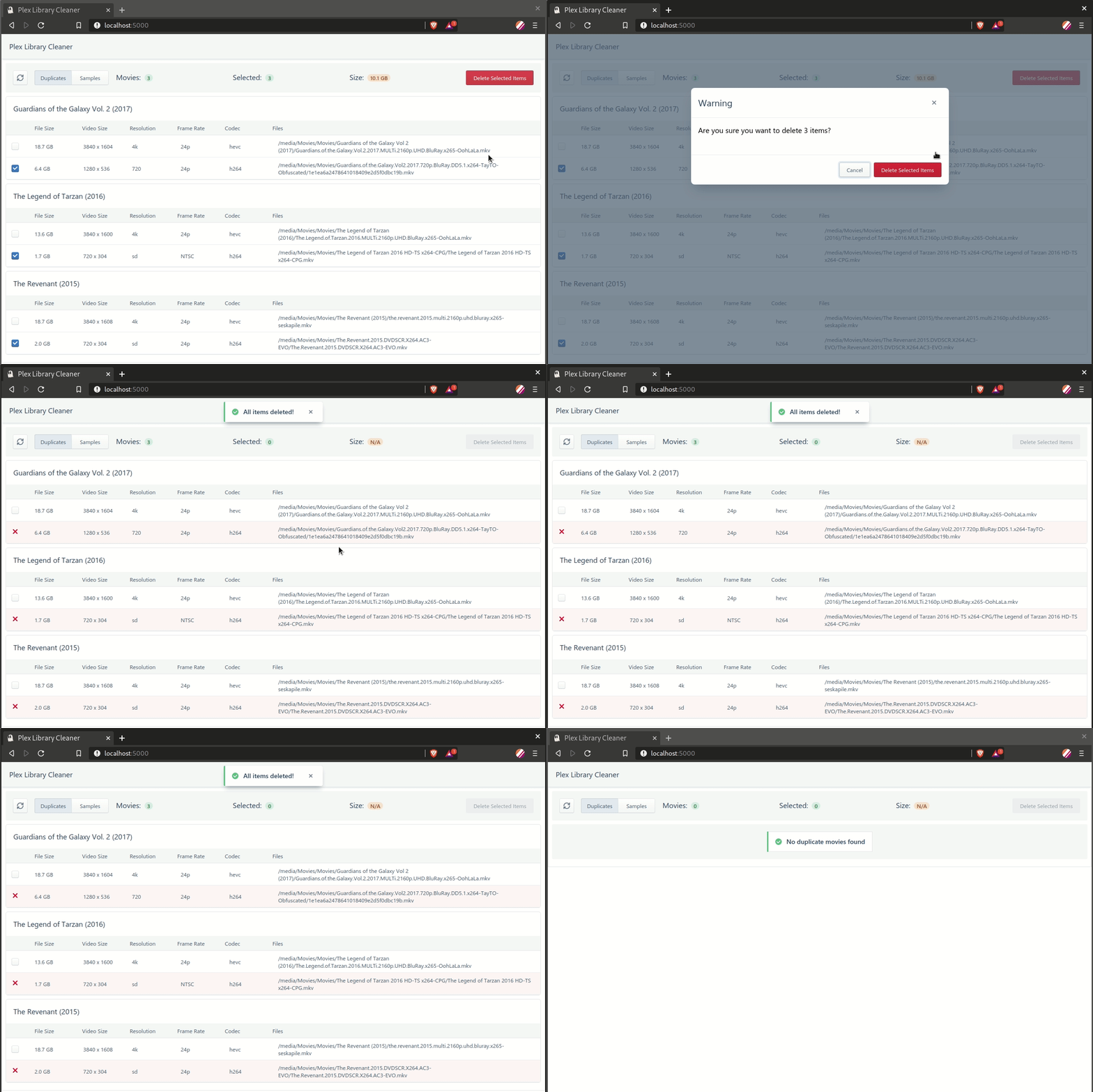
What is Cleanarr?
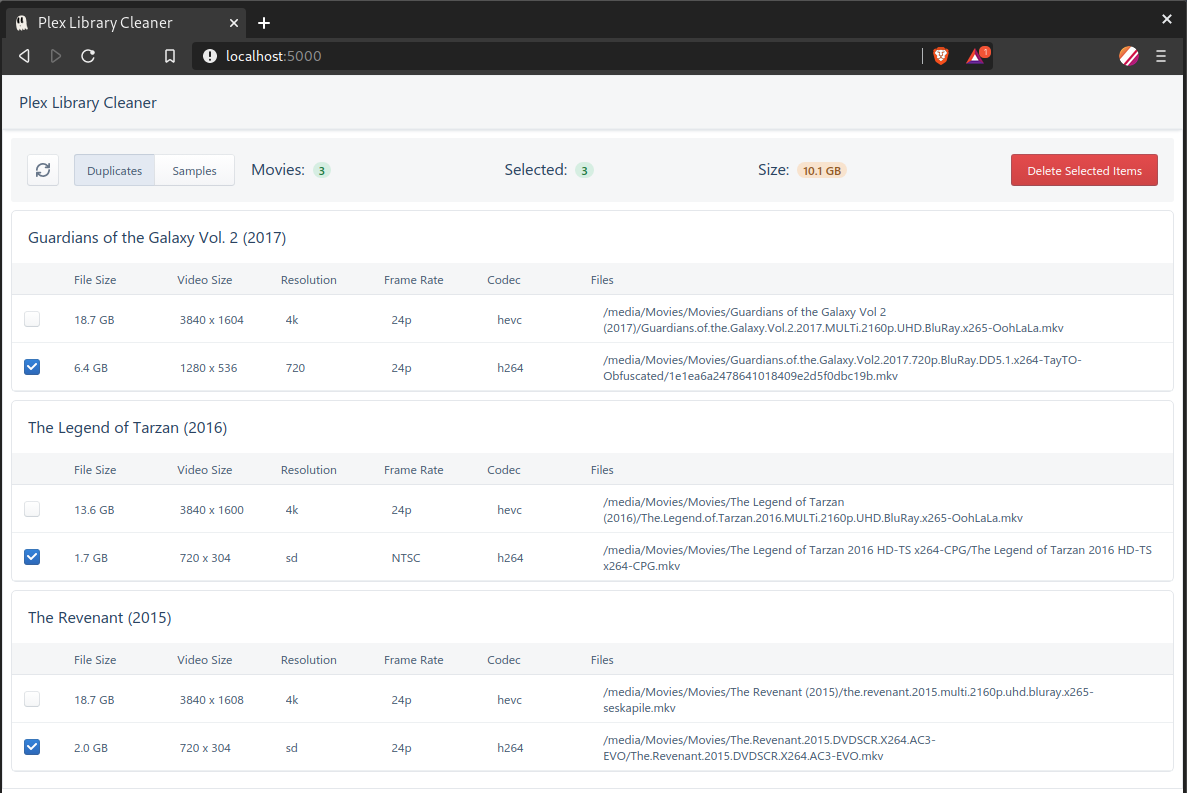
Cleanarr provides a simple web interface to scan Plex Media Server libraries for duplicate movies or TV episodes and sample files, then delete them directly. It connects to a Plex server using a base URL and authentication token, supports multiple libraries, and runs as a Docker container with a Flask backend and React frontend. The project is open-source under MIT license and requires the Plex 'Allow media deletion' setting to be enabled. Development has slowed with the last update over two years ago.
Should you self-host Cleanarr?
Cleanarr scores 46/100 on selfhost.directory (how scoring works) and ranks #92 of 142 in Media Management. It has 274 GitHub stars.
There was no stable release in the past 12 months, so check the repository's recent activity before you rely on it.
Setup is moderate: expect some configuration beyond a single command. An official Docker image is available. It is MIT-licensed and written mostly in Typescript.
Its closest alternative on selfhost.directory is Sonarr (81/100, 17 472 stars). It scores higher overall, so compare the two before you pick. See Cleanarr vs Sonarr side by side.
Features
- Config persistence
- Configurable page size
- Debug logging
- Duplicate file detection
- Multiple library support
- Sample File Detection
- SSL verification bypass
Cleanarr README
More in Plex
 deleterrDeleterr is a self-hosted, open-source tool that automatically cleans up Plex libraries by deleting unwatched or old content with smart exclusions and a grace period.
 KitanaKitana is a self-hosted, open-source web frontend that exposes Plex plugin interfaces via Plex.TV authentication, making them manageable from mobile devices.
 OmbiSelf-hosted, open-source media request tool: Plex, Emby and Jellyfin users request movies, TV and music, which get approved and handed to Sonarr or Radarr.
 pastaSelf-hosted, browser-based Plex helper to batch-change audio and subtitle tracks for whole TV shows or single episodes, with Docker image and Unraid template.
0 comments