
Self-host ChatGPT Next Web
v2.16.1Lightweight multi-provider AI chat web & desktop client
docker run -d -p 3000:3000 -e OPENAI_API_KEY=sk-xxxx -e CODE=your-password yidadaa/chatgpt-next-web- Stars
- 88 968
- Port
- 3000 (Web UI served by the container (Docker mapping 3000:3000))
yidadaa/chatgpt-next-web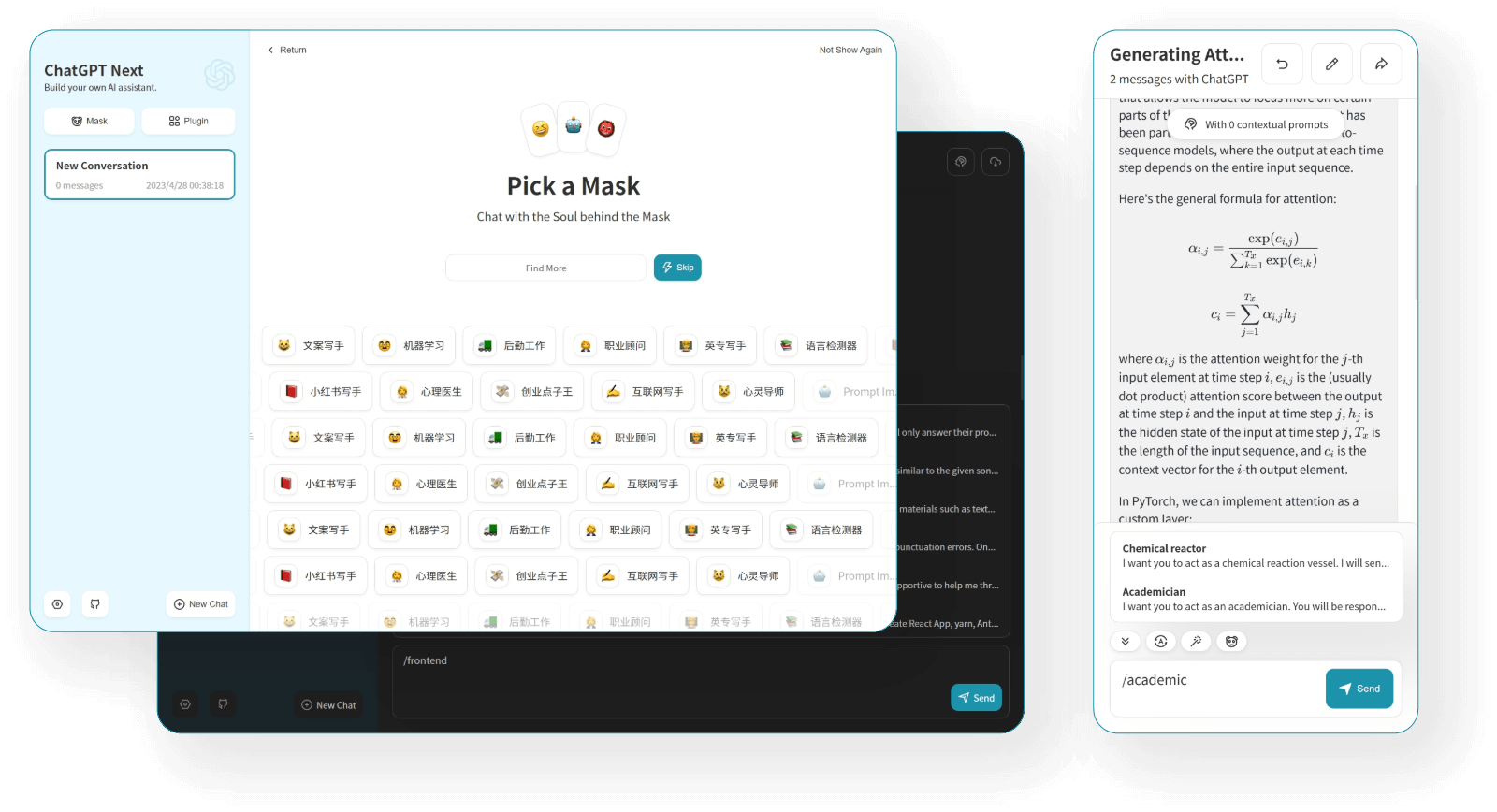
What is ChatGPT Next Web?
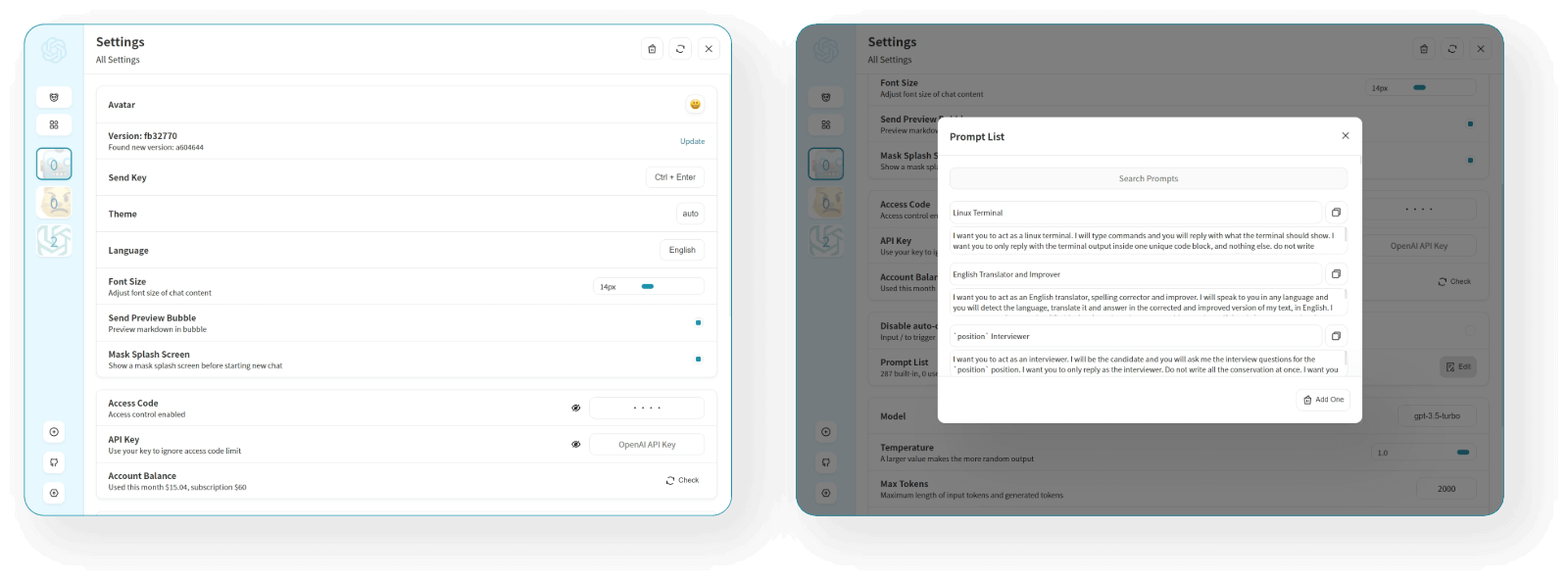
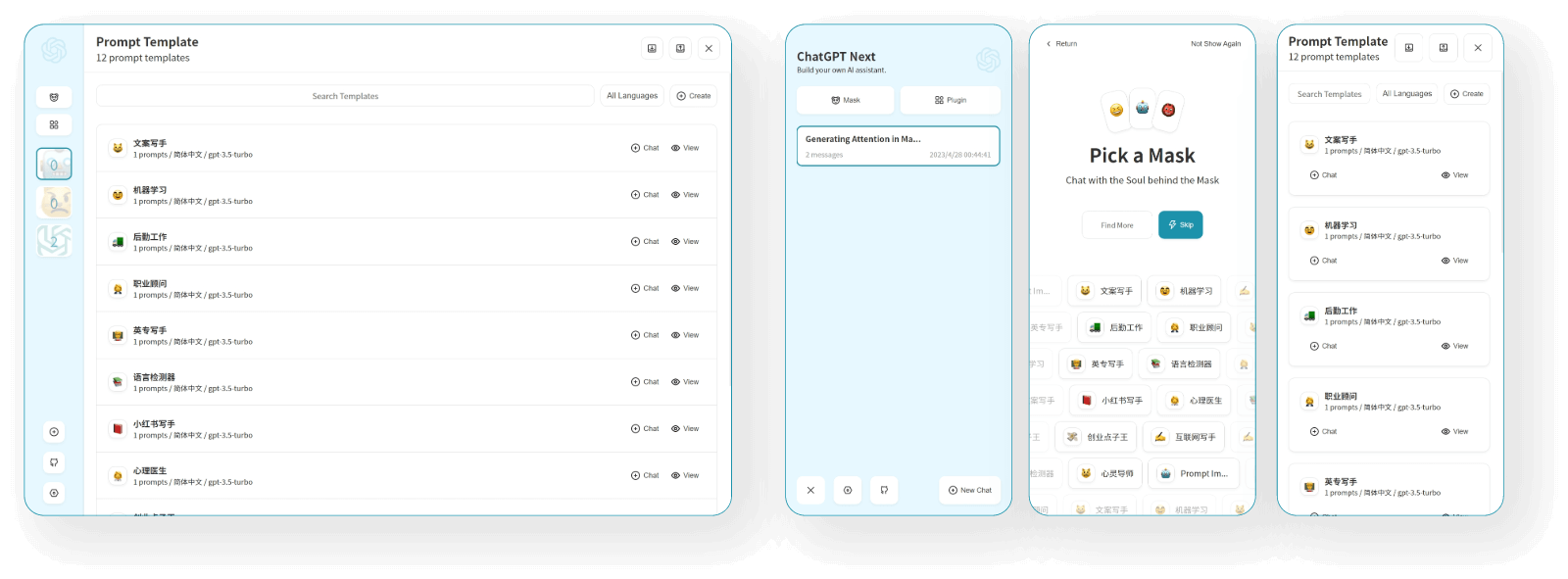
NextChat is a cross-platform chat client for large language models: one interface can talk to OpenAI, Azure OpenAI, Anthropic Claude, Google Gemini, DeepSeek and many other providers using your own API keys, alongside a hosted pay-as-you-go service at nextchat.club. It streams responses, renders Markdown with LaTeX and Mermaid, offers prompt templates plus a shared prompt library, plugins such as network search and a calculator, an Artifacts window for generated content, realtime chat, and MCP support when enabled by environment variable. Conversations stay in the browser locally, with optional record sync through WebDAV endpoints or UpStash, and history is condensed automatically so long chats save tokens. Self-hosting is a single Docker command on port 3000, a Vercel one-click deploy, or a setup shell script; native clients include a compact (~5 MB) desktop build for Linux, Windows and macOS and an iOS app. Public deployments can be gated with an access password supplied via the CODE variable. The code is MIT-licensed; building from source needs Node.js 18 or newer. A separate enterprise edition advertises brand customization, admin-managed AI resources, permissions, security auditing and private deployment.
Should you self-host ChatGPT Next Web?
ChatGPT Next Web scores 84/100 on selfhost.directory (how scoring works) and ranks #2 of 68 in AI Chat. It has 88 968 GitHub stars, +129 in the last 30 days.
There was no stable release in the past 12 months, so check the repository's recent activity before you rely on it.
Setup is easy: most people get it running in one sitting. An official Docker image is available. It is MIT-licensed and written mostly in Typescript.
Its closest alternative on selfhost.directory is LibreChat (85/100, 47 147 stars). It scores higher overall, so compare the two before you pick. See ChatGPT Next Web vs LibreChat side by side.
Features
- Artifacts
- Chat history compression
- Chat log sync
- Local Data Storage
- Markdown Rendering
- MCP (Model Context Protocol) Support
- Multilingual interface
- Multi-provider LLM chat
- Plugins
- Prompt templates
- Realtime chat
- Share conversations
- Streaming Responses
- Vision model support
ChatGPT Next Web README

English / 简体中文
✨ Light and Fast AI Assistant,with Claude, DeepSeek, GPT4 & Gemini Pro support.
NextChatAI / iOS APP / Web App Demo / Desktop App / Enterprise Edition

FAQ
What is Cloudflare?
Cloudflare is a network provider offering CDN, domain management, static page hosting and edge computing; commonly used to hide a server IP or deploy websites for free.
Can I deploy it on a server in China?
Yes, but you need a proxy for GitHub/OpenAI, an ICP filing for domain resolution in China, and should expect that proxy access to such applications may be blocked.
What is a proxy and how to use it?
Some regions cannot reach the OpenAI API directly, so either set a forward proxy (HTTP_PROXY in Docker) or point BASE_URL at an OpenAI-compatible reverse proxy such as a Cloudflare-based one.
It prompts "You exceeded your current quota, ..." when using?
That means the API key is problematic or its balance is insufficient.
It prompts "Now it's unauthorized, please enter the access password on the settings page" when using?
The deployment has an access password configured via CODE; open the settings page and enter the access code to use it.
Why does ChatGPT's reply get garbled
A temperature above 1 in Settings → model settings can garble replies; lower it back to 1 or less.
Why does it always prompt "An error occurred, please try again later"
Update to the newest version, verify the API key is set with the correct uppercase env-var name and is valid; if it persists, open an issue with the Vercel or Docker runtime log.
You may encounter an "Error: Loading CSS chunk xxx failed..."
Next.js code chunking has limited compatibility with older browsers; you can disable chunking (e.g. DISABLE_CHUNK=1 on Vercel or during yarn build), at the cost of longer first-load time, though pre-built Docker images cannot toggle it.
I've deployed, but it's not accessible
Work through the basics: is the service running, is the port mapped correctly, is the firewall open, is the network route to the server fine, and does the domain resolve?
Why doesn't the version I deployed have streaming response
Usually the reverse proxy buffers output — with nginx, disable proxy cache/buffering and enable chunked transfer encoding per the snippet; on Netlify the issue is still unresolved.
What is the environment variable CODE? Is it necessary to set it?
CODE is an optional access password (comma-separated list works). Without it anyone can reach your deployment; with it users must enter the password in the settings page.
How to modify Vercel environment variables
Open the Vercel console, select the project, go to Settings → Environment Variables and change the values there.
How to deploy on Vercel
Fork the project on GitHub, connect the fork to a Vercel account, create a new project selecting it, fill in the required environment variables and deploy; add a CNAME to cname.vercel-dns.com for direct access from China.
Why does the Docker deployment version always prompt for updates
The Docker image mirrors the latest release, and releases land every one to two days, so the running container is always slightly behind the newest commit — that is expected.
How to get help quickly?
Ask a model like ChatGPT or an online community, and include background plus a detailed description — well-formed questions get useful answers faster.
More in AI Chat
 chatgpt-uiSelf-hosted ChatGPT web client with multi-user support, multiple languages, and persistent storage (MySQL/PostgreSQL/SQLite) via Nuxt frontend and Django backend.
 chatGPT-webOpen-source, self-hosted single-page chat front end for OpenAI-compatible APIs: pick a provider, paste your key, and chats stay in browser storage.
 ChatGPT Web Midjourney ProxySelf-hosted open-source web UI that combines ChatGPT, Midjourney, Suno, Luma, Runway, Pika, and other AI models into a single interface with PWA support.
 chatpadChatpad AI is a self-hosted, open-source web and desktop interface for ChatGPT that stores all conversation data locally in the browser with no tracking or cookies.
 ChatterMateA self-hosted AI customer support platform pairing an AI chatbot with human agents in one inbox. Works with many AI models, connects to Shopify, and spans 9 channels.
 chat-uiA self-hosted, open-source chat interface for LLMs that talks to any OpenAI-compatible API (Ollama, llama.cpp, OpenRouter) with MCP tool calling and model routing.
 chat-with-gptAn open-source ChatGPT app with a voice
 claude-code-slackSelf-hosted bridge connecting Slack to a local Claude Code CLI — no API costs, uses your Anthropic subscription.
 ClawAppSelf-hosted open-source mobile chat client that proxies any phone browser to your OpenClaw AI Gateway, with streaming replies, voice input and offline message cache.
 clawdboss-dockerSelf-hosted Docker container running the Clawdboss wizard and OpenClaw gateway for AI agents on Discord, Telegram, or console with persistent config.
 ClawFleetSelf-hosted fleet manager for OpenClaw and Hermes AI agents in Docker containers with a browser dashboard, using your own LLM API keys or ChatGPT subscription.
 cloudflare-ai-webSelf-hosted, open-source chat frontend that turns Cloudflare Workers AI into a multi-model AI platform, with AI Gateway access to Gemini and password protection.
0 comments