
Self-host ClawFleet
v1.2.1Self-hosted AI agent fleet manager for OpenClaw and Hermes
- Stars
- 178
- RAM
- ~700 MB per OpenClaw instance, ~140 MB per Hermes instance (idle)
- Ports
- 8080 (ClawFleet Dashboard web UI), 6901 (OpenClaw noVNC desktop (instance 1)), 18790 (OpenClaw Control Panel (instance 1))
- Requires
- Docker, Docker Desktop (macOS) or Docker Engine (Linux)
ghcr.io/clawfleet/clawfleet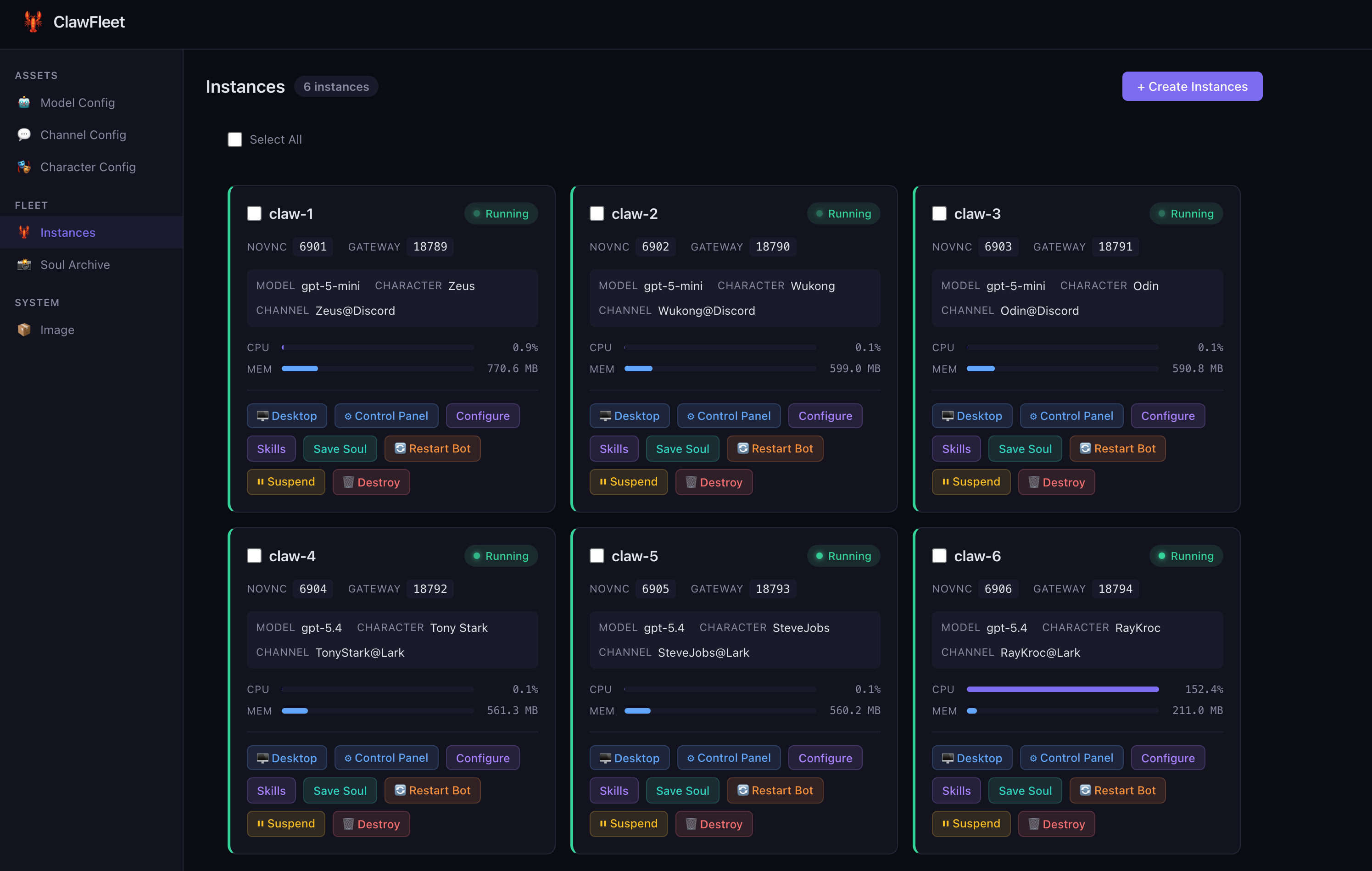
What is ClawFleet?
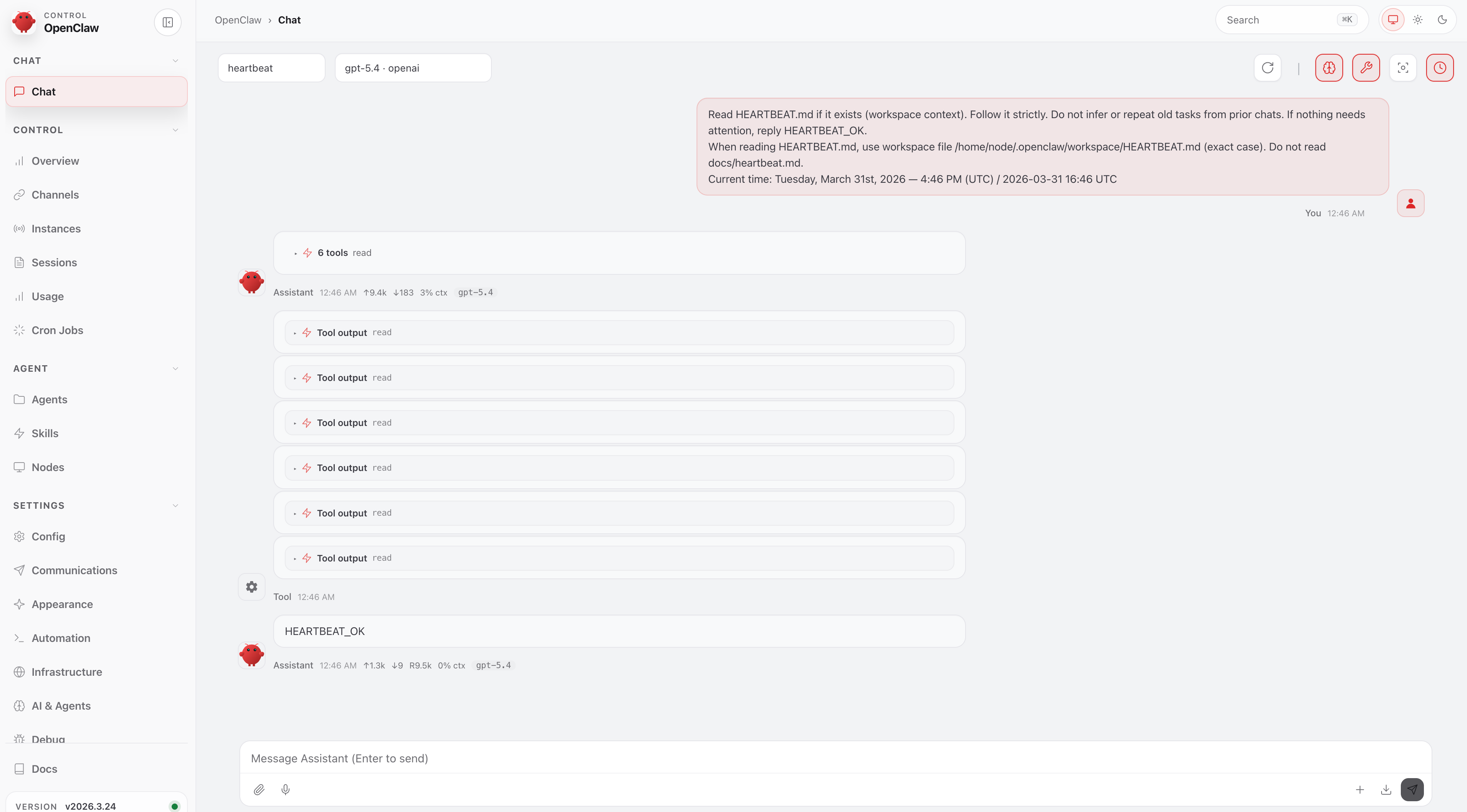
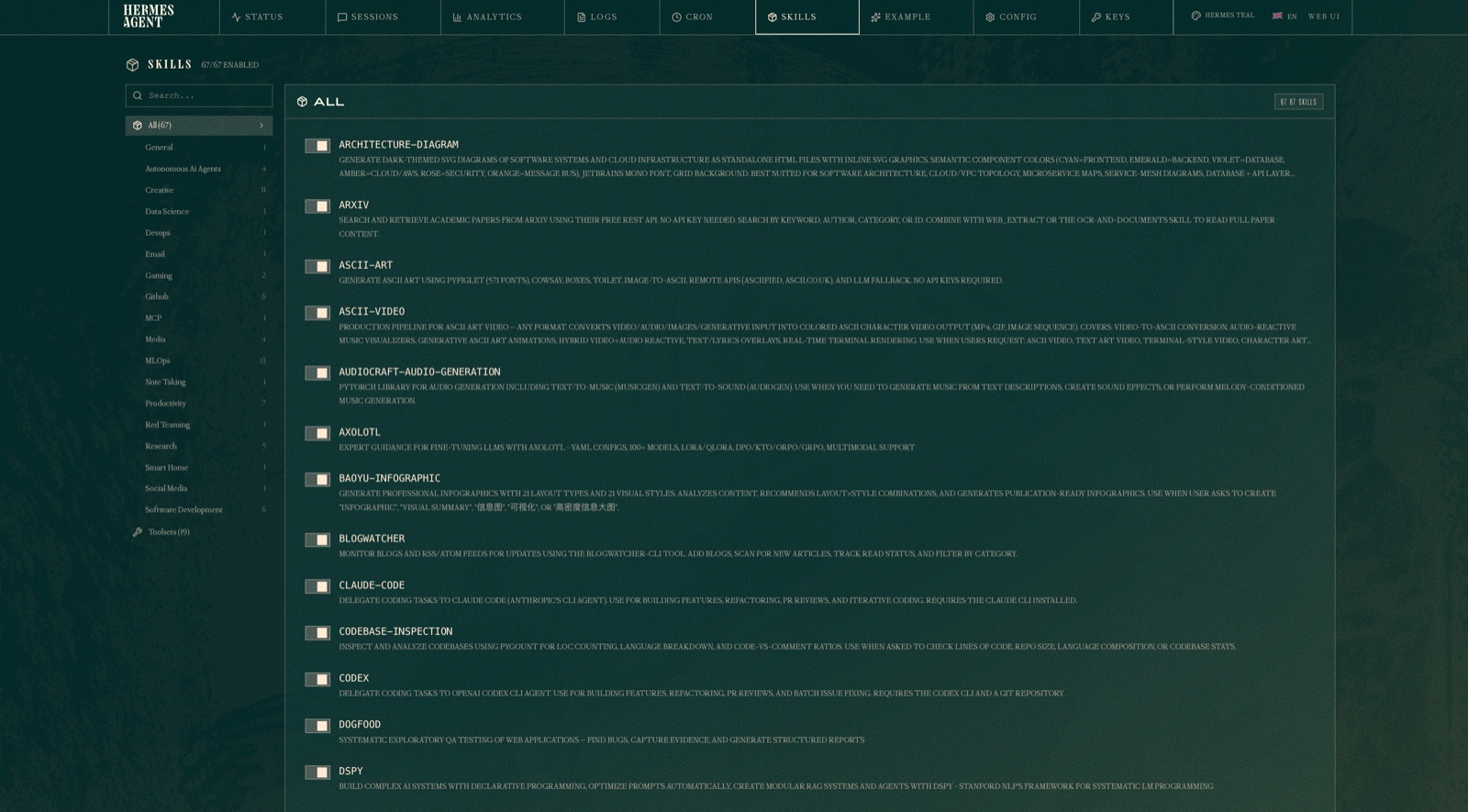
ClawFleet is a self-hosted fleet manager for AI agents that runs OpenClaw and Hermes in isolated Docker containers on your own Mac or Linux hardware. It provides a browser-based dashboard at localhost:8080 to create and manage multiple agent instances, each with its own model configuration, character persona, and messaging channel (Discord, Telegram, Slack, and 20+ others for OpenClaw). The CLI (clawfleet) handles instance lifecycle, logs, shell access (Hermes TUI or OpenClaw bash), and noVNC desktop viewing for OpenClaw. Features include a shared asset pool for models and channels, 52 built-in skills plus thousands of community skills via ClawHub (OpenClaw), a Soul Archive to snapshot and clone agent personas with memory (OpenClaw), and version pinning to lock runtime versions. The install script auto-installs Docker (Docker Desktop on Mac, Colima fallback; Docker Engine on Linux), pulls the ~1.4 GB sandbox image from ghcr.io/clawfleet/clawfleet, and starts the dashboard daemon. No cloud subscription required — you bring your own LLM API keys or use your existing ChatGPT account via Codex (OpenClaw only).
Should you self-host ClawFleet?
ClawFleet scores 48/100 on selfhost.directory (how scoring works) and ranks #110 of 209 in AI Agents. It has 178 GitHub stars.
It shipped 10 stable releases in the past year. The latest, v1.2.1, came out on 23 April 2026. New versions land roughly every 2 days.
Setup is moderate: expect some configuration beyond a single command. An official Docker image is available. It is MIT-licensed and written mostly in Go.
Its closest alternative on selfhost.directory is Orca (91/100, 108 815 stars). It scores higher overall, so compare the two before you pick. See ClawFleet vs Orca side by side.
Features
- Bot collaboration in group chats (OpenClaw)OpenClaw only
- Browser-based dashboard
- Character personas (OpenClaw)OpenClaw only
- ChatGPT subscription via Codex (OpenClaw)OpenClaw only
- CLI for instance lifecycle
- Hermes native dashboard integrationHermes only
- Hermes TUI shell accessHermes only
- Multi-runtime fleet management
- noVNC browser desktop (OpenClaw)OpenClaw only
- Shared model and channel asset pool
- Skill management (OpenClaw)OpenClaw only
- Soul Archive (OpenClaw)OpenClaw only
- Version pinning
ClawFleet README
FAQ
Why doesn't Hermes appear in the Soul Archive?
Soul Archive is OpenClaw-only today. Hermes parity is on the roadmap; until then, back up Hermes state by archiving ~/.clawfleet/data/<name>/hermes/ on the host.
Can I use my ChatGPT subscription with Hermes?
Not today. The Codex OAuth path is OpenClaw-exclusive in ClawFleet v1. For Hermes, use any standard API-key provider or configure long-tail providers via Hermes's native Dashboard.
Can I run OpenClaw and Hermes side by side?
Yes — that's a primary use case. The Dashboard groups instances by runtime. They share the same Asset pool (model configs, channel configs) where the runtime supports it.
Where is instance data stored?
OpenClaw: ~/.clawfleet/data/<name>/openclaw/ (host) / /home/node/.openclaw (container). Hermes: ~/.clawfleet/data/<name>/hermes/ (host) / /opt/data (container). Data survives container restarts and destroy unless --purge is used.
How do I reset everything to a clean state?
Run 'make reset' which destroys all instances (both runtimes, including data), stops the Dashboard, and removes all build artifacts.
Can multiple instances share the same channel config?
No. Channels are exclusive — each channel config can only be assigned to one instance at a time. To run multiple instances on the same platform, register multiple bots and create one Channel Config per bot.
Can multiple instances share the same model config?
Yes. Models are shared across the entire fleet, regardless of runtime. One Anthropic config can power any number of OpenClaw + Hermes instances simultaneously.
How much RAM do I need?
Idle memory on M4 MacBook Air (16 GB): 1 OpenClaw ~700 MB, 1 Hermes ~140 MB; 3 OpenClaw ~2.1 GB, 3 Hermes ~400 MB; 5 OpenClaw ~3.5 GB, 5 Hermes ~700 MB. OpenClaw memory rises ~3x when actively browsing.
Do I need a cloud server?
No. ClawFleet runs entirely on your local machine. The only external cost is LLM API usage or your existing ChatGPT subscription.
Does it work on Intel Macs?
Yes, but Apple Silicon is recommended. ClawFleet uses your host architecture for Docker images.
What are the system requirements?
macOS (Apple Silicon recommended) or Linux with Docker. The install script handles Docker installation automatically.
More in AI Chat
 cloudflare-ai-webSelf-hosted, open-source chat frontend that turns Cloudflare Workers AI into a multi-model AI platform, with AI Gateway access to Gemini and password protection.
 Companion SpaceSelf-hosted, open-source anime-style AI companion for learning with VRM 3D avatars, RAG-based document Q&A, and real-time voice chat.
 copilot-unleashedSelf-hosted, open-source AI chat with every Copilot model, autopilot agents, live reasoning, voice I/O, and PWA support. Runs on your server via Docker or Azure.
 cossistantSelf-hosted AI customer support platform with customizable agents that learn from your team, built for React and Next.js.
 crowSelf-hosted agentic framework and MCP platform to build AI agents, connect clients like Claude Code as native MCP connectors, with persistent memory and P2P sharing.
 CrustAICrustAI is a self-hosted AI assistant running locally via Ollama, connecting to messaging platforms with memory, voice, and REST API — no cloud.
 datalineSelf-hosted, open-source AI tool to chat with data and generate SQL, charts, reports — supports PostgreSQL, MySQL, Snowflake, SQLite, CSV, Excel.
 DEEIX ChatDEEIX Chat is a self-hosted, open-source AI workspace unifying model routing, multimodal chat, RAG, MCP tools, billing, and identity into one deployable platform.
 DeepSeek Harness LinuxSelf-hosted, open-source Linux desktop client for DeepSeek Harness — provides AppImage, .deb, and .tar.gz packages for x64 and arm64 with auto-updates.
 DeskcommCRMSelf-hosted MIT CRM where AI agents answer and qualify leads on WhatsApp, with kanban funnels, per-tenant RAG, automations and LGPD tooling. No paid tier.
 DiceFrameSelf-hosted, open-source AI tabletop RPG for D&D, CoC, and custom rules with multiplayer WebUI, character sheets, lorebooks, dice checks, and QQ bot.
 difyDify is a self-hosted, open-source LLM app platform with visual workflows, RAG pipelines, agents, and model management for taking AI apps from prototype to production.
0 comments